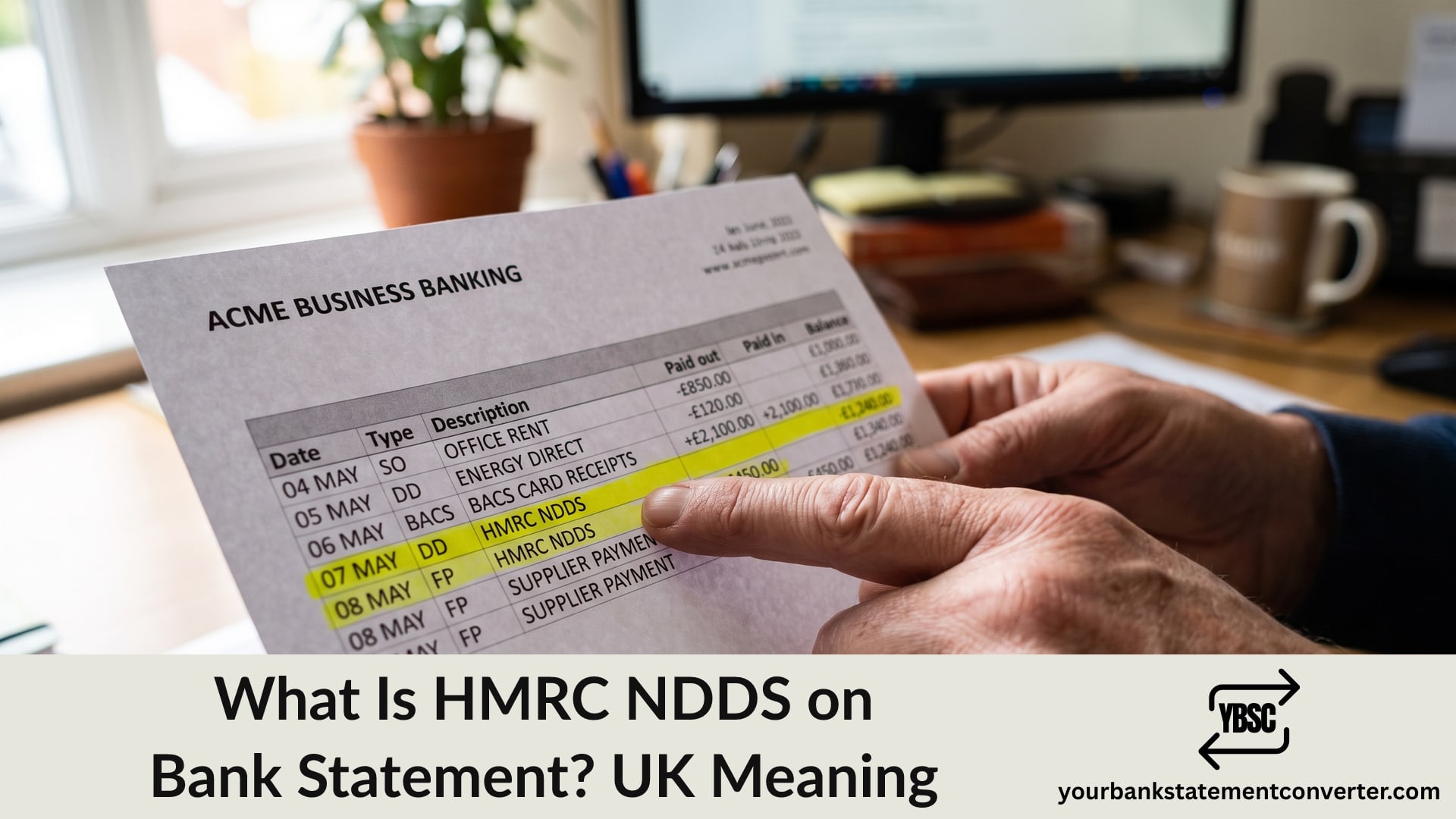
A payment to HMRC with four unexplained letters after it looks alarming for about thirty seconds. HMRC NDDS on a bank statement simply records a tax payment collected automatically by Direct Debit.
This guide explains what the abbreviation stands for, which taxes it covers, and how to check exactly which liability a payment settled.
Key Takeaways
- NDDS stands for National Direct Debit System, HMRC’s automated collection service.
- The entry is a tax payment taken by Direct Debit, not a penalty or an investigation.
- It commonly covers VAT, PAYE, Corporation Tax and Self Assessment arrangements.
- Payments come out on the due date you agreed, which is why timing can surprise you.
- Your HMRC online account, not your bank, shows which liability the payment cleared.
What Does NDDS Stand For?
NDDS is HMRC’s National Direct Debit System. It links your HMRC tax account to your bank account so that agreed amounts leave on their due dates without you doing anything.
So HMRC NDDS on a bank statement means the system collected a payment you or your accountant authorised. The letters describe the collection mechanism, not the type of tax.
Depending on how much text your bank displays, you may see HMRC NDDS, HMRC NDDS VAT, or the abbreviation followed by a reference number. That reference is worth noting, because it identifies the specific liability.
Which Taxes NDDS Collects
The same mechanism handles several different liabilities, which is why the amounts vary so much month to month.
- VAT, usually quarterly and often the largest single payment
- PAYE and National Insurance, monthly for most employers
- Corporation Tax, typically a single annual payment
- Self Assessment, including payments on account
- Time to Pay arrangements, where HMRC has agreed instalments on a debt
If you run a business, more than one of these can be active at once. That is the usual explanation for two HMRC entries in the same month that look unrelated.
Why the Payment Left When It Did
Direct Debit timing catches people out more than the amount does.
HMRC collects on the due date, not when you filed. For VAT, that is normally about a month and seven days after the quarter ends. For PAYE, it is the 22nd of the month where you pay electronically.
Because you authorised the mandate once and the system runs on its own afterwards, a payment can feel unexpected months later. It is worth diarising the due dates for whatever you have set up.
Note too that HMRC notifies you in advance of the amount and date under the Direct Debit Guarantee. Those notices arrive through your HMRC account or by post, so check there before assuming a payment came out of nowhere.
How to Check What an NDDS Payment Covered
Your bank shows the amount, the date and the reference. HMRC holds everything else.
Sign in to your HMRC online account. The relevant tax section shows payments received and which liability each one cleared.
Match the reference. Where your statement shows a reference alongside NDDS, it usually maps to the tax and period.
Check the amount against your return. A VAT payment should match the figure on the return for that quarter.
Ask your accountant. If someone else manages your filings, they will have set up the mandate and can identify the payment quickly.
Look for more than one arrangement. Two Direct Debits running at once explains most “duplicate” HMRC entries.
When an NDDS Payment Looks Wrong
Occasionally something genuinely does not fit. Handle it in order.
Check your HMRC account first, because the answer is usually there. An amount larger than expected often reflects an adjustment, interest, or a period you had forgotten.
Contact HMRC, not your bank, for questions about what a payment covered. Only HMRC can explain the liability.
Use the Direct Debit Guarantee where a payment was genuinely collected in error. Your bank must refund it immediately and reclaim from HMRC afterwards.
Never cancel the mandate to dispute an amount. Cancelling stops future collections but leaves the tax owed, and unpaid tax attracts interest and penalties. Speak to HMRC first.
Our guide to statement abbreviations explains the DD and STO codes that appear alongside entries like this, and what is on a bank statement covers where the reference field sits.
Reconciling HMRC Payments Across the Year
Matching a year of tax payments against your records is exactly the tedious work that produces errors, particularly where VAT, PAYE and Corporation Tax all collect from one account.
Our bank statement converter turns PDF statements into clean, searchable spreadsheets. Filter the description column for HMRC, and every payment lines up with its date, amount and reference, ready to reconcile against your returns in one view. Accountants and bookkeepers running this across several clients will find the pricing plans are billed on pages, not seats.
Conclusion
To sum up, HMRC NDDS on a bank statement means the National Direct Debit System collected a tax payment you authorised, covering VAT, PAYE, Corporation Tax, Self Assessment or an agreed instalment plan. The letters describe how the money was taken, not which tax it settled. Check your HMRC online account to see which liability a payment cleared, and speak to HMRC rather than cancelling the mandate if an amount looks wrong.
FAQ
1.What is HMRC NDDS on a bank statement?
NDDS is HMRC’s National Direct Debit System. The entry is a tax payment collected automatically from your account under a Direct Debit you or your accountant set up.
2.Which taxes does HMRC NDDS collect?
VAT, PAYE and National Insurance, Corporation Tax, Self Assessment, and instalments under a Time to Pay arrangement. More than one can run at the same time.
3.Why did HMRC take money without warning me?
HMRC notifies you of the amount and date in advance, usually through your online account. The payment then leaves on the due date rather than when you filed, which is why it can feel unexpected.
4.Can I cancel an HMRC Direct Debit?
You can, but do not use it to dispute an amount. Cancelling stops collection while leaving the tax owed, and unpaid tax attracts interest and penalties. Contact HMRC first.
5.How do I find out which tax a payment covered?
Sign in to your HMRC online account and check the payments section for the relevant tax. The reference on your bank statement usually maps to the specific liability and period.
6.What if HMRC took the wrong amount?
Check your HMRC account, since adjustments and interest explain most differences. Where a payment was genuinely collected in error, the Direct Debit Guarantee entitles you to an immediate refund from your bank.