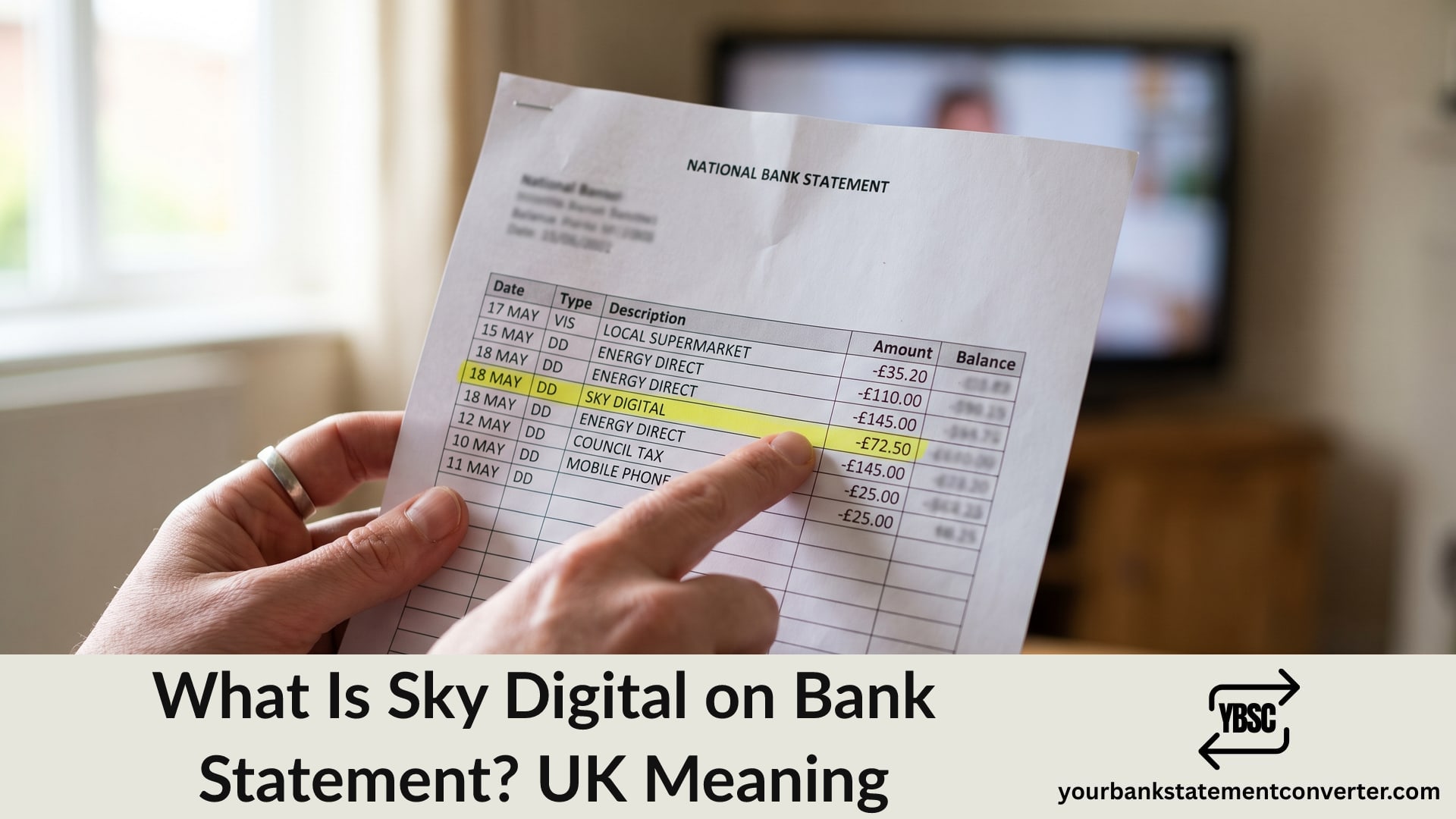
A Direct Debit reading Sky Digital rather than plain Sky is one of those entries that looks slightly off without being wrong. Sky Digital on a bank statement is a payment to Sky, shown under a legacy name the company still uses for billing.
This guide explains where the name comes from, what the payment covers, why the amount moves between months, and how to check exactly what you are subscribed to.
Key Takeaways
- Sky Digital is a Sky billing name, so the entry is your normal Sky bill.
- It can cover TV, broadband, mobile, landline and Sky Glass on one combined bill.
- Amounts change when a discount ends, a package renews, or you buy something extra.
- Sky bills in advance, so a payment can arrive before the month it covers.
- Cancelling the Direct Debit does not cancel the contract.
Why Your Statement Says Sky Digital
Sky has traded under several entity and brand names over the years, and “Sky Digital” dates back to the original digital satellite service. Billing systems keep older descriptors long after the marketing changes.
Your bank records whatever the company presents with the Direct Debit. So a modern Sky package can still reach your statement under a name that has not been on an advert for years.
You may also see variations such as SKY DIGITAL, SKY UK LTD or SKY SUBSCRIPTION. None of them mean anything different from each other.
This is the same pattern as EE Limited, where the registered entity rather than the familiar brand reaches your statement.
What the Payment Covers
Sky bundles services onto one bill, which is why a single Direct Debit can be larger than you expect.
- TV packages, including Sky Q, Sky Stream and Sky Glass
- Add-on channels such as sports, cinema and kids
- Broadband and landline
- Sky Mobile, where the airtime plan and any device payments appear
- One-off purchases, including box office events and movie rentals
Because they arrive as one figure, an unexpected increase rarely tells you which part changed. Your Sky account breaks it down line by line. Our guide to statement abbreviations explains the DD code that sits alongside the entry.
Why the Amount Changes Between Months
Four things explain almost every change, and none of them are errors.
A promotional discount ended. Easily the most common cause. Introductory pricing typically runs 18 or 24 months, and a Sky Digital on bank statement entry steps up sharply when it finishes.
An annual price rise. Sky adjusts prices periodically and notifies customers in advance.
You added something. A new channel pack, a broadband upgrade or a device payment lands on the next bill.
A one-off purchase. Box office events and rentals are added to the bill rather than charged separately.
Where a bill jumps and you cannot place why, check for an ended discount first. That is also the best moment to renegotiate, since Sky often offers a new deal to customers who ask at that point.
How to Check What You Are Paying For
Your bank shows one figure. Sky holds the breakdown.
Sign in to My Sky or the Sky app. Your bill shows each service, each add-on and any one-off charges for that period.
Compare two consecutive bills. Placing them side by side identifies exactly which line changed.
Check your contract end date. This tells you whether you are still in a minimum term and when a discount expires.
Look for services you no longer use. Add-on channel packs are easy to forget, and they are the usual source of quiet overpaying.
Check who else is on the account. Sky Mobile lines for family members appear on the same bill.
Before You Cancel a Sky Direct Debit
Treat this carefully, because the mandate and the contract are separate things.
Cancelling the Direct Debit does not end your contract. Sky continues billing, the account falls into arrears, and that can affect your credit file.
Cancel through Sky instead. Contact them, confirm any notice period, and check whether you are still inside a minimum term.
Expect a final bill. Because Sky bills in advance, a closing balance or a partial refund is normal.
Return any equipment. Sky Glass and some other hardware must go back, and unreturned kit is charged for.
Working Out What Sky Costs You Over Time
A monthly bill that crept up by a few pounds at a time is hard to spot from inside a banking app, and the annual figure is usually the one that prompts a renegotiation.
Our bank statement converter turns PDF statements into clean, searchable spreadsheets. Filter the description column for Sky, then line every payment up by date and amount. The month the figure stepped up becomes obvious immediately.
Conclusion
To sum up, Sky Digital on a bank statement is an ordinary Sky bill shown under a legacy billing name, covering whichever mix of TV, broadband, mobile and add-ons sits on your account. Amounts change most often because a promotional discount ended, which is also the best moment to renegotiate. Always cancel through Sky rather than by stopping the Direct Debit, since the contract continues regardless and arrears can reach your credit file.
FAQ
1.What is Sky Digital on a bank statement?
It is a payment to Sky, shown under a legacy billing name. The entry covers whichever Sky services you subscribe to, which can include TV, broadband, landline and mobile on one combined bill.
2.Is Sky Digital the same as Sky?
Yes. Sky Digital is a billing descriptor used by the same company. You may also see Sky UK Ltd or Sky Subscription, and none of them differ in practice.
3.Why has my Sky payment gone up?
Most often because a promotional discount ended, which happens after 18 or 24 months on many packages. Annual price rises, added channels and one-off purchases account for the rest.
4.Why is Sky charging me before the month starts?
Sky bills in advance, so a payment covers the period ahead rather than the one just finished. That is also why closing an account usually produces a final adjustment.
5.Can I cancel Sky by stopping the Direct Debit?
No. The contract continues, the account goes into arrears, and that can affect your credit file. Cancel through Sky, confirm any notice period, and return any equipment they ask for.
6.How do I see what my Sky bill is made up of?
Sign in to My Sky or the Sky app, where each service, add-on and one-off charge is itemised. Comparing two consecutive bills identifies exactly which line changed.