How to convert a Wells Fargo bank statement to Excel
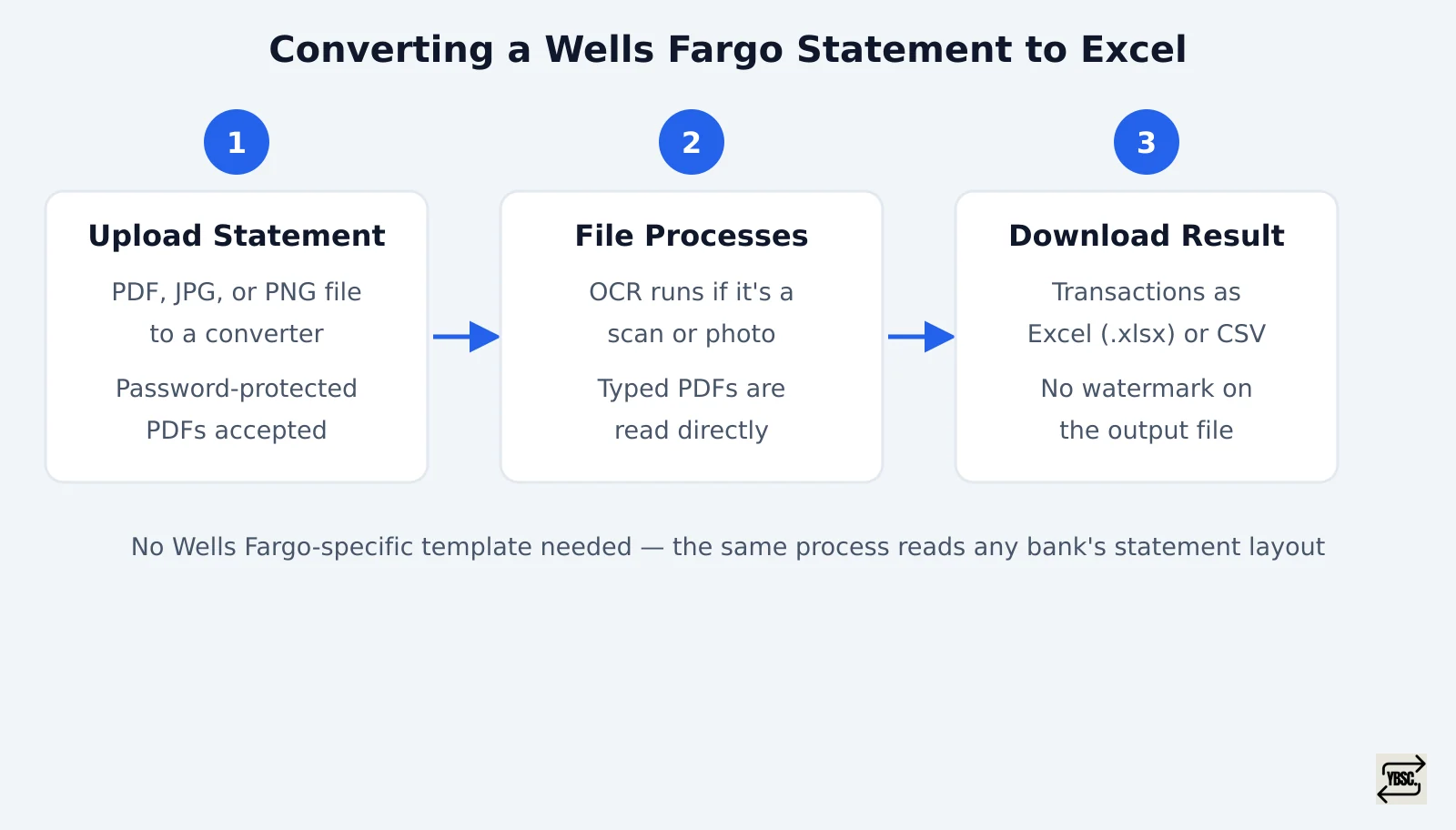
Upload your Wells Fargo PDF, JPG, or PNG statement to a converter. Let it process the file with OCR if it is a scan rather than text, then download the result as an Excel or CSV file with no watermark. You do not need a Wells Fargo specific template. A converter built to read any bank's statement layout handles Wells Fargo's format the same way it handles Chase's or Bank of America's. This is the quickest way to convert a Wells Fargo bank statement to Excel without manual data entry.
The Wells Fargo Bank Statement Converter runs this process end to end. The rest of this page covers the decisions around it: which export to use and how far back Wells Fargo's own data goes. It also covers what it costs once you move past one statement, so you can convert a Wells Fargo bank statement to Excel with a clear sense of the cost upfront.
- Open the converter and upload your Wells Fargo statement as a PDF, JPG, or PNG. Password protected PDFs are accepted; you enter the password at upload and it is not stored.
- Let the file process. A typed PDF statement is read directly; a scanned or photographed statement goes through OCR first.
- Download the extracted transactions as an Excel (.xlsx) or CSV file, ready to open or import.
Uploading a scanned or image statement
A photo of a paper statement or a scanned PDF works the same way as a native PDF export. The only difference is an extra OCR step before the data lands in rows and columns. There is no separate workflow to learn: you upload the image file exactly as you would a text based PDF, and the converter handles the recognition step automatically.
Why Wells Fargo's own CSV export often is not enough
Wells Fargo lets you export account activity directly to CSV or Quicken format from online banking, but the window is short by default. Knowing that window matters more than knowing how to click export.
How far back does Wells Fargo's CSV or Quicken export go
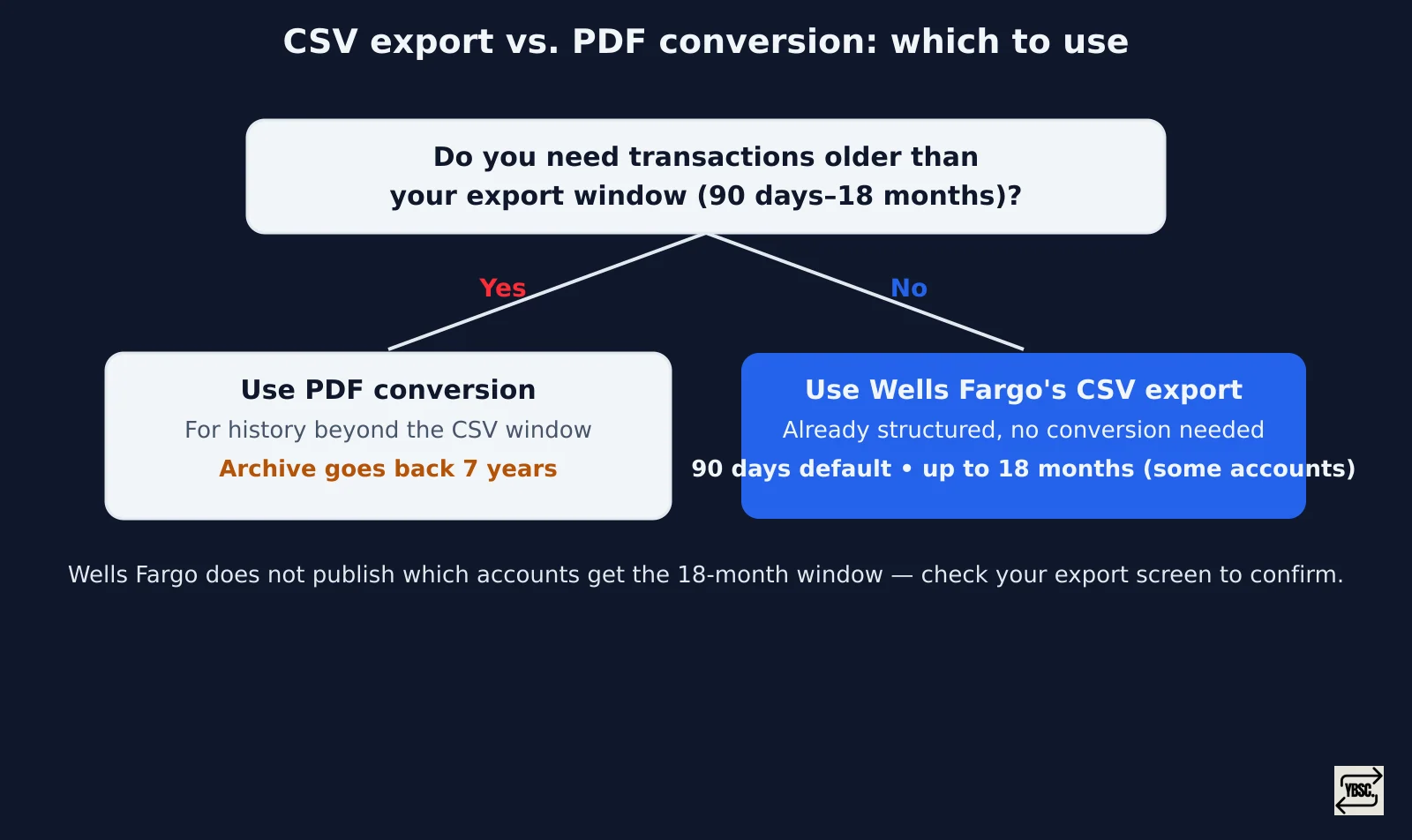
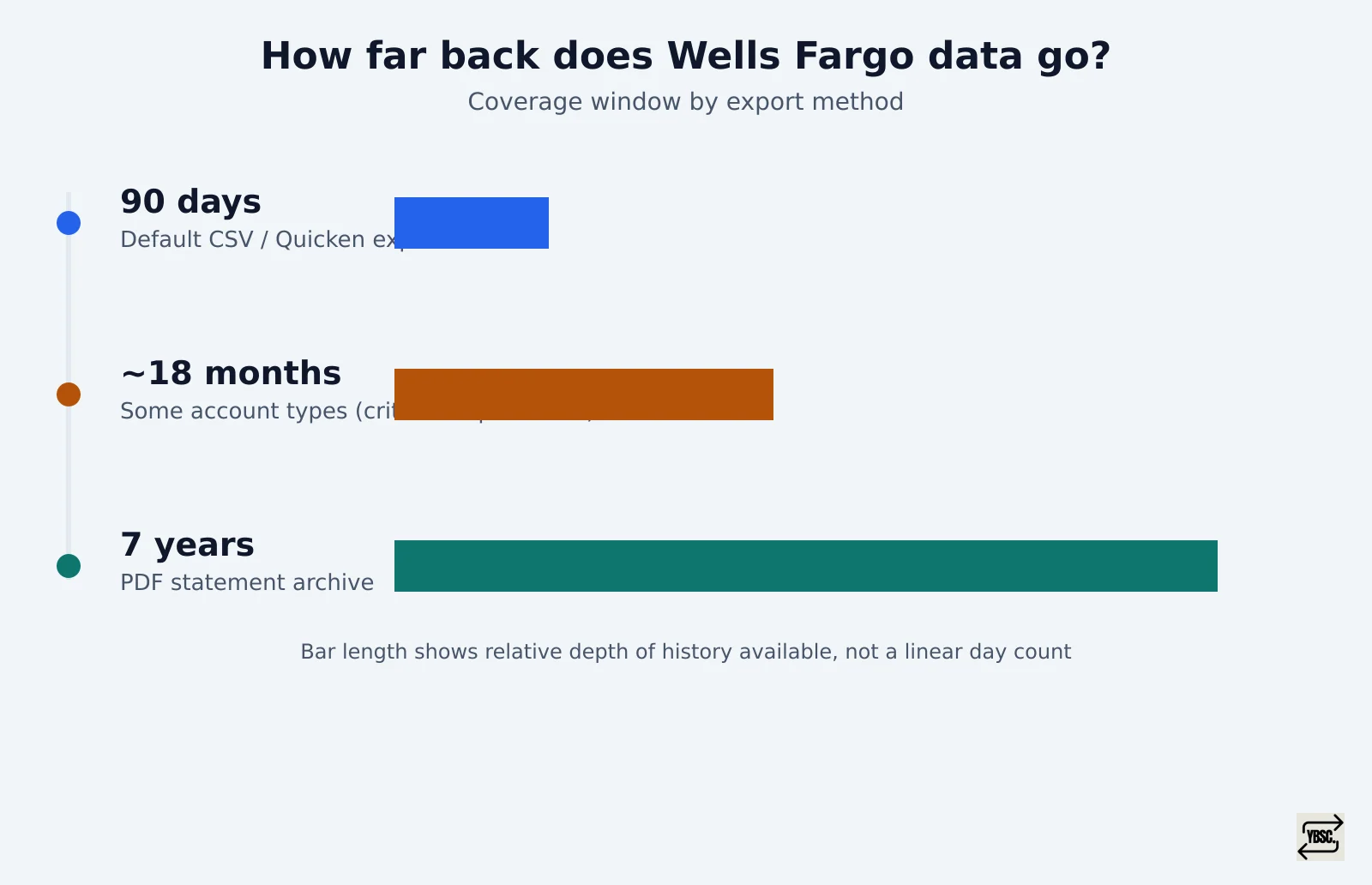
By default, Wells Fargo's CSV and Quicken export covers 90 days of activity. On some account types, that window extends to around 18 months, though Wells Fargo does not publish which accounts qualify. The safest check is the export screen itself rather than assuming either figure applies to you. Wells Fargo PDF statements, by contrast, go back seven years through the statement archive.
When to convert the PDF statement instead
If the transactions you need fall inside your account's export window, whatever that turns out to be, use Wells Fargo's own CSV export. It is already structured and needs no conversion. If you need anything older, say two years of history for a mortgage application or a prior tax year for a return, the export will not reach it. You need to download the PDF statement for that period and convert it instead. Bank of America users have it worse here: Bank of America has no direct CSV export at all, so every statement there goes through PDF conversion regardless of age.
How to download your Wells Fargo statement as a PDF first
- Log into Wells Fargo Online or the mobile app.
- Go to Statements & Documents.
- Choose the account and the statement period you need.
- Download the PDF to your device.
Wells Fargo's own site, wellsfargo.com, is the place to do this; a converter only takes over once the PDF is in hand.
What a Wells Fargo statement conversion handles, and what to watch for
The converter accepts checking, savings, and business statement PDFs, along with scanned or photographed statements processed through OCR. It does not publish an accuracy figure or a confirmed list of Wells Fargo layout quirks, so treat the output like any automated extraction. Check the running balance on the downloaded file against the balance printed on the original statement before you rely on it for reconciliation or a loan file.
A bookkeeper handling several clients' Wells Fargo accounts at once should see the bank statement converter for accountants and bookkeepers. A single business account fits the bank statement converter for small business page instead. Once the file checks out, import the converted statement into QuickBooks rather than re-keying transactions by hand, and if you also bank with Chase, Chase statement conversion works the same way.
Is it free to convert a Wells Fargo statement to Excel
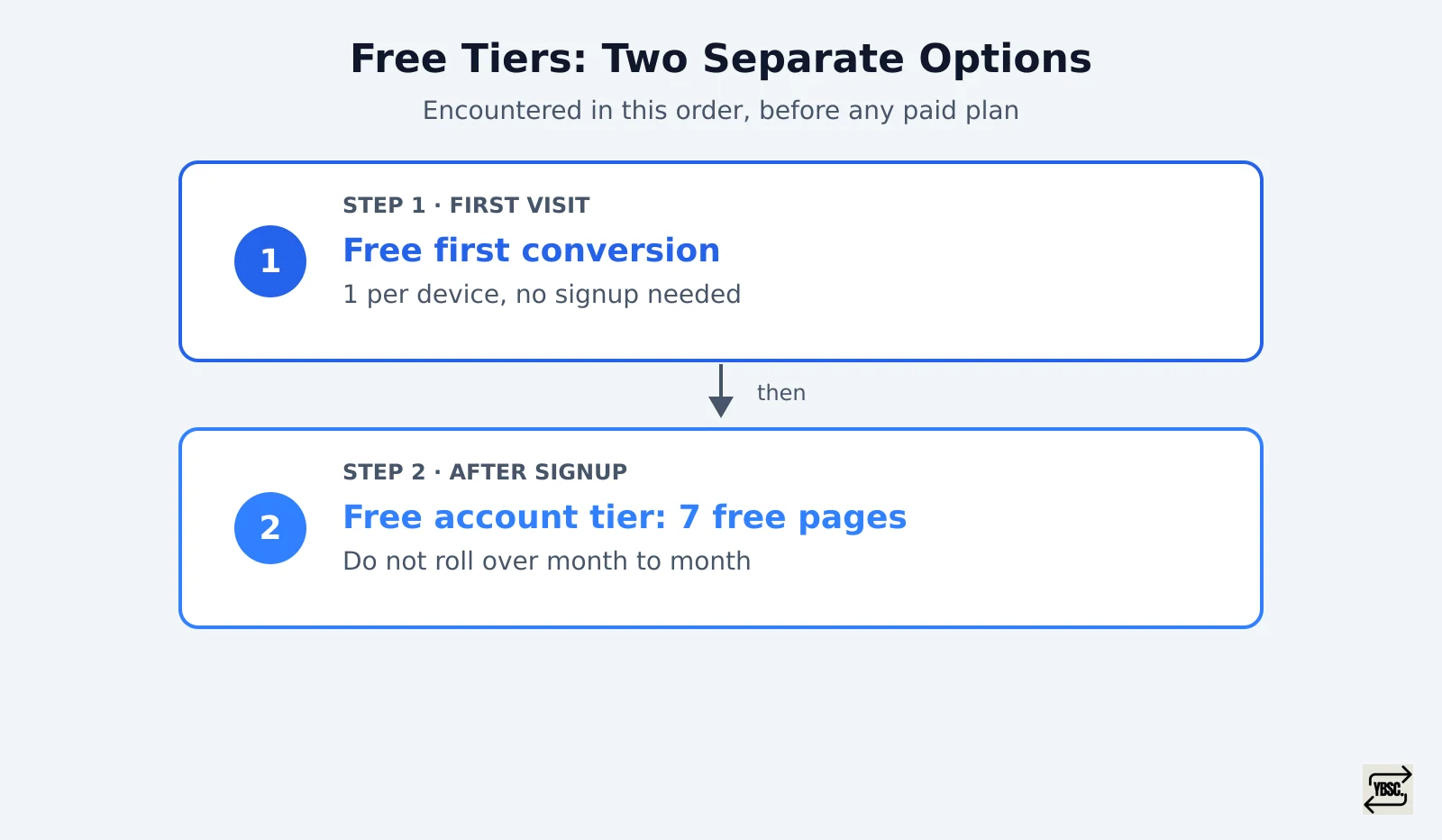
Yes. Your first conversion needs no signup at all. After that, creating an account gives you 7 free pages, where one page equals one PDF page or one image; these do not roll over month to month. That covers converting a handful of statements to Excel or CSV before you need to pay for anything.
What happens after the free pages run out
Once you move past occasional use, pricing is per page per month:
| Plan | Price | Pages per month |
|---|---|---|
| Starter | $15/month | 400 |
| Professional (Popular) | $30/month | 1,000 |
| Business | $50/month | 4,000 |
| Enterprise | Contact required | Unlimited |
See the Starter, Professional, and Business plans for the full breakdown, including annual totals. Plans can be paused or changed month to month, so a bookkeeper might upgrade to Professional during tax season and drop back to Starter afterward. The one free conversion without signup is limited to one per device, by browser fingerprinting, as described in how the free first conversion is limited per device. Uploads use 256-bit encryption, the same general standard referenced in NIST's cybersecurity guidance. Files are auto-deleted within 24 hours and are not forwarded to third parties, as detailed in how uploaded statements are stored and deleted.
Wells Fargo statement conversion: frequently asked questions
How can I convert my bank statement to Excel if it is not from Wells Fargo?
The same upload, OCR, and download process works for any bank's statement, since the converter is built to read statement layouts generally rather than needing a separate template per bank. Pages from different banks draw from the same free-page allowance or monthly plan, so converting a Wells Fargo statement and a Chase statement together still counts against one running total.
Is it possible to convert a bank statement to Excel?
Yes, including scanned or photographed statements. OCR handles the text recognition for image files, while a text based PDF is read directly, and either way the output lands in a spreadsheet with no manual re-typing.
How can I convert a PDF bank statement to Excel for free?
Use the no-signup first conversion for a single statement, or sign up for the 7 free pages available before any payment is required. Beyond that, conversion is priced per page.