Log in to Bank of America Online Banking, go to the Accounts tab, select Statements & Documents, pick the statement you need, and download it. You will get a PDF, not a spreadsheet, and for most checking and savings accounts the online archive only reaches back about 18 months.
If you are a freelancer pulling records for taxes, an accountant gathering client statements, or a loan applicant whose lender wants figures in a spreadsheet, that PDF-only limit matters more than it looks. The rest of this page walks through the download on both desktop and mobile, and how far back you can actually go by account type. It also covers what to do once you have a PDF that still needs to become Excel or CSV.
How to Download a Bank Statement From Bank of America Online
- Log in to Bank of America Online Banking with your username and password.
- Click the Accounts tab on the main menu.
- Select Statements & Documents.
- Choose the account and the statement period you want.
- Click to view, then download the file. It saves as a PDF.
This is the same path Bank of America documents in its own guide to online and mobile banking features. The guide notes you can view, print, and download your statements from this section. Whether you need a single month or want to download a bank of america statement pdf for a whole quarter, the steps do not change. Only the date range you pick in step 4 does.
How to Download Your Statement From the Bank of America Mobile App
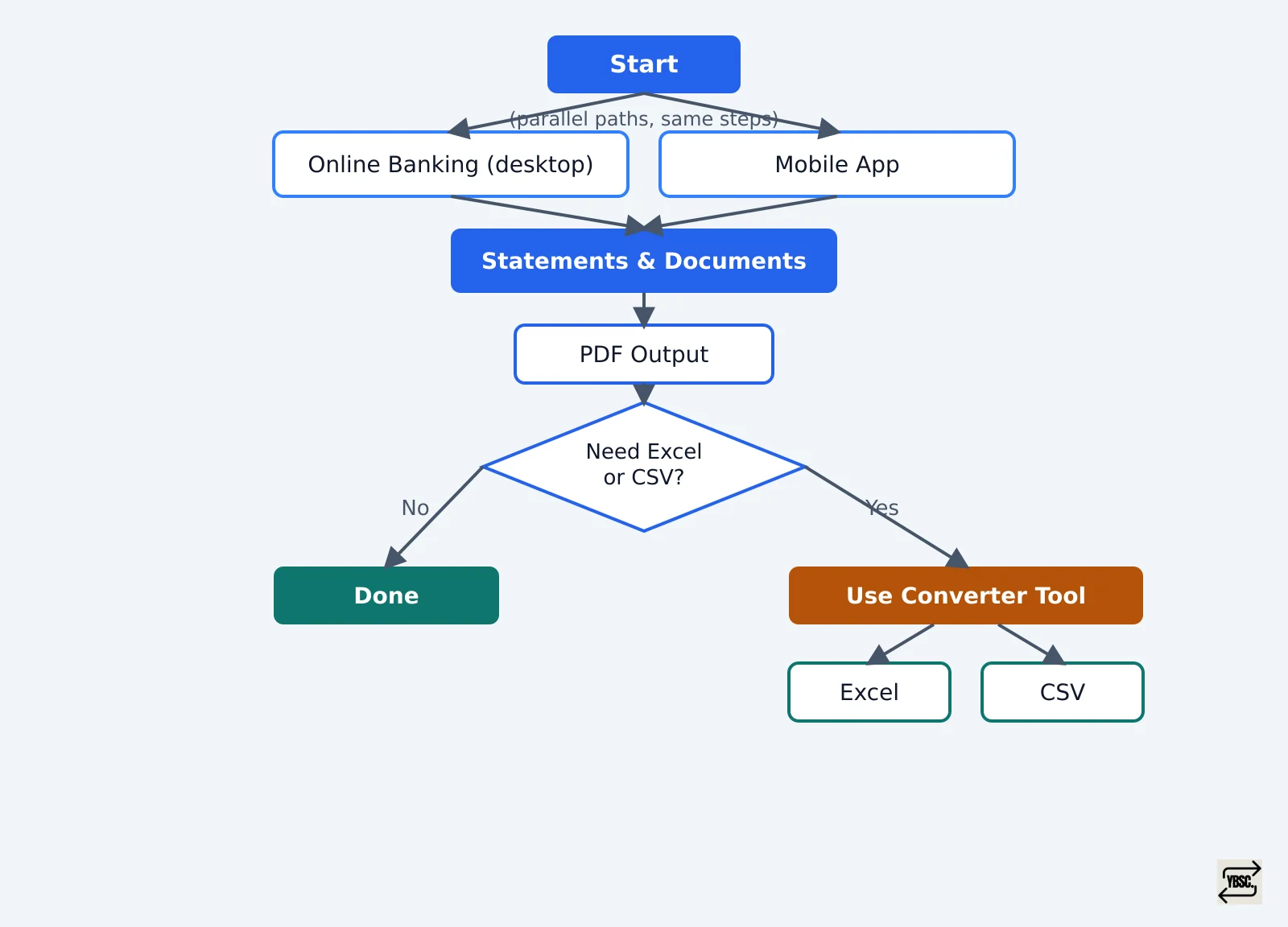
- Open the Bank of America app and sign in.
- Select the account you need.
- Tap Statements & Documents.
- Choose the date range for the statement.
- Tap Download, or View if you just want to check it on screen.
The mobile process mirrors the desktop one almost step for step. The menu labels are the same, and the output is the same PDF file, just delivered to your phone instead of your browser.
How Far Back You Can Download a Bank of America Statement
How Far Back You Can Download a Bank of America Statement
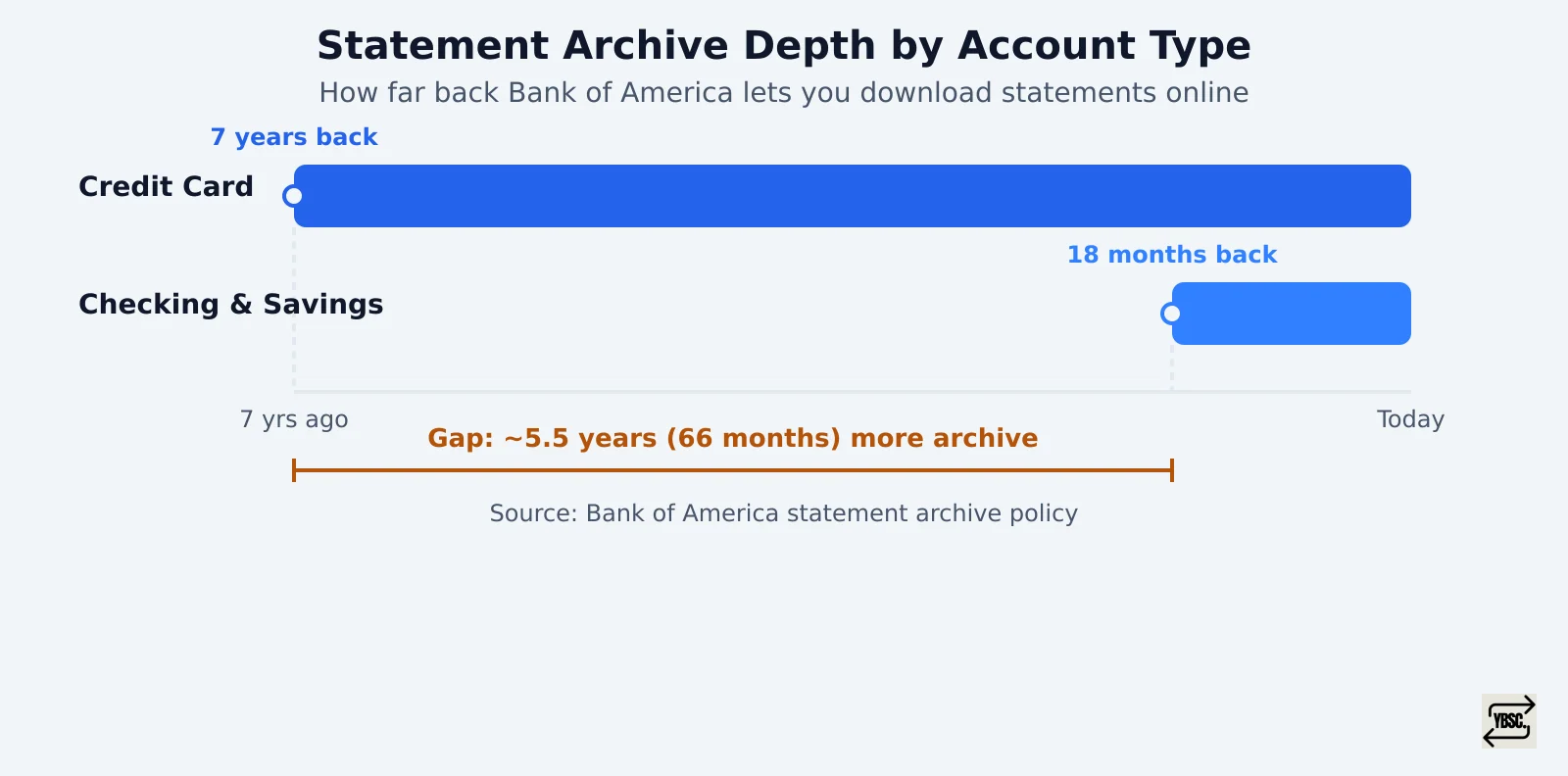
You can select any range within the available archive. A three month or six month bank statement download works the same way as a single month: just adjust the start and end dates under Statements & Documents before downloading. The limit is not the date picker, it is the archive itself, and how far it stretches depends on the account type. For checking and savings accounts, Bank of America's online statement history runs to about 18 months. Anything older has to be requested separately rather than pulled straight from the account. Credit card accounts work differently: Bank of America lets you view and download credit card statements for up to seven years online. That means a card statement from a couple of years back is still a few clicks away, even when a checking statement from the same month is not.
If your mortgage lender or accountant wants two or three years of checking history and you are past the 18 month wall, request the older statements first. They typically take longer to arrive than a same-day download.
Why Bank of America Does Not Give You a CSV or Excel File
Why Bank of America Does Not Give You a CSV or Excel File
Here is the part the download screen will not tell you: Bank of America does not offer a direct CSV or Excel export of a monthly statement. PDF is generally the only format on offer, whether you are downloading from the website or the app. That is fine if you just need to read the statement or hand someone a copy. But it becomes a problem the moment someone asks for the numbers in spreadsheet form. That is exactly what happens during tax prep, a bookkeeping reconciliation, or a mortgage underwriting review. Retyping a year of transactions into Excel by hand invites transcription errors, and that risk multiplies fast once you are handling statements for several accounts or several clients.
Converting Your Downloaded Bank of America Statement to Excel or CSV
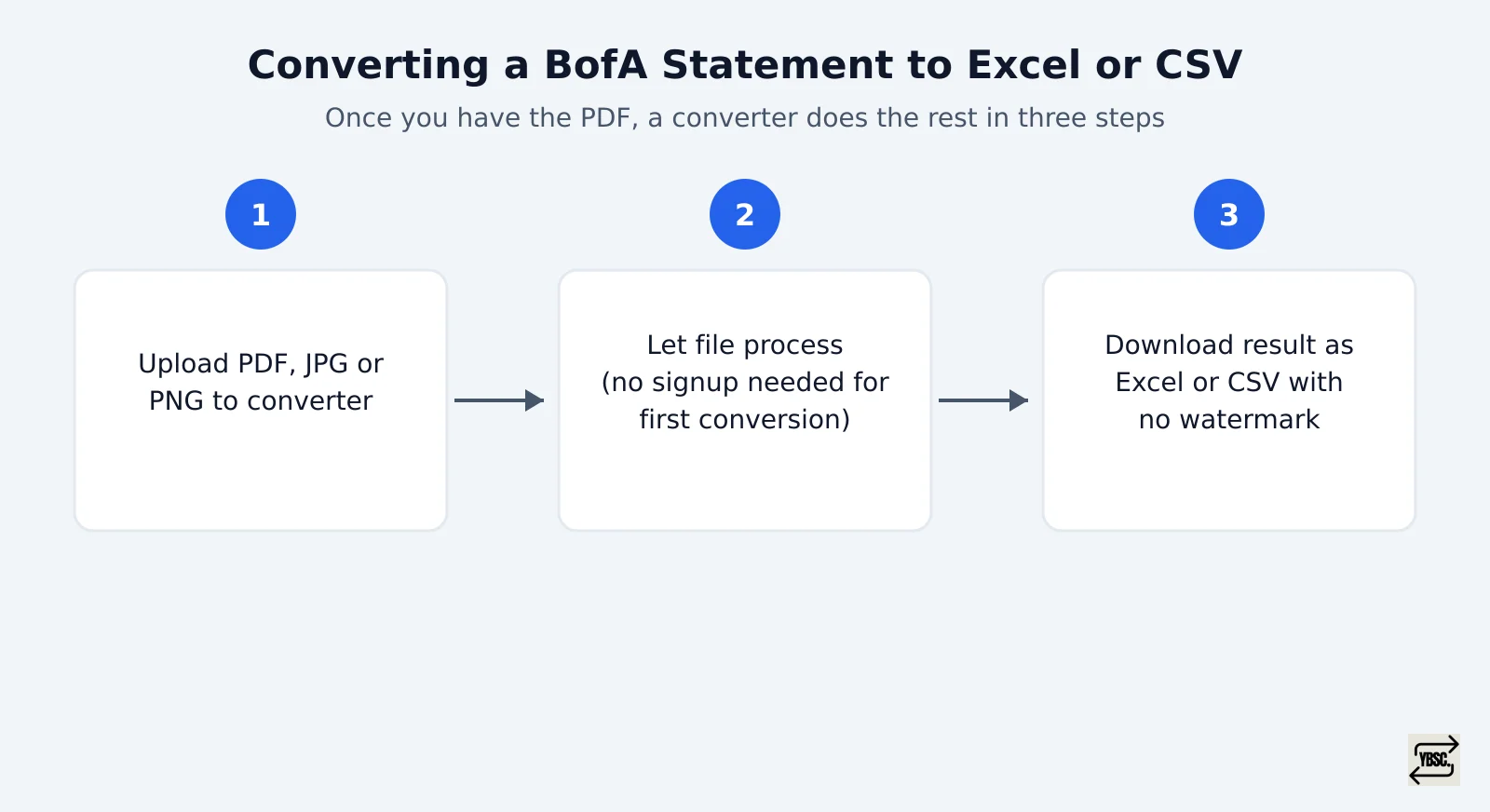
Converting that PDF into a spreadsheet is a separate step, and it is where a dedicated converter earns its keep.
- Upload the PDF, or a JPG or PNG if you scanned a paper copy, to a Bank of America bank statement converter. Scanned statements are read with OCR, and password protected PDFs are unlocked at upload without the password being stored.
- Let the file process. The first conversion needs no signup at all.
- Download the result as Excel or CSV, with no watermark on the file.
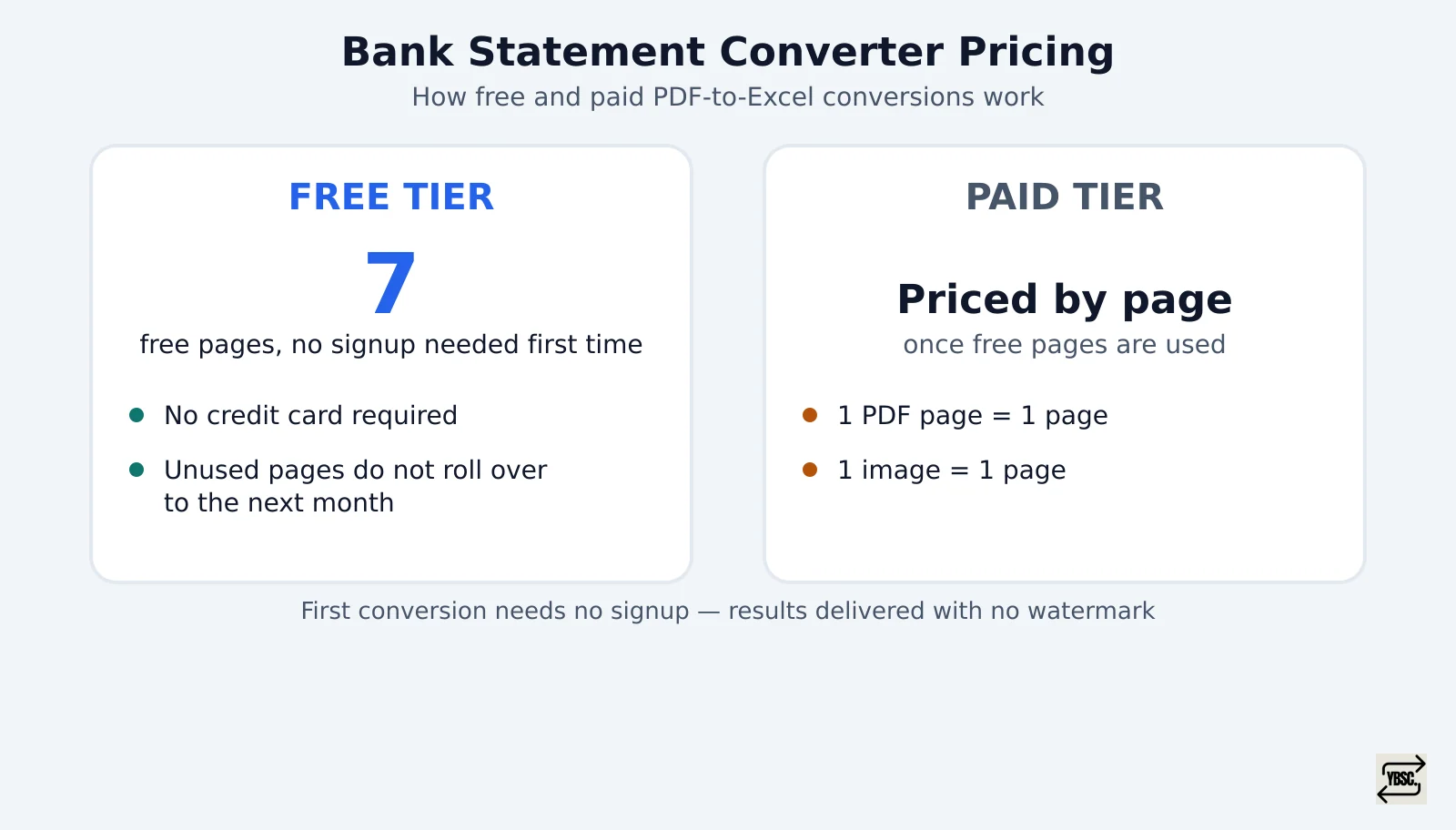
Signing up afterward gets you 7 free pages with no credit card required, though unused pages do not carry over to the next month. Beyond that, pricing runs by the page, one PDF page or image counts as one page. So see how pages and free conversions are priced before you commit to a plan. Files are encrypted on upload and removed from the servers automatically within 24 hours.
That gap also solves the closed-account problem: if you have a forwarded PDF but no Bank of America login of your own, you can still get a spreadsheet out of it. The same tool works for an accountant juggling several clients' statements with a bank statement converter for accountants and bookkeepers. It also works for a small business owner doing their own books with a bank statement converter for small business. It works too for a loan applicant assembling a file with a bank statement converter for mortgage applications. Chase customers hit the identical PDF-only wall, and a Chase bank statement converter handles it the same way.