
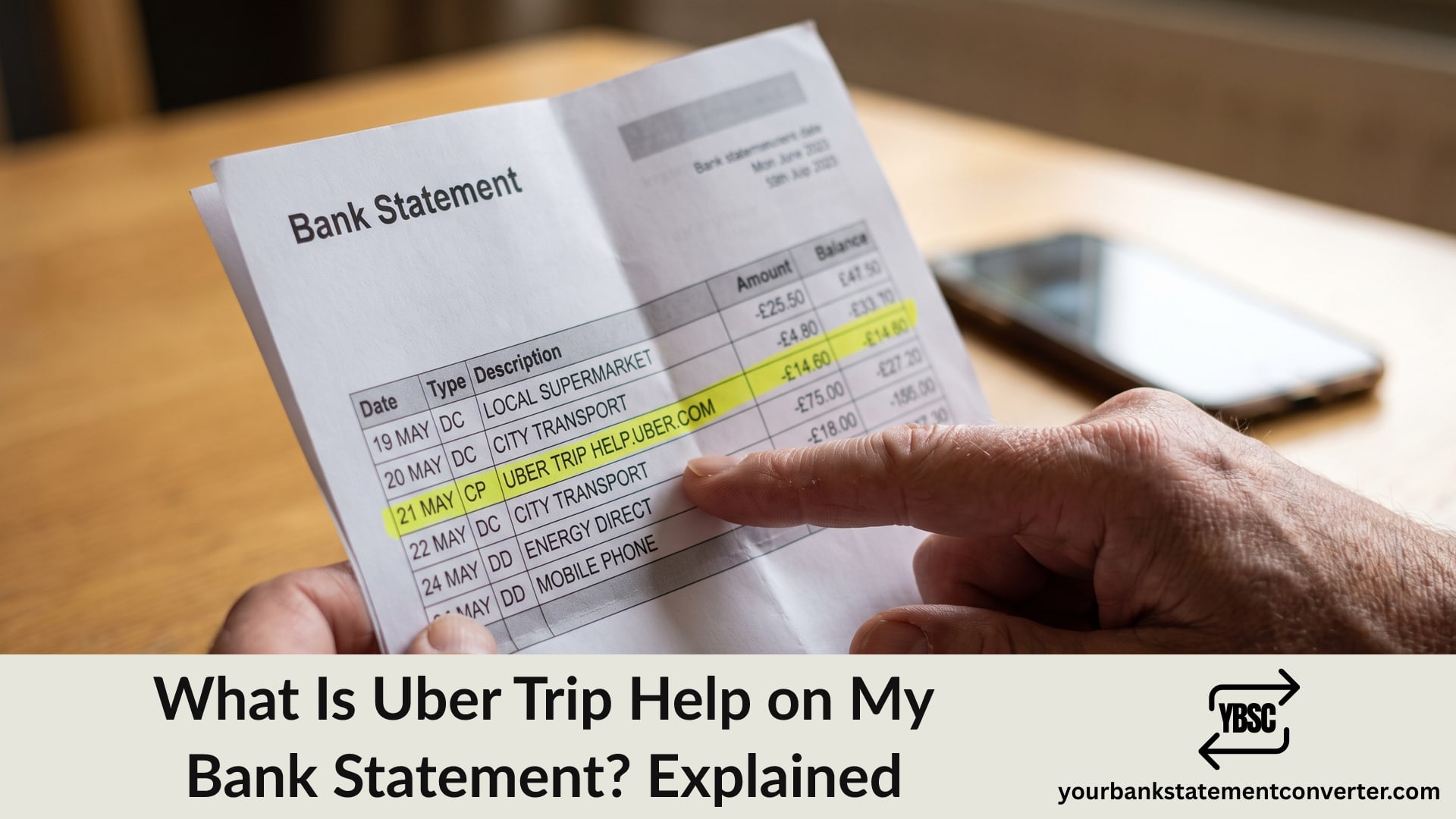
A charge reading “Uber Trip help.uber.com” looks like two things stuck together, and that is exactly what it is. Seeing Uber Trip Help on my bank statement means an ordinary Uber journey, with Uber’s support web address appended to the description.
This guide explains why the web address appears, what the charge covers, and how to match it against a specific journey when the amount looks wrong.
Key Takeaways
- The entry is a standard Uber journey charge, not a fee for getting help.
- help.uber.com is Uber’s support address, added so you know where to query it.
- The charge may differ from your quoted fare because of tips, tolls, waiting time or cancellation fees.
- Uber sometimes takes a temporary authorisation hold that later disappears.
- Your Uber trip history, not your bank, holds the receipt.
Why “Help” Appears in the Charge
This confuses people because it reads like a charge for support. It is not.
Uber appends its support web address, help.uber.com, to the payment descriptor. The reasoning is practical: if you query the charge, the descriptor itself tells you where to go.
So read the entry in two halves. Uber Trip is what you paid for. help.uber.com is where to raise a question about it. Your bank simply prints both, and depending on how much text it displays you may see UBER *TRIP, UBER TRIP HELP.UBER.COM or a truncated version.
Why the Amount Does Not Match Your Quote
The upfront price in the app is not always the final charge, and several things legitimately change it.
- A tip added after the journey ends, charged separately or combined
- Tolls, congestion or airport fees added to the fare
- Waiting time beyond the free allowance
- A route change where the destination altered mid-journey
- A cancellation fee charged after the free cancellation window
- A cleaning or damage fee, charged after the driver reports it
Each of these appears on the trip receipt in your Uber account, which is where the breakdown lives.
Temporary Holds That Look Like Extra Charges
Here is the one that generates the most worry, and it usually resolves itself.
Uber sometimes places a temporary authorisation on your card at the start of a journey, or when you add a new card. It reserves an amount rather than taking it.
That hold can sit on your statement as pending for a few days before dropping off. If you see both a hold and the final fare, you are usually looking at one journey, not two charges.
Only treat it as a problem if the hold has not cleared after about a week. At that point, contact your bank.
How to Match the Charge to a Journey
Your bank shows the merchant, date and amount. Uber holds the detail.
Open Trips in the Uber app or on riders.uber.com. Every journey appears with its date, route and full fare breakdown.
Match on amount and date first. Uber usually charges shortly after the journey ends, though it can lag by a day.
Check Uber Eats separately. Food orders bill under a different descriptor, and our guide to how Uber Eats appears on a bank statement covers those.
Ask who else uses the account. A family member on a shared card, or someone you ordered a ride for, produces charges you will not recognise.
Then use help.uber.com. The address is in the descriptor for a reason. Uber can identify a charge from the amount and date faster than your bank can.
Our broader guide to how Uber shows up on a bank statement covers the other descriptors you may see.
Working Out What Uber Costs You Over a Year
One fare is easy to check. What people rarely see is the annual total, because it accumulates a few pounds at a time across hundreds of entries.
Our bank statement converter turns PDF statements into clean, searchable spreadsheets. Filter the description column for Uber, and every journey lines up with its date and amount, ready to total in a single column.
Conclusion
To sum up, Uber Trip Help on my bank statement is a normal journey charge with Uber’s support address attached to the descriptor, not a charge for support itself. Where the amount differs from your quote, tips, tolls, waiting time or a cancellation fee usually explain it, and the full breakdown sits on the trip receipt in your Uber account. Pending holds normally clear within a few days, so only escalate to your bank if one lingers past a week.
FAQ
1.What is Uber Trip Help on my bank statement?
It is a standard Uber journey charge. Uber appends its support web address, help.uber.com, to the payment descriptor so you know where to query it. The charge is for the ride, not for support.
2.Why is the Uber charge more than the price I was quoted?
Tips, tolls, airport or congestion fees, waiting time, route changes, cancellation fees and cleaning charges all alter the final amount. The trip receipt in your Uber account shows the breakdown.
3.Why do I have two Uber charges for one journey?
Usually because one is a temporary authorisation hold and the other is the final fare. The hold normally drops off within a few days.
4.How do I find the receipt for an Uber charge?
Open Trips in the Uber app or sign in at riders.uber.com. Every journey is listed with its date, route and full fare breakdown.
5.Is Uber Trip the same as Uber Eats on my statement?
No. Food orders bill under a separate descriptor, so an Uber Trip entry is a ride rather than a delivery.
6.What if I do not recognise an Uber charge at all?
Check whether anyone else uses the card first, then contact Uber through help.uber.com with the date and amount. If Uber cannot trace it, report it to your bank promptly as an unrecognised transaction.