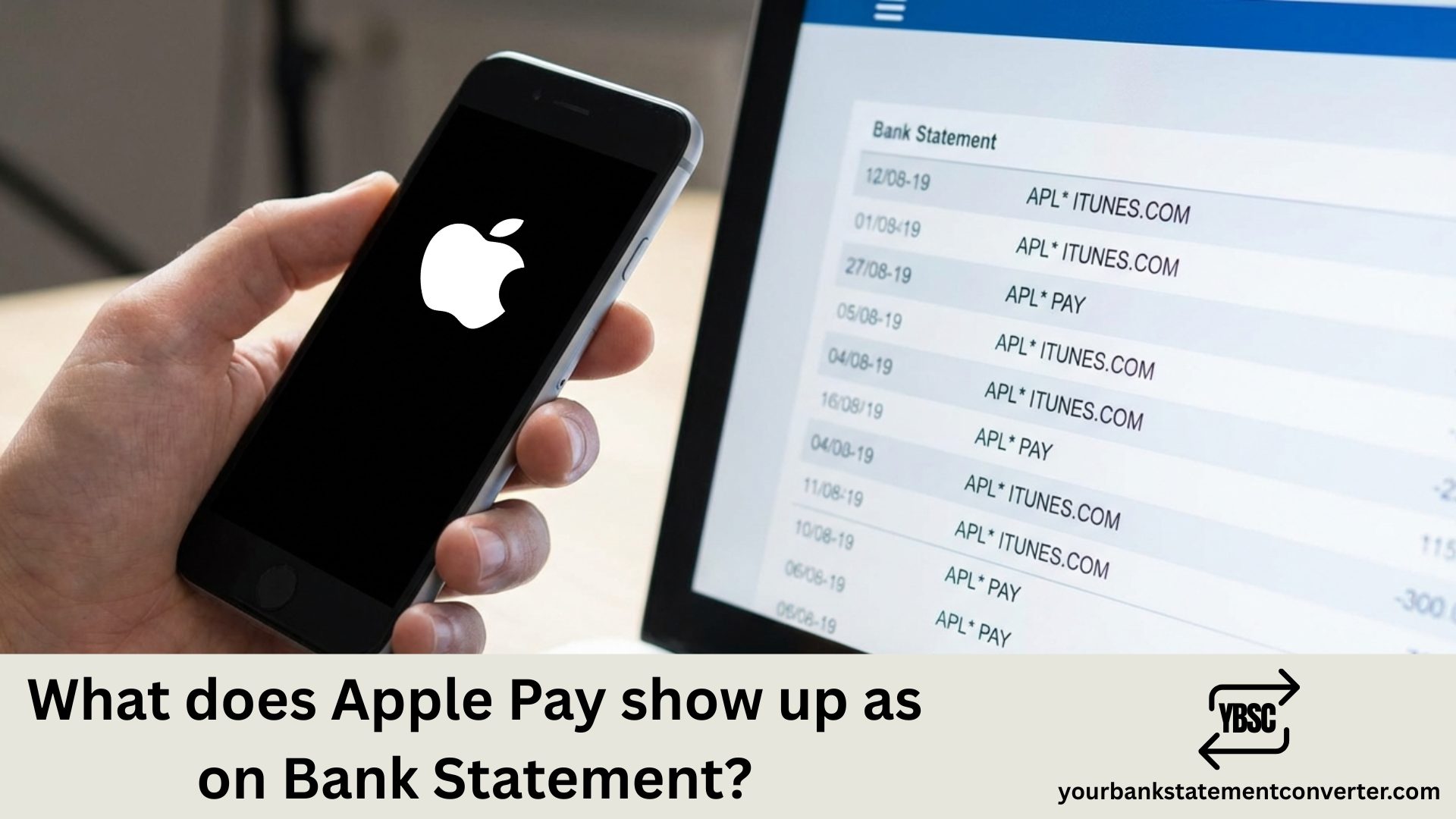
Apple Pay transactions typically appear on your bank statement with the merchant name followed by “APPLE PAY” or similar identifiers. For example, if you bought coffee at Starbucks using Apple Pay, you might see “STARBUCKS APPLE PAY” or “APPLE PAY STARBUCKS” on your statement.
Key Takeaways
- Apple Pay shows the merchant you paid, not Apple, because it is a payment method rather than a seller.
- Many banks show no Apple Pay marker at all, making the entry identical to a chip and PIN payment.
- A separate
APPLE.COM/BILLentry is an Apple purchase, which is a different thing entirely. - A £0.00 verification when you add a card is normal and is not a charge.
- Each device holds its own token, so the same card can appear differently across devices.
What does Apple Pay show up as on Bank Statement?
Common Apple Pay Transaction Formats
The exact format depends on your bank or card issuer, but here are typical variations:
- [Merchant Name] APPLE PAY (e.g., “TARGET APPLE PAY”)
- APPLE PAY [Merchant Name]
- APL[Merchant Name]*
- The standard merchant name with no Apple Pay indicator at all
Some financial institutions simply display the retailer name without any Apple Pay reference, making it look identical to a regular card swipe or chip transaction.
Why Apple Pay Transactions Look Different
Apple Pay uses tokenization technology for contactless payments, which replaces your actual card number with a unique Device Account Number. This digital wallet security feature means your real payment details are never shared with merchants, though the transaction still appears on your monthly statement like any other purchase.
Tracking Your Mobile Payment History
If you’re having trouble reconciling Apple Pay purchases with your bank statement entries, you can cross-reference transactions in your iPhone’s Wallet app under “Latest Transactions” for each linked card.
Need to organize or convert your bank statements for easier expense tracking? Check out our free bank statement converter — a simple tool to convert PDF bank statements into Excel or CSV format, making it effortless to categorize Apple Pay transactions and other digital payment records.
Why Apple Pay Often Does Not Appear At All
This is the part that confuses people, and it is worth stating plainly.
Apple Pay is a way of presenting your card, not a merchant. The money still goes to the shop, so the shop is what your bank records. Whether “Apple Pay” appears alongside it depends entirely on your bank, not on Apple.
Some banks add the marker, some show a device name, and plenty show nothing at all. An entry with no Apple Pay label is not evidence that something went wrong.
Apple Pay Is Not the Same as APPLE.COM/BILL
These two get confused constantly, and they mean opposite things.
Apple Pay means you used your phone or watch to pay someone else, such as a supermarket or a coffee shop.
APPLE.COM/BILL means you paid Apple, for an App Store purchase, iCloud storage, Apple Music, Apple TV+ or an in-app subscription.
So a charge you cannot place that reads APPLE.COM/BILL is an Apple service, not a shop you visited. Our guide to how Apple appears on a bank statement covers those.
The £0.00 Entry When You Add a Card
Adding a card to Apple Pay triggers a verification rather than a charge.
Your bank checks the card is live, then issues a token, a substitute number the device uses in place of your real card number. That check often appears as a £0.00 entry, sometimes named after the card network.
It is harmless when you added the card yourself. It is worth acting on when you did not, and our guide to Visa Provisioning Service explains exactly why an unexplained one matters.
How to Identify an Apple Pay Charge You Cannot Place
Check the Wallet app. Tap the card, then look at Latest Transactions. Apple keeps its own record of what each device paid, which is frequently clearer than the bank description.
Match the date and amount against where you were, since Apple Pay entries carry the merchant rather than Apple.
Check every device. A watch, an iPad and a partner’s phone can all hold a token for the same card.
Read the untruncated description on the PDF statement, which usually carries more text than your banking app.
Where none of that resolves it, contact your bank. They can see the merchant details and which device token was used, neither of which you can see yourself.
Checking Card Spending Across the Year
Apple Pay makes spending frictionless, which is precisely why the total is easy to lose track of across dozens of small contactless entries.
Our bank statement converter turns PDF statements into clean, searchable spreadsheets. Sort by merchant or amount and a year of card spending totals in one column rather than page by page.
FAQ
1.What does Apple Pay show up as on a bank statement?
Usually the merchant you paid, sometimes with “Apple Pay” or a device name appended. Many banks show no Apple Pay marker at all, making it look like an ordinary card payment.
2.Why does my statement not say Apple Pay?
Because Apple Pay is a payment method rather than a merchant. Whether the marker appears depends on your bank, and many simply record the shop.
3.Is Apple Pay the same as APPLE.COM/BILL?
No. Apple Pay means you paid another business using your device. APPLE.COM/BILL means you paid Apple for an App Store purchase, iCloud, Apple Music or a subscription.
4.Why is there a £0.00 Apple Pay entry?
Adding a card triggers a verification so your bank can issue a device token. It is a check, not a charge. If you did not add a card, contact your bank straight away.
5.Can I see what I paid with Apple Pay?
Yes. Open the Wallet app, tap the card and view Latest Transactions. Apple keeps a per-device record that is often clearer than the bank description.
6.Does Apple see what I buy with Apple Pay?
Apple states that it does not retain transaction information that can identify you. Your bank holds the merchant record, which is why a disputed charge goes to them.