If you’ve spotted an unfamiliar charge on your bank statement and suspect it might be from Paramount Plus, you’re not alone. Many subscribers find themselves confused by how streaming services appear on their financial records. Let me clear this up for you.
Key Takeaways
- Paramount+ bills directly or through Apple, Google, Amazon or Roku.
- The descriptor may name CBS, a legacy name still used on some billing.
- Annual plans renew as one large charge a year later.
- Add-ons such as SHOWTIME bill on top of the base plan.
- Cancel with whoever takes the payment, not in the Paramount+ app.
What Does Paramount Plus Show Up as on Bank Statement?
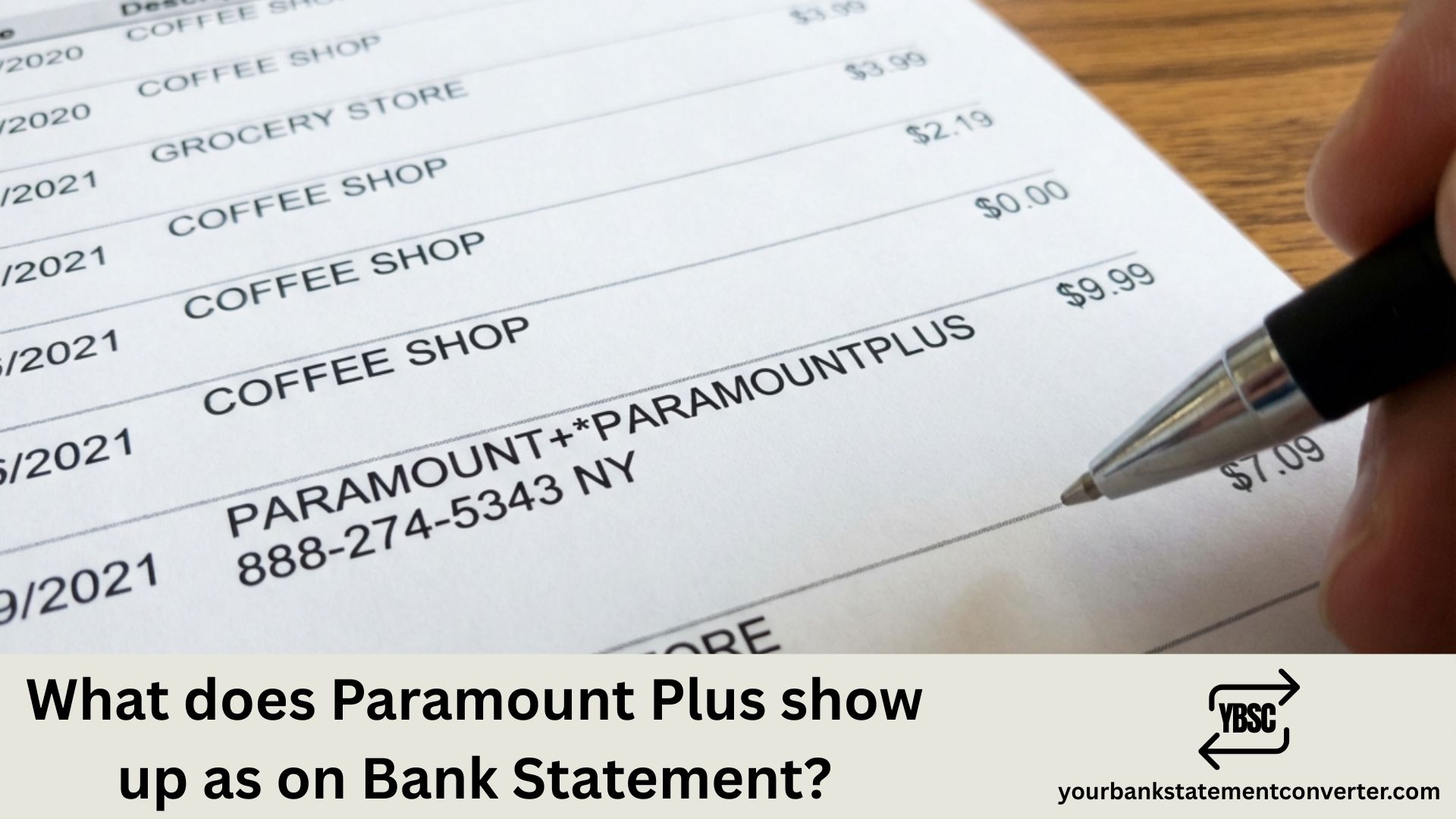
Paramount Plus typically appears on bank statements as one of these variations:
PARAMOUNT+ or PARAMOUNTPLUS followed by a reference number, PAR*Paramount Plus, PARAMOUNT PLUS, or CBS*PARAMOUNT+ (especially for legacy CBS All Access subscribers who were migrated to the new platform)
The exact descriptor depends on your payment method and bank. If you subscribed through a third party like Apple, Google Play, Amazon, or Roku, the charge may show under that platform’s name instead, such as APPLE.COM/BILL, GOOGLE*Paramount, AMAZON DIGITAL, or ROKU INC.
Your subscription cost will be either $7.99 per month for the Essential plan with ads or $12.99 per month for the Paramount+ with Showtime bundle.
Managing multiple subscriptions and need to track your expenses more effectively? Our free bank statement converter helps you convert messy bank statements into clean, organized formats. Whether you’re reconciling streaming charges, preparing financial documents, or simply trying to make sense of your monthly spending, this tool transforms your PDF bank statements into editable Excel or CSV files in seconds.
Why Doesn’t My Charge Say “Paramount Plus”?
Banks have character limits for transaction descriptions. Payment processors often abbreviate or use internal codes, and third-party billing through app stores uses their own naming conventions.
How to Verify a Paramount Plus Charge
If you’re unsure whether a charge is legitimate, check your Paramount Plus account settings under subscription details, review your email for billing confirmations from Paramount, and match the charge date with your billing cycle.
How to Cancel Paramount Plus
To stop future charges, log into your Paramount Plus account, go to Account settings, select Cancel Subscription, and follow the prompts to confirm.
If you subscribed through Apple, Google, or another platform, you’ll need to cancel through that service instead.
Frequently Asked Questions
Why the Charge Sometimes Says CBS
Paramount+ grew out of CBS All Access, and some billing records still carry the older naming.
An entry mentioning CBS rather than Paramount is therefore usually the same subscription rather than a separate service. It is a legacy descriptor, not a second charge.
Alongside that, the platform is sold through several storefronts, each of which substitutes its own name:
- Apple shows
APPLE.COM/BILL - Google Play shows a Google descriptor
- Amazon bills it as an Amazon Channel
- Roku bills through Roku
Add-Ons Bill Separately
The base subscription is not always the whole cost.
Premium add-ons, most commonly SHOWTIME, are charged in addition to the plan. A subscriber with both therefore sees two entries, or a single larger one, depending on the billing route.
Where the amount exceeds the advertised plan price, an add-on is usually the explanation before a price rise is.
The Annual Renewal Nobody Remembers
Annual plans are cheaper per month and far easier to forget.
Twelve months pass with no charge, then one substantial amount appears. If a large Paramount or CBS charge shows up with no obvious cause, check whether you took an annual plan the previous year.
How to Cancel It
Cancel where the billing sits.
- Direct: your Paramount+ account settings
- Apple: Settings, your name, Subscriptions
- Google: Play Store, profile, Payments and subscriptions
- Amazon: Your Memberships and Subscriptions
- Roku: your Roku account subscriptions
Cancelling inside the app does not stop a subscription billed by a third party, which is the usual reason a cancelled service keeps charging.
Auditing Your Streaming Spend
Streaming charges arrive on different dates under different names, which makes the total almost invisible month to month.
Our bank statement converter turns PDF statements into clean, searchable spreadsheets. Sort by amount, group the identical recurring figures, and the full annual cost of every service becomes a single column total.
1) What if I see a Paramount Plus charge but never signed up?
Check if a family member used your payment method. Also verify whether you signed up for a free trial that converted to a paid subscription. If neither applies, contact your bank to dispute the charge.
2) Can Paramount Plus charge me twice in one month?
This can happen if you upgraded your plan mid-cycle or if there was a billing error. Contact Paramount Plus support to clarify any duplicate charges.
3) How do I get a refund from Paramount Plus?
Contact Paramount Plus customer support directly through their help center. Refund policies vary, but they typically accommodate recent charges, especially for accidental sign-ups.
4) Does Paramount Plus offer annual billing?
Yes, annual plans are available and often come with a discount compared to monthly billing. These appear as a single larger charge once per year.
5) Why does my statement show CBS instead of Paramount Plus?
Paramount Plus was previously known as CBS All Access. Some billing systems still reference the old branding, particularly for long-term subscribers.
Keeping track of streaming subscriptions across multiple platforms can get overwhelming. If you need to organize your bank statements for budgeting, loan applications, or accounting purposes, our PDF bank statement converter makes the process simple and fast. For regular or higher-volume work, the pricing tiers set out what each one covers.