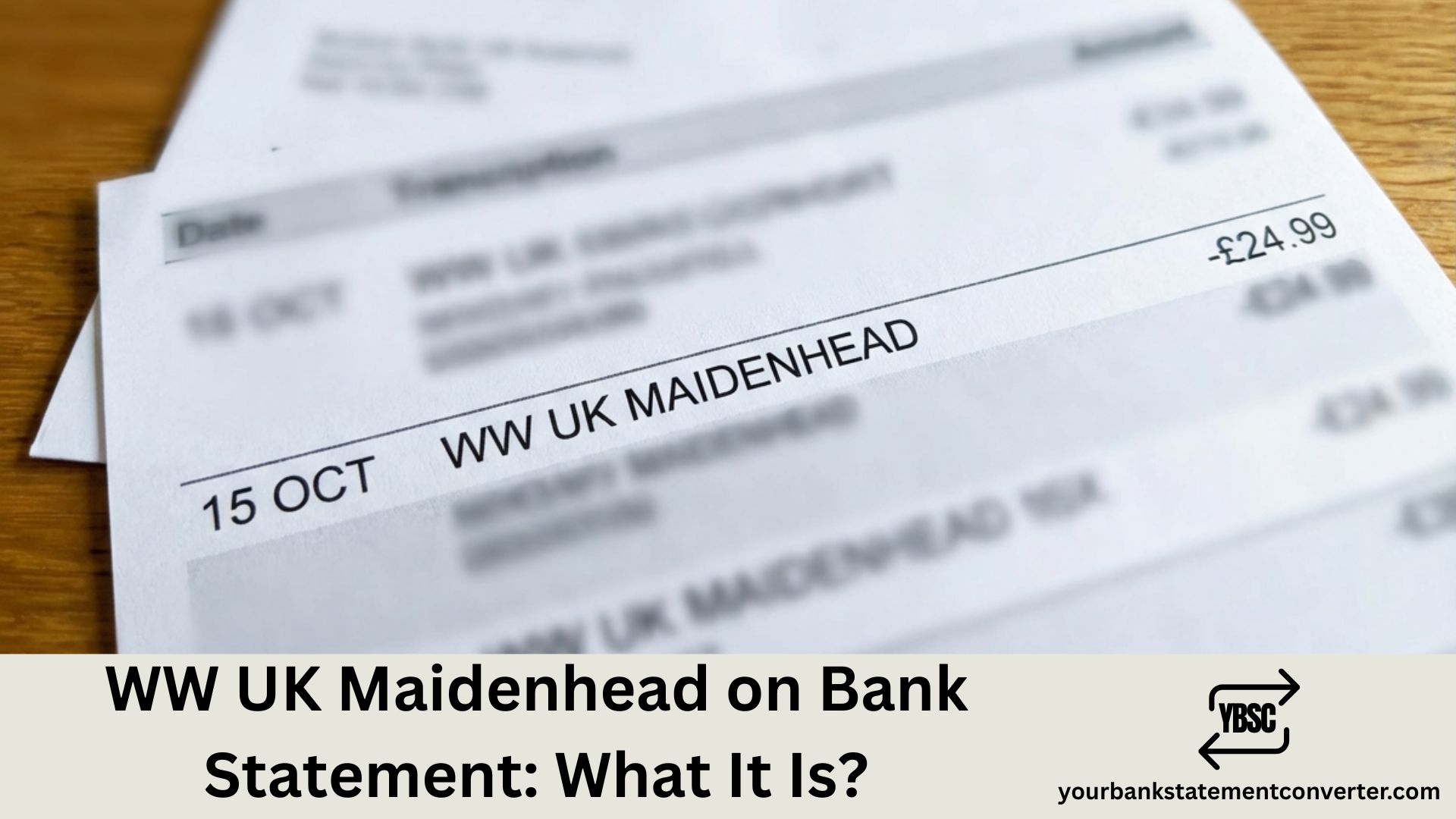
Spotted an unfamiliar charge labelled WW UK Maidenhead on your bank statement? You’re not alone. This entry refers to a payment made to WW (formerly Weight Watchers), the well-known weight management and wellness company. Their UK headquarters is based in Maidenhead, Berkshire, which explains the location appearing on your statement. This guide covers what the charge means, how to verify it, and how to cancel if needed.
What Is WW UK Maidenhead on a Bank Statement
WW UK Maidenhead on your bank statement is a payment to WW (formerly Weight Watchers), the weight management and wellness company — Maidenhead is the location of their UK headquarters where payments are processed.
This charge appears when you have an active WW membership or digital subscription. The merchant name may look unfamiliar because the company rebranded from “Weight Watchers” to “WW” in 2018. All UK payments are processed through their Maidenhead, Berkshire office.
Who Is WW (Formerly Weight Watchers)
| Detail | Information |
|---|---|
| Company name | WW (UK) Limited |
| Previous name | Weight Watchers |
| Parent company | WW International, Inc. |
| UK headquarters | Maidenhead, Berkshire |
| Business type | Weight management & wellness |
| Services | App, workshops, coaching, digital tools |
| Companies House number | 01010556 |
| Website | ww.com/uk |
WW rebranded from Weight Watchers in 2018, adopting the tagline “Wellness that Works” to reflect an expanded focus beyond weight loss. Founded in 1963, the company is publicly traded on NASDAQ (ticker: WW) and remains a globally recognised wellness brand.
Common WW UK Maidenhead Charges
| Membership Type | Description | Typical Monthly Cost |
|---|---|---|
| Digital | App access, food tracking, recipes, articles | £12–£15 |
| Unlimited Workshops + Digital | App plus unlimited in-person or virtual meetings | £22–£25 |
| 1:1 Coaching + Digital | Personalised coaching sessions plus app | £30–£40 |
| Promotional/Trial rate | Discounted introductory offer | £5–£10 |
| Annual Digital plan | Full year paid upfront (one charge) | £100–£130 |
Prices vary based on current promotions, commitment length, and membership tier. Check ww.com/uk for current pricing.
Why You Might Not Recognise the Charge
Several reasons could explain why WW UK Maidenhead looks unfamiliar:
- Name change confusion: Expected “Weight Watchers” but statement shows “WW UK Maidenhead”
- Location confusion: “Maidenhead” seems random — it’s their UK headquarters
- Forgotten subscription: Signed up weeks or months ago and forgot
- Free trial conversion: Trial period ended, automatic paid subscription began
- Promotional rate ended: Joined with discount, now paying standard price
- Shared payment method: Partner or family member signed up using your card
- Annual billing: Single large charge once per year instead of monthly
How WW UK Maidenhead Appears on Different Bank Statements
| Bank | How It May Appear |
|---|---|
| Barclays | WW UK MAIDENHEAD |
| Lloyds | WW (UK) LTD MAIDENHEAD |
| HSBC | WW UK MAIDENHEAD GBR |
| NatWest | WW*MEMBERSHIP MAIDENHEAD |
| Santander | WW UK LTD |
| Nationwide | WW UK MAIDENHEAD |
| Monzo | WW UK Maidenhead |
| Starling | WW (UK) LIMITED |
| Revolut | WW UK MAIDENHEAD |
Display format varies by bank, card type, and transaction method.
Is WW UK Maidenhead a Legitimate Charge
Yes, WW UK Maidenhead is a legitimate charge. WW (UK) Limited is a registered company (Companies House number 01010556), part of the publicly traded WW International, Inc. on NASDAQ. They’ve operated since 1963 and are a globally recognised wellness brand — not a scam or fraudulent company.
| Verification | How to Check |
|---|---|
| Companies House | Search company number 01010556 |
| Company name | WW (UK) Limited |
| Registered address | Maidenhead, Berkshire |
| Parent company | WW International, Inc. (NASDAQ: WW) |
| Official website | ww.com/uk |
How to Check If You Have a WW Membership
Step 1: Search your email — Look for “WW”, “Weight Watchers”, “Maidenhead”, or “ww.com” in all your email accounts, including spam folders.
Step 2: Try account recovery — Visit ww.com/uk, click “Login” then “Forgot Password”, and enter your email addresses to check for existing accounts.
Step 3: Check your phone — Look for the WW app installed on your phone or tablet.
Step 4: Review saved passwords — Check browser saved passwords, password managers, Apple Keychain, or Google Password Manager for ww.com entries.
Step 5: Ask household members — A partner, spouse, or family member may have used your card to sign up.
How to Cancel WW UK Membership
Option 1: Cancel online
- Log into your account at ww.com/uk
- Click on your profile/account icon
- Go to “Settings” or “My Account”
- Select “Membership” or “Manage Plan”
- Click “Cancel Membership” or “Cancel Plan”
- Follow the prompts and confirm cancellation
- Save or screenshot your confirmation
Option 2: Cancel by phone
- WW UK Customer Service: 0345 602 7068
- Hours: Monday–Friday 8am–8pm, Saturday 9am–5pm
- Have your membership details and email ready
- Request cancellation confirmation via email
Option 3: Cancel via WW app
- Open the WW app
- Tap your profile icon
- Go to “Settings”
- Select “Membership” or “Account”
- Tap “Cancel Membership”
- Follow prompts to confirm
Important: Cancellation typically takes effect at the end of your current billing period. Check for any commitment period, as some plans have minimum terms. If you signed up via Apple App Store or Google Play, cancel through those platforms instead.
How to Cancel If You Signed Up Via App Store
For Apple App Store subscriptions:
- Open iPhone/iPad Settings
- Tap your name at the top
- Select “Subscriptions”
- Find WW and tap it
- Tap “Cancel Subscription”
For Google Play subscriptions:
- Open Google Play Store app
- Tap profile icon → “Payments & subscriptions”
- Select “Subscriptions”
- Find WW and tap it
- Tap “Cancel subscription”
How to Get a Refund from WW UK
| Situation | Refund Likely? | Action |
|---|---|---|
| Within 14-day cooling-off period | Yes | Contact WW immediately |
| Forgot to cancel free trial | Possible | Contact WW, explain politely |
| Charged after cancelling | Yes | Contact WW with cancellation proof |
| Didn’t use the service | Unlikely | Subscription was active regardless |
| Unauthorised transaction | Yes | Contact bank + WW |
| Double charge / technical error | Yes | Contact WW support |
Steps to request a refund:
- Contact WW UK support — Phone: 0345 602 7068 or visit ww.com/uk Help section. Have transaction details ready (date, amount, reference).
- Explain your situation clearly — Be polite and specific. Mention if within cooling-off period and reference consumer rights if applicable.
- If WW refuses — Ask to escalate to a supervisor. Contact your bank about chargeback (within 120 days). For credit card payments over £100, Section 75 protection may apply.
What to Do If You’ve Never Joined WW
If the charge is genuinely unrecognised:
- Check with household members first — Partner, family, or anyone with access to your card may have signed up.
- Search all emails thoroughly — Every email address you own, including spam and bin folders.
- Contact WW UK — Call 0345 602 7068 and ask them to search for accounts linked to your card or email.
- Contact your bank — Report as unrecognised transaction, request full merchant details, and ask about their dispute/chargeback process.
- Monitor your account — Watch for further WW charges and set up transaction alerts.
- Consider card replacement — If you suspect fraud or unauthorised use, request a new card and update legitimate subscriptions.
WW UK Maidenhead vs Similar Subscription Charges
| Statement Description | What It Is |
|---|---|
| WW UK MAIDENHEAD | WW (Weight Watchers) membership |
| WW*DIGITAL | WW digital subscription |
| WEIGHTWATCHERS | Older WW charge format |
| NOOM INC | Noom weight loss app |
| MYFITNESSPAL PREMIUM | MyFitnessPal subscription |
| HEADSPACE | Headspace meditation app |
| CALM.COM | Calm meditation/sleep app |
| PELOTON | Peloton fitness subscription |
| FIIT LTD | Fiit workout app |
How to Track and Manage Your Subscriptions
Subscription charges for wellness apps can easily slip under the radar, especially when services auto-renew without reminder emails. Converting your bank statements into organised Excel or CSV formats makes it much easier to identify recurring payments at a glance.
Tools like yourbankstatementconverter.com can help you spot forgotten memberships before they renew, track wellness and fitness spending over time, monitor for unauthorised charges, and audit subscriptions quarterly to cut unused services.
Conclusion
WW UK Maidenhead is simply a payment to WW (formerly Weight Watchers), with Maidenhead being their UK headquarters where transactions are processed. If you don’t recognise the charge, check for an active subscription or contact WW directly on 0345 602 7068. Regularly reviewing your bank statements can help you spot and manage subscriptions before they catch you off guard.
Frequently Asked Questions
Is WW UK Maidenhead a legitimate charge on my bank statement?
Yes. WW UK Maidenhead is a legitimate payment to WW (formerly Weight Watchers), a registered UK company (Companies House: 01010556) and globally recognised wellness brand.
How do I cancel my WW (Weight Watchers) subscription UK?
Log into your account at ww.com/uk, go to Settings or My Account, select Membership, and click Cancel Membership. Alternatively, call 0345 602 7068 or cancel via the WW app.
Why does my bank statement say Maidenhead?
Maidenhead appears because WW’s UK headquarters and payment processing centre is located in Maidenhead, Berkshire. It’s standard practice for merchant names to include their registered business location.
Can I get a refund from WW UK?
Refunds are possible within the 14-day cooling-off period or if you were charged after cancelling. Contact WW UK support on 0345 602 7068 with your transaction details.
What is the WW UK customer service number?
The WW UK customer service number is 0345 602 7068, available Monday–Friday 8am–8pm and Saturday 9am–5pm.