Spotted an unfamiliar charge on your bank statement and wondering if it’s from ChatGPT? With millions of users subscribing to ChatGPT Plus and other OpenAI services, many people are curious about how these charges appear on their statements. This guide explains exactly what ChatGPT looks like on your bank statement and how to verify your OpenAI subscription charges.
What Does ChatGPT Show Up as on a Bank Statement?
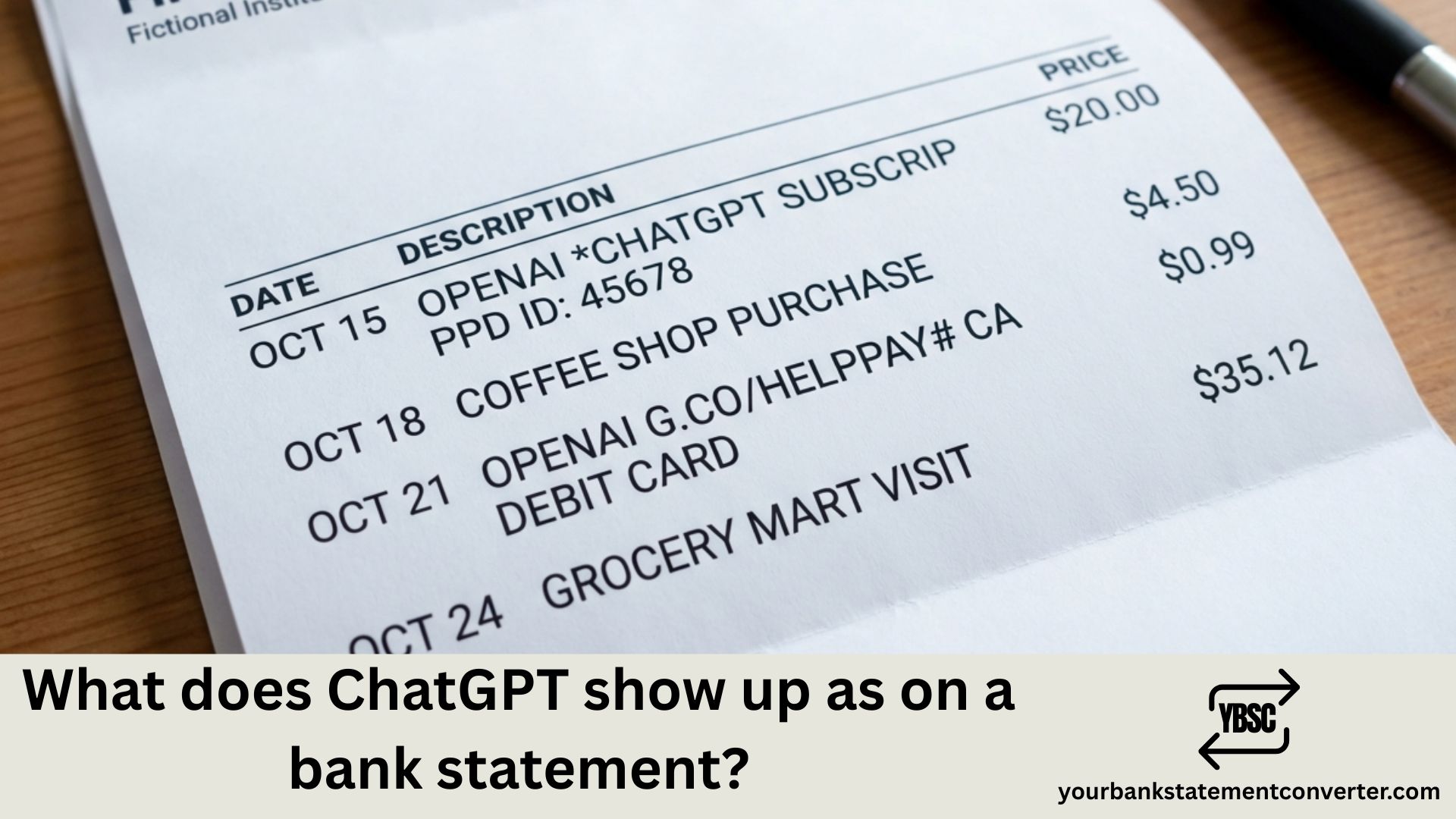
ChatGPT subscriptions and OpenAI charges typically appear on your bank or credit card statement under these common descriptors:
- OPENAI – The most common and straightforward descriptor
- *OPENAI CHATGPT – Specifically identifies ChatGPT subscription charges
- OPENAI.COM – Website-based billing descriptor
- *OPENAI CHATGPTPLUS – Indicates ChatGPT Plus subscription
- *OPENAI SUBSCRIPTION – Generic subscription charge from OpenAI
- OPENAI SAN FRANCISCO – Includes OpenAI’s headquarters location
- *OPENAI API – For developers using OpenAI’s API services
- CHATGPT SUBSCRIPTION – Direct ChatGPT subscription identifier
The standard ChatGPT Plus subscription costs $20/month. If you’re using ChatGPT Team, expect charges of $25-30 per user per month. API usage charges vary based on consumption and appear separately from subscription fees.
Why ChatGPT Charges May Appear Differently on Your Statement
Bank statement descriptors vary due to character limitations imposed by financial institutions. Your bank may truncate longer merchant names, which is why “OPENAI *CHATGPTPLUS” might appear as simply “OPENAI” on some statements.
Other factors affecting how ChatGPT charges appear include your payment method (credit card vs. debit card vs. PayPal), your country or region, and whether you’re on an individual or team plan.
How to Verify a ChatGPT Charge Is Legitimate
To confirm that an OpenAI or ChatGPT charge on your bank statement is authentic:
- Log into your OpenAI account at platform.openai.com
- Navigate to Settings > Billing
- Review your payment history and invoices
- Match the date and amount with your bank statement
- Check your email for receipts from OpenAI
If you don’t recognize a charge and cannot find a matching transaction in your OpenAI account, it could be from a family member’s subscription, an old trial conversion, or potentially unauthorized use. Contact OpenAI Support or your bank to investigate further.
Need to Track and Organize Your Bank Statements?
Keeping track of subscription charges like ChatGPT Plus becomes significantly easier when your bank statements are in an organized, searchable format. If you need to convert your PDF bank statements to Excel, CSV, or other formats for better expense tracking, our free bank statement converter provides a quick and secure solution.
With our bank statement to Excel converter, you can:
- Convert PDF bank statements to editable formats
- Easily search and filter for specific charges like OpenAI
- Track all your subscription expenses in one place
- Create organized financial records for budgeting
The tool supports statements from multiple banks and delivers accurate data extraction for both personal finance management and business accounting purposes.
How to Cancel or Manage Your ChatGPT Subscription
If you want to stop ChatGPT charges from appearing on your bank statement, follow these steps to cancel:
- Log into ChatGPT at chat.openai.com
- Click on your profile icon in the bottom left
- Select “My Plan” or “Settings”
- Navigate to “Manage my subscription”
- Click “Cancel Plan”
After canceling, you’ll retain access to ChatGPT Plus features until your current billing period ends. You can resubscribe anytime if you change your mind.
Understanding ChatGPT Bank Statement Charges: Key Takeaways
Recognizing what ChatGPT and OpenAI charges look like on your bank statement is crucial for managing your subscriptions and spotting unauthorized transactions. The most common descriptors are OPENAI, *OPENAI CHATGPT, and *OPENAI SUBSCRIPTION. Always verify charges through your OpenAI account billing history, and consider using our bank statement to CSV converter to convert and organize your bank statements for effortless expense tracking. Staying informed about how ChatGPT charges appear on your bank statement ensures you maintain full control over your AI subscriptions and monthly budget.
Frequently Asked Questions
Unfamiliar entries are rarely a sign of anything wrong. Our guide to what the abbreviations on a bank statement mean decodes the type codes, and what is on a bank statement explains how each section of the page fits together.
What does ChatGPT Plus charge look like on a credit card statement?
ChatGPT Plus typically appears as OPENAI, OPENAI *CHATGPT, OPENAI *CHATGPTPLUS, or OPENAI.COM on credit card statements. The charge amount is usually $20.00 for the standard monthly subscription, and may include a location identifier like “SAN FRANCISCO CA.”
Why is OpenAI charging my card?
OpenAI charges your card for active subscriptions like ChatGPT Plus ($20/month), ChatGPT Team plans, or API usage. If you don’t recall subscribing, check if a family member used your payment method, if a free trial converted to paid, or if you have an old subscription you forgot about.
How much does ChatGPT Plus cost per month?
ChatGPT Plus costs $20 per month for individual users. ChatGPT Team plans cost $25-30 per user per month with additional collaboration features. API usage is billed separately based on consumption.
Can I get a refund for ChatGPT charges?
OpenAI may offer refunds on a case-by-case basis, particularly for accidental charges or billing errors. Contact OpenAI Support through their help center to request a refund. Include your account email, charge date, and amount for faster processing.
How do I stop OpenAI from charging my card?
To stop OpenAI charges, log into your account at chat.openai.com, go to Settings, select “Manage my subscription,” and click “Cancel Plan.” You can also remove your payment method from your account settings to prevent future charges.
What is OPENAI SAN FRANCISCO on my bank statement?
OPENAI SAN FRANCISCO is a billing descriptor for OpenAI charges that includes their headquarters location in San Francisco, California. This is a legitimate charge from OpenAI for services like ChatGPT Plus subscriptions or API usage.
How can I better track my AI subscription charges?
To better track AI subscription charges like ChatGPT, use YourBankStatementConverter.com to convert your PDF bank statements into Excel or CSV format. This makes it easy to search for “OpenAI” or “ChatGPT,” filter by amount, and keep all your subscription expenses organized in one spreadsheet for smarter financial management.