Spotted an unfamiliar charge and wondering if it’s from Steam? As the world’s largest PC gaming platform with over 120 million active users, Steam processes millions of transactions daily for games, DLC, in-game items, and Steam Wallet funds. However, these purchases rarely display as “Steam” on your bank statement, leaving many gamers confused about legitimate charges. This guide explains exactly how Steam transactions appear and how to verify them.
Key Takeaways
- STEAMPOWERED.COM is Steam’s official billing domain and registered merchant name.
- This descriptor indicates a legitimate Steam purchase processed directly through Valve Corporation.
- Log into Steam, click your profile name in the top right, select “Account Details,” then click “Purchase History.” This page displays every transaction including games, DLC, in-game items, and Steam Wallet.
- Multiple charges typically occur during Steam sales when purchasing games individually rather than as a cart, from in-game microtransactions in free-to-play games, or from buying games on different days.
- If your payment method is saved to a Steam account someone else can access.
What Does Steam Show Up As on Bank Statement
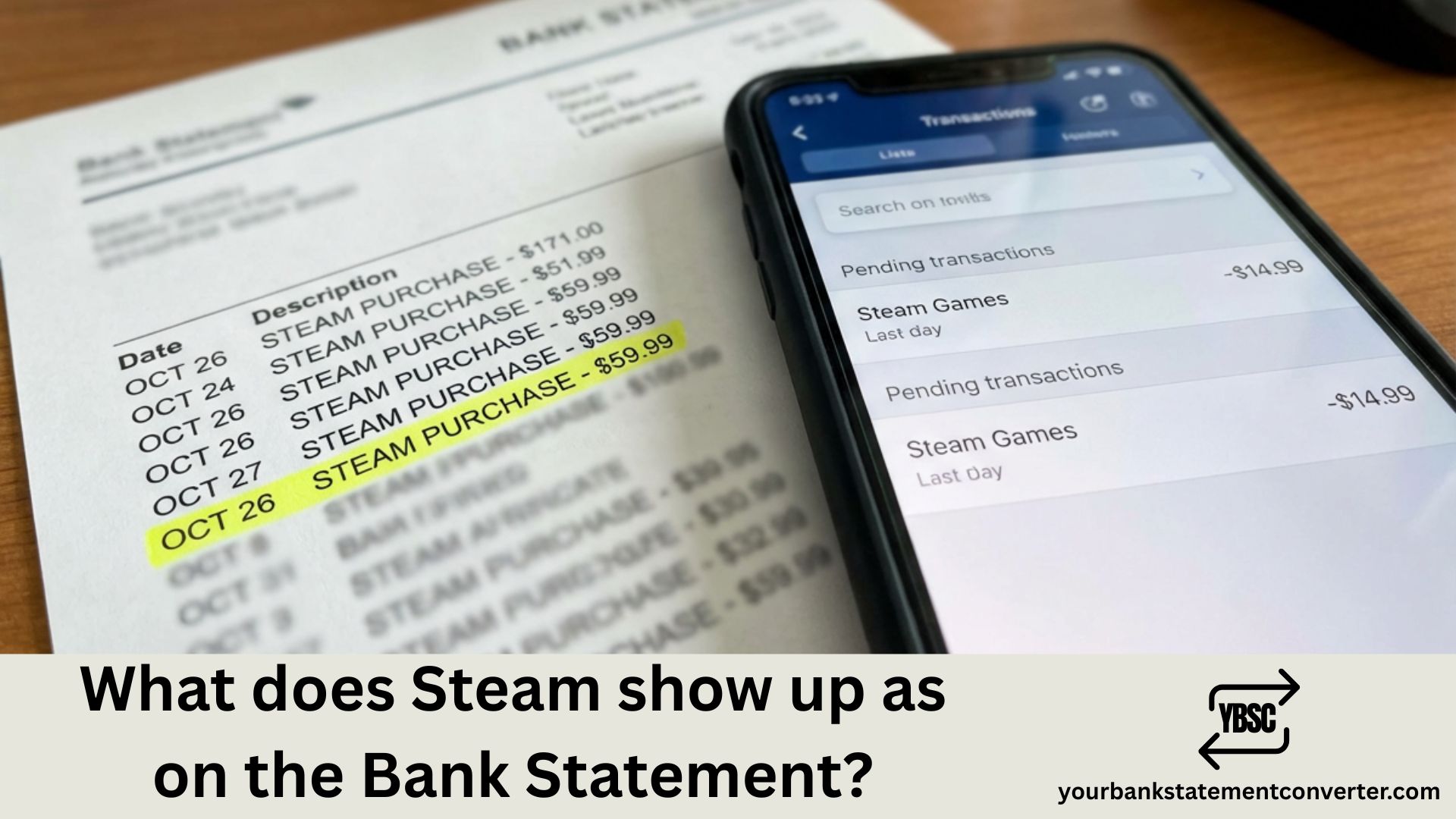
Steam charges appear on your bank statement under Valve Corporation’s billing descriptors or through various payment processors. The most common ways Steam transactions show up include:
Primary Steam Bank Statement Descriptors:
- STEAMPOWERED.COM – The most common descriptor for Steam purchases
- STEAM PURCHASE – Direct Steam transaction indicator
- STEAMGAMES.COM – Alternative Steam billing descriptor
- VALVE – Parent company name
- VALVE CORPORATION – Full corporate billing name
- *VALVE STEAM GAMES – Combined company and platform descriptor
- *PAYPAL STEAM GAMES – When PayPal is used as payment method
- *PAYPAL VALVE – PayPal processed Valve transaction
- *XSOLLA STEAM – Third-party payment processor descriptor
- 425-889-9642 STEAMPOWERED – Phone number format with Steam identifier
The exact descriptor depends on your payment method, geographic location, bank’s processing system, and whether you purchased directly or added funds to your Steam Wallet first.
Common Steam Charge Amounts to Recognize
Steam’s frequent sales make charges vary widely, but these standard amounts help identify legitimate transactions:
| Transaction Type | Common Amounts (USD) |
|---|---|
| Steam Wallet Funds | $5, $10, $20, $50, $100 |
| AAA Game (Full Price) | $59.99 – $69.99 |
| Indie Games | $4.99 – $29.99 |
| DLC/Expansions | $9.99 – $39.99 |
| Steam Deck | $399 – $649 |
| Seasonal Sale Purchases | Varies (often multiple small charges) |
| In-Game Purchases (CS2, Dota 2) | $2.49 – $99.99 |
| Subscription Services | $4.99 – $14.99/month |
Why Steam Charges Display Different Names
Bank statement descriptors reflect the merchant’s registered billing name, not the platform or game title. Valve Corporation—Steam’s parent company—uses multiple billing descriptors based on regional payment processing, the type of transaction, and third-party payment providers. Additionally, banks impose character limits on transaction descriptions, resulting in truncated names like “STEAMPOWERED” instead of “STEAMPOWERED.COM 425-889-9642.”
Regional Steam Billing Descriptors
Steam operates globally and uses region-specific payment processing:
| Region | Possible Descriptors |
|---|---|
| United States | STEAMPOWERED.COM, VALVE, STEAM PURCHASE |
| European Union | STEAM GAMES EU, VALVE SOFTWARE |
| United Kingdom | STEAMPOWERED.COM, VALVE GBP |
| Australia | STEAM AU, VALVE CORPORATION |
| Brazil | STEAM BR, VALVE BRAZIL |
| Russia/CIS | STEAM RU, VALVE CORPORATION |
How to Verify a Steam Charge Is Legitimate
Confirming Steam charges is straightforward with these steps. Log into your Steam account at store.steampowered.com, click your profile name, and select “Account Details.” Navigate to “Purchase History” to view all transactions with dates, amounts, and items purchased. Compare this history against your bank statement entries. Steam also emails receipts for every purchase—check your inbox and spam folder for confirmation emails from noreply@steampowered.com.
Tracking Gaming Expenses and Steam Spending
PC gamers often make numerous purchases during Steam’s legendary sales events—Summer Sale, Winter Sale, and countless publisher sales throughout the year. These multiple small transactions can make expense tracking challenging, especially for budget-conscious gamers or parents monitoring shared accounts.
Your Bank Statement Converter transforms your PDF bank statements into organized Excel or CSV files, allowing you to filter all Steam-related charges instantly, calculate total gaming expenditure over any period, and maintain clear records of your entertainment spending. Whether you’re analyzing your Steam Sale damage or tracking gaming expenses for budgeting purposes, searchable bank statements make financial management effortless.
Steam Wallet vs. Direct Purchase Charges
Understanding Steam’s payment options explains different charge patterns:
Direct Purchases: When you buy a game without using Steam Wallet funds, the charge appears immediately on your bank statement as “STEAMPOWERED.COM” or similar, with the exact purchase amount.
Steam Wallet: Adding funds creates a single charge for the deposit amount ($5, $10, $20, etc.). Subsequent purchases using Wallet funds don’t generate new bank charges—they deduct from your existing balance. This can make individual game purchases harder to track on bank statements but simplifies charge identification.
Unexpected Steam Charges: Common Explanations
Confused by a Steam charge you don’t remember? Several legitimate reasons exist. Steam’s recurring subscription services like EA Play charge automatically. Pre-ordered games charge when they release, not when ordered. In-game purchases for titles like Counter-Strike 2, Dota 2, or Team Fortress 2 appear as separate Steam charges. Family members with Steam Family Sharing access using your payment method can also generate unexpected transactions.
Steam Refund Charges and Credits
Steam’s refund policy allows returns within 14 days of purchase for games played less than 2 hours. Refunds appear on bank statements as credits with descriptors like “STEAMPOWERED.COM REFUND” or “VALVE CREDIT.” Refunds typically take 7 days to process, though international banks may require up to 14 business days. During this period, you might see both the original charge and pending credit on your statement.
What to Do If You Don’t Recognize a Steam Charge
Unrecognized Steam charges require immediate investigation. First, check your Steam purchase history thoroughly—forgotten impulse purchases during sales are common. Verify if family members or friends have access to your Steam account or saved payment methods. Review your email for Steam receipts. If the charge is genuinely unauthorized, change your Steam password immediately, enable Steam Guard two-factor authentication, contact Steam Support at help.steampowered.com, and dispute the charge with your bank.
Steam’s Security Features to Prevent Unauthorized Charges
Protect your account and payment methods with Steam’s built-in security. Enable Steam Guard for email or mobile authentication on every login. Set up the Steam Mobile Authenticator for additional confirmation on purchases. Review and remove unused payment methods from your account settings. Enable Family View to restrict access to the Steam Store and prevent unauthorized purchases on shared computers.
Steam Subscription Charges Explained
Several Steam-related subscriptions generate recurring charges:
| Subscription | Monthly Cost | Bank Descriptor |
|---|---|---|
| EA Play | $4.99 | STEAMPOWERED.COM, EA PLAY |
| Humble Choice | $11.99 | HUMBLE BUNDLE (separate from Steam) |
| Game-Specific Subs | Varies | STEAMPOWERED.COM |
Note that EA Play purchased through Steam appears as a Steam charge, while the same subscription through Origin appears as an EA charge.
Steam Bank Statement Charges: Key Points for Quick Recognition
Steam transactions typically appear as “STEAMPOWERED.COM,” “VALVE,” or “STEAM PURCHASE” on bank statements, though variations exist based on payment processors and regional billing. Always verify unfamiliar charges through your Steam Purchase History before disputing with your bank—forgotten sale purchases are the most common cause of confusion. For comprehensive tracking of gaming expenses across Steam and other platforms, Your Bank Statement Converter helps you organize, search, and analyze all your transactions efficiently.
Frequently Asked Questions
Most confusing entries come down to a code or a company name you have not met before. Our guide to what the abbreviations mean covers the codes, and what is on a bank statement explains the rest of the layout.
Why does my bank statement say “STEAMPOWERED.COM” instead of “Steam”?
STEAMPOWERED.COM is Steam’s official billing domain and registered merchant name. Bank statements display the merchant’s billing descriptor rather than brand names, so all Steam purchases appear under this or related Valve Corporation descriptors.
What does “VALVE *STEAM GAMES” mean on my credit card statement?
This descriptor indicates a legitimate Steam purchase processed directly through Valve Corporation. The asterisk is a standard separator used in bank transaction descriptions to distinguish the company name from the service type.
How do I find my Steam purchase history?
Log into Steam, click your profile name in the top right, select “Account Details,” then click “Purchase History.” This page displays every transaction including games, DLC, in-game items, and Steam Wallet deposits with dates and amounts.
Why are there multiple small Steam charges on my statement?
Multiple charges typically occur during Steam sales when purchasing games individually rather than as a cart, from in-game microtransactions in free-to-play games, or from buying games on different days. Each transaction processes separately.
Can someone make Steam purchases without my permission?
Yes, if your payment method is saved to a Steam account someone else can access. Enable Steam Guard authentication, remove saved payment methods, and use Family View restrictions to prevent unauthorized purchases.
How do I stop Steam from charging my card?
Remove your payment method from Steam by going to “Account Details” then “Payment Methods.” For subscriptions, cancel them before the renewal date. Consider using Steam Wallet gift cards instead of saved credit cards.
What is the phone number 425-889-9642 on my bank statement?
425-889-9642 is Valve Corporation’s billing phone number, often appearing alongside “STEAMPOWERED” in bank transaction descriptions. This is a legitimate Steam charge indicator, not a fraudulent transaction.
How long do Steam refunds take to appear on bank statements?
Steam refunds typically take 7 days to process. Depending on your bank and payment method, the credit may take an additional 3-7 business days to appear on your statement. International transactions may require up to 14 business days total.
Why was I charged by Steam but didn’t receive my game?
Check your Steam Library—the game may be there but not installed. Review your email for purchase confirmation. If the charge exists but the game doesn’t appear, contact Steam Support with your transaction details. Payment processing delays occasionally cause temporary discrepancies.
Does Steam charge sales tax?
Yes, Steam collects sales tax in jurisdictions where digital goods are taxable, including most US states, EU countries, Australia, and others. Tax amounts are shown during checkout and itemized on your receipt.
How can I track all my Steam spending over time?
Steam’s Purchase History shows transactions but isn’t easily exportable. Convert your bank statements to Excel format using Your Bank Statement Converter to filter Steam charges, calculate totals by time period, and analyze your gaming spending patterns.
What does “PAYPAL *STEAM GAMES” mean?
This indicates a Steam purchase made using PayPal as the payment method. The charge routes through PayPal’s system first, so it displays PayPal’s descriptor format combined with the Steam merchant identifier.
Are Steam charges in my local currency or USD?
Steam charges in your local currency if supported. The platform automatically converts prices based on your registered region. Your bank statement should show the charge in your local currency without foreign transaction fees in most cases.