Noticed a charge on your bank statement that you suspect is from Xbox but can’t quite identify? Xbox and Microsoft gaming transactions appear under various names depending on the purchase type, subscription, and payment processor. This guide explains exactly what Xbox shows up as on your bank statement so you can verify charges and keep your finances organized.
Key Takeaways
- Microsoft owns Xbox, so all Xbox-related purchases process through Microsoft’s billing system.
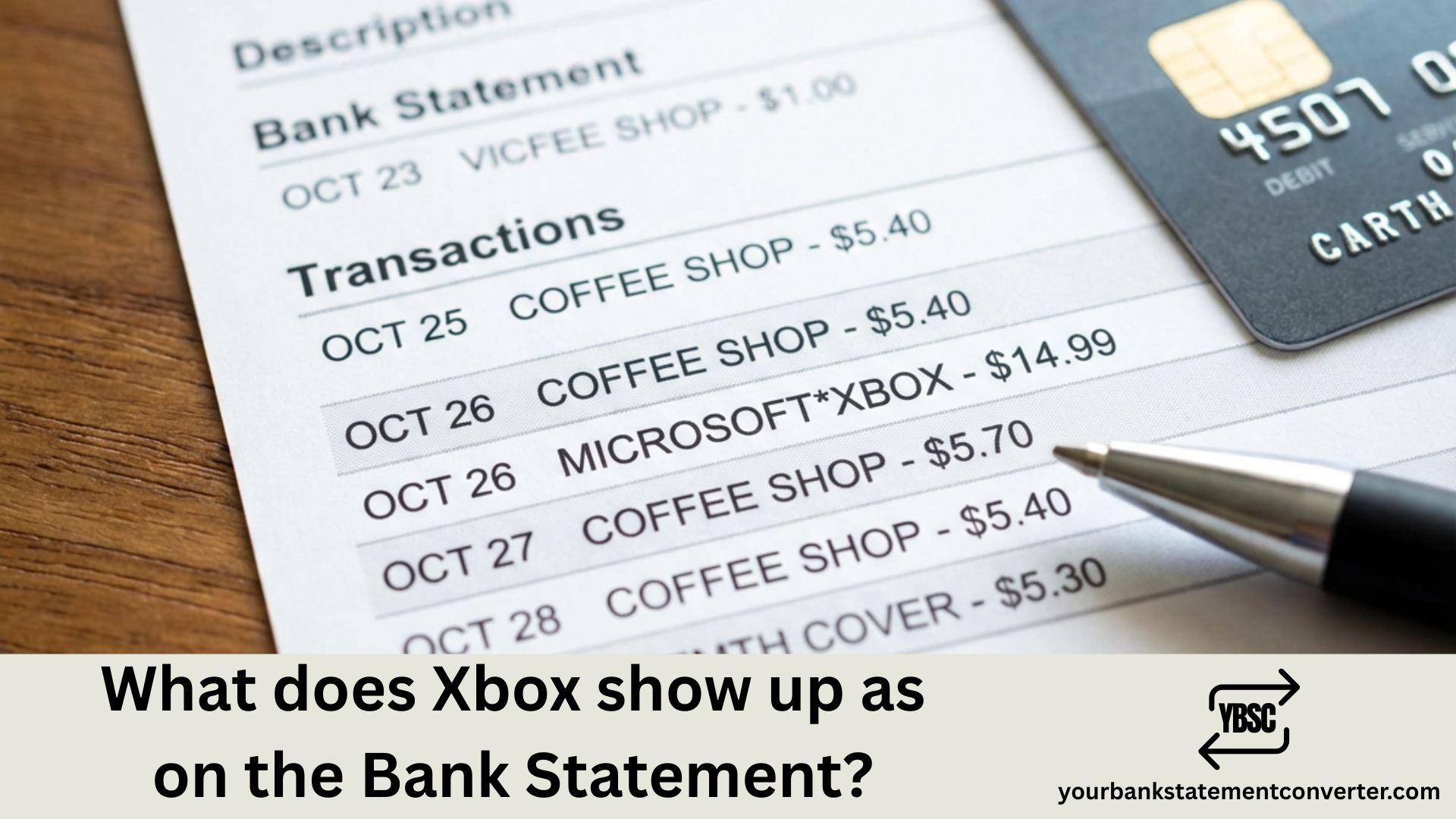
- MICROSOFT*XBOX is a legitimate charge from Xbox for digital game purchases, in-game content, subscriptions, or other Xbox-related transactions made through your Microsoft account.
- Xbox Game Pass charges typically appear as “MICROSOFTGAMEPASS,” “MICROSOFTULTIMATE” (for Game Pass Ultimate), or “MICROSOFT*XBOX” depending on your bank’s formatting.
- Log into account.microsoft.com/billing/orders to view your complete purchase history.
- Monthly Microsoft charges are usually for Xbox Game Pass, Game Pass Ultimate, or legacy Xbox Live Gold subscriptions.
What Does Xbox Show Up as on Bank Statement
Xbox charges typically appear on your bank or credit card statement under these common descriptors:
- MICROSOFT*XBOX – Most common format for Xbox purchases
- MICROSOFT*GAMEPASS – Xbox Game Pass subscription charges
- MICROSOFT*XBOXLIVE – Xbox Live Gold or online service fees
- MSBILL.INFO – Microsoft billing portal reference
- MICROSOFT XBOX – Standard descriptor without asterisk
- MSFTxBOX or MSFT*XBOX – Abbreviated Microsoft Xbox format
- BILL.MS.NET – Alternative Microsoft billing descriptor
- MICROSOFT*ULTIMATE – Xbox Game Pass Ultimate subscriptions
- MICROSOFT STORE – Purchases from Microsoft Store including Xbox content
Since Microsoft owns Xbox, most charges reference Microsoft rather than Xbox directly in the merchant name.
Xbox Transaction Descriptors by Purchase Type
| Purchase Type | Common Statement Descriptor |
|---|---|
| Xbox Game Pass Core | MICROSOFTGAMEPASS, MICROSOFTXBOX |
| Xbox Game Pass Ultimate | MICROSOFTULTIMATE, MICROSOFTGAMEPASS |
| Digital Game Purchases | MICROSOFT*XBOX, MICROSOFT STORE |
| In-Game Purchases/Microtransactions | MICROSOFT*XBOX, MSBILL.INFO |
| Xbox Live Gold | MICROSOFTXBOXLIVE, MICROSOFTXBOX |
| Game Add-ons/DLC | MICROSOFT*XBOX, MICROSOFT STORE |
| Xbox Hardware (Direct) | MICROSOFT STORE, MICROSOFT*STORE |
| EA Play through Xbox | MICROSOFTGAMEPASS, MICROSOFTXBOX |
Common Xbox Subscription and Purchase Amounts
Recognizing standard Xbox pricing helps you quickly verify legitimate charges:
Xbox Game Pass Subscriptions:
- Game Pass Core (Monthly): $9.99
- Game Pass Core (12-Month): $59.99
- Game Pass Standard (Monthly): $14.99
- Game Pass Ultimate (Monthly): $19.99
Common Purchase Price Points:
- New AAA Games: $59.99 – $69.99
- Indie/Smaller Titles: $9.99 – $39.99
- Season Passes: $29.99 – $49.99
- In-Game Currency (V-Bucks, FIFA Points, etc.): $4.99 – $99.99
- Game Add-ons/DLC: $4.99 – $29.99
Prices are USD and subject to change.
Why Your Xbox Charge Might Look Different
Several factors can make Xbox transactions appear unfamiliar on your statement:
Microsoft Branding: Since Microsoft owns Xbox, nearly all charges display “MICROSOFT” rather than “Xbox” as the primary merchant name, which can cause confusion.
Character Limits: Banks truncate merchant names, resulting in shortened versions like “MSFT*XBOX” or “MS XBOX.”
Bundled Services: Xbox Game Pass Ultimate includes Xbox Live Gold, EA Play, and cloud gaming, but appears as a single charge rather than itemized services.
Family Sharing: If you’re part of an Xbox family group, purchases by family members with shared payment methods appear on the primary account holder’s statement.
Pre-Orders and Recurring Billing: Pre-ordered games charge when they release, not when ordered. Subscriptions auto-renew, sometimes catching users off guard.
Regional Billing Entities: International users may see variations like “MICROSOFT IRELAND” or regional Microsoft subsidiaries.
How to Verify Xbox Charges on Your Bank Statement
If you need to confirm an Xbox-related charge, follow these steps:
- Check Microsoft Account Order History: Visit account.microsoft.com/billing/orders to see all purchases with dates and amounts
- Review Xbox Console Purchase History: On your Xbox, go to Settings > Account > Payment & Billing > Order History
- Check Email Confirmations: Microsoft sends receipts to your registered email for every transaction
- Verify Subscription Status: Visit account.microsoft.com/services to see active subscriptions and renewal dates
- Review Family Account Activity: Check purchase history for all family members with shared access
Managing Xbox Purchases and Avoiding Surprise Charges
Prevent unexpected Xbox charges on your bank statement with these tips:
Require Password for Purchases: Set your Xbox to require sign-in or passkey for all purchases in Settings > Account > Sign-in, Security & Passkey
Enable Purchase Notifications: Turn on email notifications for every purchase in your Microsoft account settings
Remove Saved Payment Methods: Delete stored cards at account.microsoft.com/billing/payments if you prefer manual entry
Set Up Family Spending Limits: Use Microsoft Family Safety to set spending limits and require approval for purchases
Disable Auto-Renewal: Turn off automatic subscription renewal at account.microsoft.com/services before your billing date
Use Xbox Gift Cards: Purchase prepaid Xbox gift cards instead of linking credit cards directly
Simplify Xbox Charge Tracking with Better Statement Management
Gaming expenses from Xbox can add up quickly—subscriptions, game purchases, in-game currency, and DLC create multiple monthly charges that are easy to lose track of. When these all appear as variations of “MICROSOFT*XBOX” on your statement, identifying specific purchases becomes even more challenging.
Our bank statement converter helps you take control of your finances by converting PDF bank statements into organized Excel or CSV files. This makes it simple to:
- Filter all Microsoft/Xbox charges in seconds using spreadsheet search
- Track monthly gaming spend by categorizing Xbox transactions together
- Identify unauthorized purchases by comparing statement data with your order history
- Monitor family gaming expenses across multiple accounts
- Export clean data for budgeting tools, expense reports, or tax purposes
Whether you’re a gamer tracking personal spending or a parent monitoring what the kids are buying on Xbox, converting your bank statements to spreadsheet format gives you complete visibility over every transaction.
👉 Start Converting Your Bank Statements at our free bank statement converter
Xbox Bank Statement Charges: Key Points to Remember
Knowing what Xbox shows up as on your bank statement is essential for tracking gaming expenses and catching unauthorized charges early. Since Microsoft owns Xbox, most transactions appear as “MICROSOFTXBOX,” “MICROSOFTGAMEPASS,” or similar variations rather than displaying “Xbox” prominently. Always match the charge amount and date with your Microsoft account order history to verify legitimacy. For gamers, parents, or anyone managing household finances, using our PDF bank statement converter to convert statements into searchable spreadsheets makes it effortless to find, categorize, and analyze every Xbox and Microsoft charge.
Frequently Asked Questions
If other lines on the page are just as puzzling, our guide to statement abbreviations covers the common UK codes, while what is on a bank statement walks through the document section by section.
Why does my bank statement say Microsoft instead of Xbox?
Microsoft owns Xbox, so all Xbox-related purchases process through Microsoft’s billing system. This is why charges appear as “MICROSOFTXBOX” or “MICROSOFTGAMEPASS” rather than just “Xbox.”
What is MICROSOFT*XBOX on my bank statement?
MICROSOFT*XBOX is a legitimate charge from Xbox for digital game purchases, in-game content, subscriptions, or other Xbox-related transactions made through your Microsoft account.
What does Xbox Game Pass show up as on bank statement?
Xbox Game Pass charges typically appear as “MICROSOFTGAMEPASS,” “MICROSOFTULTIMATE” (for Game Pass Ultimate), or “MICROSOFT*XBOX” depending on your bank’s formatting.
How do I find out what Microsoft charged me for?
Log into account.microsoft.com/billing/orders to view your complete purchase history. Each transaction shows the date, amount, and specific item purchased.
Why is Microsoft charging me every month?
Monthly Microsoft charges are usually for Xbox Game Pass, Game Pass Ultimate, or legacy Xbox Live Gold subscriptions. Check your active subscriptions at account.microsoft.com/services.
How do I stop Xbox from charging my card?
Cancel your subscription at account.microsoft.com/services and remove saved payment methods at account.microsoft.com/billing/payments. You can also disable auto-renewal to prevent future charges.
What is MSBILL.INFO on my bank statement?
MSBILL.INFO is Microsoft’s billing information reference that sometimes appears alongside or instead of the standard MICROSOFT*XBOX descriptor. It’s a legitimate Microsoft charge.
Can my child make purchases on Xbox without my permission?
Yes, if your payment method is saved and purchase restrictions aren’t enabled. Set up Microsoft Family Safety and require approval for purchases to prevent unauthorized spending.
How do I get a refund for an Xbox purchase?
Visit support.xbox.com and submit a refund request. Microsoft typically processes refunds for accidental purchases or qualifying situations within 14 days of purchase for games that haven’t been extensively played.
Why do I have multiple Microsoft charges on the same day?
Multiple charges can occur when purchasing several items separately, buying a game plus add-on content, or if multiple family members made purchases. Check your order history to see itemized transactions.
Does Xbox charge tax on digital purchases?
Yes, Microsoft collects applicable sales tax on digital purchases based on your account’s registered address. Tax rates vary by state and country.
What is MICROSOFT*XBOXLIVE on my statement?
This descriptor typically indicates charges for Xbox Live Gold membership or online gaming services. It may also appear for legacy subscriptions before they were consolidated into Game Pass Core.