
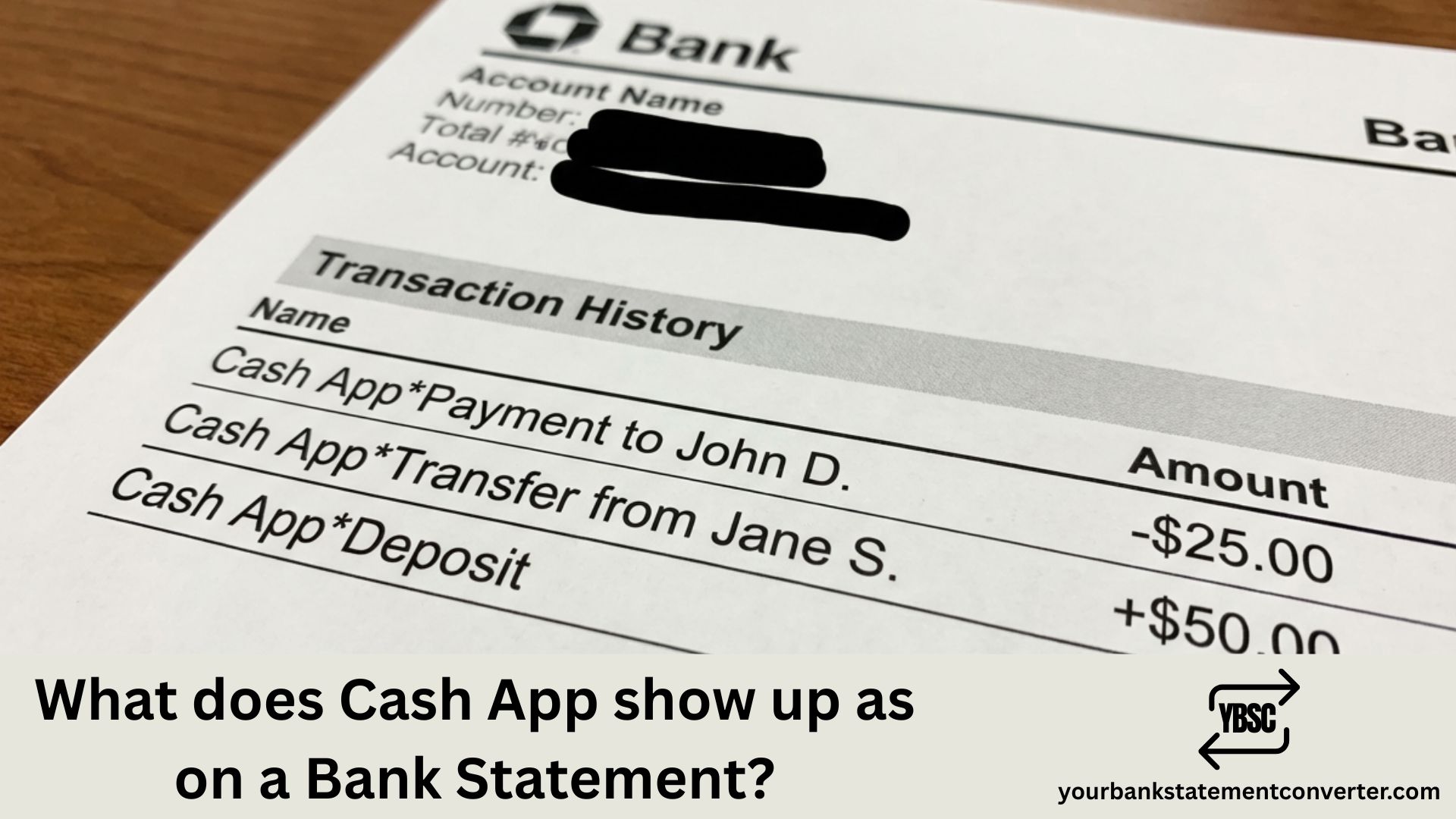
Cash App transactions can appear under several different names on your bank or credit card statement, depending on whether you’re adding money, receiving funds, making purchases, or using Cash App Pay. Since Cash App is owned by Block, Inc. (formerly Square, Inc.), transaction descriptors often reference these parent company names—which can be confusing when you’re trying to reconcile your accounts or track specific payments.
Key Takeaways
- Cash App is owned by Block, Inc., formerly known as Square, Inc.
- This indicates you transferred money from your Cash App balance to your linked bank account.
- Cash App Card purchases usually show the merchant’s own name, while Cash App Pay payments carry a “CashApp*” prefix before the merchant name.
- First, open your Cash App and review your transaction history for the matching amount and date.
- Some banks include the merchant’s customer service number in transaction descriptors.
What Does Cash App Show Up As on Bank Statement?
Cash App’s help center confirms that withdrawals to your bank show the prefix “Cash App*”. Other formats commonly reported on statements include:
Company details at a glance
| Company | Block, Inc. on SEC EDGAR (CIK 1512673), formerly Square, Inc. (renamed December 2021), 1955 Broadway, Suite 600, Oakland, CA 94612 |
| Withdrawals to your bank | Show with the prefix “Cash App*”, per Cash App Support |
| Cash App Pay purchases | “CashApp*” plus the merchant name |
| Fees | Instant transfer 0.5% to 2.5% ($0.25 to $1 minimum, $75 maximum); credit card 3%; ATM $2.50; standard transfers free |
| Support | (800) 969-1940, daily 8 AM to 9:30 PM ET, or in-app chat |
Most frequent formats:
- CASH APP or CASH APP*
- CASH APP*[username or name]
- SQC*CASH APP (Square Cash)
- SQ*CASH APP
- SQUARE INC CASH APP
- CASH APP*CASH OUT
- CASHAPP*[merchant name] (for Cash App Pay purchases)
- CASH APP 800-969-1940 (customer service number)
For adding money to Cash App (Cash In):
- CASH APP*CASH IN
- SQC*CASH APP CASH IN
- CASH APP [last 4 digits of card]
For withdrawing to bank (Cash Out):
- CASH APP*CASH OUT
- CASH APP INSTANT (for instant transfers)
- SQ*CASH APP TRANSFER
For peer-to-peer payments:
- CASH APP*[recipient’s name or $cashtag]
- SQC*[name]
- CASH APP P2P
For Cash App Card purchases:
- [merchant name], as with any Visa debit card
- CASH APP*[merchant name]
- SQ*[merchant name] (when the shop itself takes payments through Square)
The exact descriptor varies based on transaction type, your bank, and whether you’re sending money, receiving funds, making purchases with your Cash App Card, or using Cash App Pay at checkout.
Common fees that might appear:
- $2.50 Cash App ATM withdrawal fee (plus any ATM operator fee)
- 0.5% to 2.5% instant transfer fee (minimum $0.25 to $1, maximum $75)
- 3% – Credit card funding fee
Finding Cash App Transactions Buried in Your Bank Statements?
With Cash App using multiple descriptors like “SQCCASH APP,” “SQUARE INC,” and “CA[merchant],” tracking your peer-to-peer payments, card purchases, and transfers across PDF bank statements becomes a frustrating puzzle. Different transaction types show up differently, making reconciliation a headache.
Our bank statement converter converts your bank statement PDFs into clean, searchable Excel spreadsheets within seconds. Simply upload your statements, then search for “CASH APP,” “SQC,” or “SQUARE” to instantly find every Cash App transaction—organized, sortable, and ready for review.
Ideal for:
- Tracking all peer-to-peer payments sent and received
- Reconciling Cash App Card spending with your bank records
- Identifying Cash App fees and transfer charges
- Preparing financial records for budgeting or taxes
👉 Try one conversion free, no account needed
FAQs
Why does my statement say “SQC” or “SQUARE” instead of Cash App?
Cash App is owned by Block, Inc., formerly known as Square, Inc. The “SQC” stands for “Square Cash,” which was Cash App’s original name. Many banking systems still use these legacy descriptors, so “SQC*CASH APP” and “SQUARE INC CASH APP” are legitimate Cash App transactions.
What does “CASH APP*CASH OUT” mean on my statement?
This indicates you transferred money from your Cash App balance to your linked bank account. “Cash Out” is Cash App’s term for withdrawing funds to your external bank. If you chose instant transfer, you might also see “CASH APP INSTANT.”
Why do I see “CashApp*” followed by a merchant name?
That prefix marks a Cash App Pay payment to a business. Purchases with the Cash App Card usually show the merchant’s own name, like any Visa debit card.
I see a Cash App charge I don’t recognize. What should I do?
First, open your Cash App and review your transaction history for the matching amount and date. Check if a linked contact sent you a payment request you accidentally approved. If the charge is truly unauthorized, report it immediately in Cash App or call Cash App support at (800) 969-1940 and contact your bank to dispute the charge.
What does the phone number 800-969-1940 on my Cash App charge mean?
Some banks include the merchant’s customer service number in transaction descriptors. 800-969-1940 is Cash App’s official support line, confirming the transaction is legitimately from Cash App.
Why was I charged a fee for transferring money?
Cash App charges fees for certain services: instant transfers to your bank (0.5% to 2.5%, minimum $0.25 to $1), sending money from a credit card (3%), and ATM withdrawals ($2.50 plus any ATM operator fee, reimbursed if you spend $500 or receive $300 in qualifying deposits a month). Standard bank transfers typically take 1–3 business days but are free.
How can I tell the difference between money I sent vs. money I added?
“CASH APP*[name]” or “SQC*[name]” typically indicates peer-to-peer payments. “CASH APP*CASH IN” shows you added money to your Cash App balance from your bank. Check amounts and dates against your in-app transaction history for confirmation.
Why do some Cash App transactions show a person’s name?
When you send money to someone via Cash App, the recipient’s name or $cashtag may appear in the transaction descriptor (for example, “CASH APP*JOHN DOE”). This helps you identify who received the payment.
Do Cash App transactions show up immediately on my bank statement?
Most Cash App transactions appear as pending within minutes and post within 1–3 business days. Instant transfers show up faster. However, statement timing depends on your bank’s processing schedule—some transactions may not appear on your statement until the next billing cycle.
How can I easily track all my Cash App activity alongside other expenses?
Upload your bank statements to YourBankStatementConverter.com and convert them to searchable Excel files. Search for “CASH APP,” “SQC,” “SQUARE,” or “CASHAPP*” to see every Cash App transaction in one organized spreadsheet—perfect for tracking peer-to-peer payments, card purchases, and transfers across multiple months.