If you’re wondering how Tinder charges appear on your bank or credit card statement, you’re not alone. Many users prefer to keep their dating app subscriptions private, making this a common question.
Key Takeaways
- Tinder is owned by Match Group, so some charges carry that name instead.
- In-app purchases bill through Apple or Google, hiding the app name entirely.
- One-off boosts and Super Likes appear separately from the subscription.
- Deleting your profile does not stop the billing.
- Cancel through your app store account, then check the next statement.
What Does Tinder Show Up as on Bank Statement?
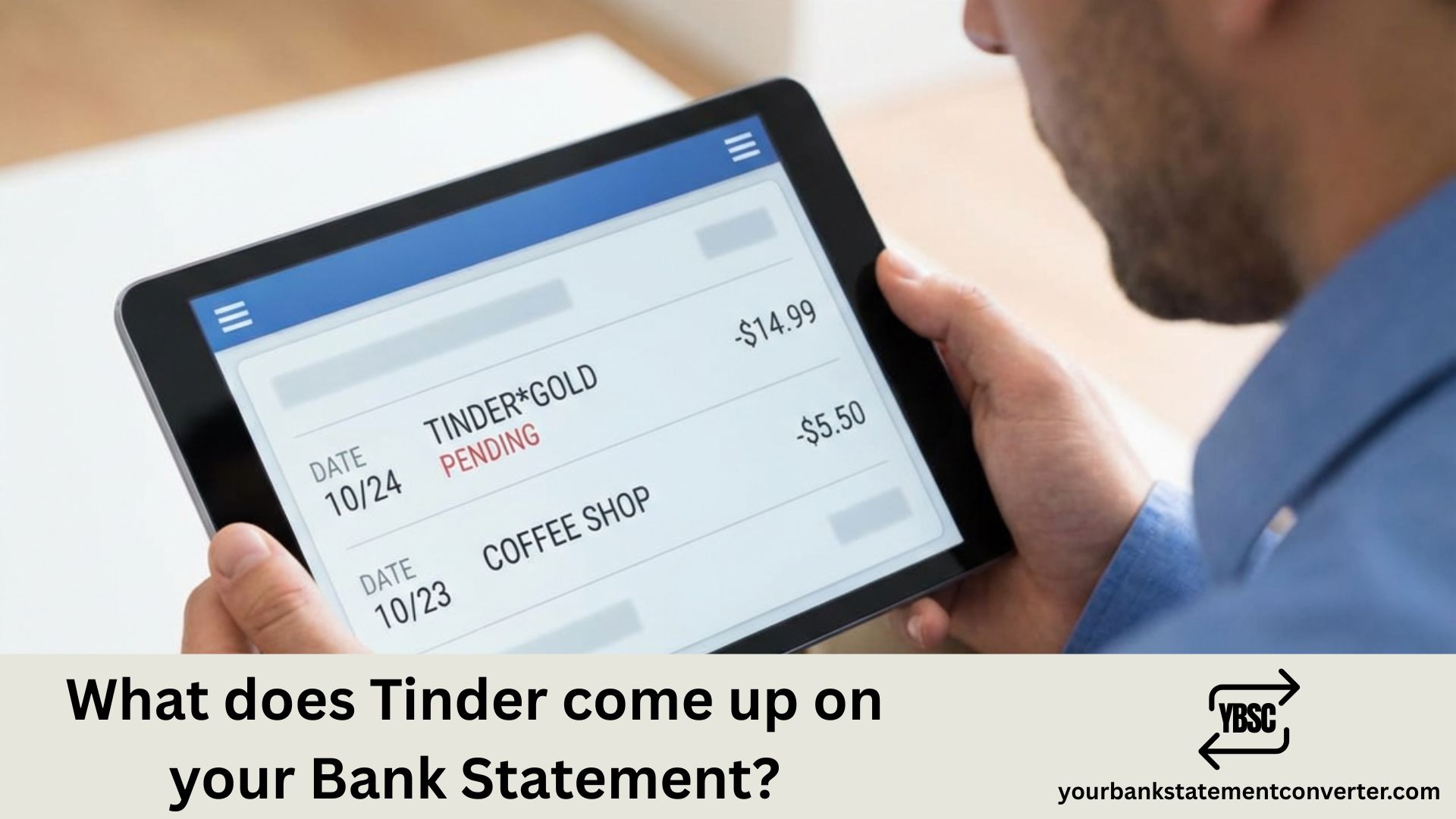
Tinder charges typically appear on your bank statement as one of these descriptors:
TINDER.COM or TINDER followed by a location (usually the billing city) MATCH GROUP (Tinder’s parent company) TINDER GOLD, TINDER PLUS, or TINDER PLATINUM depending on your subscription
The exact wording varies based on your bank and payment method. Some statements show abbreviated versions like “TINDER SAN FRANCISCO CA” or simply “MATCH*TINDER.”
For one-time purchases like Super Likes or Boosts, you might see “TINDER” followed by the specific feature name or just a generic charge from Match Group.
Need to organize or convert your bank statements for budgeting, loan applications, or bookkeeping? Check out our bank statement converter — a simple tool that helps you convert PDF bank statements into Excel, CSV, or other formats quickly and accurately. Whether you’re tracking subscriptions like Tinder or managing business finances, it makes statement management effortless.
How to Make Tinder Charges More Private
If discretion matters to you, consider these options:
Use a virtual card or prepaid card for dating app subscriptions. Link Tinder to PayPal, which may show as “PAYPAL *TINDER” or just “PAYPAL” depending on settings. Purchase Tinder subscriptions through Apple App Store or Google Play, which display as “APPLE.COM/BILL” or “GOOGLE *TINDER” respectively.
Also Read: What does Amazon come up on your Bank Statement?
FAQs
The Three Descriptors You Might See
Which one appears depends entirely on how you paid.
Through the iPhone app, Apple bills you, so the entry reads APPLE.COM/BILL and names no app at all.
Through Android, Google bills you, typically as GOOGLE *TINDER.
Through Tinder’s website, the charge is more likely to name Tinder directly, or occasionally Match Group, the parent company that also owns Hinge and several other dating apps.
That parent-company link explains an entry naming a business you have never dealt with. Our guide to how Hinge appears covers the same pattern on its sister app.
Why You Might See More Than One Charge
Tinder sells two different things, and they bill separately.
The subscription is the recurring one, renewing weekly, monthly or every six months depending on the plan.
Consumables such as Boosts and Super Likes are bought individually and charged as they are used. Several small charges in one evening are usually these rather than a billing error.
A subscription plus a couple of consumables therefore produces three entries in a month, none matching the plan price.
Cancelling So It Actually Stops
This is where most complaints originate.
Deleting the app, or even deleting your Tinder profile, leaves the subscription running, because the billing lives in your Apple or Google account rather than in Tinder.
On iPhone: Settings, your name, Subscriptions, then cancel.
On Android: Play Store, profile, Payments and subscriptions.
If you paid on the web: cancel in Tinder’s account settings.
Then check your next statement. Cancelling prevents the following renewal; it does not refund the period you have already paid for.
Keeping App Spending Visible
Subscriptions bought inside apps are the hardest to track, precisely because the descriptors name Apple or Google rather than the service.
Our bank statement converter turns PDF statements into clean, searchable spreadsheets. Filtering for those descriptors and sorting by amount groups every recurring app charge together, which usually surfaces at least one nobody remembered starting.
Does Tinder show the exact subscription name on statements?
Sometimes yes. Premium subscriptions often display as “TINDER GOLD” or “TINDER PLATINUM,” though this varies by bank.
Can I hide Tinder charges from my bank statement?
You can’t remove charges, but paying through Apple or Google Play shows those platforms as the merchant instead of Tinder directly.
Why does my Tinder charge say Match Group?
Match Group owns Tinder, Hinge, OkCupid, and other dating apps. Some transactions process under the parent company name.
How much does Tinder charge per month?
Pricing varies by location, age, and subscription tier. Tinder Plus, Gold, and Platinum range from approximately $9.99 to $39.99 monthly.
Will canceling Tinder remove the charge description?
Past charges remain on your statement history. Only future charges stop appearing after cancellation.
Looking to analyze your spending on subscriptions?
YourBankStatementConverter.com helps you convert and organize bank statements so you can easily track recurring charges and manage your finances.