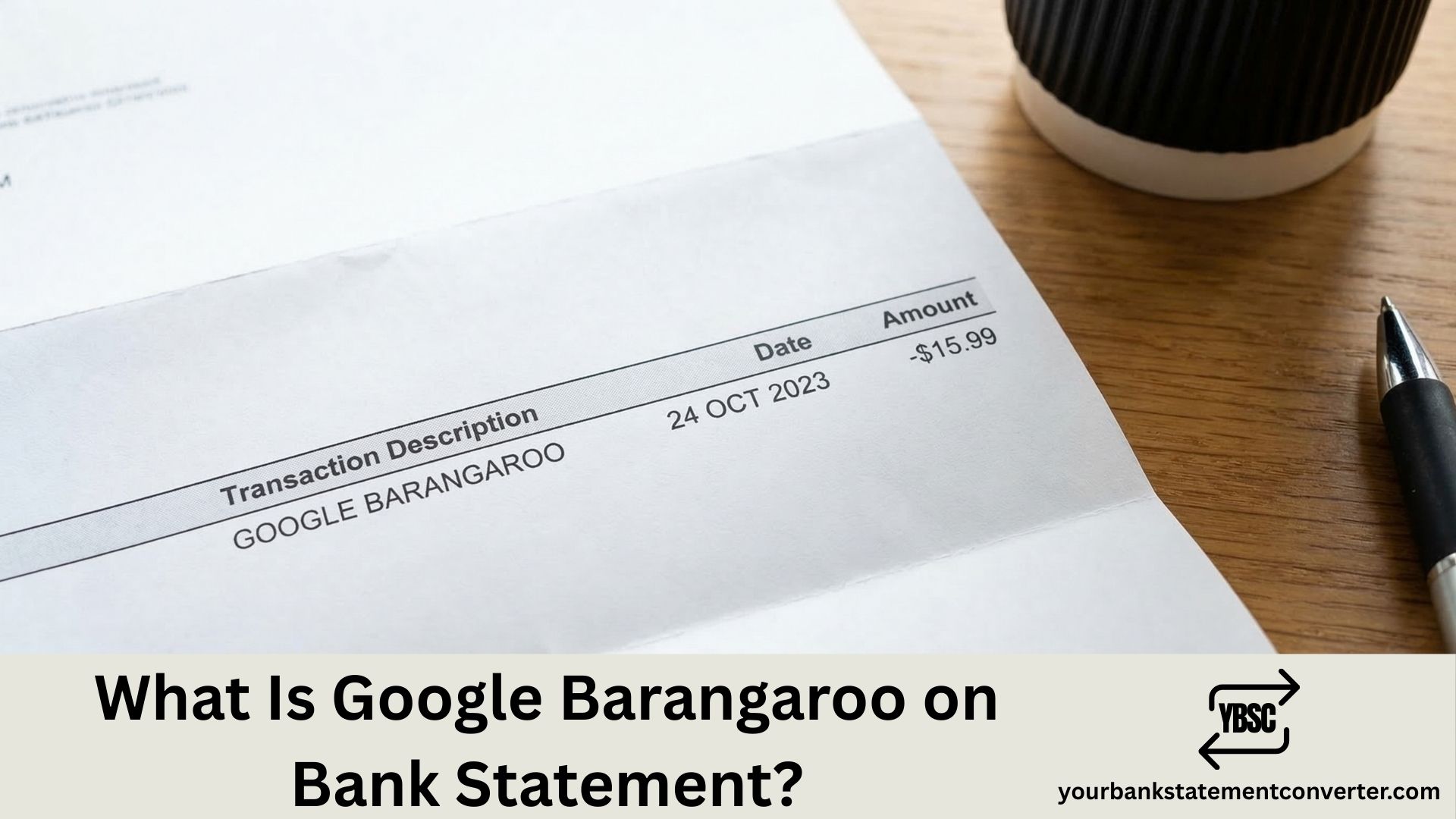
If you’ve spotted a charge labeled “Google Barangaroo” or “Google Payment Australia Barangaroo” on your bank statement, you’re not alone. This unfamiliar transaction descriptor has confused thousands of account holders worldwide, with many initially suspecting fraud. In this guide, we break down exactly what this charge means, why it appears, and how to verify whether it’s a legitimate Google transaction or an unauthorized payment.
Key Takeaways
- “Google Barangaroo” refers to Google’s Australian payment processing office located in Barangaroo, Sydney.
- The charge typically appears for Google Play Store purchases, Google One subscriptions, YouTube Premium memberships, and in-app purchases.
- Google changed its merchant descriptor from “Google Australia Pyrmont” to “Google Payment Australia Barangaroo” around late 2021.
- Not all Barangaroo charges are legitimate. Unauthorized transactions using this descriptor have been reported by users who don’t even own Android devices.
- You can verify any Google Barangaroo charge through your Google Account payment history at payments.google.com.
- Regularly reviewing your bank statements using a tool like Your Bank Statement Converter makes it easier to catch and identify suspicious charges quickly.
What Is Google Barangaroo on Bank Statement?
“Google Barangaroo” is a merchant descriptor that appears on bank statements when a payment is processed through Google’s Australian operations. Barangaroo is a commercial waterfront precinct in Sydney’s central business district, home to International Towers Sydney where Google Cloud Australia and Google’s payment infrastructure operate from 100 Barangaroo Avenue.
When you purchase apps, subscribe to Google services, or make in-app purchases, Google processes the payment through its regional offices. For transactions routed through Australia, the bank statement descriptor reflects this Barangaroo address rather than listing the specific app or service name.
Common variations of this charge include:
- GOOGLE *Google Payment Barangaroo
- Google Payment Australia Barangaroo AU AUS
- Google Barangaroo Live Payments
- Google One Barangaroo
- Google YouTube Member Barangaroo
Why Did Google Change Its Bank Statement Descriptor?
Prior to late 2021, Google’s Australian transactions appeared on bank statements with descriptors like “GOOGLE*GOOGLE STORAGE SYDNEY AU” or “Google Australia Pyrmont AU AUS,” which referenced Google’s older Sydney office in the Pyrmont suburb. When Google relocated payment processing operations to its Barangaroo address, the merchant name on bank statements changed accordingly.
This shift happened without any formal announcement from Google, which left many cardholders confused and concerned about potential fraud. According to community reports, the transition occurred gradually between November and December 2021, with some months reverting to the old format before permanently switching.
What Google Services Trigger This Charge?
Several Google products and subscriptions can generate a Barangaroo descriptor on your statement:
- Google Play Store purchases (apps, games, movies, books)
- Google One storage subscriptions (plans range from 100 GB to 2 TB)
- YouTube Premium and YouTube Music memberships
- Google Ads billing for advertisers
- In-app purchases made within Android applications
- Google Workspace subscriptions
Research from Statista shows that the Google Play Store generated over $40 billion in consumer spending globally in 2023, meaning millions of bank statements worldwide carry Google merchant descriptors every month.
Is Google Barangaroo a Scam or Fraud?
While most Google Barangaroo charges are legitimate, unauthorized transactions using this descriptor do occur. Reports from banking forums and consumer protection communities reveal cases where individuals who have never used Google services or owned Android devices found recurring Barangaroo charges on their accounts. Some victims reported weekly charges of $42.99, while others saw smaller amounts designed to go unnoticed.
According to the Better Business Bureau, consumers should regularly monitor their bank statements because small fraudulent charges often go undetected for months. The FBI’s Internet Crime Complaint Center received over 880,000 complaints in 2023, with financial losses exceeding $12.5 billion, a significant portion of which involved unauthorized digital charges.
How to Verify a Google Barangaroo Charge
Follow these steps to confirm whether a Google Barangaroo transaction is legitimate:
- Check your Google payment history by visiting payments.google.com and reviewing all recent transactions.
- Cross-reference amounts and dates between your Google account activity and your bank statement entries.
- Check every Google account in your household, as family members may have linked your payment card to their accounts.
- Review Google Play subscriptions by opening the Google Play app and navigating to Payments & Subscriptions.
- Convert your bank statement to a searchable format using Your Bank Statement Converter to quickly filter and isolate all Google-related charges across multiple pages.
If the charge doesn’t match any purchase across all linked accounts, contact your bank immediately to dispute the transaction and request a card replacement.
How to Stop Unwanted Google Barangaroo Charges
To prevent future unauthorized or accidental charges:
- Remove saved payment methods from unused Google accounts
- Enable two-factor authentication on all Google accounts
- Set up purchase approval requirements in Google Play’s Family settings
- Turn on real-time transaction alerts through your banking app
- Review your statements monthly by converting PDF bank statements into organized spreadsheets with Your Bank Statement Converter, which supports over 500 bank formats and lets you categorize transactions automatically
Understanding Other Common Bank Statement Codes
If you found “Google Barangaroo” confusing, you’re likely to encounter other unfamiliar codes on your bank statement. Here are some related guides from our blog:
- What Does Google Show Up as on a Bank Statement?
- What Does SQ Mean on Bank Statement?
- What Does PayPal Show Up as on a Bank Statement?
- What Does ACH Stand for on a Bank Statement?
- What Does Point of Sale Mean on a Bank Statement?
Conclusion
“Google Barangaroo” on your bank statement simply refers to a payment processed through Google’s Australian office in the Barangaroo precinct of Sydney. While most of these charges stem from legitimate Google Play, YouTube, or Google One subscriptions, unauthorized transactions can and do occur under this descriptor. The best defense is regular statement monitoring, verifying each charge against your Google payment history, and using tools like Your Bank Statement Converter to convert and organize your financial documents for faster reconciliation. For anything beyond the free pages, the pricing tiers start small and are charged by page.
Frequently Asked Questions
1) What does Google Barangaroo mean on my bank statement?
It means a payment was processed through Google’s office located in the Barangaroo commercial district in Sydney, Australia. This is Google’s standard merchant descriptor for transactions handled through its Australian payment operations, covering purchases from Google Play, YouTube, Google One, and other Google services.
2) Is Google Barangaroo a legitimate charge?
In most cases, yes. It represents a genuine purchase or subscription through Google. However, if you don’t recognize the charge or don’t use Google services, it could indicate unauthorized use of your card details. Always verify through payments.google.com.
3) Why did my bank statement change from Google Pyrmont to Google Barangaroo?
Google shifted its Australian payment processing address from its Pyrmont office to the International Towers in Barangaroo, Sydney. This administrative change updated the merchant descriptor that appears on bank statements, starting around late 2021.
4) How do I dispute a Google Barangaroo charge?
First, check your Google payment history across all linked accounts. If the charge is unauthorized, contact your bank to file a dispute, request a chargeback, and get your card replaced. You should also secure your Google account by changing your password and enabling two-factor authentication.
5) Can I use Your Bank Statement Converter to track Google charges?
Absolutely. Your Bank Statement Converter lets you upload PDF bank statements and convert them into organized CSV or Excel files, making it simple to search, filter, and identify all Google-related transactions across your accounts. You can start with 7 free pages, no credit card required.