Noticed an unfamiliar gaming charge on your bank statement and wondering if it’s from Fortnite? With millions of players making in-game purchases for V-Bucks, Battle Passes, and cosmetic items, Fortnite-related charges are extremely common—yet they rarely appear as “Fortnite” on your statement. Understanding how these transactions display helps parents monitor kids’ spending, gamers track their purchases, and everyone identify potentially unauthorized charges quickly.
Key Takeaways
- Epic Games is the company that develops and publishes Fortnite.
- Xsolla is a third-party payment processor that Epic Games uses in certain regions.
- Remove your payment method from your Epic Games account by going to “Account” then “Payment Methods.” For Fortnite Crew, cancel the subscription before the next billing date.
- If your payment method is saved to the account and parental controls aren’t enabled.
- Log into epicgames.com, click your account name, select “Account,” then navigate to “Transactions.” This displays all purchases made through your Epic Games account, including V-Bucks, Battle Passes, and.
What Does Fortnite Show Up As on a Bank Statement
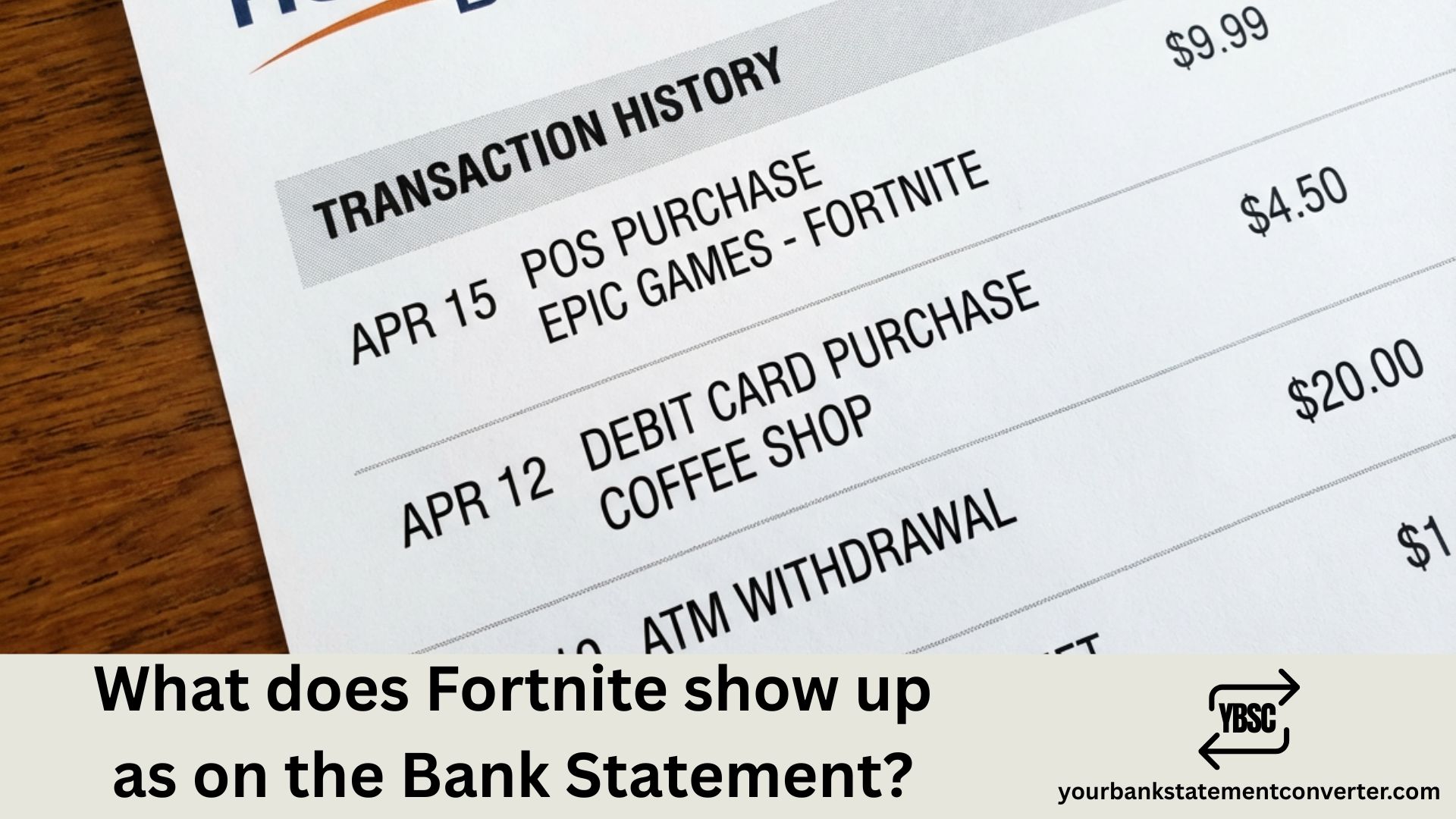
Fortnite charges appear on your bank statement under Epic Games’ billing descriptors rather than the game’s name directly. The most common ways Fortnite transactions show up include:
Primary Fortnite Bank Statement Descriptors:
- EPIC GAMES – The most common descriptor for all Fortnite purchases
- EPICGAMES.COM – Website-based purchase indicator
- EPIC GAMES INC – Full corporate name format
- EPIC*FORTNITE – Occasionally used for direct Fortnite purchases
- EPIC GAMES STORE – For purchases made through the Epic Games Store
- *PAYPAL EPICGAMES – When PayPal is used as payment method
- *XSOLLA EPICGAMES – Third-party payment processor used by Epic
- STEAM PURCHASE – If Fortnite was accessed through Steam (rare, as Fortnite primarily uses Epic’s launcher)
The exact descriptor varies based on your payment method, bank’s processing system, and the platform (PC, PlayStation, Xbox, Nintendo Switch, or mobile) where the purchase was made.
Platform-Specific Fortnite Charge Descriptors
Depending on where you play Fortnite, charges may appear differently:
| Platform | Bank Statement Descriptor |
|---|---|
| PC (Epic Games Launcher) | EPIC GAMES, EPICGAMES.COM |
| PlayStation | PLAYSTATION NETWORK, SONY NETWORK ENT |
| Xbox | MICROSOFT *XBOX, XBOX LIVE |
| Nintendo Switch | NINTENDO, NINTENDO OF AMERICA |
| iOS (if available) | APPLE.COM/BILL, APPLE INC |
| Android | GOOGLE *EPIC GAMES, GOOGLE PLAY |
Common Fortnite Purchase Amounts to Recognize
Identifying legitimate Fortnite charges becomes easier when you know standard pricing:
| V-Bucks Package | Price (USD) |
|---|---|
| 1,000 V-Bucks | $7.99 |
| 2,800 V-Bucks | $19.99 |
| 5,000 V-Bucks | $31.99 |
| 13,500 V-Bucks | $79.99 |
| Battle Pass | $9.50 (950 V-Bucks) |
| Fortnite Crew (Monthly) | $11.99 |
| Starter Packs | $3.99 – $15.99 |
Why Fortnite Charges Don’t Say “Fortnite”
Bank statement descriptors follow merchant registration names, not individual product names. Epic Games—the company behind Fortnite—registers as the billing merchant for all their games and services. This means purchases from Fortnite, Rocket League, Fall Guys, or any Epic Games Store purchase all appear under similar “EPIC GAMES” descriptors. Character limits on bank statements also contribute to abbreviated or truncated names.
How to Verify a Fortnite Charge Is Legitimate
Uncertain about an Epic Games charge? Follow these verification steps. Log into your Epic Games account at epicgames.com and navigate to “Account” then “Transactions” to view your complete purchase history. Cross-reference the charge date and amount with your bank statement entry. Check your email inbox for Epic Games receipts, which are sent immediately after each purchase. For console purchases, also check your PlayStation, Xbox, or Nintendo account transaction history.
Tracking Gaming Expenses and Fortnite Spending
Gaming purchases can add up quickly, especially with free-to-play games like Fortnite that rely on microtransactions. For parents monitoring children’s spending or individuals tracking entertainment budgets, organizing bank statements is essential for understanding where money goes.
Your Bank Statement Converter transforms your PDF bank statements into organized Excel or CSV files, making it effortless to search for gaming charges, filter by merchant names like “EPIC GAMES,” and calculate total spending on Fortnite over any time period. Whether you’re setting gaming budgets or preparing expense reports, having searchable bank statements simplifies financial tracking significantly.
Unexpected Fortnite Charges: Common Causes
Surprised by a Fortnite charge you don’t remember making? Several legitimate explanations exist. Fortnite Crew subscriptions renew automatically each month for $11.99. Children or family members with account access may have made purchases without informing you. Failed payment attempts that later succeed can appear delayed on statements. “Save the World” mode purchases or V-Bucks gifts to friends also generate charges.
How to Set Up Parental Controls for Fortnite Spending
Prevent unauthorized purchases by enabling spending controls. In your Epic Games account, navigate to “Parental Controls” to set up a PIN requirement for all purchases. On PlayStation, Xbox, and Nintendo Switch, configure spending limits and purchase restrictions through each platform’s family settings. Consider using prepaid V-Bucks cards instead of linking credit cards directly—these are available at most major retailers.
What to Do If You Don’t Recognize an Epic Games Charge
Unrecognized charges require immediate action. First, check with family members who might have access to your payment method or gaming accounts. Review your Epic Games transaction history for any unfamiliar purchases. If the charge is genuinely unauthorized, contact Epic Games Support at epicgames.com/help and file a dispute with your bank. Change your Epic Games password immediately and enable two-factor authentication to prevent future unauthorized access.
Epic Games Refund Policy for Fortnite Purchases
Epic Games offers refunds under specific conditions. You receive three lifetime “refund tokens” for cosmetic items purchased within the last 30 days and used for less than 24 hours. V-Bucks purchases are generally non-refundable once the currency is added to your account. For accidental purchases or unauthorized transactions, contact Epic Games Support directly—they evaluate requests on a case-by-case basis. Refunds typically take 7-14 business days to appear on your bank statement.
Fortnite Crew Subscription Charges Explained
Fortnite Crew is a monthly subscription service costing $11.99. It appears on bank statements as “EPIC GAMES” and renews automatically on the same date each month. The subscription includes the current season’s Battle Pass, 1,000 V-Bucks monthly, and an exclusive Crew Pack. To cancel, visit your Epic Games account settings before the next billing date to avoid unwanted charges.
Fortnite Bank Statement Charges: Essential Points for Quick Identification
Understanding how Fortnite appears on your bank statement—primarily as “EPIC GAMES” or platform-specific descriptors—protects you from fraud and helps manage gaming expenses effectively. Always verify unfamiliar charges through your Epic Games account transaction history before disputing with your bank. For comprehensive spending tracking across all your gaming and entertainment purchases, Your Bank Statement Converter makes organizing and analyzing your financial statements quick and hassle-free.
Frequently Asked Questions
Why does my bank statement say “Epic Games” instead of “Fortnite”?
Epic Games is the company that develops and publishes Fortnite. Bank statements display the merchant’s registered business name rather than individual game titles, so all Fortnite purchases appear under Epic Games’ billing descriptor.
What does “XSOLLA *EPICGAMES” mean on my bank statement?
Xsolla is a third-party payment processor that Epic Games uses in certain regions. This descriptor indicates a legitimate Fortnite or Epic Games Store purchase processed through Xsolla’s payment system.
How do I stop Fortnite from charging my card?
Remove your payment method from your Epic Games account by going to “Account” then “Payment Methods.” For Fortnite Crew, cancel the subscription before the next billing date. On consoles, remove payment methods from PlayStation, Xbox, or Nintendo account settings.
Can my child make Fortnite purchases without my permission?
Yes, if your payment method is saved to the account and parental controls aren’t enabled. Set up a purchase PIN through Epic Games Parental Controls and configure spending restrictions on gaming consoles to prevent unauthorized purchases.
How do I check my Fortnite purchase history?
Log into epicgames.com, click your account name, select “Account,” then navigate to “Transactions.” This displays all purchases made through your Epic Games account, including V-Bucks, Battle Passes, and cosmetic items.
Why was I charged for Fortnite when the game is free?
While Fortnite is free to play, in-game purchases like V-Bucks, Battle Passes, cosmetic items, and the Fortnite Crew subscription all cost real money. Someone with account access may have made a purchase.
What is the “FORTNITE CREW” charge on my statement?
Fortnite Crew is a $11.99 monthly subscription that includes the Battle Pass, 1,000 V-Bucks, and exclusive cosmetic items. It renews each month automatically until cancelled through your Epic Games account settings.
How long does an Epic Games refund take to appear?
Epic Games refunds typically take 7-14 business days to process and appear on your bank statement, depending on your bank’s processing times and the original payment method used.
Why do I see multiple Epic Games charges on different dates?
Multiple charges may indicate separate purchases, a subscription renewal alongside a one-time purchase, or purchases made across different platforms (PC and console). Review your Epic Games and console transaction histories to identify each charge.
How can I track all my Fortnite and gaming expenses?
Export or convert your bank statements to searchable Excel files using Your Bank Statement Converter. This allows you to filter transactions by merchant name, calculate total gaming spending, and maintain organized records for budgeting purposes.
Does Epic Games charge sales tax on Fortnite purchases?
Yes, Epic Games collects sales tax in jurisdictions where digital goods are taxable. The tax amount is included in your total charge and itemized on your Epic Games receipt.
What does “PLAYSTATION NETWORK” mean for a Fortnite purchase?
If you buy V-Bucks or make Fortnite purchases on PlayStation, the charge goes through Sony’s payment system and appears as “PLAYSTATION NETWORK” or “SONY NETWORK ENT” rather than Epic Games.