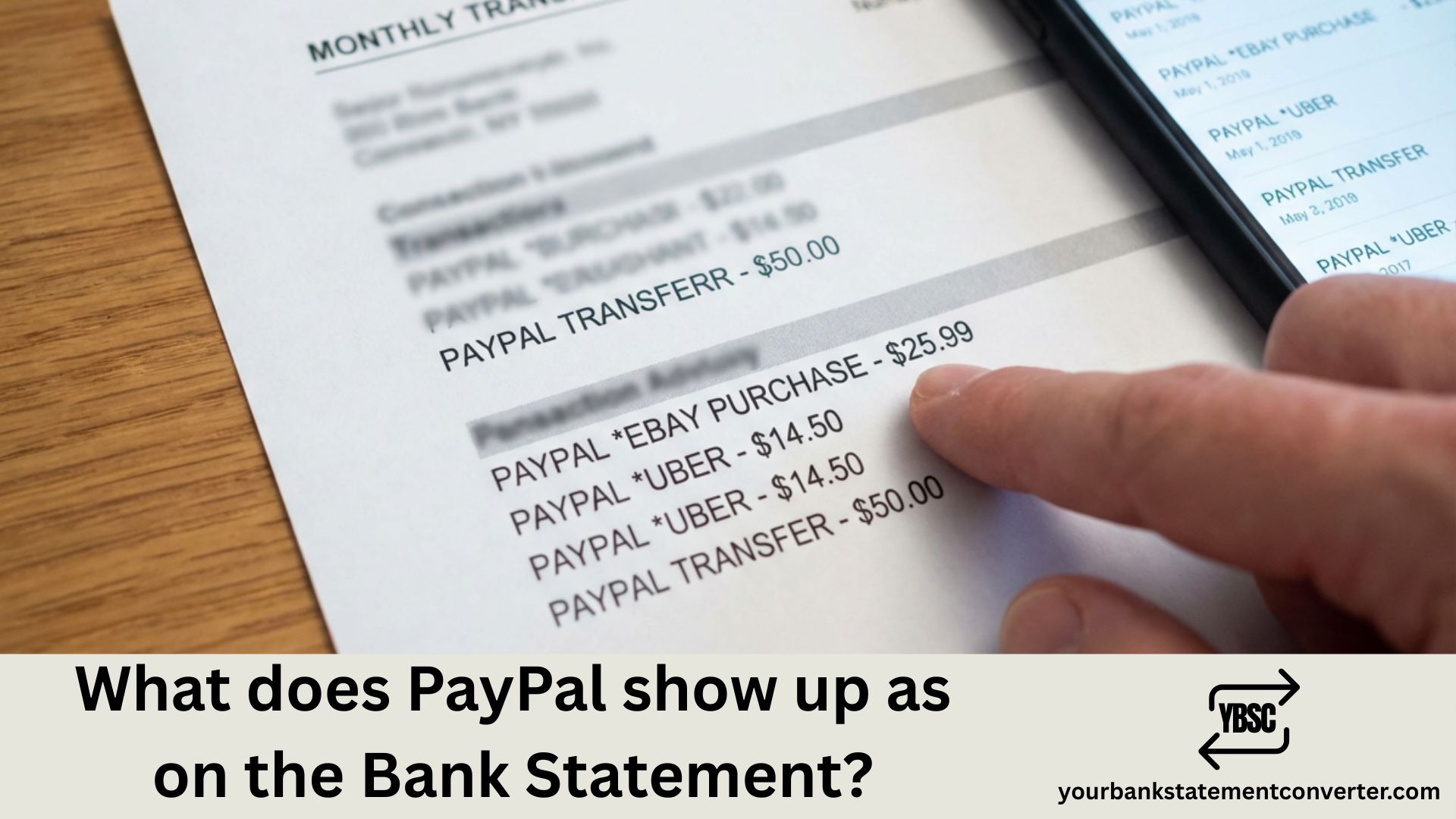
When you use PayPal for transactions, it typically appears on your bank statement as *“PAYPAL [Merchant Name]” or *“PP[Merchant Name]”**. The exact format varies depending on your bank and the type of transaction.
Key Takeaways
- PayPal often shows only PayPal, with the seller’s name missing entirely.
PAYPAL *SELLERNAMEis the helpful version; plainPAYPALis not.- A £0 or small temporary charge appears when you link a new card or account.
- Recurring PayPal charges are usually subscriptions billed through PayPal.
- Your PayPal activity page holds the seller detail your bank never receives.
What Does PayPal Show Up as on the Bank Statement?
PayPal transactions display differently based on whether you’re sending money, receiving payments, or making purchases. Here’s how they commonly appear:
For purchases and payments:
- PAYPAL *MERCHANTNAME
- PP*STORENAME
- PP ONLINE, or PP ONLINE PMT, where the seller name is dropped entirely
- PAYPAL INST XFER
- PAYPAL TRANSFER
For direct debits and subscriptions:
- PAYPAL *SUBSCRIPTION
- PP*RECURRING
For transfers to your bank:
- PAYPAL TRANSFER
- PAYPAL INST XFER (instant transfer)
- PAYPAL CASHOUT
The merchant name is often abbreviated to fit the character limit on bank statements, which can sometimes make transactions difficult to recognize at first glance.
Why PayPal Transactions Look Different
Banks have character limits for transaction descriptions, typically 20-25 characters. PayPal compresses merchant names to fit this space, which is why “Amazon Marketplace” might show as “PP*AMAZONMARK” on your statement.
Tips to Identify PayPal Charges
- Cross-reference the amount with your PayPal transaction history
- Check the date and match it against your PayPal activity
- Look for the “PP*” or “PAYPAL*” prefix
- Log in to PayPal to view the complete merchant details
Need to organize your bank statements for accounting, loans, or expense tracking?
If you’re dealing with multiple PayPal transactions across different bank statements, our free bank statement converter helps you convert PDF bank statements into organized Excel or CSV formats. This makes it easier to categorize PayPal transactions, track expenses, and prepare financial documents—all in seconds.
FAQs
If other lines on the page are just as puzzling, our guide to statement abbreviations covers the common UK codes, while what is on a bank statement walks through the document section by section.
Why the Seller Is Often Missing
PayPal sits between you and the merchant. Your bank records PayPal, because PayPal took the money.
Whether the seller’s name reaches your statement depends on how the merchant configured their PayPal account and on how much text your bank displays. Some entries read PAYPAL *COMPANYNAME, which identifies the purchase immediately. Others read just PAYPAL and tell you nothing.
That variability is the whole reason this descriptor gets searched so often. Our guide to statement abbreviations explains why payment processors so frequently mask the merchant.
The Small Verification Charge
Linking a bank account or card to PayPal triggers a verification rather than a purchase.
PayPal may place a small temporary amount, or occasionally two tiny deposits you are asked to confirm. These reverse automatically, usually within a few working days.
It is normal when you have just linked something. It is worth acting on when you have not, because it can mean somebody is attempting to add your details to their own PayPal account.
Recurring PayPal Charges
A regular amount with no matching purchase is almost always a subscription billed through PayPal rather than directly by the service.
Streaming, software, memberships and donations are all commonly set up this way. Because the entry names PayPal rather than the service, these are among the easiest subscriptions to keep paying unnoticed.
Check Automatic Payments inside your PayPal settings, which lists every recurring agreement and lets you cancel them. Cancelling inside the service’s own website does not always stop a PayPal billing agreement, so check both.
How to Identify a PayPal Charge
Open your PayPal activity page and match the amount and date. This resolves nearly everything.
Read the untruncated description on the PDF statement, which often carries the *SELLERNAME portion your app cuts off.
Check Automatic Payments if the amount recurs.
Ask who else uses the account, since a linked PayPal balance can be spent by anyone with access.
Where PayPal cannot identify it either, treat it as unrecognised and tell your bank promptly, since card disputes carry time limits.
Seeing Every PayPal Payment Together
PayPal entries are the hardest to audit precisely because so many name no merchant.
Our bank statement converter turns PDF statements into clean, searchable spreadsheets. Filter for PayPal, sort by amount, and identical recurring figures group together, which is usually how a forgotten subscription surfaces.
Does PayPal show the seller’s name on bank statements?
Yes, PayPal typically includes an abbreviated version of the merchant or seller’s name after “PAYPAL*” or “PP*” in the transaction description.
Why does my bank statement say “PAYPAL INST XFER”?
This indicates an instant transfer from your PayPal balance to your linked bank account. “INST XFER” stands for instant transfer.
Can I change how PayPal appears on my bank statement?
No, the transaction description format is determined by PayPal and your bank. You cannot customize how it appears.
Why don’t I recognize a PayPal charge on my statement?
The merchant name may be abbreviated or unfamiliar. Log into your PayPal account to view the full transaction details, including the complete merchant name and what was purchased.
Does PayPal show up differently for credit cards vs. debit cards?
The format is generally similar, but credit card statements may show “PAYPAL*” while bank statements might display “PP*” depending on your financial institution.
How long do PayPal transactions take to appear on bank statements?
Most PayPal transactions appear within 1-3 business days, though instant transfers typically show up within minutes to hours.