Spotify charges can appear under several different names on your bank or credit card statement, which often confuses subscribers trying to verify payments or track monthly expenses. Knowing exactly what to look for helps you identify legitimate charges, catch unauthorized transactions, and keep your subscription spending under control.
Key Takeaways
- Spotify bills directly, or through Apple, Google or a mobile provider.
- A charge naming Apple or Google with no service named is the common case.
- Family and Duo plans bill one person for everybody, so the amount may look high.
- Bundled plans can hide the charge inside a phone or broadband bill.
- Cancel wherever you subscribed, not inside the Spotify app.
What Does Spotify Show Up As on Bank Statement?
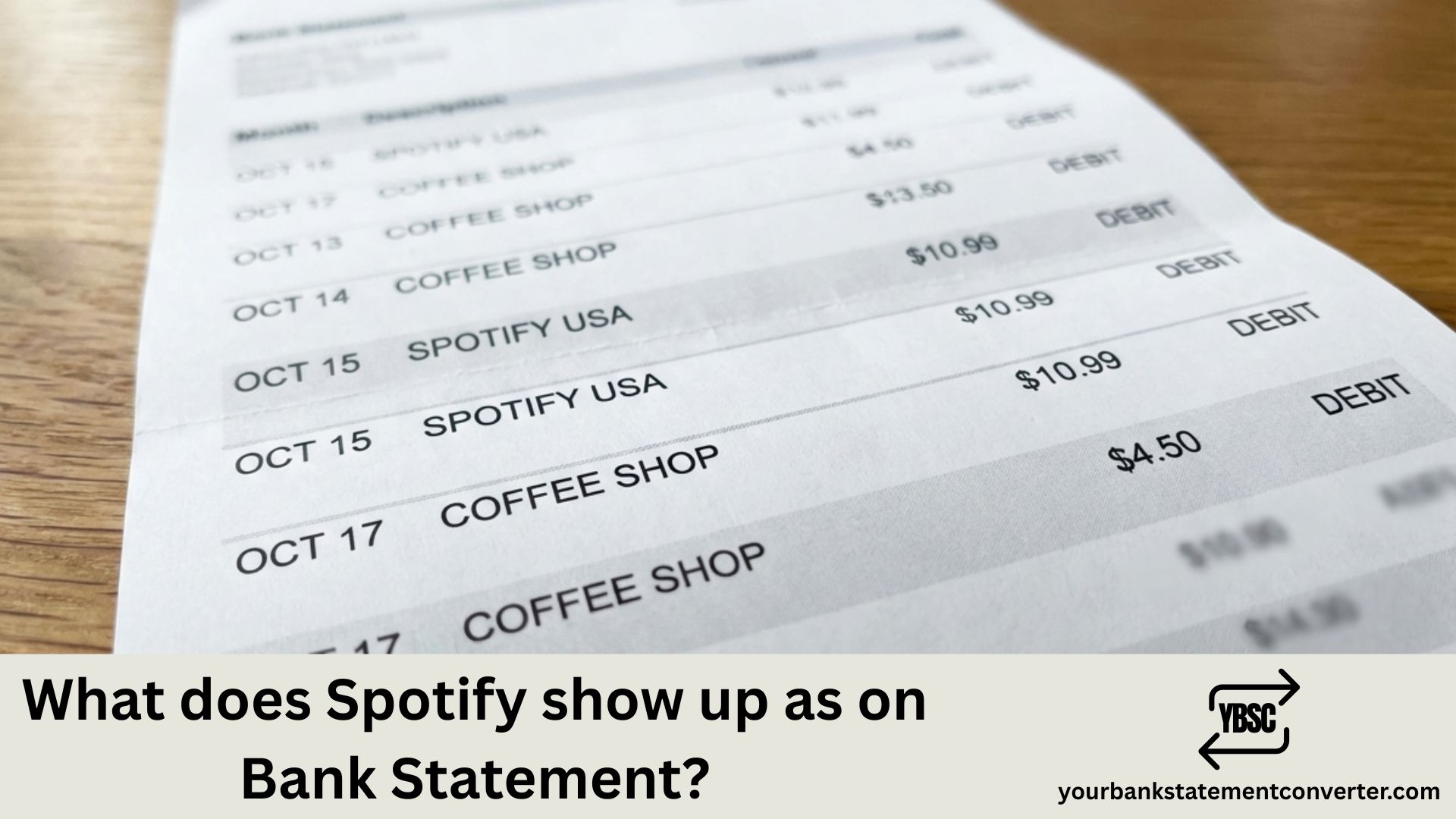
Spotify typically appears on bank statements with these common descriptors:
Most frequent formats:
- SPOTIFY or SPOTIFY.COM
- SPOTIFY AB (AB refers to the Swedish company designation “Aktiebolag”)
- SPOTIFY USA
- SPOTIFY P[random numbers] (e.g., SPOTIFY P1234567890)
- SPOTIFY*[subscription type]
- PP*SPOTIFY (if paid through PayPal)
The transaction descriptor varies based on your payment method, bank, card issuer, and country. European cardholders often see “STOCKHOLM SE” or “SWEDEN” appended since Spotify is headquartered in Stockholm.
Common billing amounts to recognize:
- ₹119/month Individual, ₹179/month Duo, ₹179/month Family (India)
- $11.99/month Premium, $16.99/month Duo, $19.99/month Family (US)
- £11.99/month Premium, £14.99/month Duo, £19.99/month Family (UK)
If you subscribed through Apple App Store or Google Play, look for “APPLE.COM/BILL” or “GOOGLE*SPOTIFY” instead of direct Spotify charges.
Need to Track Down Spotify and Other Subscription Charges Quickly?
Scrolling through PDF bank statements searching for streaming subscriptions wastes valuable time—especially when descriptors like “SPOTIFY AB” or random alphanumeric codes make transactions hard to identify.
Our free bank statement converter transforms your bank statement PDFs into clean, organized Excel spreadsheets in seconds. Once converted, you can instantly search, filter, and sort transactions to find every Spotify charge, forgotten subscription, or recurring payment hiding in your accounts.
Why professionals and individuals love it:
- Instantly searchable transaction data
- Spot all recurring subscriptions at a glance
- Export-ready formats for bookkeeping and tax preparation
- Works with statements from virtually any bank
👉 Convert your statements free at our bank statement to CSV converter
FAQs
Why Spotify May Not Appear By Name
The descriptor depends entirely on the billing route.
Direct from Spotify gives the clearest entry, usually naming Spotify with a country code.
Through Apple shows APPLE.COM/BILL, naming no service at all.
Through Google Play typically shows GOOGLE *SPOTIFY.
Through a mobile or broadband provider, the subscription may be folded into that bill and never appear as its own line.
That last route is the one people forget, because the Spotify charge genuinely does not exist on the statement.
Why the Amount Is Not What You Expected
Several things change the figure.
Plan type. Individual, Duo, Family and Student all cost different amounts, and a plan can change without much fanfare.
Family plans charge the plan owner for every member, so one person sees a larger charge while everyone else sees nothing.
A student discount ending restores the full price, often without the subscriber noticing the renewal date.
Price rises apply at renewal rather than immediately, so the increase shows up a month later than announced.
The Free Trial That Became a Subscription
A trial that converts is the single most common source of an unexpected first charge.
Trials require payment details upfront and convert automatically unless cancelled before they end. The charge then arrives on a date that matches nothing you remember doing, which is exactly why it looks unfamiliar.
Cancelling So It Stops
Cancel in the place that bills you.
- Direct: your Spotify account page
- Apple: Settings, your name, Subscriptions
- Google: Play Store, profile, Payments and subscriptions
- A mobile or broadband provider: through that provider
Deleting the app does nothing. The subscription lives with whoever takes the payment, which is why cancellations inside the app appear to fail.
Finding Every Subscription at Once
Music, streaming and app subscriptions are individually small, arrive on different dates, and often name a payment processor rather than the service.
Our bank statement converter turns PDF statements into clean, searchable spreadsheets. Sort by amount and identical recurring figures line up together, which is the quickest way to find one nobody is using.
Why does my Spotify charge show random numbers like “SPOTIFY P1234567890”?
Spotify assigns unique transaction identifiers to each payment for tracking purposes. The “P” followed by numbers is a payment reference code that helps Spotify and your bank identify specific transactions if disputes arise.
What does “SPOTIFY AB” mean on my statement?
“AB” stands for “Aktiebolag,” the Swedish term for a limited company (similar to “Ltd” or “Inc”). Since Spotify is a Swedish company, this designation often appears on international transactions.
I see a Spotify charge but don’t have an account. What should I do?
First, check if family members have subscribed using your card. If the charge is unauthorized, contact your bank immediately to dispute it and freeze your card if necessary. Also report the issue to Spotify support at support.spotify.com.
How do I find out which Spotify plan I’m paying for?
Log into your Spotify account, click your profile icon, select “Account,” then view “Subscription” to see your current plan and billing details.
Can I get a refund from Spotify for accidental charges?
Spotify generally doesn’t offer refunds, but you can request one within a few days of being charged by contacting their support team. Charges made through Apple or Google must be disputed through those platforms.
How can I see all my streaming subscriptions in one place?
Upload your bank statements to YourBankStatementConverter.com and convert them to Excel. Then use the search or filter function to identify all recurring monthly charges—Spotify, Netflix, Disney+, and any subscriptions you may have forgotten about.
Does Spotify charge at the beginning or end of the billing cycle?
Spotify charges at the beginning of each billing cycle. Your renewal date is set based on when you first subscribed, and you’ll be charged on that same date each month.