
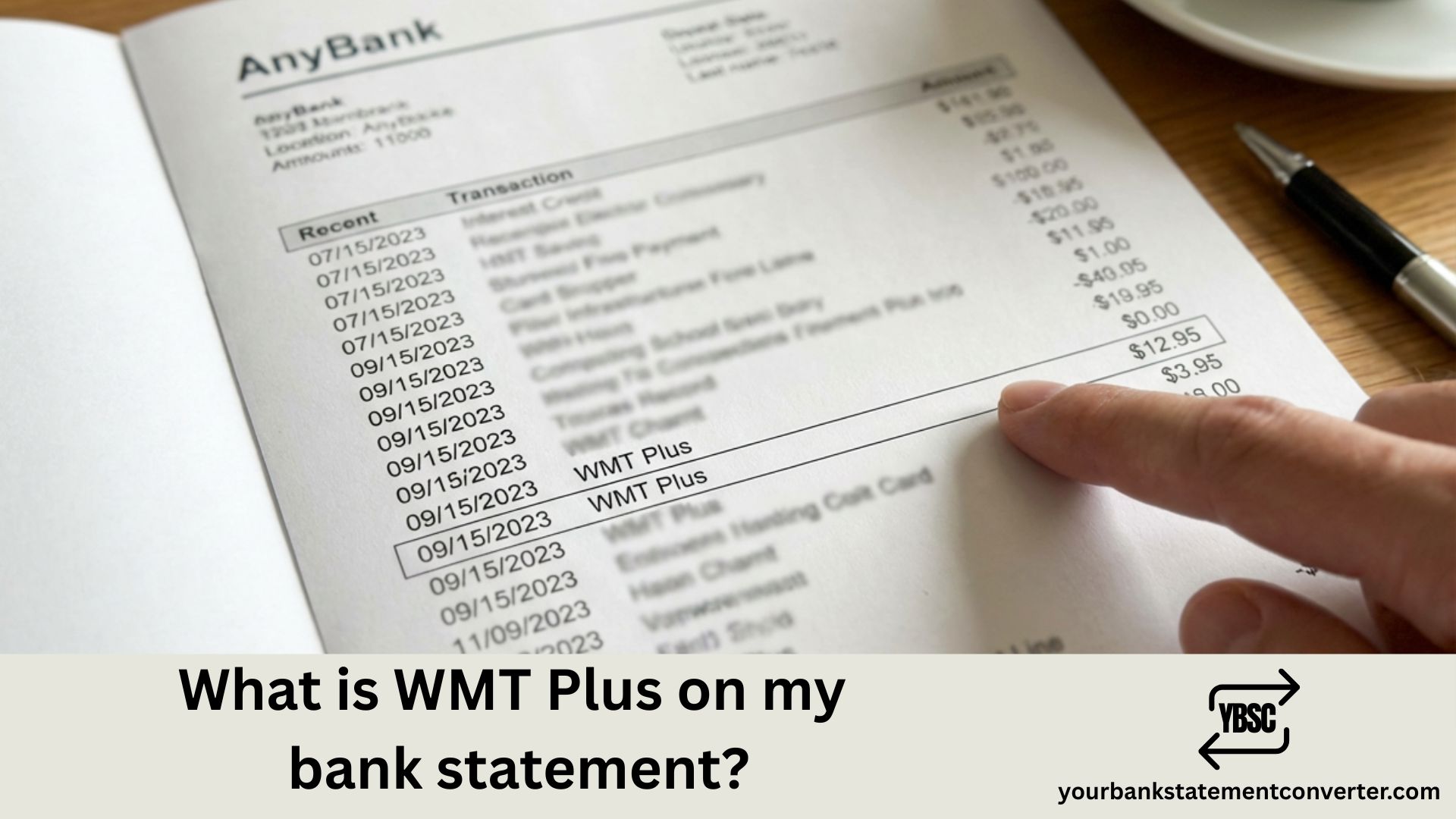
Spotted “WMT Plus” on your bank statement and wondering what it means? You’re not alone—this is one of the most commonly searched bank statement charges, especially among Walmart shoppers who may not immediately recognize the abbreviation. The short answer is that WMT Plus refers to a Walmart+ subscription charge, but there’s much more to understand about why it appeared, what the different amounts mean, and what to do if you don’t recognize the charge.
What is WMT Plus on My Bank Statement?
WMT Plus is the billing descriptor for Walmart+, the retail giant’s membership subscription service launched in 2020. When you see “WMT Plus” on your bank or credit card statement, it indicates a charge for your Walmart+ membership fee—either a monthly payment of $12.95 or an annual payment of $98 (plus applicable taxes).
The charge may appear in several variations on your statement, including:
- WMT Plus
- WMT Plus 2025
- WMT Plus Bentonville AR
- WMTPLUS
- WMT Plus checkcard
“WMT” is simply the stock ticker symbol and common abbreviation for Walmart, while “Plus” refers to their premium membership program. The “Bentonville AR” reference you might see points to Walmart’s corporate headquarters location in Bentonville, Arkansas.
Walmart+ Membership: What You’re Paying For
If you have an active Walmart+ subscription, the WMT Plus charge covers access to these membership benefits:
Core Benefits:
- Free delivery on orders $35+ from your local Walmart store
- Free shipping with no order minimum on Walmart.com
- Fuel discounts of up to 10¢ per gallon at 13,000+ gas stations
- Mobile Scan & Go for faster in-store checkout
- Free Paramount+ Essential or Peacock Premium streaming subscription
Additional Perks (2025):
- 25% off digital Burger King orders daily, plus a free Whopper every 3 months
- Free flat tire repair at Walmart Auto Care Centers
- Early access to Black Friday and special sales
- 24/7 online pet care through Pawp
- Travel discounts through Expedia
WMT Plus Charge Amounts Explained
Understanding common WMT Plus charge amounts can help you identify what type of membership or transaction occurred:
| Charge Amount | Description |
|---|---|
| $12.95 | Monthly Walmart+ membership |
| $98.00 | Annual Walmart+ membership |
| $6.47 | Monthly Walmart+ Assist (discounted plan) |
| $49.00 | Annual Walmart+ Assist (discounted plan) |
| $58.00 | Annual AARP member discount rate |
| ~$103-$108 | Annual membership plus applicable taxes |
If you’re seeing amounts that don’t match these figures exactly, taxes in your state have likely been added to the base membership fee.
Why Did WMT Plus Appear on My Statement?
Several scenarios could explain an unexpected WMT Plus charge:
1. Free Trial Conversion Walmart+ offers a 30-day free trial. If you signed up for the trial and didn’t cancel before it ended, your membership automatically converted to a paid subscription.
2. Accidental Sign-Up During Checkout During online checkout at Walmart.com, promotional prompts for Walmart+ membership can be easy to click accidentally. You may have enrolled without realizing it while completing a purchase.
3. Annual Renewal If you signed up for Walmart+ previously, the charge could be your annual membership renewing automatically. Many people forget about subscriptions until they see the renewal charge.
4. Family Member or Shared Card Someone else with access to your payment method—such as a spouse, child, or family member—may have signed up for Walmart+ using your card.
5. Promotional Offer Activation If you have an American Express Platinum Card or similar credit card with Walmart+ benefits, a separate charge might appear even though the benefit is covered through statement credits.
How to Verify a WMT Plus Charge
If you’re unsure whether a WMT Plus charge is legitimate, follow these steps to investigate:
Step 1: Check Your Walmart Account
- Visit Walmart.com and log into your account
- Click your name in the top right corner
- Select “Account”
- Click on “Walmart+” to view your membership status
Step 2: Review Your Email Search your email inbox for confirmation messages from Walmart about membership enrollment, trial sign-ups, or renewal notifications.
Step 3: Compare the Charge Details Note the exact date and amount of the charge, then compare it to your Walmart account’s billing history to confirm it matches.
Step 4: Contact Walmart Customer Service If you still can’t verify the charge:
- Phone: 1-800-925-6278 (1-800-WALMART)
- Online Help Center: Walmart.com/help
- Live Chat: Available through the Walmart app or website
Need Help Tracking Bank Statement Charges?
Mysterious charges like “WMT Plus” are just one example of the confusing entries that appear on bank statements. For accountants, bookkeepers, and small business owners who manage multiple accounts, identifying and categorizing these transactions can consume hours of valuable time.
Your Bank Statement Converter makes statement analysis effortless by converting your PDF bank statements into organized, editable formats.
Why professionals choose Your Bank Statement Converter:
- ✅ Instantly convert PDF statements to Excel, CSV, or QBO formats
- ✅ Easily search, sort, and filter transactions to identify recurring charges
- ✅ Eliminate manual data entry errors
- ✅ Works with statements from all major banks
- ✅ Perfect for reconciliation, tax preparation, and expense tracking
Stop squinting at PDF statements trying to decode cryptic merchant names. Get your bank data in a format you can actually work with.
Convert Your Bank Statements Today →
Is WMT Plus a Scam or Legitimate Charge?
WMT Plus is a legitimate charge from Walmart for their subscription membership service. However, there are important considerations:
When It’s Legitimate:
- You actively signed up for Walmart+ membership
- You enrolled in a free trial that converted to paid
- A family member with access to your card signed up
- Your annual membership renewed automatically
When to Be Concerned:
- You’ve never shopped at Walmart or Walmart.com
- The charge appears on a card you don’t use for online shopping
- Multiple charges appear in the same billing period
- The amount doesn’t match standard Walmart+ pricing
If you suspect fraud, take immediate action: contact your bank to dispute the charge, change your Walmart account password, and monitor your statements for additional unauthorized transactions.
How to Cancel Walmart+ and Stop WMT Plus Charges
To cancel your Walmart+ membership and prevent future WMT Plus charges:
Method 1: Online (Walmart.com)
- Sign into your Walmart account
- Go to Account → Walmart+
- Select “Manage Membership”
- Click “Cancel Membership”
- Follow the prompts to confirm cancellation
Method 2: Walmart App
- Open the Walmart app
- Tap your profile icon
- Select Walmart+
- Tap “Manage Membership”
- Select “Cancel Membership”
Method 3: Customer Service Call 1-800-925-6278 to cancel over the phone
Important Notes:
- Walmart+ membership fees are generally non-refundable
- After canceling, you’ll retain access to benefits until the end of your current billing period
- You can pause your membership (up to 3 times per year) instead of canceling completely
- Set a calendar reminder before your renewal date if you want to cancel before being charged again
How to Avoid Unexpected WMT Plus Charges
Prevent surprise WMT Plus charges on your bank statement with these strategies:
1. Read Checkout Prompts Carefully During Walmart.com purchases, watch for promotional offers and pre-checked boxes that sign you up for free trials or memberships.
2. Set Calendar Reminders If you sign up for a free trial, immediately set a reminder for 2-3 days before it ends so you can decide whether to continue or cancel.
3. Monitor Your Subscriptions Regularly review your active subscriptions in your Walmart account and across all payment methods. Tools like your bank’s subscription tracker can help identify recurring charges.
4. Enable Transaction Alerts Set up text or email alerts through your bank for any charges above a certain amount or from specific merchants.
5. Use Virtual Card Numbers Some credit card issuers offer virtual card numbers for online purchases, which can help you track and control subscription charges more easily.
Understanding WMT Plus Bank Statement Charges: Key Takeaways
WMT Plus on your bank statement is the billing descriptor for Walmart+ membership, Walmart’s subscription service that offers free delivery, fuel discounts, streaming services, and various other perks. The charge typically reflects either a monthly fee of $12.95 or an annual fee of $98, plus applicable taxes.
While the charge is legitimate for active subscribers, unexpected WMT Plus entries often result from forgotten free trials that converted to paid memberships, accidental sign-ups during checkout, or family members using shared payment methods. Always verify unfamiliar charges through your Walmart account before disputing them with your bank.
For professionals managing multiple bank statements and tracking business expenses, having clear visibility into every transaction is essential. Your Bank Statement Converter helps you transform confusing PDF statements into organized, searchable data—making it easy to identify subscription charges, categorize expenses, and maintain accurate financial records.
Frequently Asked Questions (FAQs)
What does WMT Plus mean on my bank statement?
WMT Plus is the billing descriptor for Walmart+ membership charges. “WMT” is the abbreviation for Walmart (also their stock ticker symbol), and “Plus” refers to their subscription membership program. This charge appears when you’re billed for either a monthly ($12.95) or annual ($98) Walmart+ membership.
Why was I charged for WMT Plus when I didn’t sign up?
You may have been charged because a free trial converted to a paid subscription, you accidentally enrolled during an online checkout, or someone with access to your payment method signed up using your card. Log into your Walmart account to check your membership status and review any enrollment confirmations in your email.
How much does WMT Plus cost?
Walmart+ costs $12.95 per month or $98 per year for the standard membership. Walmart+ Assist (for qualifying customers) costs $6.47 per month or $49 per year. Taxes may be added depending on your location, which explains why some charges appear slightly higher than these base amounts.
How do I cancel WMT Plus and stop the charges?
To cancel Walmart+, log into your Walmart.com account, go to Account → Walmart+ → Manage Membership, and select “Cancel Membership.” You can also cancel through the Walmart app or by calling customer service at 1-800-925-6278. Note that fees are non-refundable, but you keep access until your current billing period ends.
Is WMT Plus the same as Walmart Plus?
Yes, WMT Plus and Walmart Plus (also written as Walmart+) refer to the same subscription service. “WMT Plus” is simply how the charge appears on bank and credit card statements due to character limitations in payment processing systems.
Can I get a refund for WMT Plus charges?
Walmart’s policy states that membership fees are generally non-refundable. However, if you believe you were charged in error or enrolled without authorization, contact Walmart customer service to explain your situation. For unauthorized charges, you can also dispute the transaction with your bank.
What benefits do I get with a WMT Plus membership?
Walmart+ includes free delivery on orders $35+ from local stores, free shipping with no minimum on Walmart.com, fuel discounts up to 10¢ per gallon, a free Paramount+ Essential or Peacock Premium subscription, Mobile Scan & Go checkout, early access to special sales, and various rotating perks like Burger King discounts and pet care services.
Why does my WMT Plus charge say Bentonville AR?
The Bentonville AR reference indicates Walmart’s corporate headquarters location in Bentonville, Arkansas. This is standard for billing descriptors and simply identifies where the charge originated from administratively. It doesn’t affect your membership or indicate anything unusual about your account.
How do I check if I have an active Walmart+ membership?
Log into your account at Walmart.com, click on your name in the top right corner, select “Account,” and then click “Walmart+” to view your membership status. This will show whether you have an active membership, your billing date, and plan details.
What’s the difference between WMT Plus and WMT Plus 2025?
There’s no functional difference—both refer to Walmart+ membership charges. “WMT Plus 2025” simply includes the year as part of the billing descriptor, which some payment processors add to help identify when the charge occurred. The amounts and benefits are identical.
Disclaimer: This article is for informational purposes only and does not constitute financial or legal advice. For specific questions about charges on your account, contact Walmart customer service or your financial institution directly.







