
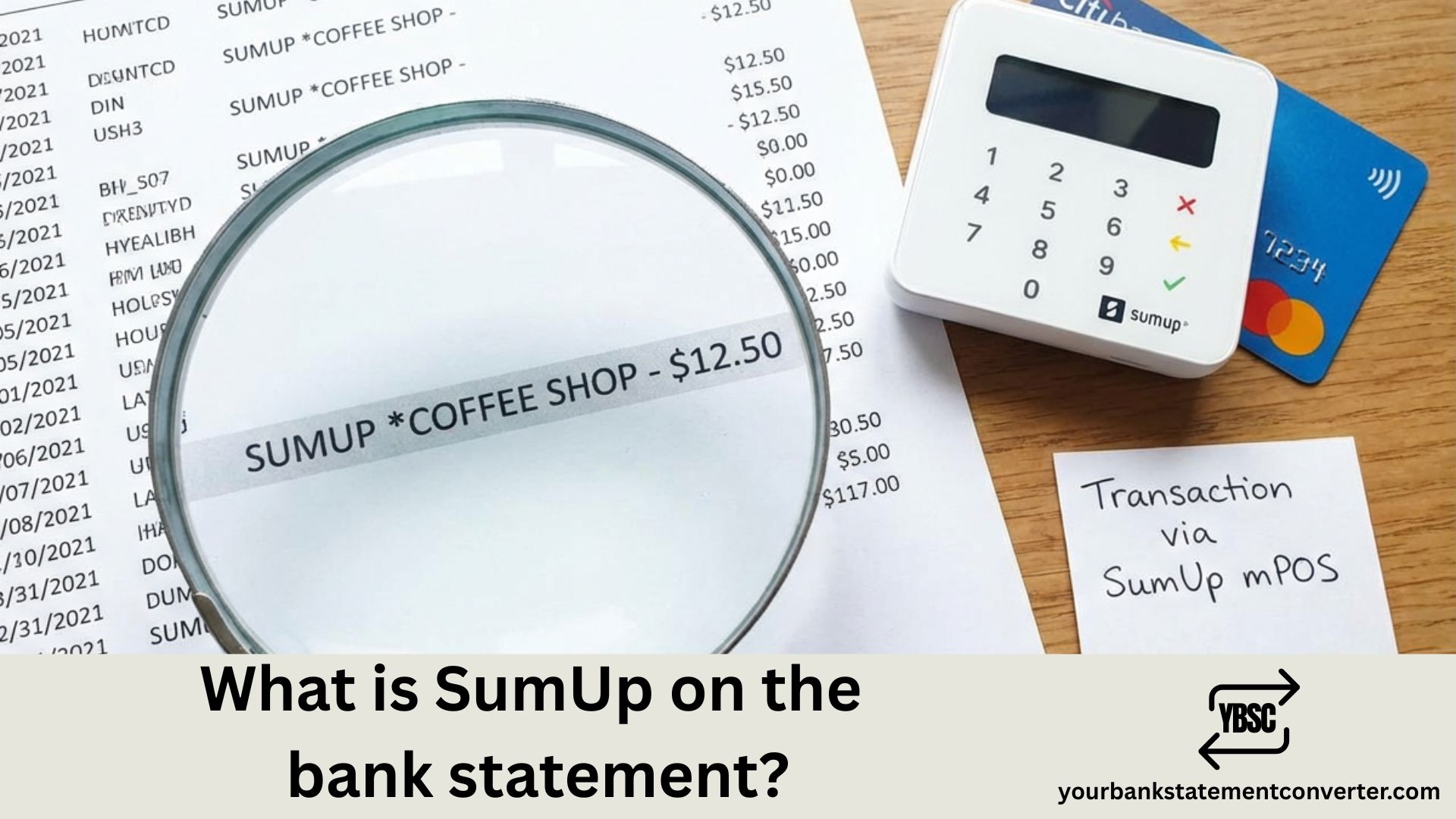
Spotted “SUMUP” on your bank or credit card statement and unsure what it is? You’re not alone. SumUp charges appear when you make a purchase at a small business using SumUp card readers or payment terminals.
Quick Answer: SumUp is a mobile payment processing company used by millions of small merchants across the UK. If you see “SUMUP” followed by a business name on your statement, it means you made a card payment at a business using SumUp’s payment system.
What is SumUp on the Bank Statement?
SumUp is a London-headquartered fintech company that provides mobile card readers and point-of-sale (POS) systems to small businesses. Founded in 2012, SumUp serves over 4 million merchants across 35+ countries, with a strong presence throughout the United Kingdom.
When you pay with your credit or debit card at a business using SumUp’s payment terminal, the transaction appears on your bank statement with “SUMUP” as part of the merchant descriptor.
Common SumUp Bank Statement Descriptors
SumUp transactions typically appear on your statement in these formats:
| Descriptor Format | Meaning |
|---|---|
| *SUMUP [Business Name] | Credit card transaction at a SumUp merchant |
| [Business Name] [Transaction ID] | Debit card transaction |
| *SUMUP [Location] | Transaction at a specific business location |
| SUM[Merchant Name]* | Abbreviated version of SumUp charge |
The business name shown after “SUMUP” is set by the merchant when they register their SumUp account. Some banks may truncate longer business names due to character limits.
Where Do SumUp Charges Come From?
SumUp charges commonly appear after purchases at:
- Markets and craft fairs – Traders at Borough Market, Camden Market, and local fairs frequently use portable SumUp readers
- Food trucks and pop-up shops – Mobile vendors rely on SumUp for contactless payments
- Independent cafés and restaurants – Small eateries often prefer SumUp’s low transaction fees (1.69%)
- Tradespeople and service providers – Plumbers, hairdressers, and mobile mechanics use SumUp terminals
- Small retail shops – Boutiques and local high street stores accepting card payments
If you don’t recognise a SumUp charge, think back to any recent purchases at small or mobile businesses.
How to Identify a SumUp Transaction
Follow these steps to verify a SumUp charge on your statement:
Step 1: Check the transaction date and amount Match the charge date and amount with any recent purchases at small businesses.
Step 2: Look for the business name The descriptor typically includes the merchant’s registered business name (e.g., “SUMUP *JOES COFFEE”).
Step 3: Request a receipt SumUp merchants can send digital receipts via email or SMS. Contact the business directly if you need proof of purchase.
Step 4: Review your purchase history Think about any markets, food trucks, craft fairs, or independent shops you’ve visited recently.
Is a SumUp Charge on My Statement Legitimate?
Most SumUp transactions are legitimate purchases at small businesses. However, if you don’t recognise a charge:
- Verify the business name – Search the business name online to identify the merchant
- Check the amount – Does it match a recent purchase you made?
- Contact the merchant – Reach out to the business directly for clarification
- Dispute with your bank – If the charge is unauthorised, contact your bank immediately
SumUp is a legitimate, FCA-regulated and PCI DSS-compliant payment processor trusted by millions of UK businesses. Random or unfamiliar charges should still be investigated promptly.
Track and Organise Your Bank Statement Transactions
Identifying charges like SumUp becomes much easier when your bank statements are organised and searchable. Instead of scrolling through PDF statements manually, YourBankStatementConverter.com lets you convert your PDF bank statements into Excel or CSV format instantly.
With your statements in spreadsheet format, you can:
- Search for “SUMUP” to find all related transactions quickly
- Filter by date or amount to match charges with specific purchases
- Track recurring payments across multiple accounts
- Identify unauthorised charges before they become a problem
This is especially useful when reconciling business expenses or preparing for tax returns. Similar to identifying what Amazon shows up as on your bank statement or Venmo transactions, having searchable bank data saves significant time.
Conclusion: Understanding SumUp Charges on Your Bank Statement
A SumUp charge on your bank statement indicates a card payment made at a small business using SumUp’s payment processing system. These transactions typically display as “SUMUP *[Business Name]” and are common at markets, food trucks, independent cafés, and tradespeople.
If you need to identify, verify, or track SumUp transactions efficiently, convert your bank statements to Excel using YourBankStatementConverter.com—making transaction identification simple and fast.
Frequently Asked Questions
What does SumUp mean on my credit card statement?
SumUp on your credit card statement means you made a purchase at a business using a SumUp card reader or payment terminal. SumUp is a payment processor widely used by small UK merchants, food trucks, and service providers.
Why is there a SumUp charge I don’t recognise?
An unrecognised SumUp charge could be from a small business you visited recently—think markets, craft fairs, or independent shops. Check the business name in the descriptor and match it with your recent purchases.
Is SumUp a legitimate company?
Yes, SumUp is a legitimate London-based fintech company founded in 2012, serving over 4 million merchants in 35+ countries. It’s FCA-regulated, PCI DSS-compliant, and backed by investors including Goldman Sachs and American Express.
How do I contact SumUp about a charge?
For transaction enquiries, contact the merchant directly using the business name shown in your statement. For general SumUp support, visit help.sumup.com or contact their UK customer service team.
Can I get a refund for a SumUp transaction?
Refund requests should be directed to the merchant where you made the purchase. If the merchant is unresponsive and the charge is unauthorised, dispute it with your bank under the chargeback scheme.
How do I find all SumUp charges on my bank statement?
The fastest way is to convert your PDF bank statement to Excel using YourBankStatementConverter.com, then search for “SUMUP” to instantly locate all related transactions.







