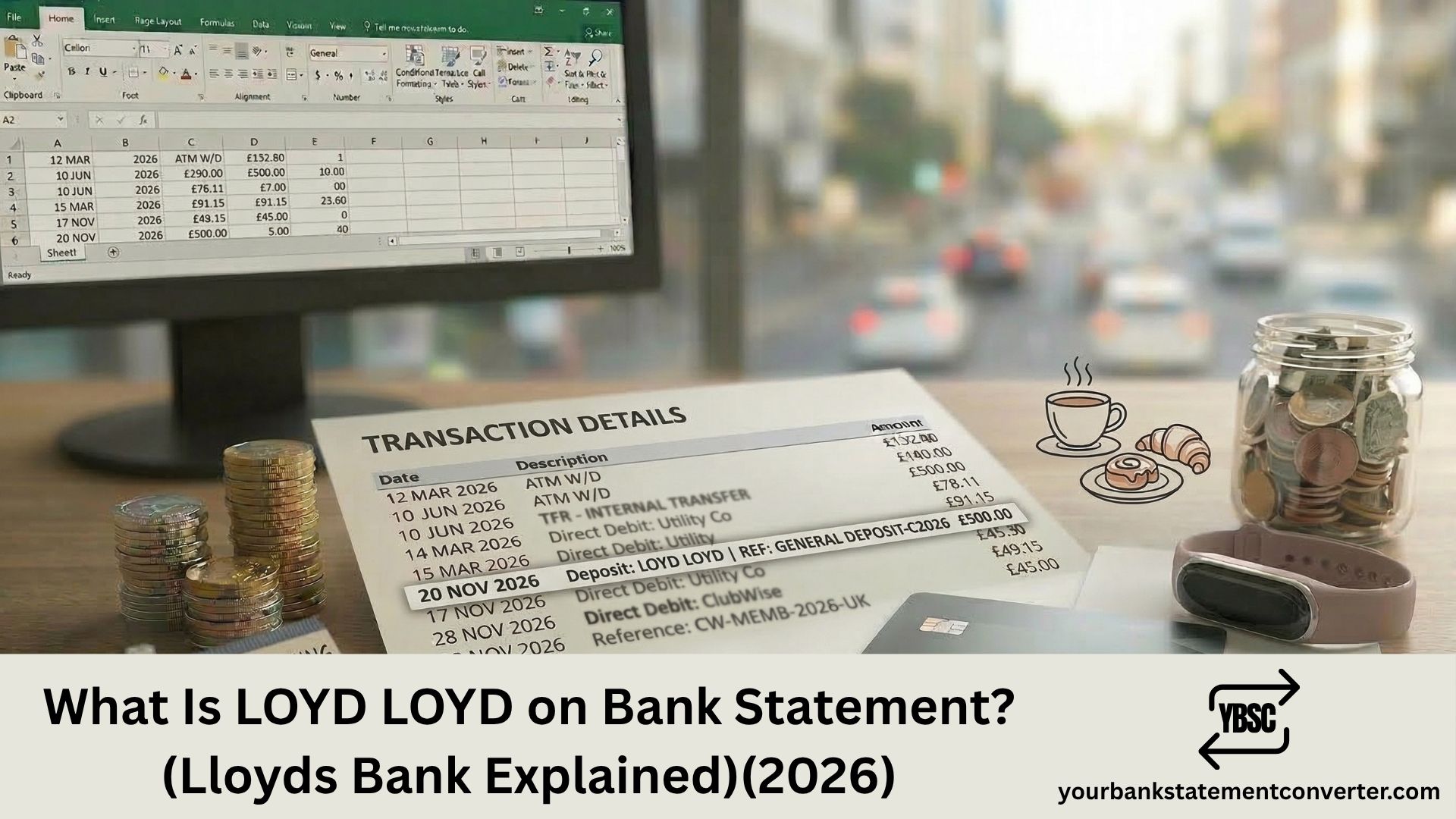
“LOYD” or “LOYD LOYD” on your bank statement refers to a transaction involving a Lloyds Bank ATM or branch. LOYD is derived from Lloyds Bank’s BIC/SWIFT code (LOYDGB2L), which is the international banking identifier for Lloyds Bank plc. When you withdraw cash from a Lloyds Bank ATM or conduct a transaction at a Lloyds Bank branch, the descriptor on your statement uses this LOYD identifier rather than spelling out “Lloyds Bank” in full.
Key Takeaways
- LOYD on a bank statement is the identifier for Lloyds Bank plc, derived from their BIC/SWIFT code LOYDGB2L.
- The charge typically represents a cash withdrawal from a Lloyds Bank ATM or a branch counter transaction.
- Common statement formats include “LOYD [Branch Address],” “LOYD [Street Name] CSH,” or simply “LOYD LOYD.”
- You do not need to be a Lloyds Bank customer to see this. If you withdrew cash from a Lloyds Bank ATM using another bank’s card, it will still show LOYD on your statement.
- Lloyds Bank plc is one of the UK’s Big Four banks, founded in 1765, with over 30 million customers and registered at 25 Gresham Street, London, EC2V 7HN.
- Lloyds Bank is part of Lloyds Banking Group plc, which also operates Halifax, Bank of Scotland, and Scottish Widows.
- To identify all LOYD transactions on your statements, convert your PDF bank statements into searchable spreadsheets with Your Bank Statement Converter.
What Is LOYD LOYD on Bank Statement?
“LOYD” is the four-character bank code from Lloyds Bank’s BIC (Bank Identifier Code), also known as a SWIFT code. Every bank in the world has a unique BIC code used for identifying the institution in financial transactions. Lloyds Bank’s primary BIC code is LOYDGB2L, where LOYD represents the bank, GB represents Great Britain, and 2L represents the head office location.
When your bank records a transaction that involved a Lloyds Bank ATM or branch, it uses this LOYD identifier in the statement descriptor. The descriptor is then followed by the branch address or location details.
Real examples of how LOYD appears on bank statements:
- LOYD 4-6 HIGH STRE CSH — a cash withdrawal (CSH) from a Lloyds Bank ATM at 4-6 High Street
- LOYD LOYD — a Lloyds Bank transaction where the branch detail is truncated or duplicated
- LOYD [Town Name] — an ATM withdrawal at a Lloyds Bank branch in a specific town
- LOYD CD [Last 4 Digits] — a card transaction at a Lloyds Bank terminal
The “CSH” suffix indicates a cash withdrawal. If you see “DEB” instead, it means a debit card purchase.
Why Does It Say LOYD Instead of Lloyds Bank?
Bank statements use abbreviated codes rather than full company names due to character limits in the payment processing system. The BACS, Faster Payments, and LINK ATM networks all transmit transaction data with limited space for merchant or ATM descriptions.
LOYD is the standardised bank code that Lloyds Bank uses across all its payment infrastructure. This is the same reason other banks appear as abbreviated codes on statements. For example, Barclays may appear as “BARC,” HSBC as “HSBC,” and NatWest as “NWBK.”
The duplication “LOYD LOYD” can occur when:
- The transaction system records the bank code twice in the descriptor field
- The ATM operator field and the acquiring bank field both resolve to the same Lloyds Bank code
- The branch name field is empty or truncated, leaving the code repeated
This is a formatting quirk, not an error or cause for concern.
Do I Need to Be a Lloyds Bank Customer to See LOYD?
No. You will see LOYD on your statement regardless of which bank you hold your account with. The LOYD identifier reflects where the transaction took place (a Lloyds Bank ATM or branch), not your own bank.
For example, if you have a Barclays current account and you withdraw £50 from a Lloyds Bank cash machine on the high street, your Barclays statement will show a LOYD entry with the ATM location and the amount.
The UK’s LINK ATM network connects over 50,000 ATMs across the country, allowing cardholders from any bank to withdraw cash from any LINK-connected ATM. Lloyds Bank operates thousands of ATMs as part of this network. Most Lloyds Bank ATMs are free to use for cash withdrawals.
About Lloyds Bank
Lloyds Bank plc is one of the oldest and largest banks in the United Kingdom:
- Founded: 1765 in Birmingham by John Taylor and Sampson Lloyd II
- Registered office: 25 Gresham Street, London, EC2V 7HN
- Companies House registration: 2065
- Authorised by: Prudential Regulation Authority
- Regulated by: FCA and PRA (FRN: 119278)
- Customers: Over 30 million
- Employees: Approximately 65,000
- Part of: Lloyds Banking Group plc, which also owns Halifax, Bank of Scotland, and Scottish Widows
- Heritage: Over 320 years, dating back to the Bank of Scotland founded in 1695
Lloyds Banking Group merged with HBOS in January 2009 and is one of the UK’s largest financial services organisations. Its group headquarters are at 33 Old Broad Street, City of London, with its registered office at The Mound, Edinburgh.
What to Do If You Don’t Recognise a LOYD Entry
- Check the date and location. The descriptor usually includes a street name or town. Think back to whether you visited that area and used a cash machine.
- Check the amount. ATM withdrawals are typically round figures (£10, £20, £50, £100). If the amount matches a typical withdrawal, it’s almost certainly a cash machine transaction.
- Check for the CSH suffix. CSH confirms it was a cash withdrawal. DEB indicates a debit card purchase.
- Ask household members. If anyone shares access to your card, they may have used a Lloyds Bank ATM.
- Contact your bank. They can provide full transaction details including the exact ATM location, time, and card used.
Convert your statement using Your Bank Statement Converter to filter for “LOYD” and see every Lloyds Bank ATM transaction with dates, amounts, and locations in one view.
If the transaction is genuinely unauthorised, contact your bank’s fraud team immediately and request a card replacement. Report suspected card fraud to Action Fraud at actionfraud.police.uk.
Related Bank Statement Guides
- What Does DR Mean on a Bank Statement?
- What Does BGC Mean on Bank Statement?
- What Does FPI Mean on a Bank Statement?
- What Does FPO Mean on a Bank Statement?
- What Does Point of Sale Mean on a Bank Statement?
Conclusion
“LOYD” or “LOYD LOYD” on your bank statement is a transaction at a Lloyds Bank ATM or branch. LOYD is the four-character bank identifier from Lloyds Bank’s BIC/SWIFT code (LOYDGB2L). It appears regardless of which bank you hold your account with. If the amount is a round figure and the descriptor includes a location or “CSH,” it’s a straightforward cash withdrawal. Use Your Bank Statement Converter to convert your PDF statements into searchable spreadsheets where every LOYD entry is easy to find and verify.
Frequently Asked Questions
1. What does LOYD mean on a bank statement?
LOYD is the four-character bank identifier for Lloyds Bank plc, derived from their BIC/SWIFT code LOYDGB2L. It appears on your statement when you make a cash withdrawal from a Lloyds Bank ATM or conduct a transaction at a Lloyds Bank branch. You don’t need to be a Lloyds customer to see it.
2. Why does my bank statement say LOYD LOYD?
The duplication “LOYD LOYD” occurs when the transaction descriptor records the Lloyds Bank code twice, typically because both the ATM operator field and the acquiring bank field resolve to the same LOYD identifier. It is a formatting quirk in the payment processing system, not an error.
3. Is LOYD on my bank statement a scam?
No. LOYD is the legitimate bank identifier for Lloyds Bank plc, one of the UK’s Big Four banks with over 30 million customers. If you see LOYD followed by a location and a round amount like £20, £50, or £100, it is almost certainly a cash withdrawal from a Lloyds Bank ATM.
4. Can LOYD appear on my statement if I don’t bank with Lloyds?
Yes. The LOYD identifier reflects where the transaction occurred, not your own bank. If you used a Lloyds Bank ATM to withdraw cash using your Barclays, HSBC, NatWest, or any other bank’s card, your statement will show LOYD with the ATM location.
5. How can I find all LOYD entries on my bank statement?
Upload your PDF bank statement toYour Bank Statement Converter and convert it to CSV or Excel. Search for “LOYD” to see every Lloyds Bank ATM withdrawal and branch transaction with dates, amounts, and locations. The tool supports over 500 bank formats with 7 free pages and no credit card required.