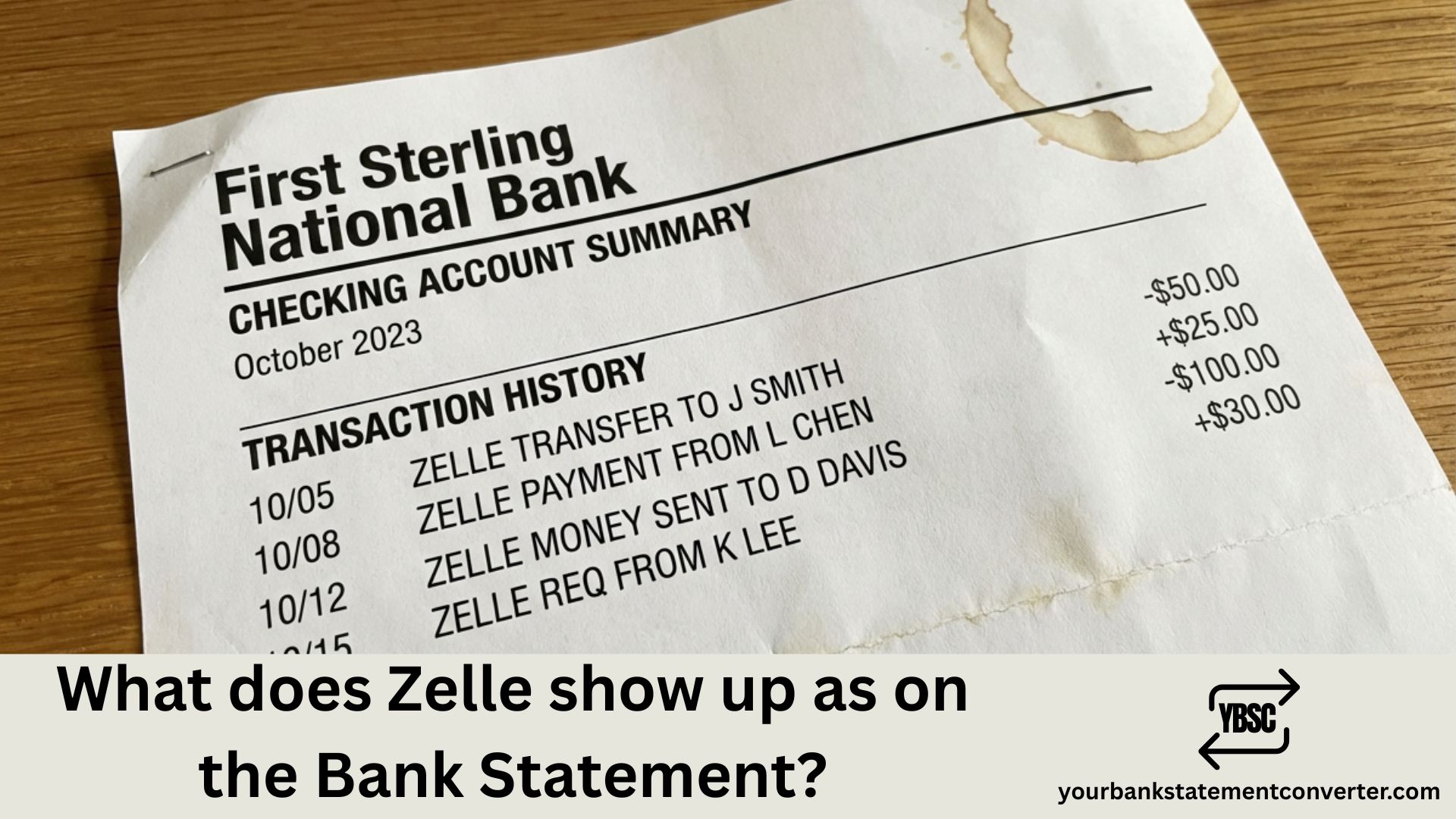
When you send or receive money through Zelle, you might wonder how these transactions appear on your bank statement. Understanding this helps you track payments, manage budgets, and reconcile your finances accurately.
What Does Zelle Show Up as on the Bank Statement?
Zelle transactions typically appear on bank statements as “Zelle payment to [Recipient Name]” or “Zelle payment from [Sender Name].” The exact format varies slightly depending on your bank, but most statements include:
- The word “Zelle” or “Zelle Transfer”
- The name or phone number/email of the other party
- The transaction amount
- The date of transfer
Common Zelle Transaction Descriptions by Bank
| Bank | How Zelle Appears |
|---|---|
| Chase | “Zelle Payment To/From [Name]” |
| Bank of America | “Zelle Transfer [Name]” |
| Wells Fargo | “Zelle Payment [Name/Phone]” |
| Capital One | “Zelle To/From [Name]” |
| PNC | “Zelle [Name] Transfer” |
Key Identifiers in Zelle Transactions
Every Zelle entry on your statement contains these elements:
- Transaction type — Clearly marked as Zelle, distinguishing it from regular ACH transfers or wire transfers
- Direction — Indicates whether money was sent or received
- Counterparty details — Name, email, or phone number of the person involved
- Amount and date — Standard transaction details
Need to Convert Your Bank Statements for Better Tracking?
If you’re reconciling Zelle transactions across multiple accounts or need your bank statements in a different format for accounting, tax preparation, or loan applications, YourBankStatementConverter.com can help.
This tool lets you:
- Convert PDF bank statements to Excel, CSV, or other formats instantly
- Easily search and filter specific transactions like Zelle payments
- Organize financial records for bookkeeping or business purposes
- Save hours of manual data entry
👉 Try YourBankStatementConverter.com — Fast, secure, and accurate bank statement conversion.
Why Does Zelle Appear Differently on Some Statements?
The variation in how Zelle shows up depends on:
- Your bank’s internal coding system — Each financial institution formats transaction descriptions differently
- Whether you used the Zelle app or your bank’s app — Standalone Zelle app transactions may display slightly differently than in-bank Zelle transfers
- The information provided during transfer — If the recipient registered with an email vs. phone number, that detail may appear
How to Find Zelle Transactions on Your Bank Statement
To locate Zelle payments quickly:
- Download your bank statement (PDF or online)
- Use Ctrl+F (or Cmd+F on Mac) and search “Zelle”
- Review all matching entries for the transaction you need
For bulk analysis or converting statements to searchable spreadsheets, use YourBankStatementConverter.com to transform your PDFs into organized, filterable data.
Frequently Asked Questions
Does Zelle show the recipient’s name on my bank statement?
Yes, Zelle transactions display the recipient’s registered name (or the sender’s name for incoming payments) on your bank statement. This helps you identify who you sent money to or received money from.
Will Zelle show up as a different name on my statement?
No, Zelle transactions are clearly labeled with “Zelle” in the description. They won’t appear under a different company name, making them easy to identify and track.
How long does it take for Zelle to show on a bank statement?
Zelle transfers are typically instant and appear on your statement within minutes. However, the transaction may take 1-3 business days to reflect on your official monthly statement, depending on when it was processed.
Can I hide Zelle transactions on my bank statement?
No, you cannot hide Zelle transactions from your bank statement. All Zelle transfers are recorded and will appear on your statement for financial tracking and regulatory purposes.
Does Zelle show what the payment was for?
No, Zelle does not display memo notes or payment descriptions on bank statements. Only the transaction type, amount, date, and counterparty information appear. If you added a memo during the transfer, it’s visible only within the Zelle app or your bank’s online portal.
How do I categorize Zelle payments for taxes or bookkeeping?
Export your bank statement using a tool like YourBankStatementConverter.com, then sort and categorize Zelle transactions in Excel or your accounting software for easier tax preparation and record-keeping.
Summary
Zelle shows up on bank statements with clear identifiers including the word “Zelle,” the transaction direction, and the other party’s name or contact information. The exact format varies by bank, but all Zelle transfers are easily traceable. For efficient financial management and statement organization, consider using YourBankStatementConverter.com to convert and analyze your bank data effortlessly.



![What Is FSUK Payment on Bank Statement (Sports Direct Frasers Group)[2026]](https://yourbankstatementconverter.com/blog/wp-content/uploads/2026/03/What-Is-FSUK-Payment-on-Bank-Statement-Sports-Direct-Frasers-Group2026-300x169.jpg)
![What Does CR Mean on a Bank Statement (Credit Explained)[2026]](https://yourbankstatementconverter.com/blog/wp-content/uploads/2026/03/What-Does-CR-Mean-on-a-Bank-Statement-Credit-Explained2026-300x169.jpg)
![What Does BP Mean on a Bank Statement (Both Meanings Explained)[2026]](https://yourbankstatementconverter.com/blog/wp-content/uploads/2026/03/What-Does-BP-Mean-on-a-Bank-Statement-Both-Meanings-Explained2026-1-300x169.jpg)