
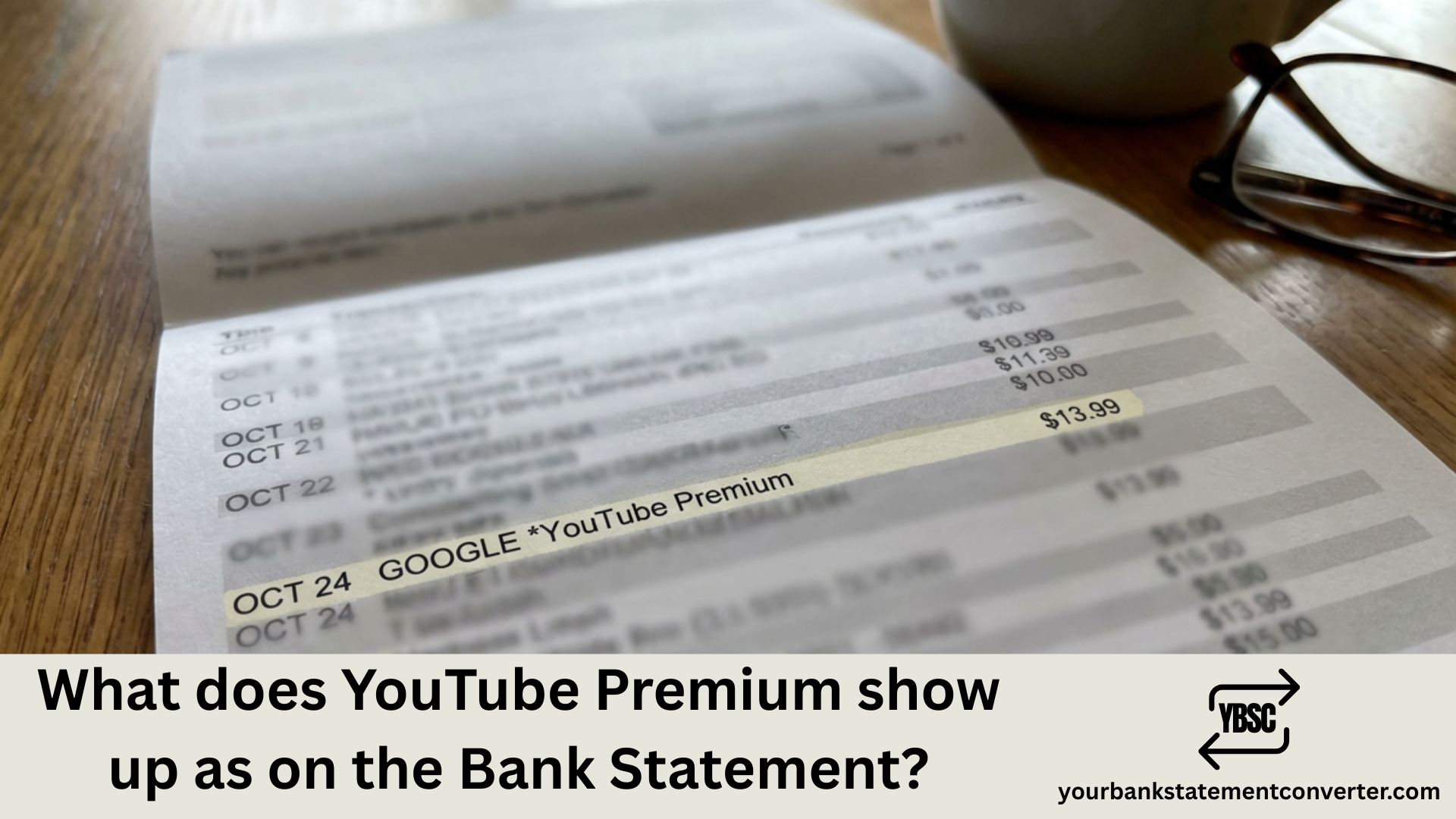
If you’ve noticed an unfamiliar charge on your bank statement and suspect it might be YouTube Premium, you’re not alone. Many subscribers wonder how this subscription appears on their financial records, especially when trying to track expenses or identify mystery charges.
What Does YouTube Premium Show Up As on a Bank Statement
YouTube Premium typically appears on your bank statement under one of these common descriptors:
Most Common Entries:
- *GOOGLE YouTube Premium – the most frequently seen format
- *GOOGLE YouTubePremium
- *GOOGLE YOUTUBE PREMIUM
- GOOGLE*YOUTUBE PREM
- *GOOGLE YouTube
The charge is processed through Google since YouTube is owned by Google, which is why “GOOGLE” almost always appears as part of the transaction name. The amount will typically be ₹129/month (India), $13.99/month (US), or your local currency equivalent depending on your subscription plan.
Why the Variation?
Different banks display merchant names differently due to character limits and formatting rules. Some banks truncate longer descriptions, resulting in shortened versions like “GOOGLE*YT PREM” or simply “GOOGLE YOUTUBE.”
How to Verify It’s Actually YouTube Premium
Before disputing a charge, confirm it’s legitimate:
- Check your Google account – Go to payments.google.com and review your subscription history
- Match the date and amount – Compare with your bank statement entry
- Look for family plan charges – If someone added you to their Family Plan, you might see shared billing
- Check for free trial conversions – Many forget they signed up for a trial that auto-renewed
Managing Your YouTube Premium Subscription Charges
Keeping track of subscriptions like YouTube Premium across multiple bank accounts can get complicated. If you’re managing business expenses, tracking family budgets, or simply want a clearer picture of your recurring charges, converting your bank statements into organized, searchable formats makes a significant difference.
YourBankStatementConverter.com helps you instantly convert PDF bank statements into Excel or CSV formats, making it easy to:
- Search and filter specific transactions like “GOOGLE” or “YouTube”
- Track all your subscription charges in one place
- Organize financial records for budgeting or tax purposes
- Identify recurring charges you may have forgotten about
Whether you’re an individual trying to spot subscription creep or a business owner managing expenses, having your bank statements in an editable format saves hours of manual work.
Common YouTube Premium Charge Amounts
| Plan Type | India (₹) | USA ($) | UK (£) |
|---|---|---|---|
| Individual | ₹129/month | $13.99/month | £12.99/month |
| Family | ₹189/month | $22.99/month | £19.99/month |
| Student | ₹79/month | $7.99/month | £7.99/month |
| Annual | ₹1,159/year | $139.99/year | £129.99/year |
Note: Prices may vary and are subject to change.
What to Do If You Don’t Recognize the Charge
If you see a YouTube Premium charge but didn’t subscribe:
- Check family members’ accounts – Someone in your household may have subscribed using a shared payment method
- Review connected Google accounts – You might have multiple accounts with active subscriptions
- Look for promotional signups – Free trials from device purchases or carrier promotions often auto-convert
- Contact Google Support – If unauthorized, request a refund through Google’s support channels
- Dispute with your bank – As a last resort, file a chargeback for unauthorized transactions
FAQs
Why does my bank statement say GOOGLE instead of YouTube?
YouTube is owned by Google, and all YouTube payments are processed through Google’s payment system. This is why the merchant name starts with “GOOGLE” followed by the specific service identifier.
Can YouTube Premium appear with different names on different banks?
Yes, each bank has its own character limits and formatting rules for displaying merchant names. You might see “GOOGLE YouTube Premium” on one bank and “GOOGLEYT PREM” on another.
How do I stop YouTube Premium charges on my bank statement?
Cancel your subscription through YouTube settings or payments.google.com. Navigate to Subscriptions, find YouTube Premium, and select Cancel. You’ll retain access until your current billing period ends.
Why was I charged for YouTube Premium when I have a free trial?
Free trials automatically convert to paid subscriptions when they expire. Google charges your saved payment method unless you cancel before the trial ends.
Does YouTube Music show up differently than YouTube Premium?
YouTube Music Premium may appear as “GOOGLE *YouTube Music” or similar. However, YouTube Premium includes YouTube Music, so if you have Premium, you won’t see separate Music charges.
How can I easily track all my subscription charges across bank statements?
Use a tool like YourBankStatementConverter.com to convert your PDF statements to Excel. You can then search, filter, and organize all subscription charges in one spreadsheet for easier tracking and budgeting.
Is GOOGLE YouTube Premium a scam or a legitimate charge?
This is a legitimate charge format used by Google for YouTube Premium subscriptions. However, always verify through your Google account before assuming any charge is authorized.
What if I see multiple YouTube Premium charges in one month?
This could indicate a plan change, failed payment retry, or multiple accounts. Check your Google payment history for details, and contact support if charges seem incorrect.
Struggling to track subscription charges across multiple accounts? Convert your bank statements to Excel instantly at YourBankStatementConverter.com and take control of your finances.







