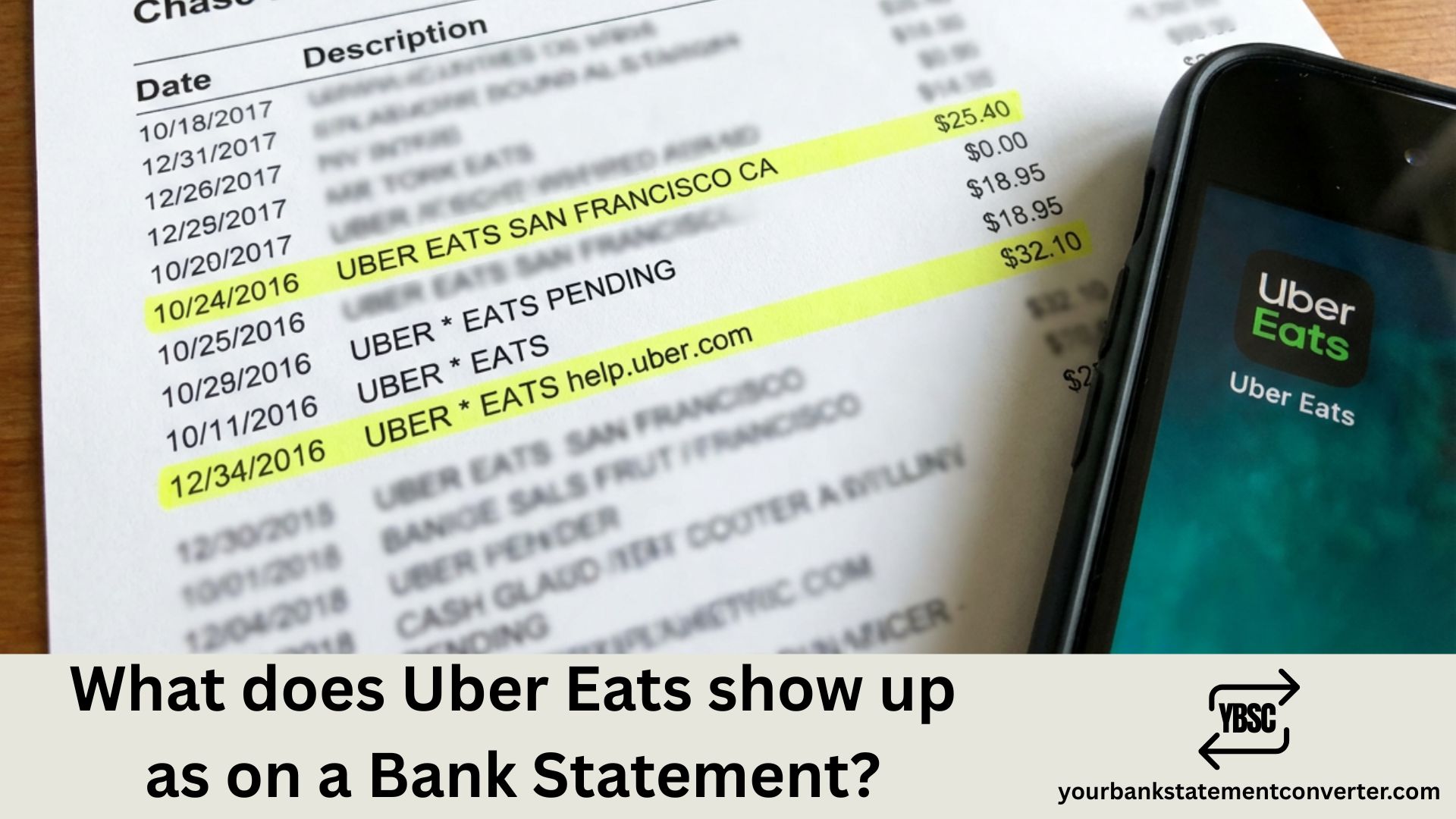
Uber Eats transactions typically appear on your bank statement as *“UBER EATS”**, “UBEREATS.COM”, or “UBER *EATS HELP.UBER.COM”. The format varies slightly depending on your bank and card provider.
What Does Uber Eats Show Up as on the Bank Statement?
When you order food through Uber Eats, the charge displays in several common formats:
Standard purchase formats:
- UBER* EATS
- UBER *EATS
- UBEREATS.COM
- UBER* EATS HELP.UBER.COM
- UBER EATS [CITY NAME]
For pending or temporary holds:
- UBER* PENDING
- UBER EATS TEMP AUTH
For tips added later:
- UBER* EATS (separate charge)
- UBER *TIP
You might notice multiple charges from a single order. This happens because Uber Eats sometimes processes the food cost, delivery fee, and tip as separate transactions.
Why You Might See Multiple Uber Eats Charges
Uber Eats uses authorization holds when you place an order. The initial hold covers the estimated total, but the final charge may differ based on:
- Driver tips added after delivery
- Price adjustments from the restaurant
- Promotional credits applied later
- Service fee updates based on final order total
The pending authorization typically drops off within 3-5 business days, leaving only the final charge.
How to Identify Legitimate Uber Eats Charges
- Open your Uber Eats app and tap “Orders” to view history
- Match the date and amount with your bank statement
- Check your email for Uber Eats receipts
- Look for the “UBER*” prefix which confirms it’s from Uber
Uber Eats vs. Uber Rides on Bank Statements
Both services come from the same company but display differently:
| Service | Bank Statement Format |
|---|---|
| Uber Eats | UBER* EATS, UBEREATS.COM |
| Uber Rides | UBER* TRIP, UBER BV |
Managing multiple food delivery expenses across your bank statements?
YourBankStatementConverter.com lets you convert PDF bank statements into Excel or CSV formats instantly. Easily filter and categorize all your Uber Eats transactions for expense reports, budgeting, or tax purposes—without manual data entry.
FAQs
Why does my bank statement show two charges from Uber Eats?
This commonly happens when tips are processed separately from the main order, or when an authorization hold appears alongside the final charge. The hold will disappear within a few days.
What does “UBER EATS HELP.UBER.COM” mean on my statement?
This is the standard Uber Eats transaction format that includes their help website URL. It’s a legitimate charge from your food order.
Why is my Uber Eats charge different from my receipt?
The difference usually comes from tips added post-delivery, promotional credits being applied, or price adjustments made by the restaurant after order confirmation.
How do I dispute an Uber Eats charge I don’t recognize?
First check your order history in the Uber Eats app. If you still don’t recognize it, contact Uber support through the app or visit help.uber.com. You can also dispute directly with your bank.
Does Uber Eats charge appear immediately on bank statements?
A pending authorization appears almost immediately, but the final posted charge typically takes 1-3 business days to reflect on your statement.
Can someone else’s Uber Eats order appear on my statement?
Yes, if your card is saved on a shared account or if someone has access to your payment method. Check the delivery address in your Uber Eats order history to verify.
Why does Uber Eats show a different city on my bank statement?
Uber processes payments through various regional offices. The city shown may be Uber’s billing location rather than where you ordered from.



![What Is FSUK Payment on Bank Statement (Sports Direct Frasers Group)[2026]](https://yourbankstatementconverter.com/blog/wp-content/uploads/2026/03/What-Is-FSUK-Payment-on-Bank-Statement-Sports-Direct-Frasers-Group2026-300x169.jpg)
![What Does CR Mean on a Bank Statement (Credit Explained)[2026]](https://yourbankstatementconverter.com/blog/wp-content/uploads/2026/03/What-Does-CR-Mean-on-a-Bank-Statement-Credit-Explained2026-300x169.jpg)
![What Does BP Mean on a Bank Statement (Both Meanings Explained)[2026]](https://yourbankstatementconverter.com/blog/wp-content/uploads/2026/03/What-Does-BP-Mean-on-a-Bank-Statement-Both-Meanings-Explained2026-1-300x169.jpg)