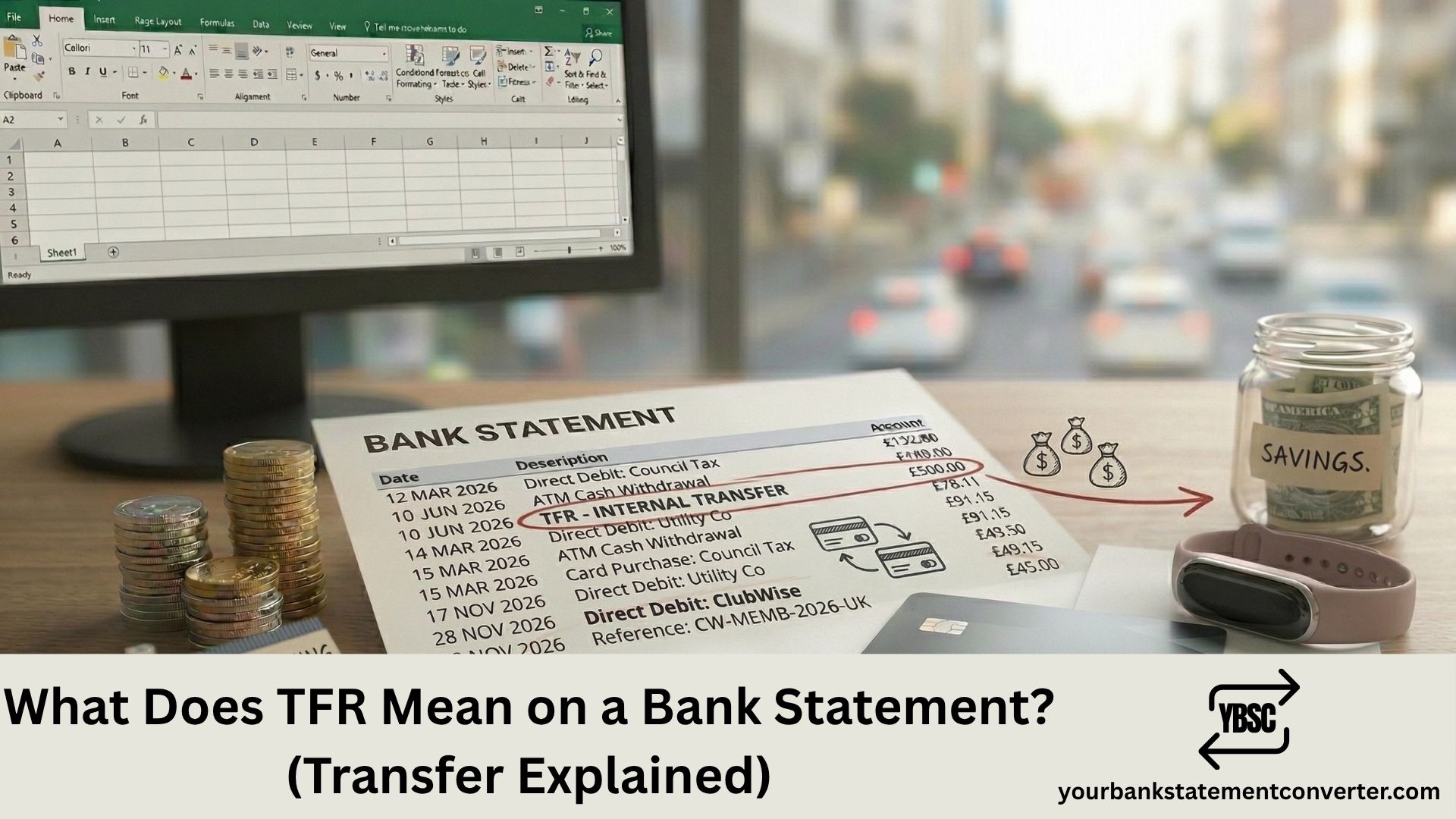
TFR on a bank statement stands for “Transfer.” It indicates that money was moved between accounts, either between your own accounts at the same bank, between accounts at different banks, or to or from another person’s account. TFR is one of the most common abbreviations on UK bank statements and can appear as both an outgoing (debit) and incoming (credit) transaction.
Key Takeaways
- TFR stands for Transfer on a bank statement.
- It means money was moved between bank accounts, either your own or involving another person.
- TFR can appear as a debit (money out) or a credit (money in) depending on the direction of the transfer.
- Common TFR transactions include moving money between current and savings accounts, sending money to another person, receiving a payment from someone, and internal bank transfers.
- TFR is different from FPI/FPO (Faster Payment In/Out), BP (Bill Payment), DD (Direct Debit), and SO (Standing Order), though all involve money movement.
- Some banks display additional detail after TFR, such as the account name, reference, or sort code.
- To track and filter all TFR entries across your statements, convert your PDF bank statements into searchable spreadsheets with Your Bank Statement Converter.
What Does TFR Mean on a Bank Statement?
TFR is the standard banking abbreviation for Transfer. It appears on your bank statement whenever money is moved from one account to another. The transfer can be initiated by you, by another person sending you money, or by an automatic system such as a scheduled transfer.
On your statement, TFR typically appears alongside additional details:
- TFR [Account Name] — the name of the person or account involved
- TFR [Reference] — a reference you or the sender entered when making the transfer
- TFR [Sort Code / Account Number] — partial account details for identification
For example:
- TFR J SMITH — you transferred money to or received money from J Smith
- TFR SAVINGS — you moved money to or from your savings account
- TFR 12345678 — a transfer identified by account number
TFR entries can be either debits (DR) or credits (CR). A TFR DR means money left your account. A TFR CR means money came into your account.
What Types of Transfers Show as TFR?
Several types of money movement can generate a TFR entry on your statement:
Internal transfers between your own accounts. Moving money from your current account to your savings account (or vice versa) at the same bank. This is the most common type of TFR. Most UK banks process these instantly with no fees.
Bank transfers to another person. Sending money to someone else’s bank account via online banking, mobile banking, or telephone banking. This includes one-off payments and scheduled future-dated transfers.
Bank transfers received from another person. When someone sends money to your account, it may appear as TFR CR with their name or reference.
Standing order payments. Some banks label standing order payments as TFR SO or simply TFR, depending on how they categorise the transaction internally.
Sweeps and automatic savings. If you have a round-up savings feature or automatic sweep set up with your bank, transfers from your current account to a linked savings pot may show as TFR.
ISA transfers. Moving money into an ISA (Individual Savings Account) from your current account can appear as TFR ISA or TFR [ISA Account Name].
According to Raisin UK, bank statement abbreviations like TFR, POS, and FPO are among the most commonly searched terms, with hundreds of UK consumers looking up their meanings each month.
How Is TFR Different from Other Bank Statement Codes?
TFR is sometimes confused with other codes that also involve money movement. Here’s how they differ:
TFR vs FPI/FPO. FPI (Faster Payment Inward) and FPO (Faster Payment Outward) specifically indicate transfers made through the UK Faster Payments Service, which processes transactions in near real-time. TFR is a more general code that can apply to any type of transfer, including Faster Payments, CHAPS, BACS, and internal transfers.
TFR vs BP. BP (Bill Payment) indicates a payment made to a company or service provider. TFR is typically used for person-to-person or account-to-account transfers rather than bill payments.
TFR vs DD. DD (Direct Debit) is a payment where a company collects money from your account with your prior authorisation. TFR is initiated by you or another account holder, not by a collecting company.
TFR vs SO. SO (Standing Order) is a fixed, regular payment you set up to go to the same recipient at the same amount each time. Some banks label standing orders as TFR SO, while others use SO alone.
TFR vs OTR. OTR (Online Banking Transaction) refers specifically to transactions made through online banking. TFR can include online, telephone, branch, and automated transfers.
What to Do If You Don’t Recognise a TFR Entry
If a TFR appears on your statement that you can’t identify:
- Check the name or reference next to TFR. This usually identifies the sender or recipient.
- Review your online banking transfer history. Your bank’s app or website will show the full details of each transfer, including the date, time, recipient, and any reference entered.
- Check scheduled transfers. You may have set up a future-dated or recurring transfer that you’ve since forgotten.
- Ask household members. If you share account access with a partner or family member, they may have initiated the transfer.
- Contact your bank. They can provide the full originator details, including the sender’s name, bank, sort code, and reference for any incoming TFR.
For a comprehensive view, upload your bank statement to Your Bank Statement Converter and convert it to a spreadsheet. Filter for “TFR” to see every transfer with dates, amounts, and descriptions in one place.
If a TFR debit was genuinely unauthorised, contact your bank’s fraud team immediately. Under UK banking regulations, your bank must investigate and refund unauthorised transactions unless they can prove you authorised the payment or acted with gross negligence.
TFR on Business Bank Statements
For business account holders, TFR entries are especially important for bookkeeping and reconciliation. Common business TFR transactions include:
- Transferring funds between a business current account and a business savings or reserve account
- Receiving payments from clients who pay by bank transfer
- Making supplier payments via manual transfer
- Moving funds between multi-currency accounts
- Directors’ loan account transfers
Accurately categorising TFR entries is essential for VAT returns, corporation tax, and management accounts. Converting your business bank statements into Excel with Your Bank Statement Converter allows you to filter, categorise, and reconcile TFR transactions efficiently. For anything beyond the free pages, the pricing tiers start small and are charged by page.
Other Common Bank Statement Abbreviations
If TFR was unfamiliar, these guides cover other frequently searched codes:
- What Does DR Mean on a Bank Statement?
- What Does FPI Mean on a Bank Statement?
- What Does FPO Mean on a Bank Statement?
- What Does BGC Mean on Bank Statement?
- What Does Point of Sale Mean on a Bank Statement?
Conclusion
TFR on your bank statement stands for Transfer. It means money was moved between accounts, either your own or involving another person. TFR is one of the most common banking abbreviations in the UK and can represent internal transfers, person-to-person payments, standing orders, ISA contributions, and automatic savings sweeps. If you don’t recognise a TFR entry, check the accompanying name or reference and review your transfer history. Use Your Bank Statement Converter to convert your PDF statements into searchable spreadsheets where every TFR is easy to find and verify.
Frequently Asked Questions
1. What does TFR mean on a bank statement?
TFR stands for Transfer. It indicates money was moved between bank accounts. This can be a transfer between your own accounts, a payment to another person, or money received from someone else. TFR can appear as a debit (money out) or a credit (money in) depending on the direction.
2. Is TFR the same as a Faster Payment?
Not always. TFR is a general abbreviation for any type of bank transfer. Faster Payments are a specific type of transfer processed through the UK Faster Payments Service and may appear as FPI (inward) or FPO (outward) instead. Some banks use TFR for all transfers regardless of the method used.
3. Why does my bank statement show TFR instead of the person’s name?
TFR is the transaction type code. The person’s name or reference usually appears alongside it, such as “TFR J SMITH” or “TFR REF 12345.” If the name is missing or truncated, check the expanded transaction details in your banking app or contact your bank.
4. Can a TFR entry be fraudulent?
While most TFR entries are legitimate, an unauthorised transfer can occur if someone gains access to your online banking. If you see a TFR debit you didn’t authorise, contact your bank’s fraud team immediately. Under UK regulations, banks must refund unauthorised transactions unless they can prove you authorised the payment.
5. How can I track all TFR entries on my bank statement?
Upload your PDF bank statement toYour Bank Statement Converter and convert it to CSV or Excel. Search or filter for “TFR” to see every transfer with dates, amounts, and descriptions. This is especially useful for reconciling accounts, tracking regular payments, or preparing financial records. The tool supports over 500 bank formats with 7 free pages and no credit card required.