
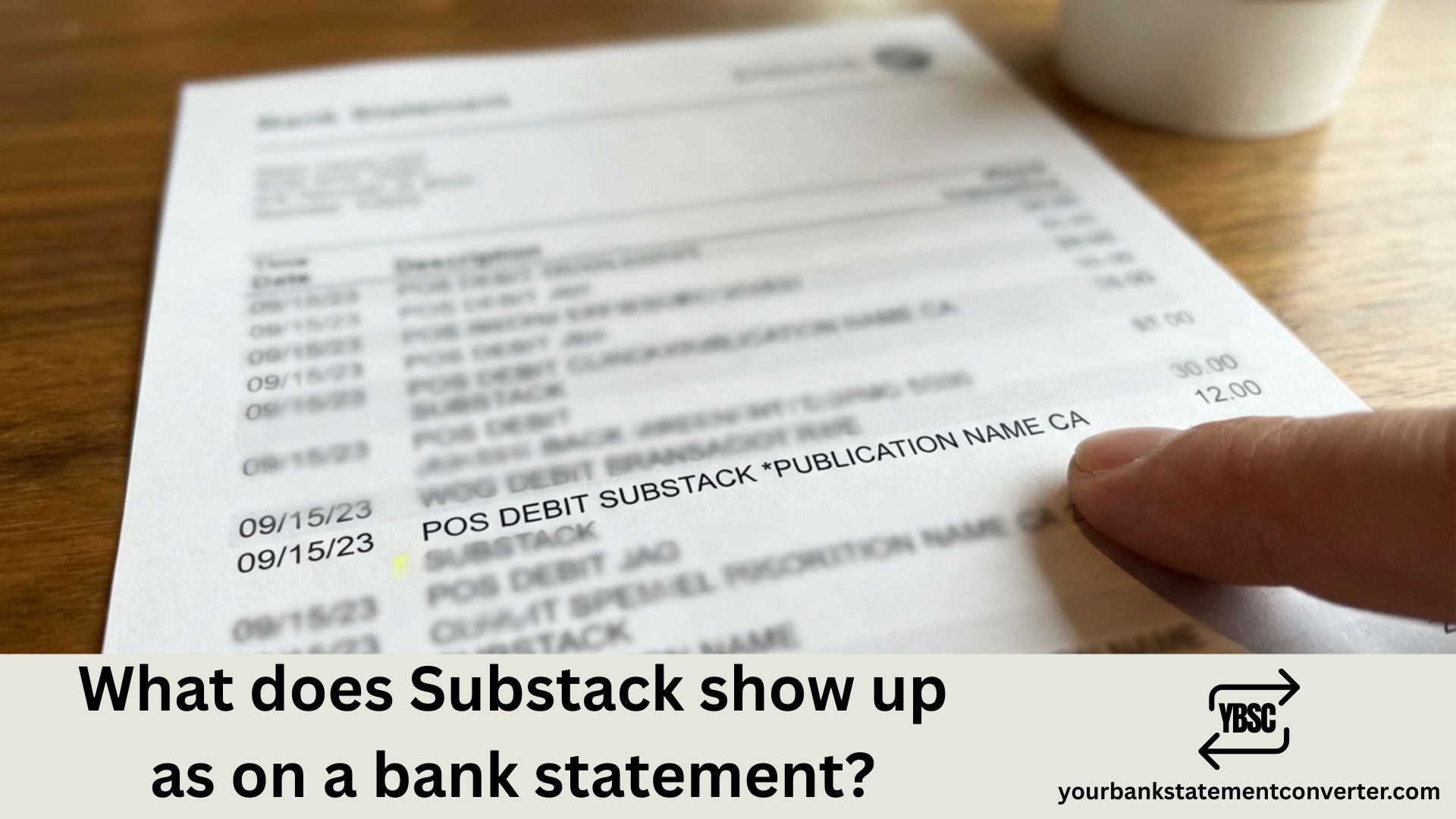
Noticed an unfamiliar recurring charge on your bank statement and wondering if it’s from a newsletter subscription? If you subscribe to paid newsletters, podcasts, or other content on Substack, you might be confused about how these charges appear on your financial records. Unlike most retailers with standardized merchant names, Substack charges can look vastly different depending on which publication you subscribe to.
What Does Substack Show Up As on a Bank Statement
Unlike traditional purchases, Substack transactions typically do not appear as “SUBSTACK” on your bank statement. Instead, the charge usually displays as the newsletter or publication name that you subscribed to, since each Substack creator sets their own statement descriptor through Stripe (Substack’s payment processor).
Common Substack Bank Statement Formats
Here’s how Substack subscription charges typically appear:
Publication Name as Descriptor:
- [NEWSLETTER NAME]
- [PUBLICATION NAME]
- [CREATOR’S BUSINESS NAME]
With Stripe Indicator:
- STRIPE* [PUBLICATION NAME]
- SP* [NEWSLETTER NAME]
Apple In-App Purchases (iOS Subscriptions):
- APPLE.COM/BILL
- APL*SUBSTACK
- APPLE.COM/US
Examples of How Real Substack Charges May Appear:
- THE DAILY DIGEST
- MORNING BREW NEWS
- JOHN DOE WRITES
- STRIPE* TECH INSIDER
- SP* FINANCE WEEKLY
Why Doesn’t Substack Appear Directly on My Statement?
Substack operates differently from typical subscription services. Here’s why:
1. Creator-Controlled Statement Descriptors
Each Substack publication is connected to the creator’s individual Stripe account. When you enable payments on Substack and connect to Stripe, you’ll have the opportunity to add a statement descriptor. This means the publication owner—not Substack—determines what appears on your bank statement.
If you already have a Stripe account, Substack allows you to connect your publication to an existing Stripe account. However, creating a new account for your publication will allow you to make sure that your newsletter name appears on your subscribers’ credit card statements.
2. Stripe Payment Processing
Substack uses Stripe as its sole payment processor. Stripe collects credit card payments from subscribers, holds them in an account for the writer, and then distributes them to the writer’s bank account. This means charges may sometimes include Stripe prefixes or identifiers.
3. Apple In-App Purchases
If you subscribed through the Substack iOS app, Apple processes the payment instead of Stripe. These charges appear under Apple’s billing descriptors rather than the publication name.
Common Substack Statement Descriptor Variations
| Payment Method | How It May Appear |
|---|---|
| Web Subscription (Credit Card) | [Publication Name] or STRIPE* [Name] |
| Web Subscription (Debit) | [Publication Name] |
| iOS In-App Purchase | APPLE.COM/BILL or APL*SUBSTACK |
| European Direct Debit (SEPA) | [Publication Name] with bank reference |
| iDEAL/Bancontact/Sofort | Regional payment processor name |
How to Identify a Substack Charge on Your Statement
If you see an unfamiliar recurring charge and suspect it might be a Substack subscription, follow these verification steps:
Step 1: Check the Amount
Typical Substack subscription amounts are:
- Monthly: $5-$15 (most common: $5-$7)
- Annual: $50-$150 (most common: $50-$70)
- Founding Member: $100-$500/year
Step 2: Review Your Substack Account
- Log into your Substack account at substack.com
- Click on your profile icon
- Navigate to “Settings” → “Payments”
- View all your active paid subscriptions
Step 3: Check Your Email
Search your inbox for:
- “Thank you for subscribing”
- “Your subscription to”
- “substack.com”
- Receipt or invoice emails from Stripe
Step 4: Match Transaction Dates
Compare the charge date on your bank statement with subscription renewal dates shown in your Substack account.
Simplify Your Subscription Tracking with Better Tools
Managing multiple Substack subscriptions—each appearing with different names on your statement—can make expense tracking challenging. YourBankStatementConverter.com helps you organize and categorize all your bank transactions, including those tricky newsletter subscriptions.
With YourBankStatementConverter.com, you can:
- Convert PDF bank statements to Excel or CSV format
- Categorize recurring subscription charges
- Identify unfamiliar merchant names
- Track monthly subscription spending
- Prepare financial records for budgeting or tax purposes
Stop struggling to reconcile mysterious charges. Try YourBankStatementConverter.com today →
What About Substack Refunds on Bank Statements?
If you cancel a Substack subscription and receive a refund, it typically appears as:
- REFUND – [PUBLICATION NAME]
- STRIPE REFUND
- CR [PUBLICATION NAME] (credit notation)
- The original merchant name with a negative amount
Refund processing times vary but generally take 5-10 business days to appear on your statement.
Understanding Substack Recurring Charges
Monthly vs. Annual Billing
Substack subscriptions can be billed monthly or annually:
- Monthly subscriptions: Charge on the same date each month
- Annual subscriptions: Charge once per year on your subscription anniversary
If you see an unexpectedly large charge, check if you have an annual subscription renewing.
Multiple Substack Subscriptions
If you subscribe to multiple Substack newsletters, each will appear as a separate charge with its own descriptor. There’s no consolidated “Substack” charge for multiple subscriptions.
How to Change or Cancel Substack Subscriptions
If you identify an unwanted Substack charge:
To Cancel a Subscription:
- Go to your Substack account settings
- Navigate to “Subscriptions”
- Find the publication
- Click “Manage subscription” → “Cancel”
To Update Payment Information:
- Log into Substack
- Go to “Settings” → “Payment Information”
- Click “Edit” next to Payment method
- Update your card details
Recognizing Fraudulent Substack-Like Charges
Watch for these warning signs of potentially fraudulent charges:
- Unfamiliar publication names you don’t recall subscribing to
- Unusual amounts that don’t match standard Substack pricing ($5, $7, $10/month typical)
- Multiple charges from the same publication in one billing cycle
- Charges without corresponding welcome emails or access to content
If you suspect fraud:
- Contact your bank immediately
- Dispute the charge
- Check if your email has been compromised
- Review your Substack account for unauthorized subscriptions
Tracking Substack Subscriptions on Your Bank Statement: Key Takeaways
Understanding how Substack appears on your bank statement requires knowing that each publication sets its own statement descriptor. Unlike platforms like Netflix or Spotify with consistent branding, Substack charges show the individual newsletter name—which can make identification challenging if you’ve forgotten what you subscribed to.
For subscribers managing multiple newsletters and recurring payments, using tools like YourBankStatementConverter.com can help you convert statements into organized formats, making it easier to track every subscription and identify unfamiliar charges quickly.
Frequently Asked Questions (FAQs)
What does Substack show up as on a credit card statement?
Substack charges typically appear as the publication or newsletter name you subscribed to, not as “Substack.” Each creator sets their own statement descriptor through Stripe. You might see formats like “[Newsletter Name],” “STRIPE* [Publication Name],” or the creator’s business name. iOS app subscriptions appear as “APPLE.COM/BILL” instead.
Why doesn’t my bank statement say Substack?
Substack uses Stripe as its payment processor, and each creator connects their own Stripe account with a custom statement descriptor. A statement descriptor explains charges or payments on bank or credit card statements which makes it easier for subscribers to recognize their monthly or annual charge from your Substack. The creator typically sets this to their publication name, not “Substack.”
How do I find out which Substack I’m paying for?
Log into your Substack account, go to Settings → Payments or Subscriptions to see all active paid subscriptions. You can also search your email for “substack” to find subscription confirmation emails, which will identify the publication name that appears on your statement.
Can I change what Substack charges appear as on my statement?
As a subscriber, you cannot change the statement descriptor—only the publication owner can modify this through their Stripe settings. If you’d like to change the statement descriptor, head to your Stripe account and in the “Statement descriptor” field, enter 5-22 characters in the text box.
Why do I have multiple Substack charges on my statement?
Each Substack subscription you hold is processed separately through the creator’s individual Stripe account. Unlike bundled services, Substack doesn’t consolidate charges. If you subscribe to three newsletters, you’ll see three separate charges with three different merchant names.
What does a Substack refund look like on my bank statement?
Substack refunds typically appear with “REFUND” or “CR” (credit) notation alongside the original publication name or as “STRIPE REFUND.” The refund amount should match your original payment. Processing time is usually 5-10 business days depending on your bank.
How much does Substack charge per month?
Substack itself is free for subscribers to use. Subscription plans, such as monthly and annual, are set by creators. Most paid newsletters charge between $5-$15 per month or $50-$150 annually, with the most common price point being $5/month or $50/year.
Is a charge from Stripe the same as Substack?
Not always, but often yes. Many Substack subscriptions show “STRIPE*” as a prefix because Stripe processes payments for Substack creators. However, Stripe is used by millions of businesses, so a Stripe charge could also be from other services. Check the full descriptor name following “STRIPE*” to identify the merchant.
How do I cancel a Substack subscription showing on my statement?
Log into your Substack account, navigate to Settings → Subscriptions, find the publication matching your bank charge, and click “Manage subscription” → “Cancel.” Your access continues until the end of your current billing period, and you won’t be charged again.
Why does my Substack charge say Apple instead of the newsletter name?
If you subscribed through the Substack iOS app using Apple’s in-app purchase system, Apple processes the payment directly. These charges appear as “APPLE.COM/BILL” or similar Apple billing descriptors. To see which Substack publication it’s for, check your Apple purchase history in your device settings.
Managing multiple subscriptions can get confusing. Visit YourBankStatementConverter.com to easily convert and organize your bank statements for better financial tracking.







