
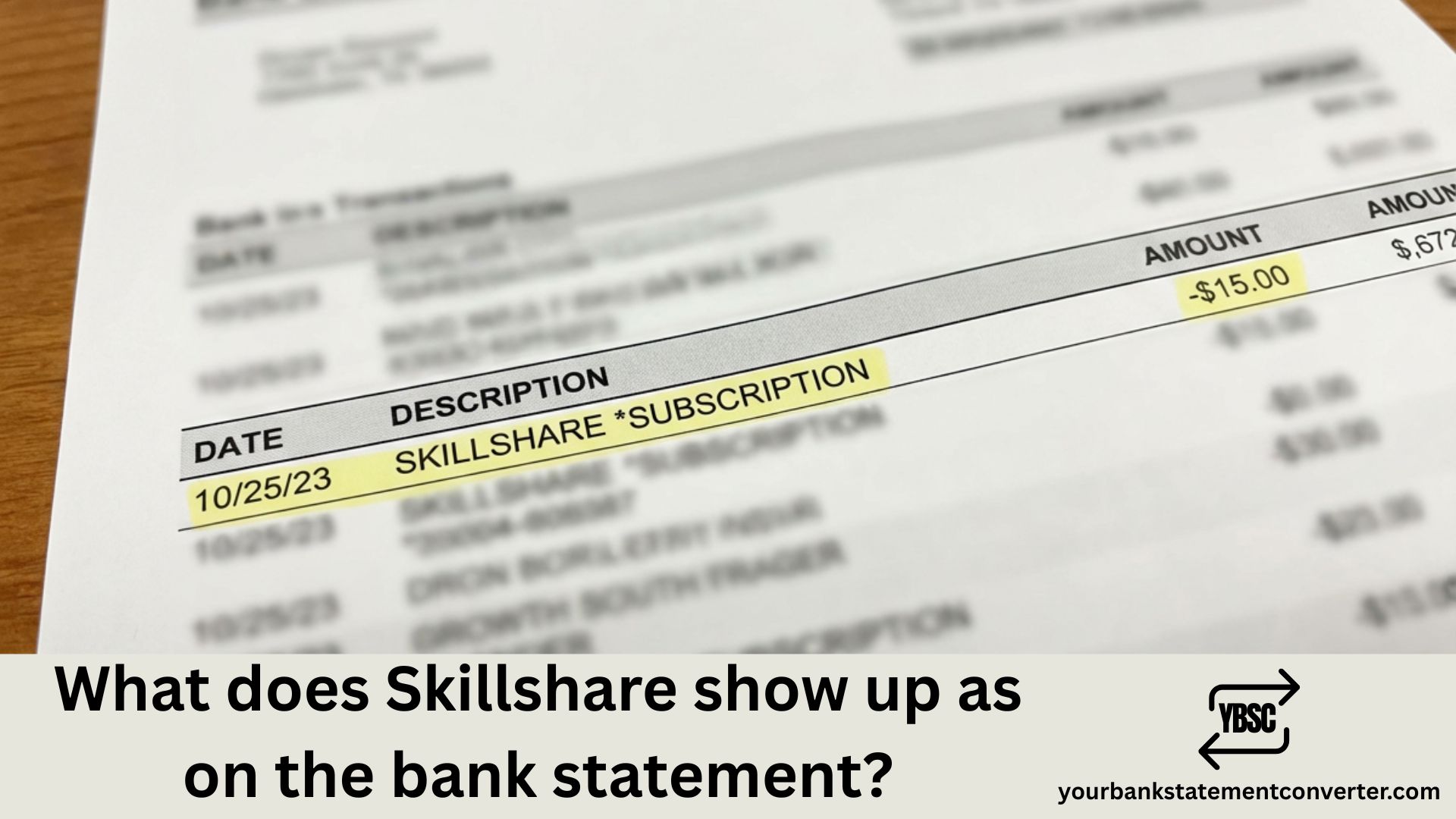
Noticed an unfamiliar charge on your bank statement and wondering if it’s from Skillshare? You’re not alone. Many subscribers get confused when they see cryptic transaction descriptions appear on their credit card or bank statements. Understanding how Skillshare appears on your financial records helps you track subscriptions, identify legitimate charges, and spot potential unauthorized transactions quickly.
What Does Skillshare Show Up as on a Bank Statement?
Skillshare charges typically appear on your bank or credit card statement as one of these descriptors:
- HELP.SKILLSHARE.COM
- Skillshare, Inc.
- SKILLSHARE.COM
- SKILLSHARE INC
The exact wording may vary slightly depending on your bank’s formatting and the payment method used. Some banks truncate longer descriptions, so you might see shortened versions like “SKILLSHARE” or “SKILLSHARE.COM CA” (where CA indicates California, their headquarters location).
Common Skillshare Charge Amounts to Expect
| Charge Type | Amount (USD) | Description |
|---|---|---|
| Pre-authorization | $0.00 – $1.00 | Verification charge when adding payment method |
| Annual Plan | $168.00 | Full year subscription (billed upfront) |
| Monthly Plan | $32.00 | Month-to-month subscription |
| Teams Plan | $159.00/user | Business/corporate annual subscription |
Why You Might See Unexpected Skillshare Charges
Several scenarios can lead to surprise charges appearing on your statement.
Free trial conversion is the most common culprit. When you sign up for Skillshare’s free trial, your payment method is stored automatically. If you don’t cancel before the trial ends, your card gets charged the full annual amount of $168.
Auto-renewal charges catch many users off guard. Skillshare memberships renew automatically each year, and since the platform primarily offers annual billing, the charge can feel unexpected if you forgot about the subscription.
Pre-authorization holds sometimes appear as small $1.00 charges. These temporary holds verify your payment information when you add or update your card details and typically disappear within a few days.
Shared account charges occur when a family member or someone with access to your payment method signed up using your card without your knowledge.
How to Verify Skillshare Charges on Your Account
If you’re unsure whether a charge is legitimate, follow these steps:
- Log into your Skillshare account at skillshare.com
- Navigate to Account Settings
- Click on Membership & Payments
- Review your billing history and upcoming renewal dates
Not sure if you have a Skillshare account? Try the password reset feature with email addresses you commonly use. This reveals whether an account exists under your name.
Need to Convert Your Bank Statement to PDF or Excel?
Managing multiple subscriptions across various bank statements can get messy. If you’re trying to track charges like Skillshare, organize your finances, or prepare documentation for expense reports, converting your bank statements to editable formats makes everything easier.
YourBankStatementConverter.com offers a fast, secure solution to convert your bank statements from PDF to Excel, CSV, or other formats. Whether you need to:
- Track recurring subscription charges like Skillshare
- Organize financial records for tax purposes
- Create expense reports for business reimbursements
- Analyze your spending patterns across multiple accounts
The tool handles statements from all major banks and maintains complete accuracy during conversion. Simply upload your statement, choose your output format, and download your organized data in seconds.
Try YourBankStatementConverter.com today →
How to Cancel Skillshare and Stop Future Charges
If you want to prevent future Skillshare charges, cancellation is straightforward for direct subscribers:
- Sign in to your Skillshare account
- Go to Settings → Membership & Payments
- Click “Cancel Membership”
- Confirm cancellation
Important notes:
- Canceling doesn’t provide a prorated refund—you keep access until the billing period ends
- If you subscribed through Apple App Store or Google Play, you must cancel through those platforms instead
- Skillshare offers refunds only within 7 days of purchase for annual memberships
What If You Don’t Recognize the Skillshare Charge?
When you spot a Skillshare charge but don’t recall signing up, take these steps:
Check for shared access. Ask family members or anyone with access to your payment methods if they created an account.
Search your email. Look for welcome emails or receipts from Skillshare in your inbox and spam folders.
Contact Skillshare support. Reach out at help@skillshare.com with your bank statement details. They can investigate whether a charge is linked to your email.
Dispute with your bank. If Skillshare confirms no account exists, file a dispute with your credit card company or bank for an unauthorized charge.
Understanding Skillshare’s Billing Practices
Skillshare operates differently from many subscription services. The platform primarily uses annual billing rather than monthly payments, which means you pay the full year upfront. This business model explains why charges often surprise users—seeing a $168 charge feels more significant than smaller monthly debits.
The company accepts Visa, Mastercard, American Express, Discover, PayPal, Google Pay, and Apple Pay. Payment method affects how the charge description appears, though “SKILLSHARE” or “HELP.SKILLSHARE.COM” remains consistent across most banks.
Skillshare Bank Statement Charges: Key Takeaways
Understanding how Skillshare shows up on your bank statement protects you from confusion and helps identify legitimate versus unauthorized charges. The company uses clear descriptors like “HELP.SKILLSHARE.COM” and “Skillshare, Inc.” making identification relatively straightforward once you know what to look for.
Keep track of your subscription renewal dates, monitor your statements regularly, and use tools like YourBankStatementConverter.com to maintain organized financial records across all your accounts.
Frequently Asked Questions
What does Skillshare charge look like on credit card statement?
Skillshare charges appear as “HELP.SKILLSHARE.COM” or “Skillshare, Inc.” on most credit card statements. The charge amount is typically $168 for annual subscriptions or $32 for monthly plans. You might also see small $1.00 pre-authorization charges when updating payment information.
Why is Skillshare charging me when I have a free trial?
Skillshare requires payment information for free trials. You won’t be charged during the trial period, but if you don’t cancel before it ends, the system automatically charges your annual subscription fee ($168). A small $1.00 pre-authorization may appear initially to verify your card works.
How do I stop Skillshare from charging my card?
Cancel your membership through Account Settings → Membership & Payments before your next billing date. For subscriptions through Apple App Store or Google Play, cancel directly through those platforms. Remember that cancellation stops future charges but doesn’t refund the current billing period.
Can I get a refund from Skillshare?
Skillshare offers refunds only within 7 days of purchasing an annual membership, and only for one refund per customer lifetime. After this window, you can cancel but will retain access until your subscription period ends without receiving money back.
What is the $1 charge from Skillshare?
The $1 charge is a pre-authorization hold that Skillshare uses to verify your payment method. This temporary charge confirms your card is valid and typically disappears from your statement within a few business days. It’s not an actual charge for services.
Does Skillshare charge monthly or yearly?
Skillshare primarily charges annually at $168 per year, billed upfront. While a monthly option exists at $32 per month, the annual plan provides better value. The annual charge appears as a single transaction rather than recurring monthly debits.
How do I find my Skillshare billing history?
Log into your Skillshare account, go to Account Settings, and select Membership & Payments. This section displays your complete billing history, payment methods on file, and upcoming renewal dates. You can also download receipts for each transaction.
What bank statement converter works best for tracking subscriptions?
YourBankStatementConverter.com converts bank statements from PDF to Excel or CSV format, making it easy to search, filter, and track recurring charges like Skillshare. The tool works with statements from all major banks and maintains complete data accuracy.







