
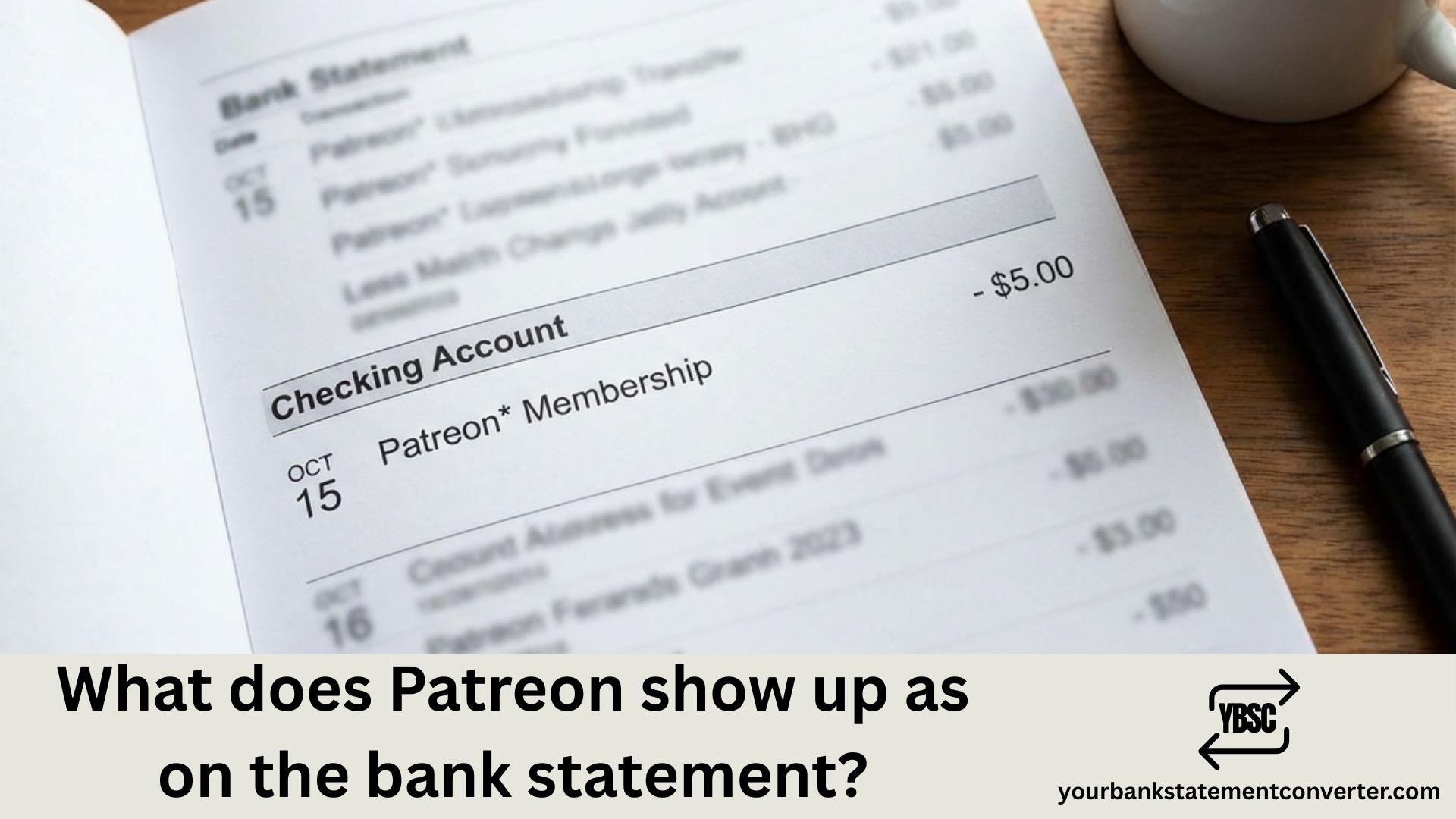
Spotted an unfamiliar charge and wondering if it’s from Patreon? With millions of people supporting creators through monthly pledges, Patreon charges are increasingly common on bank statements—but they don’t always appear in an obvious way. Understanding how Patreon shows up on your bank statement helps you track your creator subscriptions, verify legitimate transactions, and quickly catch any unauthorized charges.
What Does Patreon Show Up as on a Bank Statement
Patreon charges typically appear on bank statements with variations of the company name, often combined with location information or payment processor details. Here are the most common descriptors:
Standard Patreon Charges:
- PATREON
- PATREON.COM
- PATREON INC
- PATREON* MEMBERSHIP
- PATREON SAN FRANCISCO
- PATREON SF CA
With Creator Names:
- PATREON* [Creator Name]
- PATREON*MEMBER [Creator Name]
Payment Processor Variations:
- PAYPAL*PATREON
- STRIPE* PATREON (less common)
Third-Party Billing:
- APPLE.COM/BILL (if subscribed through iOS app)
- GOOGLE*PATREON (if subscribed through Google Play)
Unlike some subscriptions with fixed prices, Patreon charges vary based on which creators you support and your pledge amounts—ranging from $1 to $100+ per creator per month.
Why Patreon Charges Can Be Confusing
Several factors make Patreon bank statement entries harder to recognize:
Multiple charges for multiple creators — If you support five creators, you might see five separate Patreon charges on your statement, each potentially showing different amounts.
Billing date variations — Patreon processes payments at the beginning of each month, but your bank might post them over several days. Some creators use “charge upfront” billing, which charges immediately upon subscribing.
Creator-specific descriptors — Some statements include the creator’s name alongside Patreon, which can look unfamiliar if you support many creators and don’t recognize truncated names.
Currency conversion — International supporters see converted amounts plus potential foreign transaction fees, as Patreon is a US-based company.
Declined payment retries — If your initial payment fails, Patreon retries multiple times throughout the month, potentially causing unexpected charge dates.
Understanding Patreon’s Billing Cycle
Patreon uses a specific billing structure that affects how charges appear:
Monthly billing (1st of month) — Most pledges are charged on the 1st of each month for that month’s membership. Your bank might show the charge dated the 1st, 2nd, or 3rd depending on processing times.
Charge upfront — Some creators enable immediate billing, so you’re charged when you first subscribe and then again on the 1st of the following month.
Per-creation billing — A few creators charge per piece of content rather than monthly. These charges appear whenever new content is posted, making them less predictable.
Annual memberships — Some creators offer yearly billing options, resulting in larger one-time charges instead of monthly transactions.
How to Verify a Patreon Charge
Before disputing any charge, confirm whether it’s a legitimate Patreon transaction:
- Check your Patreon account — Log into patreon.com and click “Manage Memberships” to see all active pledges and payment history
- Review your pledge receipts — Patreon sends email receipts for each successful charge; search your inbox for “Patreon receipt” or “pledge processed”
- Check the amount — Cross-reference the charge amount with your active pledges to identify which creator(s) the payment supports
- Review declined payment history — If a payment failed earlier, the charge might be a retry appearing on an unexpected date
- Check family accounts — Household members might have Patreon subscriptions linked to a shared payment method
Managing Multiple Patreon Subscriptions in Your Records
For active Patreon supporters backing several creators, bank statement charges can quickly become overwhelming. You might have 10, 20, or even more separate Patreon transactions each month—each with slightly different descriptors and amounts. Tracking these alongside other subscriptions creates a financial management challenge.
Pro Tip: Streamline your subscription tracking with Your Bank Statement Converter. Convert your PDF bank statements into organized Excel or CSV formats, making it easy to filter all Patreon charges, calculate your total monthly creator support spending, and maintain clean financial records without manual data entry.
This tool is particularly helpful for:
- Content creators tracking Patreon as a business expense
- Supporters managing multiple creator subscriptions
- Accountants categorizing client entertainment or research expenses
- Freelancers separating personal patronage from business subscriptions
- Anyone wanting a clear monthly overview of all recurring charges
How to Cancel or Manage Patreon Memberships
If you’ve identified a Patreon charge you want to stop:
To cancel a specific creator membership:
- Log into patreon.com
- Click your profile icon → “Manage Memberships”
- Find the creator you want to stop supporting
- Click “Edit” → “Cancel Membership”
- Confirm cancellation
To cancel all memberships: Repeat the above process for each creator, or delete your payment method after canceling all active pledges.
For iOS app subscriptions: Settings → [Your Name] → Subscriptions → Patreon → Cancel
For Google Play subscriptions: Play Store → Profile → Payments & Subscriptions → Subscriptions → Patreon → Cancel
Important: Canceling mid-month doesn’t trigger a refund for that month—you’ll retain access until the end of your billing period.
For unauthorized charges: Contact Patreon support at patreon.com/support before initiating a bank dispute. Provide transaction details for faster resolution.
Common Patreon Charge Scenarios
| Scenario | Statement Appearance | Typical Amount |
|---|---|---|
| Single creator pledge | PATREON* [Name] | $1 – $100+ |
| Multiple creator support | Multiple PATREON entries | Varies per creator |
| Annual membership | PATREON (one-time) | $12 – $1,000+ |
| Per-creation billing | PATREON* [Name] (variable dates) | Based on content posted |
| Charge upfront + monthly | Two PATREON charges in first month | Pledge amount × 2 |
Note: Amounts depend entirely on your chosen pledge tiers for each creator.
Patreon Bank Statement Charges: Key Takeaways
Recognizing Patreon on your bank statement means looking for “PATREON,” “PATREON.COM,” or variations that include creator names. Unlike fixed-price subscriptions, your Patreon charges reflect your individual pledge amounts across potentially multiple creators, making verification slightly more complex. Always cross-reference statement charges with your Patreon membership page and email receipts to confirm legitimacy. Keeping organized records of your Patreon spending helps you budget for creator support and ensures no unauthorized charges slip through.
Frequently Asked Questions
Why do I have multiple Patreon charges on my bank statement?
Each creator you support on Patreon is charged separately. If you back five creators, you’ll see five individual Patreon charges on your statement. The amounts correspond to your pledge tier for each creator, and charges typically process around the 1st of each month.
Why was I charged twice by Patreon this month?
This usually happens when a creator has “charge upfront” enabled. You’re charged immediately when subscribing, then again on the 1st of the following month for that month’s membership. It can also occur if a declined payment was successfully retried later in the month.
How do I find out which creator a Patreon charge is for?
Log into patreon.com and go to “Manage Memberships” to see all active pledges with their amounts. Match the charge amount to your pledge tiers. You can also search your email for Patreon receipts, which specify the creator name for each transaction.
Why doesn’t my Patreon charge show the creator’s name?
Bank statement descriptors have character limits, so creator names may be truncated or omitted entirely. Some banks only display “PATREON” or “PATREON.COM” without additional details. Check your Patreon account or email receipts to identify specific creator charges.
Can I get a refund for a Patreon charge?
Patreon’s refund policy varies by situation. Contact the creator directly for membership-related issues, or reach out to Patreon support for billing errors or unauthorized charges. Refunds aren’t guaranteed, especially for content you’ve already accessed.
How do I stop all Patreon charges?
Cancel each creator membership individually through patreon.com under “Manage Memberships.” After canceling all pledges, remove your payment method from your account settings to prevent future charges. You can also cancel through iOS or Google Play if you subscribed via mobile apps.
Why is Patreon charging me on different dates each month?
While Patreon typically bills on the 1st of each month, bank processing times vary. Your statement might show charges dated the 1st, 2nd, or 3rd. Per-creation pledges charge whenever creators post content, causing variable dates. Failed payment retries can also cause unexpected charge dates throughout the month.
What does PATREON SF CA mean on my statement?
“PATREON SF CA” indicates a charge from Patreon’s headquarters in San Francisco, California. This is a standard transaction descriptor and confirms the charge is from the legitimate Patreon company rather than a fraudulent source.







