
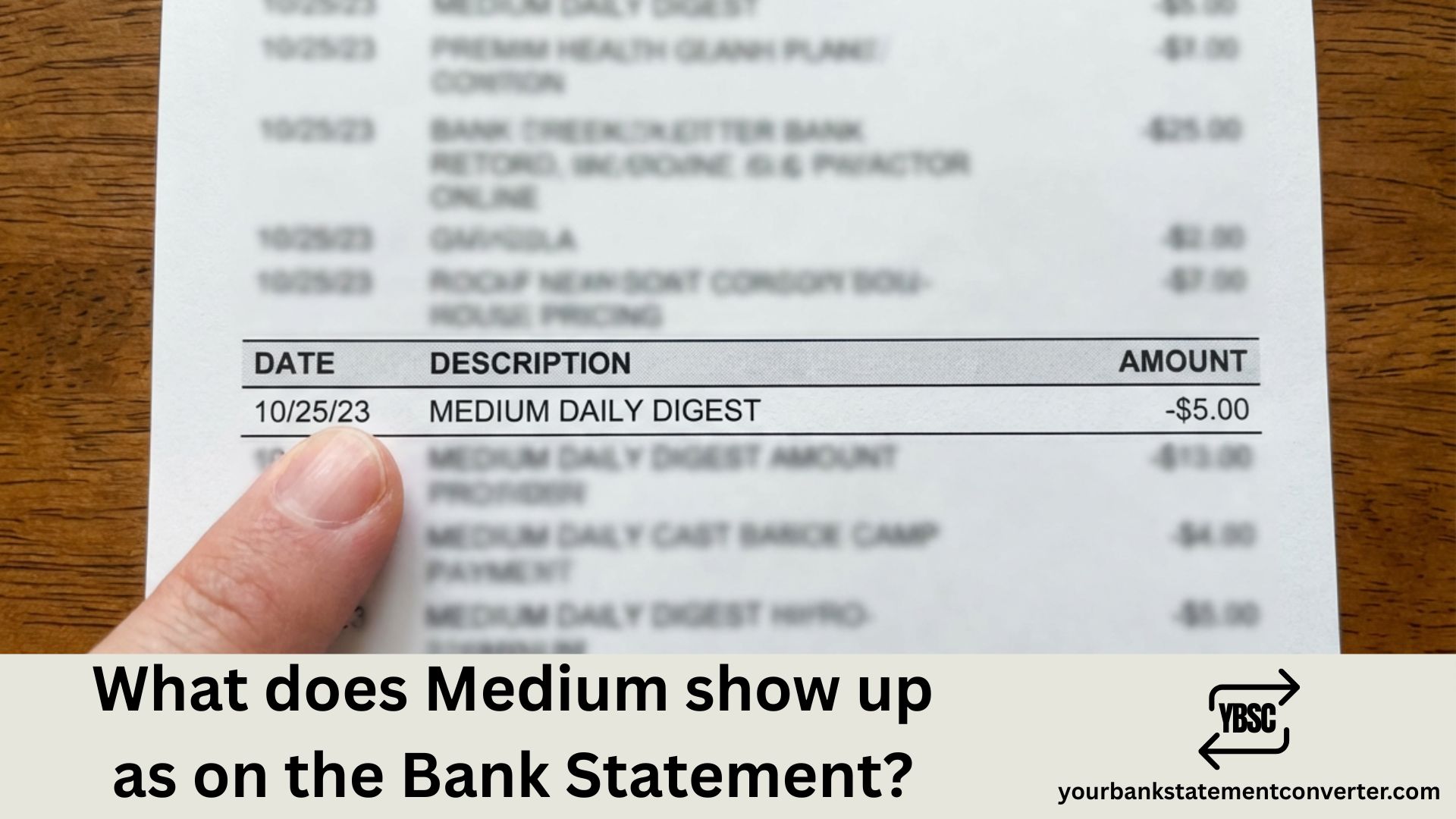
Ever spotted an unfamiliar charge on your bank statement and wondered if it’s legitimate? If you’re a Medium subscriber, you might be puzzled by how this popular online publishing platform appears on your credit card or bank statement. Understanding these transaction descriptors is essential for tracking your subscriptions, identifying unauthorized charges, and maintaining healthy financial records.
In this comprehensive guide, we’ll break down exactly how Medium charges appear on your bank statement, the different descriptor variations you might encounter, and what to do if you see an unexpected Medium charge.
What Does Medium Show Up As on the Bank Statement?
Medium subscription charges typically appear on your bank or credit card statement with variations of the following descriptors:
- MEDIUM.COM – The most common descriptor for direct website subscriptions
- MEDIUM* – May appear with additional transaction details
- MEDIUM MEMBERSHIP – Full descriptor for membership charges
- MEDIUM SAN FRANCISCO CA – Includes company location information
- APPLE.COM/BILL – If subscribed through the iOS app
- GOOGLE*MEDIUM – If subscribed through the Android app
The exact descriptor depends on how you subscribed (website, iOS app, or Android app) and your bank’s display format. Medium uses Stripe as its payment processor, which may also influence how the charge appears.
Medium Membership Pricing and Charge Amounts
Understanding the charge amounts can help you quickly identify legitimate Medium transactions:
| Membership Tier | Monthly Price | Annual Price |
|---|---|---|
| Medium Member | $5/month | $50/year |
| Friend of Medium | $15/month | $150/year |
| Authorization Hold | $1 (temporary) | Credited back |
Medium subscriptions are recurring payments that automatically renew monthly or annually on the same day you initially subscribed.
Why Your Medium Charge Might Look Unfamiliar
Several factors can make Medium charges appear confusing on your statement:
- Truncated Descriptors: Banks often limit statement descriptors to 22 characters, cutting off important identifying information.
- Third-Party Billing: Subscriptions through Apple or Google may show their billing names instead of Medium.
- Free Trial Conversion: You may have forgotten about a free trial that converted to a paid subscription.
- Family Member Subscription: Someone with access to your card may have subscribed.
How to Verify a Medium Charge on Your Statement
If you’re unsure whether a charge is legitimate, follow these verification steps:
Check Your Medium Account
- Log in to your Medium account at medium.com
- Click on your profile picture and select “Settings”
- Navigate to “Membership and payment”
- Click “Membership billing history” to view all charges
Check Email Receipts
Search your email for receipts from:
- Medium – Direct subscription receipts
- Apple – Subject line: “Your receipt from Apple”
- Google – Subject line: “Your Google Play Order Receipt”
Simplify Your Bank Statement Analysis
Tracking subscription charges like Medium across multiple bank statements can be time-consuming and confusing. If you regularly need to analyze, convert, or organize your bank statements for accounting, loan applications, or personal finance management, manual review becomes impractical.
This is where Your Bank Statement Converter becomes invaluable. This professional tool helps you:
- ✅ Convert PDF bank statements to Excel, CSV, or other formats
- ✅ Easily search and identify specific transactions like Medium charges
- ✅ Organize financial data for accounting and tax purposes
- ✅ Track recurring subscriptions across multiple accounts
- ✅ Prepare statements for mortgage applications and financial verification
Whether you’re a freelancer tracking business expenses, a household managing multiple subscriptions, or a professional preparing financial documents, yourbankstatementconverter.com streamlines your bank statement management process.
How to Cancel Medium Subscription
If you want to stop future Medium charges, the cancellation process depends on how you subscribed:
Subscribed via Medium.com
→ Go to Settings → Membership and payment → Cancel membership
Subscribed via iOS App
→ Go to iPhone Settings → [your name] → Subscriptions → Medium → Cancel
Subscribed via Android App
→ Go to Google Play → Profile → Payments & subscriptions → Subscriptions → Medium → Cancel
⚠️ Important: Simply deleting the app or your Medium account does NOT cancel your subscription. You must explicitly cancel through the appropriate platform to stop charges.
What to Do If You See an Unauthorized Medium Charge
If you’ve verified that you don’t have a Medium subscription but see a charge:
- Contact Medium Support: Reach out via yourfriends.medium.com to inquire about the charge
- Check Family Members: Ask anyone with access to your card if they subscribed
- Contact Your Bank: If the charge is fraudulent, dispute it with your bank immediately
- Monitor Your Account: Watch for additional unauthorized charges and consider requesting a new card
Understanding Medium Bank Statement Charges: Key Takeaways
Knowing what Medium shows up as on your bank statement is crucial for maintaining accurate financial records and catching unauthorized transactions early. Medium typically appears as “MEDIUM.COM,” “MEDIUM,”* or “MEDIUM MEMBERSHIP” on your statement, though variations exist based on your subscription method and bank’s display format.
With subscription charges of $5/month or $50/year for regular membership (and $15/month or $150/year for Friend of Medium), these are easily identifiable once you know what to look for. Always verify unfamiliar charges through your Medium account settings or email receipts before taking action.
For efficient bank statement management and easy identification of recurring charges like Medium, consider using Your Bank Statement Converter to streamline your financial document processing and never miss an important transaction again.
Frequently Asked Questions (FAQs)
1. What does a Medium subscription charge look like on my credit card?
Medium charges typically appear as “MEDIUM.COM,” “MEDIUM*,” “MEDIUM MEMBERSHIP,” or “MEDIUM SAN FRANCISCO CA” on your credit card statement. If you subscribed through the iOS app, it may show as “APPLE.COM/BILL,” and Android subscriptions may appear as “GOOGLE*MEDIUM.”
2. Why do I see a $1 charge from Medium?
When you sign up for Medium membership, Stripe (Medium’s payment processor) may make a temporary $1 authorization to verify your card’s validity. This is not an actual charge and will be credited back to your account—it’s simply a verification hold.
3. How much does Medium charge monthly and annually?
Medium offers two membership tiers: Standard membership costs $5/month or $50/year, while the Friend of Medium premium tier costs $15/month or $150/year. All subscriptions automatically renew unless cancelled.
4. Will uninstalling the Medium app cancel my subscription?
No. Uninstalling the Medium app or deleting your Medium account will NOT automatically cancel your subscription. You must explicitly cancel through Medium’s website, the Apple App Store (for iOS subscriptions), or Google Play Store (for Android subscriptions) to stop recurring charges.
5. How can I get an invoice for my Medium subscription?
For website subscriptions, go to Settings → Membership and payment → Membership billing history → click “Invoice” next to your payment. For iOS subscriptions, check your Apple purchase history, and for Android subscriptions, check your Google Play purchase history.
6. Can I dispute a Medium charge with my bank?
If you believe a Medium charge is fraudulent or unauthorized, you can dispute it with your bank. However, first verify the charge by checking your Medium account, email receipts, and asking family members with card access. For legitimate billing issues, contact Medium support at yourfriends.medium.com before disputing with your bank.
7. What payment methods does Medium accept?
Medium accepts credit cards, debit cards, PayPal, and Apple Pay for direct website subscriptions. Through mobile apps, you can also use your App Store or Google Play payment methods. Some regions with banking restrictions on recurring payments may need to purchase a one-time gift membership instead.
8. How do I track and organize my subscription charges like Medium?
For efficient tracking of subscription charges across multiple accounts, use Your Bank Statement Converter to convert PDF bank statements into searchable Excel or CSV formats. This makes it easy to filter, categorize, and identify recurring charges from Medium and other subscription services.







