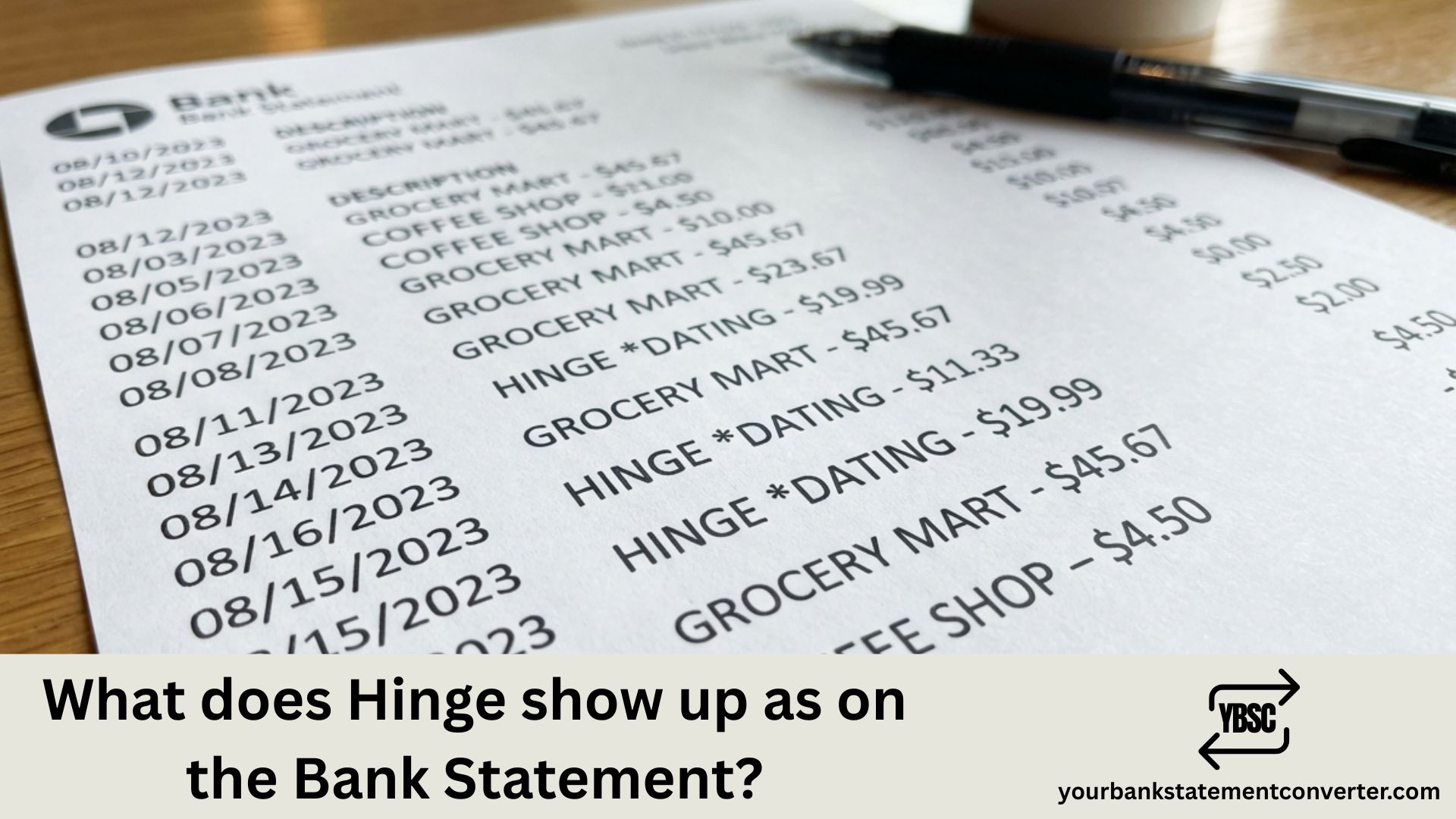
Ever noticed a mysterious charge on your bank statement and wondered if it’s from Hinge? You’re not alone. Dating app charges can appear under different names, making it tricky to track your subscriptions and expenses.
What Does Hinge Show Up as on Bank Statement
Hinge charges typically appear on your bank statement as one of these variations:
- HINGE or HINGE.CO
- MATCH GROUP or MATCH.COM (Hinge’s parent company)
- HINGE DATING
- HINGE MEMBERSHIP
- MG HINGE or MTCH*HINGE
The exact descriptor depends on your bank and the type of purchase—whether it’s a Hinge+ subscription, Hinge Preferred membership, or individual purchases like Roses and Standouts.
Common Hinge Charges to Expect
| Common Hinge Charges to Expect | |
| Charge Type | Typical Statement Description |
| Monthly subscription | HINGE MEMBERSHIP or MATCH GROUP |
| Weekly subscription | HINGE.CO or MTCH*HINGE |
| In-app purchases (Roses, Boosts) | HINGE or HINGE DATING |
Why Hinge Charges May Look Different
Since Match Group owns Hinge, some banks display the parent company name instead. International transactions might also show slight variations or include country codes.
Struggling to Track Your Dating App Subscriptions?
If you’re reviewing bank statements to monitor subscriptions like Hinge, Tinder, or Bumble, manually scanning through PDF statements is time-consuming. YourBankStatementConverter.com lets you instantly convert bank statement PDFs to Excel or CSV format—making it effortless to search, filter, and categorize all your recurring charges in seconds.
Perfect for tracking subscriptions, budgeting, or preparing financial records.
FAQs
1) Why does my bank statement show Match Group instead of Hinge?
Match Group is Hinge’s parent company, so some banks display the corporate name rather than the app name.
2) How do I cancel my Hinge subscription to stop these charges?
Cancel through your phone’s app store (Google Play or Apple App Store) under Subscriptions, not within the Hinge app itself.
3) Will Hinge charges show the specific feature I purchased?
Usually no—bank statements typically show a generic Hinge descriptor regardless of whether you bought Roses, Boosts, or a subscription.
4) How can I easily find all my Hinge charges in my bank statements?
Convert your PDF bank statements to Excel using YourBankStatementConverter.com, then use the search or filter function to find all Hinge-related transactions instantly.
5) Are Hinge charges refundable?
Hinge has a limited refund policy. Contact their support for subscription issues, or request a refund through Apple/Google for recent in-app purchases.


![What Is FSUK Payment on Bank Statement (Sports Direct Frasers Group)[2026]](https://yourbankstatementconverter.com/blog/wp-content/uploads/2026/03/What-Is-FSUK-Payment-on-Bank-Statement-Sports-Direct-Frasers-Group2026-300x169.jpg)
![What Does CR Mean on a Bank Statement (Credit Explained)[2026]](https://yourbankstatementconverter.com/blog/wp-content/uploads/2026/03/What-Does-CR-Mean-on-a-Bank-Statement-Credit-Explained2026-300x169.jpg)
![What Does BP Mean on a Bank Statement (Both Meanings Explained)[2026]](https://yourbankstatementconverter.com/blog/wp-content/uploads/2026/03/What-Does-BP-Mean-on-a-Bank-Statement-Both-Meanings-Explained2026-1-300x169.jpg)