
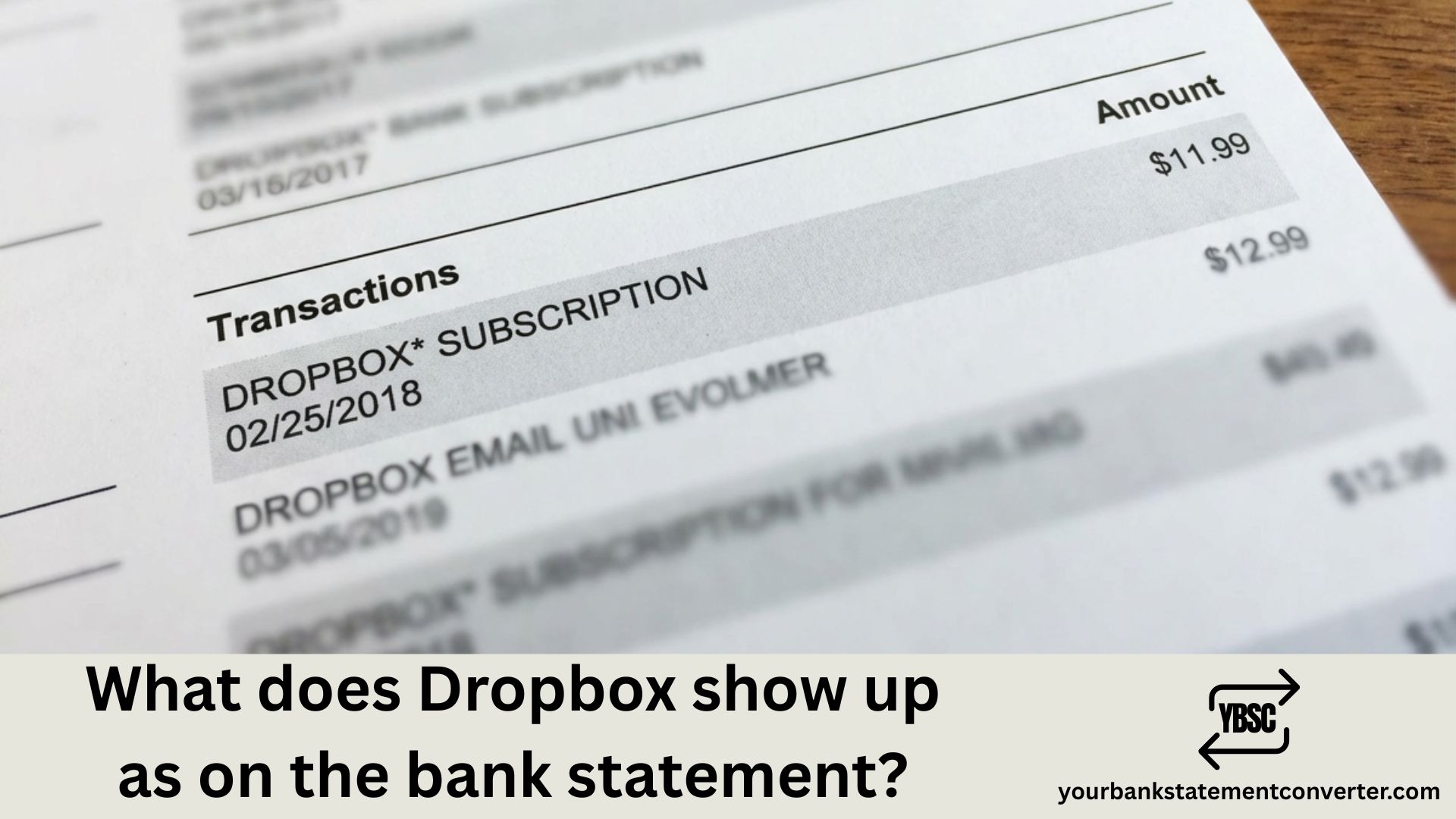
If you’ve spotted an unfamiliar charge on your bank statement and suspect it’s from Dropbox, you’re not alone. Many users find themselves puzzled by cryptic transaction descriptions that don’t immediately scream “Dropbox.” Understanding how Dropbox appears on your bank statement helps you track subscriptions, identify legitimate charges, and catch unauthorized transactions early.
What Does Dropbox Show Up as on a Bank Statement
Dropbox charges typically appear on bank statements under several variations, depending on your bank and the specific Dropbox service you’re subscribed to. Here are the most common descriptors:
Standard Dropbox Charges:
- DROPBOX*[Plan Name]
- DROPBOX.COM
- DROPBOX INC
- DROPBOX*PLUS
- DROPBOX*PROFESSIONAL
- DROPBOX*BUSINESS
- DROPBOX*FAMILY
Less Obvious Variations:
- DBX*DROPBOX
- DROPBOX SF CA
- DROPBOX SAN FRANCISCO
- PAYPAL*DROPBOX (if paid through PayPal)
- GOOGLE*DROPBOX (if subscribed through Google Play)
- APPLE.COM/BILL (if subscribed through Apple App Store)
The charge amount can help you identify which plan triggered the transaction. Dropbox Plus typically charges around $11.99/month or $119.88/year, while Dropbox Professional runs approximately $19.99/month or $199/year.
Why Dropbox Charges May Look Unfamiliar
Several factors contribute to confusing bank statement entries:
Billing cycle timing – Dropbox may charge on a different date than you signed up, especially after free trial conversions.
Currency conversion – International users might see slightly different amounts due to exchange rates, with additional descriptors from their bank.
Third-party billing – Subscriptions purchased through app stores show the platform’s name rather than Dropbox directly.
Business vs. personal accounts – Company Dropbox subscriptions might appear under your organization’s billing name.
How to Verify a Dropbox Charge
Before disputing any charge, take these steps:
- Check your Dropbox account – Log into dropbox.com and navigate to Settings > Billing to view your payment history
- Review your email – Search for receipts from no-reply@dropbox.com
- Check family members’ accounts – Someone in your household might have a subscription linked to your card
- Look for free trial sign-ups – Many forgotten trials auto-convert to paid subscriptions
Managing Your Dropbox Subscription and Bank Records
Keeping clean financial records becomes essential when you’re managing multiple subscriptions like Dropbox. Whether you’re a freelancer tracking business expenses, a bookkeeper reconciling client accounts, or simply someone who wants organized finances, having clear bank statement records matters.
Pro Tip: If you’re struggling to categorize subscription charges like Dropbox across multiple bank statements, consider using Your Bank Statement Converter to transform your PDF bank statements into organized Excel or CSV formats. This makes it significantly easier to search, filter, and categorize recurring charges—helping you spot subscription fees, identify patterns, and maintain accurate financial records without manual data entry.
The tool is particularly useful for:
- Accountants managing multiple client statements
- Small business owners tracking software subscriptions
- Freelancers separating personal and business expenses
- Anyone preparing for tax season
How to Cancel or Manage Dropbox Billing
If you’ve identified a Dropbox charge you want to stop:
For direct Dropbox subscriptions:
- Sign in to dropbox.com
- Click your profile picture → Settings
- Select the Billing tab
- Choose “Cancel plan” or modify your subscription
For App Store subscriptions:
- Apple: Settings → [Your Name] → Subscriptions → Dropbox → Cancel
- Google Play: Play Store → Menu → Subscriptions → Dropbox → Cancel
For unauthorized charges: Contact Dropbox support directly at dropbox.com/support before initiating a bank dispute—this often resolves issues faster.
Common Dropbox Charge Amounts to Recognize
| Plan | Monthly | Annual |
|---|---|---|
| Plus | $11.99 | $119.88 |
| Essentials | $22.00 | $198.00 |
| Professional | $24.99 | $239.88 |
| Business | $18/user | $180/user |
| Business Plus | $30/user | $288/user |
Note: Prices may vary by region and are subject to change.
Dropbox Bank Statement Charges: What You Need to Remember
Recognizing Dropbox on your bank statement comes down to looking for variations of “DROPBOX,” “DBX,” or third-party billing platforms if you subscribed through an app store. Always cross-reference unfamiliar charges with your Dropbox account billing history and email receipts before taking action. Staying on top of these subscription charges—along with other recurring payments—keeps your financial records accurate and prevents unwanted billing surprises.
Frequently Asked Questions
Why is Dropbox charging my bank account?
Dropbox charges your bank account or card when you have an active paid subscription (Plus, Professional, Family, or Business plans) or when a free trial has ended and converted to a paid plan. Check your Dropbox account settings under Billing to see your current plan status.
How do I find out if I have a Dropbox subscription?
Log into dropbox.com, click your profile icon, go to Settings, then select the Billing tab. This shows your current plan, payment method, billing history, and next charge date. You can also search your email for receipts from Dropbox.
Can I get a refund for an unwanted Dropbox charge?
Dropbox may offer refunds in certain circumstances, particularly for accidental renewals or unauthorized charges. Contact Dropbox support within 30 days of the charge for the best chance of resolution. Refund policies vary based on your region and how you subscribed.
Why don’t I recognize the Dropbox charge on my statement?
The charge might appear under variations like “DBXDROPBOX,” “DROPBOX SF CA,” or through third-party platforms like “APPLE.COM/BILL” or “PAYPALDROPBOX.” Family members might also have linked your payment method to their accounts.
How do I stop Dropbox from charging me?
Cancel your subscription through dropbox.com (Settings → Billing → Cancel plan) or through the app store where you originally subscribed. You’ll retain access until your current billing period ends, then revert to the free Basic plan.
Is a Dropbox charge on my statement fraudulent?
Not necessarily—most Dropbox charges are legitimate forgotten subscriptions or trial conversions. Verify by checking your Dropbox account, email receipts, and family members’ accounts before reporting fraud. If you confirm no one authorized the charge, contact both Dropbox and your bank.







