
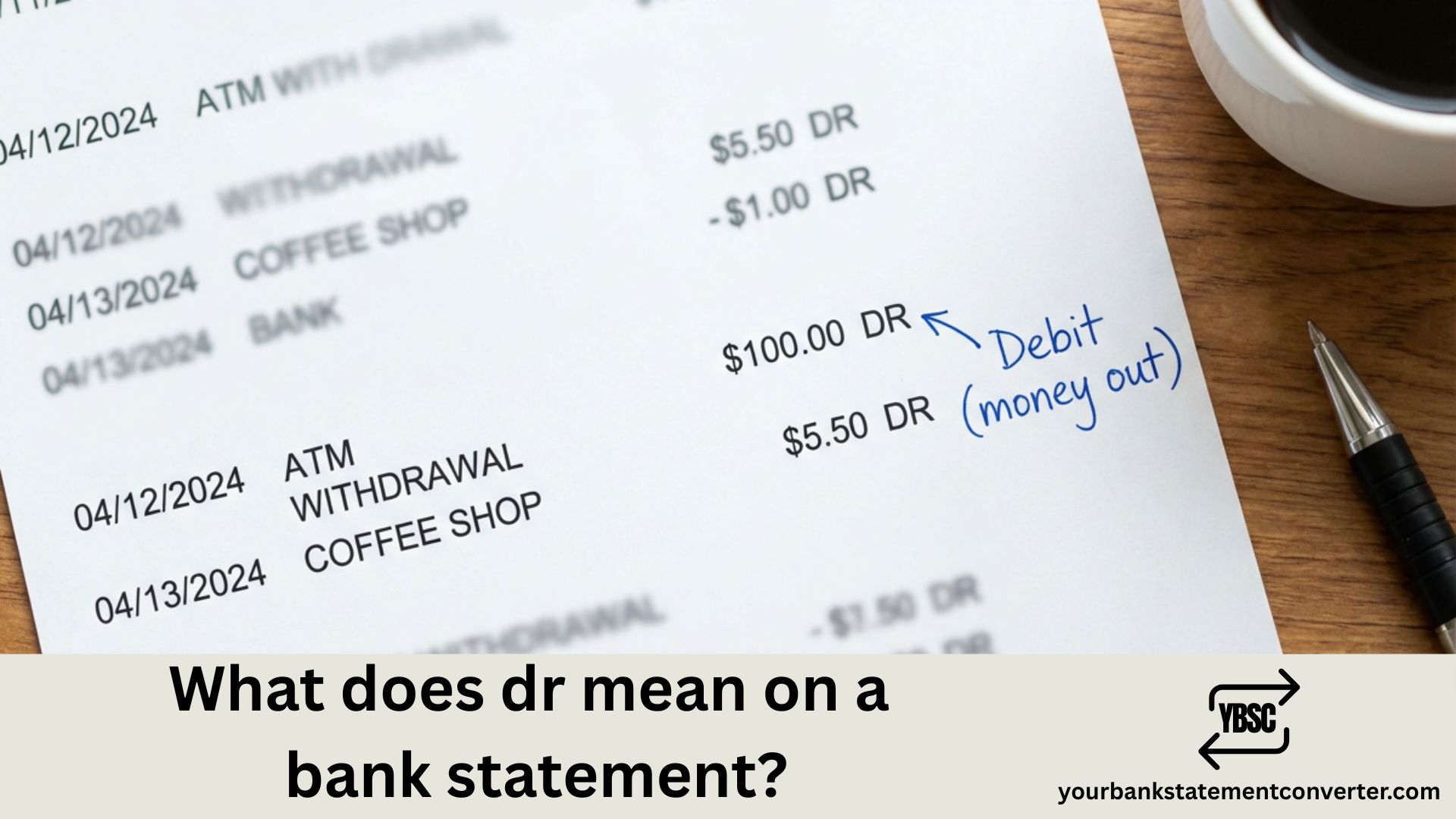
If you’ve spotted “DR” next to a transaction on your bank statement and wondered what it means, you’re not alone. This abbreviation appears on statements from UK banks like Barclays, HSBC, Lloyds, NatWest, and Halifax—and understanding it is essential for managing your finances effectively.
What Does DR Mean on a Bank Statement?
DR stands for Debit. It indicates money leaving your account—any payment, withdrawal, or charge that reduces your balance.
When you see DR next to a transaction, it means:
- Money has been taken out of your account
- Your available balance has decreased
- The transaction represents an outgoing payment
Common transactions marked with DR include:
- Direct Debits (utility bills, subscriptions, loan repayments)
- Standing orders
- Debit card purchases
- Cash withdrawals from ATMs
- Bank charges and fees
- Faster Payments and bank transfers you’ve sent
DR vs CR: Understanding the Difference
Your bank statement uses two key abbreviations:
| Abbreviation | Meaning | Effect on Balance | Examples |
|---|---|---|---|
| DR | Debit | Decreases balance | Purchases, bills, withdrawals |
| CR | Credit | Increases balance | Salary, refunds, transfers received |
Quick tip: Think of DR as money “DRaining” from your account, and CR as money “CRopping up” in your balance.
Why Do UK Banks Use DR Instead of “Debit”?
The abbreviations DR and CR originate from Latin terms used in double-entry bookkeeping—debere (to owe) and credere (to entrust). UK banks continue using these standard accounting terms to maintain consistency across financial documents.
From the bank’s perspective, when you deposit money, they owe it back to you (a liability), hence it’s a credit on their records. When money leaves, that liability decreases, recorded as a debit.
Common DR Transactions on UK Bank Statements
Here’s what typical DR entries look like on your statement:
- DD – Direct Debit (e.g., “DD BRITISH GAS DR £85.00”)
- SO – Standing Order
- TFR – Transfer to another account
- POS – Point of Sale (card payment)
- ATM – Cash machine withdrawal
- FPI – Faster Payment Out
- CHG – Bank charge or fee
If you see an unfamiliar DR transaction, check the description carefully. Some merchants trade under different names than their shop front displays.
How to Track and Manage Your DR Transactions
Reviewing multiple months of bank statements to track spending patterns, identify recurring debits, or prepare financial records can be time-consuming—especially when working with PDF statements.
YourBankStatementConverter.com instantly converts your PDF bank statements into organised Excel or CSV spreadsheets. This makes it simple to:
- Search and filter all DR transactions across multiple statements
- Categorise spending by payment type (Direct Debits, card purchases, standing orders)
- Identify recurring charges you may have forgotten about
- Prepare financial records for mortgage applications, tax returns, or budgeting
The tool works with statements from all major UK banks including Barclays, HSBC, Lloyds, NatWest, Santander, and Halifax—extracting transaction data accurately using AI and OCR technology.
👉 Try YourBankStatementConverter.com — Upload your PDF and get structured spreadsheet data in seconds.
What to Do If You Don’t Recognise a DR Transaction
If you spot an unfamiliar debit on your statement:
- Check the merchant name – Some retailers use trading names different from their store names
- Review the date and amount – Match it against receipts or your online purchase history
- Consider shared accounts – A family member may have made the purchase
- Check for subscription renewals – Free trials often convert to paid subscriptions automatically
- Contact your bank – If you’re certain the transaction is unauthorised, report it immediately through your banking app or by calling your bank’s fraud line
Understanding DR on Your Bank Statement: Key Takeaways
Knowing what DR means on your bank statement helps you take control of your finances. Every DR entry represents money leaving your account—whether that’s a mortgage payment, grocery shopping, or a streaming subscription. By regularly reviewing your statements and understanding these abbreviations, you can spot unauthorised transactions early, track your spending habits, and maintain better control over your budget.
For easier analysis of your banking transactions across multiple statements, convert your PDFs to Excel using YourBankStatementConverter.com—the fastest way to organise and search your financial data.
Frequently Asked Questions
What does DR mean on my bank statement?
DR stands for Debit. It indicates money has been taken out of your account, reducing your available balance. This includes card payments, Direct Debits, standing orders, cash withdrawals, and bank charges.
What is the difference between DR and CR on a bank statement?
DR (Debit) shows money leaving your account, while CR (Credit) shows money coming into your account. DR decreases your balance; CR increases it. For example, your salary appears as CR, while your rent payment appears as DR.
Why does my bank use DR instead of writing “Debit”?
DR is the standard accounting abbreviation derived from the Latin word debere (to owe). UK banks use these abbreviations to maintain consistency with accounting practices and to save space on statements.
Is a DR balance good or bad?
A DR entry simply means money has left your account—it’s neither inherently good nor bad. However, if your overall account balance shows “DR” or “Overdrawn,” it means you’ve spent more than you have and may face overdraft charges.
What does DD DR mean on my bank statement?
DD DR means a Direct Debit payment has been taken from your account. DD stands for Direct Debit (the payment type), and DR confirms it’s a debit transaction reducing your balance.
How can I easily track all DR transactions on my statements?
Convert your PDF bank statements to Excel using YourBankStatementConverter.com. This allows you to search, filter, and sort all your transactions—making it simple to identify spending patterns and track outgoing payments across multiple months.
What should I do if I see a DR transaction I don’t recognise?
First, check if the merchant name differs from the store name, or if a family member made the purchase. Review the date against your receipts. If you’re certain it’s unauthorised, contact your bank immediately to report potential fraud and request a chargeback.
Related reading: How do I print a Bank Statement? | What does Amazon come up on your Bank Statement?







