
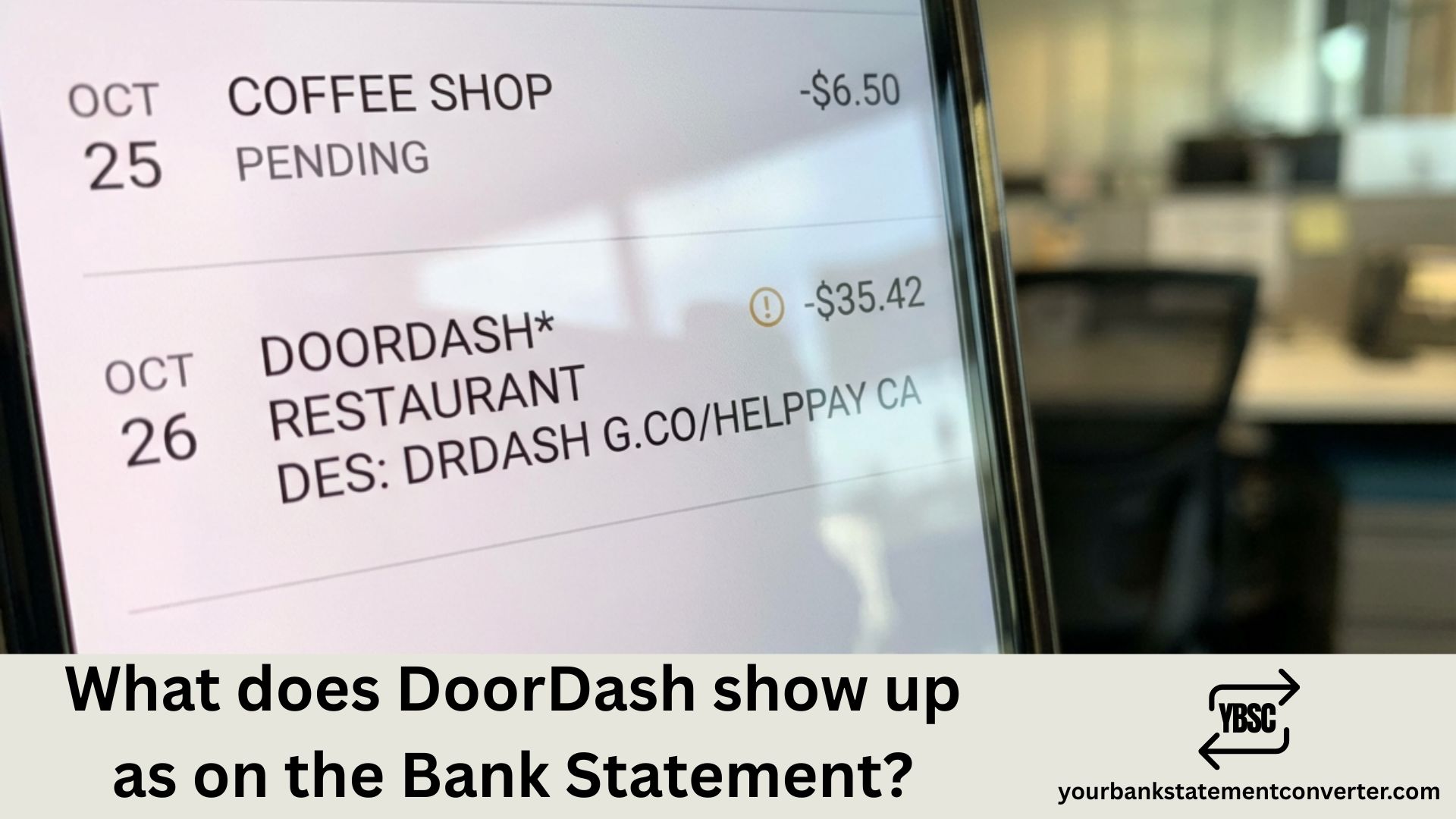
Noticed an unfamiliar charge on your bank statement and wondering if it’s from DoorDash? Whether you’re tracking food delivery expenses or spotted a mystery transaction, knowing how DoorDash appears on your statement helps you manage your finances better.
Quick Answer: DoorDash charges typically appear on bank statements as “DOORDASH,” “DDDOORDASH,” “DOORDASHRESTAURANTNAME,” or “DD DOORDASH SAN FRANCISCO.” For DashPass subscriptions, you’ll see “DOORDASH DASHPASS” with a $9.99 monthly charge.
What Does DoorDash Show Up as on Bank Statement?
When you order food through DoorDash, the transaction appears on your bank or credit card statement in several common formats. The exact descriptor varies depending on your bank and the type of purchase.
Here are the most common ways DoorDash charges appear:
| Transaction Type | How It Appears on Statement |
|---|---|
| Food orders | DOORDASH*RESTAURANTNAME CITY |
| General orders | DD*DOORDASH or DD DOORDASH |
| With phone number | DOORDASH 855-973-1040 CA |
| Order reference | DOORDASH ORDER #[XXXX] |
| DashPass subscription | DOORDASH DASHPASS MONTHLY |
| Location-based | DD DOORDASH SAN FRANCISCO |
The charge amount includes your food subtotal, delivery fee, service fee, applicable taxes, and any tip you added.
Understanding Different DoorDash Charge Types
DoorDash processes several types of transactions that may appear on your statement:
Food Delivery Orders: These are your standard meal purchases. The charge includes food cost, delivery fee (typically $0.99–$8.99), service fee (percentage of subtotal), and taxes.
DashPass Subscription: A recurring $9.99 monthly charge (or $96 annually) for free delivery on eligible orders. This appears as “DOORDASH DASHPASS” or similar.
DashMart Purchases: Orders from DoorDash’s convenience store show as “DOORDASH DASHMART” with location details.
Tips: Tips are usually included in your total order charge but may occasionally appear as a separate transaction.
Why Do I Have a DoorDash Charge I Don’t Recognize?
If you see an unexpected DoorDash charge, consider these common explanations:
DashPass Free Trial Converted: DoorDash offers free trial periods that automatically convert to paid subscriptions ($9.99/month) if not cancelled before expiration.
Shared Account Access: Family members or friends with access to your DoorDash account may have placed orders using your saved payment method.
Forgotten Orders: Late-night orders or small purchases can slip your mind, especially if placed weeks ago.
Authorization Holds: DoorDash may place temporary authorization holds that later adjust to the final order amount.
Fraudulent Activity: In rare cases, unauthorized charges may indicate account compromise or stolen payment information.
Common DoorDash Charge Amounts Explained
Here’s what typical DoorDash charges mean:
| Amount | Likely Explanation |
|---|---|
| $9.99 | DashPass monthly subscription |
| $96.00 | DashPass annual subscription |
| $15–$40 | Standard food delivery order |
| $40–$80 | Large or group order |
| $1.00–$2.00 | Authorization hold (temporary) |
| Under $5 | Small order fee or partial refund |
How to Verify a DoorDash Charge
Follow these steps to confirm whether a charge is legitimate:
- Check your DoorDash order history – Log into the DoorDash app or website and review “Orders” for matching transactions
- Match the date and amount – Compare the statement date with your order history timestamps
- Review DashPass status – Go to Account → Manage DashPass to see if you have an active subscription
- Check email confirmations – Search your inbox for DoorDash receipts matching the charge amount
- Ask household members – Others with account access may have ordered without informing you
How to Dispute an Unauthorized DoorDash Charge
If you’ve confirmed a charge isn’t legitimate, take these steps:
Step 1: Contact DoorDash Support
- Use in-app chat support (fastest method)
- Call customer service at 855-973-1040
- Visit help.doordash.com for assistance
Step 2: Provide Transaction Details
- Date of the charge
- Exact amount
- Screenshot of bank statement
- Any order numbers you can find
Step 3: Request Investigation DoorDash will review the charge and issue a refund if it’s determined to be unauthorized.
Step 4: Contact Your Bank If DoorDash cannot resolve the issue, dispute the charge with your bank or credit card issuer. Provide evidence including screenshots and communication records.
Step 5: Secure Your Account
- Change your DoorDash password immediately
- Enable two-factor authentication
- Remove saved payment methods
- Monitor for additional suspicious activity
How to Cancel DashPass to Stop Recurring Charges
If you want to stop the $9.99 monthly DashPass charge:
On Mobile App:
- Open DoorDash app
- Tap the Account icon
- Select “Manage DashPass”
- Tap “End Subscription”
- Confirm cancellation
On Website:
- Go to doordash.com
- Click the account icon
- Select “Manage DashPass”
- Click “End Subscription”
- Confirm your choice
Your DashPass benefits continue until the end of your current billing cycle.
Track All Your DoorDash Spending in One Place
Keeping track of food delivery charges across multiple apps like DoorDash, Uber Eats, and Grubhub can get overwhelming—especially when bank statement descriptions are cryptic or confusing.
Your Bank Statement Converter makes expense tracking effortless by converting your PDF bank statements into organized Excel spreadsheets. Whether you’re in the United States, United Kingdom, Canada, Australia, or anywhere worldwide, you can:
- ✅ Instantly identify all delivery app charges by sorting and filtering transactions
- ✅ Calculate monthly food delivery spending across all platforms
- ✅ Spot unauthorized charges quickly with searchable, organized data
- ✅ Prepare expense reports for budgeting or tax purposes
- ✅ Works with bank statements from any financial institution globally
Stop scrolling through endless PDF pages trying to find that mystery charge. Convert your bank statements to Excel in seconds →
Frequently Asked Questions
What does DD*DOORDASH mean on my bank statement?
DD*DOORDASH is a standard billing descriptor used by DoorDash for food delivery transactions. The “DD” prefix is an abbreviation for DoorDash, followed by additional details about your order. This is a legitimate charge format and indicates a purchase made through the DoorDash platform.
Why is DoorDash charging me $9.99 every month?
The $9.99 monthly charge is for DashPass, DoorDash’s subscription service that provides free delivery on eligible orders and reduced service fees. You may have signed up during a free trial that automatically converted to a paid subscription, or someone with access to your account enrolled in DashPass.
How do I stop DoorDash from charging my card?
To stop DoorDash charges, first cancel any active DashPass subscription through the app (Account → Manage DashPass → End Subscription). Then remove your saved payment methods from your account. If unauthorized charges continue, contact your bank to block future payments from DoorDash.
Is the DoorDash San Francisco charge legitimate?
Yes, “DD DOORDASH SAN FRANCISCO” or similar location-based descriptors are legitimate. DoorDash is headquartered in San Francisco, California, so many transactions show this location regardless of where you actually placed your order.
Why does my DoorDash charge show a different amount than my order?
Your final charge may differ from your initial order total due to several factors: tip amount added after delivery, adjusted item prices, substituted items, promotional credits applied, or service fee adjustments. Check your email receipt or order history for the detailed breakdown.
Can someone use my DoorDash account without my knowledge?
Yes, if someone has your login credentials or access to a device where you’re logged in, they can place orders using your saved payment information. Enable two-factor authentication, use a strong unique password, and regularly review your order history to prevent unauthorized access.
How long does a DoorDash refund take to appear?
DoorDash refunds typically take 5-7 business days to appear on your statement, though some banks may process them faster. The refund will show as a credit from DoorDash with a similar descriptor to the original charge.
What’s the difference between DoorDash and DashMart charges?
DoorDash charges are for restaurant food delivery, while DashMart charges are for convenience store items ordered through DoorDash’s retail delivery service. Both appear with the DoorDash name but may include “DASHMART” in the descriptor for store purchases.
Bottom Line
DoorDash charges appear on bank statements in various formats including “DOORDASH,” “DDDOORDASH,” or “DOORDASHRESTAURANTNAME.” The $9.99 recurring charge is typically the DashPass subscription. If you spot an unfamiliar transaction, check your order history first, then contact DoorDash support if needed.
Want to track all your food delivery spending effortlessly? Your Bank Statement Converter transforms messy PDF statements into organized Excel files, making it simple to identify every DoorDash charge and manage your monthly expenses.
Disclaimer: This article is for informational purposes only and does not constitute financial advice. Always consult your bank or DoorDash customer support for assistance with specific charges on your statement.







