
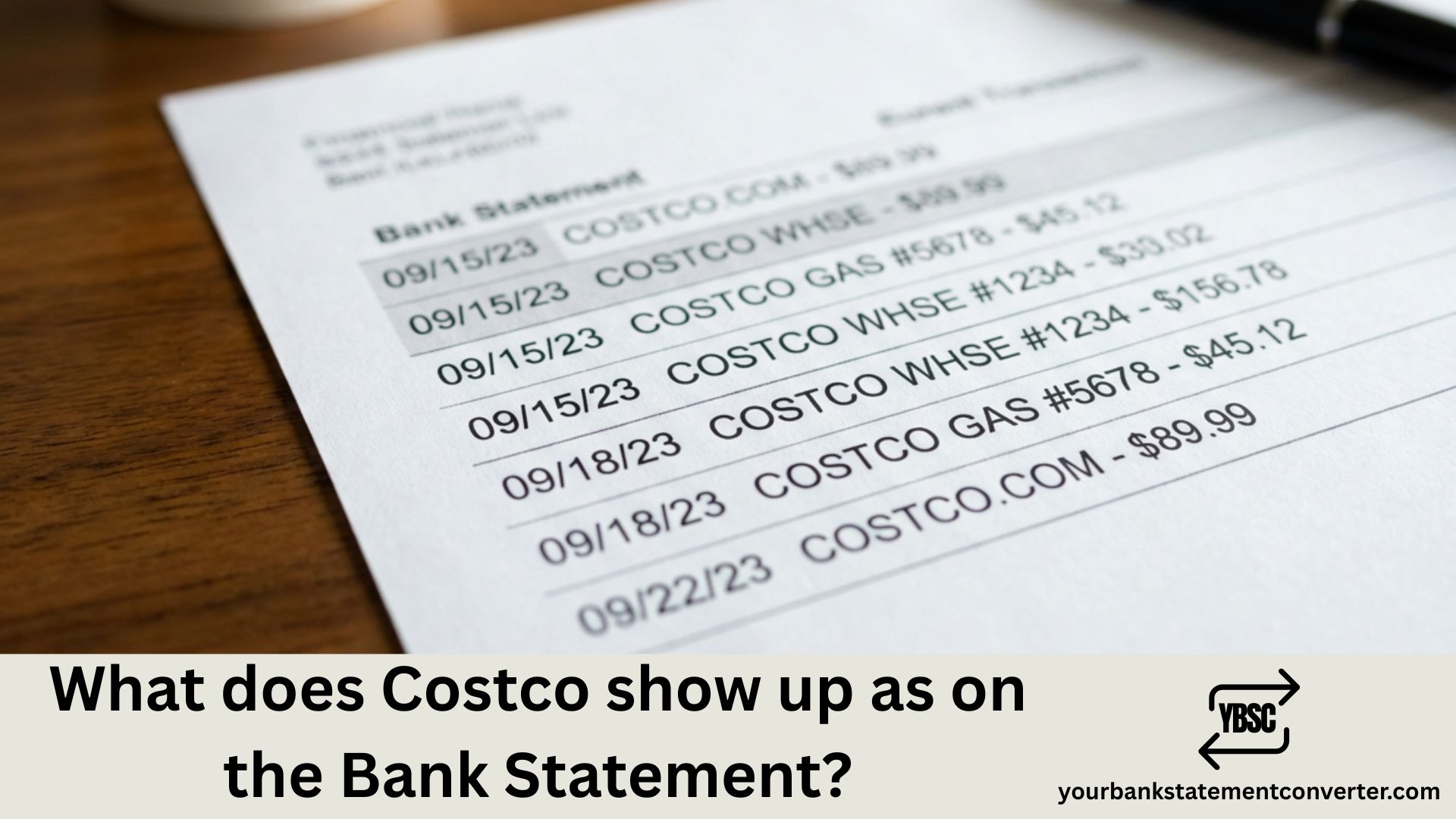
Noticed a charge labeled “COSTCO WHSE” or “COSTCO GAS” on your bank statement and wondering what it means? Whether you’re a regular Costco member or just trying to identify an unfamiliar transaction, understanding how Costco purchases appear on your statement helps you track spending and catch potential fraud. This guide breaks down every way Costco shows up on your bank or credit card statement.
What Does Costco Show Up As on Bank Statement?
Costco transactions appear on bank statements in several formats depending on the type of purchase, location, and whether you shopped in-store, online, or at the gas station. Here are the most common Costco transaction descriptors:
Common Costco Transaction Codes:
| Transaction Code | What It Means |
|---|---|
| COSTCO WHSE #1234 | In-store purchase at a specific warehouse (number indicates location) |
| COSTCO WHOLESALE | General warehouse purchase |
| COSTCO GAS | Fuel purchase at Costco gas station |
| COSTCO GAS #1234 | Gas station purchase with location number |
| COSTCO.COM | Online purchase from Costco’s website |
| COSTCO ONLINE | Alternative descriptor for online orders |
| COSTCO ANNUAL RENEWAL | Membership fee charge ($65 or $130) |
| $0 COSTCO ANNUAL RENEWAL | Pre-authorization verification check |
| COSTCO PHARMACY | Prescription or pharmacy purchase |
| COSTCO OPTICAL | Eyewear or optical services |
| COSTCO TRAVEL | Travel booking through Costco Travel services |
The 4-digit number following “COSTCO WHSE” or “COSTCO GAS” (like #1229 or #0670) represents the specific warehouse location where you made your purchase.
Understanding Different Costco Charge Types
In-Store Warehouse Purchases
When you shop at a Costco warehouse, your statement typically shows:
- COSTCO WHSE followed by a store number and city/state
- COSTCO WHOLESALE with location details
Example: COSTCO WHSE #1229 MIAMI FL or COSTCO WHOLESALE SEATTLE WA
Costco Gas Station Purchases
Fuel purchases display separately from warehouse shopping:
- COSTCO GAS with the station number
- May show a different location than the warehouse itself
Gas transactions often appear as pending with a $1 or $100 pre-authorization hold before the final amount posts.
Costco.com Online Orders
Online purchases appear as:
- COSTCO.COM as the primary identifier
- Orders may post as multiple charges if items ship separately
- Each item ships and charges independently
Important: Costco only charges your card after items ship. If you order multiple items, expect to see separate charges as each item ships at different times.
Membership Renewal Charges
Costco membership fees appear as:
- COSTCO ANNUAL RENEWAL or similar descriptor
- $65 for Gold Star or Business Membership (plus tax)
- $130 for Executive Membership (plus tax)
Membership charges typically post on the first or second day of your renewal month. If you’ve enrolled in Auto Renewal, this charge will repeat annually.
$0 Pre-Authorization Charges
Seeing a $0 COSTCO ANNUAL RENEWAL on your statement? This isn’t an error—it’s a verification check to ensure your card on file is valid before your actual renewal date. This temporary authorization will disappear without charging your account.
Common Costco Charge Amounts and Their Meanings
Recognizing typical Costco charges helps you quickly verify transactions:
| Amount | Likely Transaction |
|---|---|
| $65 (+ tax) | Gold Star or Business Membership renewal |
| $130 (+ tax) | Executive Membership renewal |
| $1.00 (pending) | Gas pump pre-authorization hold |
| $100 (pending) | Alternative gas pump authorization |
| Variable amounts | Warehouse purchases or online orders |
Why Multiple Costco Charges May Appear
If you see multiple Costco charges on your statement, here’s why:
- Separate item shipments – Online orders charge per item as they ship
- Pre-authorization holds – Gas stations and online orders create temporary holds
- Membership + purchases – Your renewal may coincide with shopping trips
- Multiple shopping trips – Different warehouse visits on different days
How to Verify Costco Charges on Your Statement
If you’re unsure about a Costco transaction:
- Check your Costco.com account – Log in to view order history and membership status
- Review your receipts – Match amounts with saved warehouse or gas receipts
- Check email confirmations – Online orders generate shipping confirmations
- Verify membership renewal – Go to Account → Renew Membership to see Auto Renewal status
- Consider household members – Someone on your membership may have made purchases
Dealing with Unknown or Unauthorized Costco Charges
If you spot a suspicious Costco charge:
- Contact Costco Member Services: Call 1-800-774-2678 to inquire about the transaction
- Check your membership account: Verify no one else has access to your card
- Contact your bank: Dispute unauthorized charges and request investigation
- Review for fraud patterns: Check for other unusual activity on your account
For online order issues, reach Costco.com customer service at 1-800-955-2292.
Simplify Your Transaction Tracking with Better Statement Management
Identifying Costco charges among dozens of other transactions can be time-consuming, especially if you have multiple bank accounts or manage business expenses. If you’re struggling to match statement entries with your actual purchases, Your Bank Statement Converter can help.
This tool transforms your PDF bank statements into organized Excel, CSV, or QBO formats—making it effortless to search for specific merchants like Costco, filter by date ranges, and categorize spending. Whether you’re tracking business purchases, managing household budgets, or reconciling expenses for tax purposes, having your financial data in a searchable format saves hours of manual review.
Why professionals use it:
- Convert PDF statements instantly to editable formats
- Search and filter transactions by merchant name
- Track recurring charges like membership renewals
- Export data for accounting software or spreadsheets
👉 Try Your Bank Statement Converter to take control of your financial records.
Identifying Costco Transactions: Key Takeaways
Understanding how Costco appears on your bank statement—whether as “COSTCO WHSE,” “COSTCO GAS,” or “COSTCO.COM”—helps you maintain accurate financial records and quickly spot legitimate purchases. The 4-digit store numbers help identify specific locations, while descriptors like “ANNUAL RENEWAL” clarify membership charges.
Always cross-reference unfamiliar charges with your Costco account, saved receipts, and email confirmations. If something doesn’t match, contact Costco Member Services or your bank to investigate further.
FAQs
What does COSTCO WHSE mean on my bank statement?
COSTCO WHSE stands for “Costco Warehouse” and indicates an in-store purchase at a Costco location. The number following it (like #1229) identifies the specific warehouse where you shopped. This descriptor typically includes the city and state of the store location.
Why do I see multiple Costco charges on my statement?
Multiple charges can occur because Costco.com charges each item separately as it ships, or because you made purchases on different days. Gas station pre-authorizations may also create temporary additional entries that settle later. Check your order confirmations and receipts to match each charge.
What is the $65 or $130 Costco charge on my statement?
These amounts represent Costco membership renewal fees. A $65 charge (plus tax) is for a Gold Star or Business Membership, while a $130 charge (plus tax) is for an Executive Membership. If you’ve enabled Auto Renewal, this charge appears annually on the first day of your renewal month.
What does “$0 Costco Annual Renewal” mean?
A $0 Costco Annual Renewal notification is a verification check to confirm your payment card is valid before your actual renewal date. This is not a charge—it’s a pre-authorization that confirms your card works and will disappear from your statement without posting any amount.
How does Costco Gas show up on a bank statement?
Costco gas purchases typically appear as “COSTCO GAS” followed by a station number and location. You may first see a pending authorization for $1 or $100 (depending on your bank), which is replaced by the actual fuel amount once the transaction processes.
Why does my Costco online order show multiple separate charges?
Costco.com only charges your card after each item ships. Since items in your order may ship from different warehouses at different times, your statement will show separate charges for each shipment rather than one combined total.
Can I get a refund for my Costco membership Auto Renewal?
Yes. If your membership was automatically renewed and you wish to cancel, you can request a refund through Costco’s online form or by visiting a warehouse membership counter. Refunds typically process within 5-7 business days, but note that receiving a refund will expire your membership at month’s end.
How do I stop Costco from automatically renewing my membership?
Log into your Costco.com account, go to Account → Renew Membership, and remove the Auto Renew option. You must do this at least 2-3 business days before the first day of your renewal month to avoid being charged. You can also visit any warehouse membership counter or call 1-800-774-2678 to cancel Auto Renewal.







