
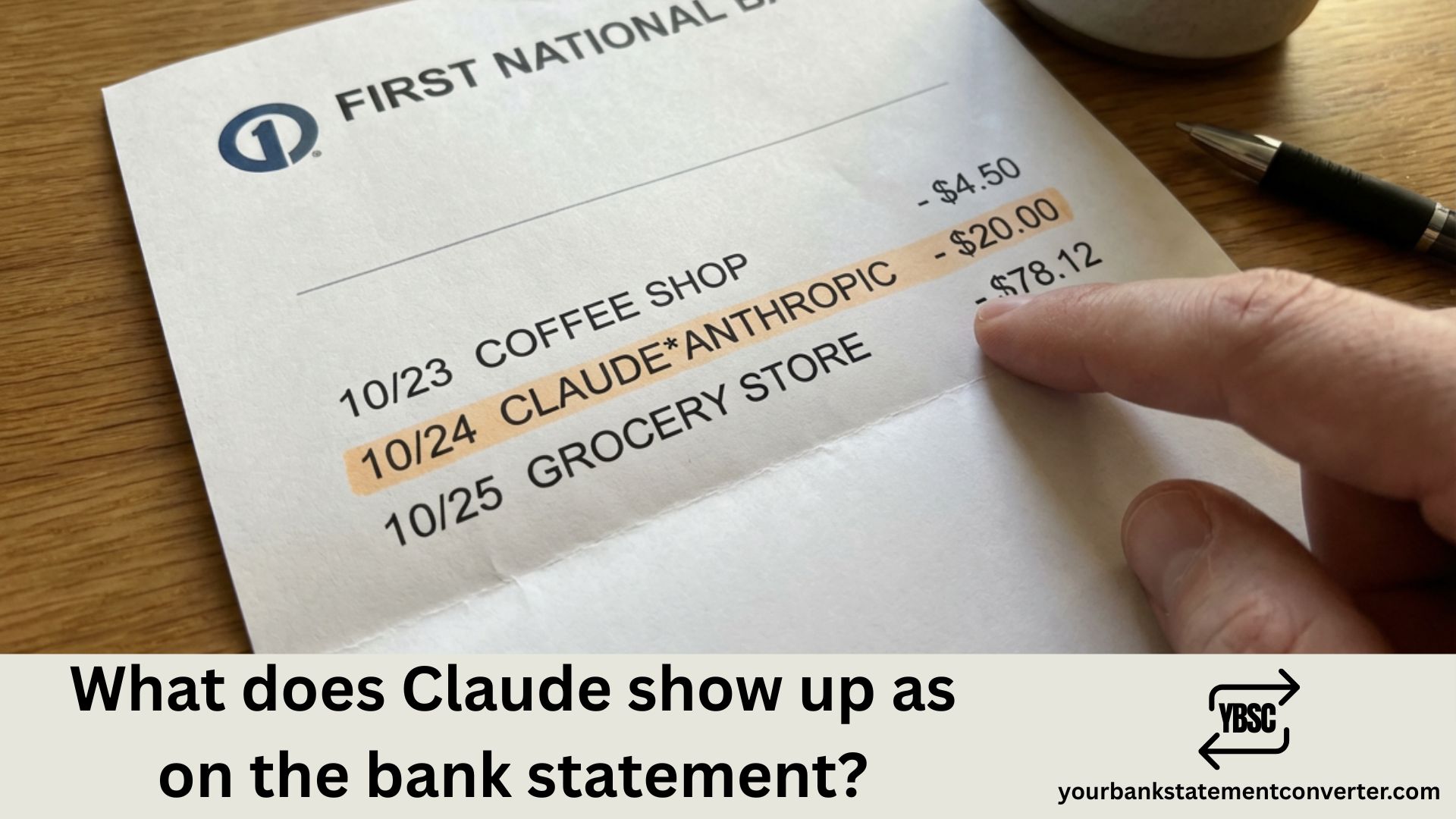
Noticed an unexpected charge on your bank statement and wondering if it’s from Claude, the AI assistant? With the rapid adoption of AI tools like Claude by Anthropic, many users are seeing new subscription charges they don’t immediately recognize. Understanding how Claude AI subscriptions appear on your bank statement helps you verify legitimate charges, manage your AI tool expenses, and quickly identify any unauthorized transactions.
What Does Claude Show Up as on the Bank Statement
Claude AI subscriptions typically appear on bank statements under Anthropic, the company that created Claude. Here are the most common ways these charges show up:
Standard Anthropic/Claude Charges:
- ANTHROPIC
- ANTHROPIC.COM
- ANTHROPIC INC
- ANTHROPIC* CLAUDE
- ANTHROPIC PBC
- ANTHROPIC SAN FRANCISCO
Alternative Variations:
- CLAUDE.AI
- ANTHROPIC*PRO
- ANTHROPIC*TEAM
- STRIPE* ANTHROPIC (Anthropic uses Stripe for payment processing)
- STRIPE.COM ANTHROPIC
Third-Party Billing (if subscribed through app stores):
- APPLE.COM/BILL (for iOS app subscriptions)
- GOOGLE*ANTHROPIC (for Google Play subscriptions)
The charge amount helps identify which Claude plan you’re subscribed to. Claude Pro typically costs $20/month, while Claude Team plans are $25-30 per user per month.
Understanding Claude AI Subscription Tiers and Charges
Claude offers several subscription options, each appearing differently based on your billing arrangement:
Claude Free — No charges; limited access to Claude’s capabilities
Claude Pro ($20/month) — Individual subscription with priority access, higher usage limits, and access to the latest models like Claude Opus and Sonnet
Claude Team ($25-30/user/month) — Business subscription with collaboration features, higher limits, and admin controls
Claude Enterprise — Custom pricing for large organizations; may appear under your company’s billing or a custom invoice arrangement
API Usage — Developers using Claude’s API see charges based on token usage, which may appear as ANTHROPIC API or similar descriptors
Why Your Claude Charge Might Look Unfamiliar
Several factors can make Anthropic charges confusing:
Payment processor naming — Since Anthropic uses Stripe, your statement might show “STRIPE*ANTHROPIC” instead of just “Anthropic” or “Claude.”
Timing variations — Your billing date may differ from your original signup date, especially after promotional periods or plan changes.
Currency conversion — International users might see adjusted amounts plus potential foreign transaction fees, with additional bank-specific descriptors.
Workplace subscriptions — If your employer provides Claude access, you might see charges under a company account name or not see individual charges at all.
Free trial conversions — Many users sign up for Claude Pro trials and forget about the automatic conversion to paid subscriptions.
How to Verify a Claude/Anthropic Charge
Before disputing any charge, confirm its legitimacy:
- Check your Claude account — Visit claude.ai, click your profile, and navigate to Settings > Subscription to view your plan and billing history
- Search your email — Look for receipts from Anthropic or payment confirmations from Stripe
- Review API usage — If you’re a developer, check your Anthropic console at console.anthropic.com for API billing
- Check shared accounts — Family members or colleagues might have subscribed using your payment method
- Look for trial sign-ups — Search your email for “Claude Pro trial” or “Anthropic” to find forgotten registrations
Organizing Your AI Subscription Charges
With the proliferation of AI tools—Claude, ChatGPT, Midjourney, and others—tracking these subscriptions across bank statements becomes increasingly challenging. Each service uses different billing descriptors, making it difficult to get a clear picture of your total AI spending.
Pro Tip: Simplify your subscription tracking by using Your Bank Statement Converter to convert your PDF bank statements into searchable Excel or CSV formats. This allows you to quickly filter and identify all AI-related charges, categorize software subscriptions, and maintain accurate expense records without tedious manual review.
This is especially valuable for:
- Freelancers and consultants tracking AI tool expenses for tax deductions
- Finance teams auditing company-wide software subscriptions
- Small business owners monitoring SaaS spending
- Accountants reconciling client accounts with multiple subscription services
- Anyone wanting a clear overview of recurring digital charges
How to Cancel or Modify Your Claude Subscription
If you’ve identified a Claude charge you want to stop or adjust:
For direct Claude subscriptions:
- Go to claude.ai and sign in
- Click your profile icon in the bottom-left corner
- Select Settings → Subscription
- Choose “Manage Subscription” or “Cancel Plan”
For App Store subscriptions:
- Apple: Settings → [Your Name] → Subscriptions → Claude → Cancel Subscription
- Google Play: Play Store → Profile → Payments & Subscriptions → Subscriptions → Claude → Cancel
For API billing:
- Visit console.anthropic.com
- Navigate to Billing settings
- Adjust usage limits or remove payment method
For unauthorized charges: Contact Anthropic support through their help center before initiating a bank dispute—direct resolution is typically faster and preserves your account standing.
Common Claude/Anthropic Charge Amounts
| Plan | Price | Billing Cycle |
|---|---|---|
| Claude Free | $0 | N/A |
| Claude Pro | $20 | Monthly |
| Claude Team | $25-30/user | Monthly |
| Claude Enterprise | Custom | Varies |
| API Usage | Variable | Based on tokens used |
Note: Prices are in USD and subject to change. Check anthropic.com for current pricing.
Claude Bank Statement Charges: Key Takeaways
Identifying Claude AI charges on your bank statement means looking for “ANTHROPIC,” “STRIPE*ANTHROPIC,” or app store billing descriptors if you subscribed through mobile platforms. The most reliable verification method is checking your Claude account settings directly at claude.ai or reviewing email receipts from Anthropic. As AI subscriptions become a regular part of personal and business expenses, keeping organized records of these charges ensures accurate budgeting and prevents billing surprises.
Frequently Asked Questions
Why is Anthropic charging my credit card?
Anthropic charges your card when you have an active Claude Pro subscription ($20/month), Claude Team membership, or API usage on your developer account. If you signed up for a free trial, it may have automatically converted to a paid subscription. Check your account at claude.ai under Settings → Subscription.
What is Claude Pro and why am I being charged for it?
Claude Pro is the premium subscription tier for Claude AI, costing $20/month. It provides priority access during high-demand periods, higher usage limits, and access to advanced models. You may be charged if you subscribed directly, started a trial that converted, or have a workplace subscription.
How do I check if I have a Claude subscription?
Visit claude.ai and sign in with your account. Click your profile icon, go to Settings, then Subscription. This page shows your current plan, billing status, payment method, and transaction history. You can also search your email for receipts from Anthropic.
How do I cancel Claude Pro to stop charges?
Sign in to claude.ai, click your profile, select Settings → Subscription, and choose “Cancel Plan” or “Manage Subscription.” If you subscribed through Apple or Google Play, cancel through your device’s subscription settings instead. You’ll retain access until your current billing period ends.
Is an Anthropic charge on my bank statement legitimate?
Most likely yes—it’s typically a Claude Pro subscription, Team plan, or API usage charge. Verify by checking your Claude account, searching for Anthropic emails, and asking family members if they might have used your payment method. Only dispute with your bank after confirming no one in your household authorized the charge.
What’s the difference between Anthropic and Claude charges?
They’re the same company. Anthropic is the AI safety company that created Claude. Bank statements may show either “Anthropic” or “Claude” depending on your bank’s processing and the specific product. Both refer to legitimate charges for Claude AI services.
Why does my statement show STRIPE*ANTHROPIC?
Anthropic uses Stripe as their payment processor. When you subscribe to Claude Pro or pay for API usage, the charge may appear as “STRIPE*ANTHROPIC” or “STRIPE.COM ANTHROPIC” rather than just “Anthropic.” This is normal and indicates a legitimate Anthropic transaction.







