
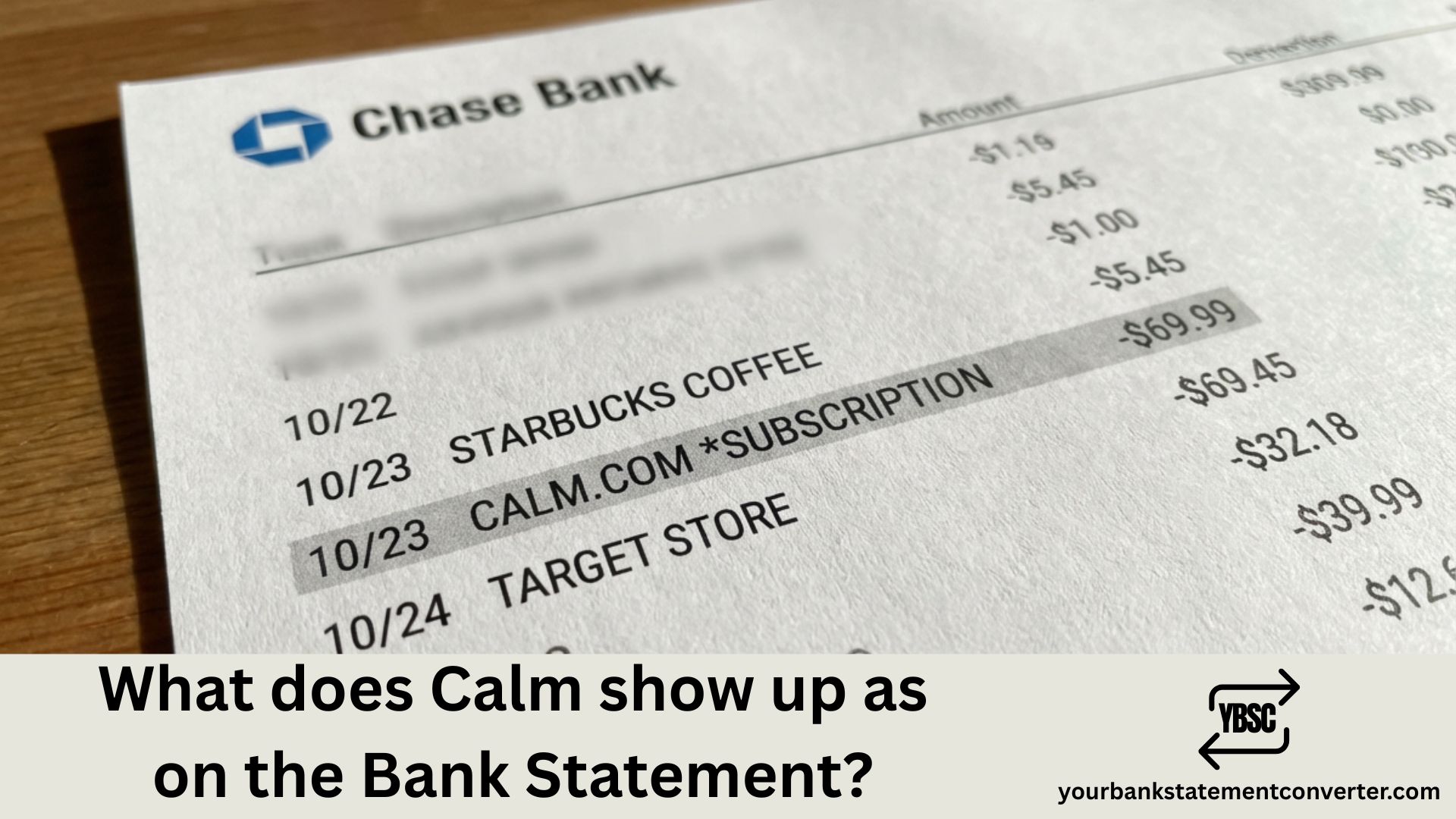
What Does Calm Show Up As on Bank Statement?
Noticed a meditation or wellness-related charge on your bank statement but can’t figure out if it’s from the Calm app? You’re not alone. Millions of Calm subscribers search for this question because the transaction descriptor changes based on how you subscribed—whether through Apple, Google Play, PayPal, or directly through Calm’s website. This guide breaks down every way Calm charges appear on your statement so you can quickly identify legitimate subscriptions and spot any unauthorized charges.
What Does Calm Show Up As on Bank Statement?
Calm app charges appear differently on your bank or credit card statement depending on where you originally subscribed. Here are the most common transaction descriptors you’ll see:
Calm Charges via Apple App Store (iPhone/iPad):
- APPLE.COM/BILL
- APL*APPLE.COM/BILL
- ITUNES.COM/BILL
- APPLE.COM/BILL DUBLIN IE
- ITUNES.COM/BILL CORK IE
Calm Charges via Google Play (Android):
- GOOGLE *CALM
- GOOGLE*CALM.COM
- GOOGLE PLAY CALM
- GOOGLE *Services CALM
Calm Charges Direct from Website:
- CALM.COM
- CALM COM
- CALM.COM INC
- CALM* or CALM*PREMIUM
Calm Charges via PayPal:
- PAYPAL *CALM
- PAYPAL *CALMCOM
- PP*CALM.COM
The exact wording varies by your bank and payment processor. Calm charges processed through Apple or Google don’t display “Calm” directly—they show the app store name instead, which is why many users don’t immediately recognize the charge.
Understanding Calm Subscription Charges
Annual Subscription Charges
The most common Calm charge is the annual Premium subscription, which costs approximately $69.99 to $79.99 per year depending on promotions and your region. This charge appears once yearly and typically auto-renews unless cancelled. Users often see charges around $70-$80 and amounts like $74.99, $75.06, $75.76, or $76.20 (which include applicable taxes).
Monthly Subscription Charges
Calm’s monthly plan costs $14.99 to $16.99 per month. If you see recurring charges in this range appearing monthly, it’s likely your Calm subscription. Monthly subscribers pay more over time but have flexibility to cancel anytime.
Lifetime Membership Charge
Calm offers a one-time lifetime membership for approximately $399.99. This is a single charge that grants permanent access to all Calm Premium features without future billing.
Family Plan Charges
The Calm Premium Family plan costs around $99.99 per year and covers up to 6 family members. This charge appears annually under the same descriptors as individual subscriptions.
Why Calm Charges Don’t Always Say “Calm”
Many users are confused when they see charges from “Apple.com/bill” or “Google” instead of “Calm” on their statements. Here’s why:
In-App Purchase Billing: When you subscribe to Calm through the iOS App Store or Google Play Store, Apple or Google processes your payment—not Calm directly. Your bank sees the payment processor (Apple/Google), not the specific app.
Third-Party Payment Processing: Even direct website purchases may show as payment processor names like Stripe or PayPal rather than “Calm.com” depending on your card issuer.
Regional Variations: Apple processes many payments through their European headquarters in Ireland, which is why you might see “DUBLIN IE” or “CORK IE” in your statement descriptor.
Common Calm Charge Amounts to Recognize
Here are typical Calm charges you might see on your bank statement (amounts may vary slightly due to taxes and regional pricing):
| Charge Type | Typical Amount |
|---|---|
| Annual Subscription | $69.99 – $79.99 |
| Annual (with tax) | $74.19 – $84.79 |
| Monthly Subscription | $14.99 – $16.99 |
| Lifetime Membership | $399.99 |
| Family Plan (Annual) | $99.99 |
| Discounted Annual (40% off) | $41.99 |
| Student/Promo Annual | $34.99 – $48.99 |
If you see a charge matching these amounts from Apple, Google, or PayPal, it’s likely your Calm subscription.
How to Verify if a Calm Charge is Legitimate
Follow these steps to confirm whether a charge on your statement is from your Calm subscription:
Step 1: Check Where You Subscribed
Open the Calm app, tap “Profile,” then the gear icon, and select “Manage Subscription.” This shows where your subscription was purchased (App Store, Google Play, or Website).
Step 2: Review Your Purchase History
For Apple subscriptions, go to Settings > [Your Name] > Subscriptions on your iPhone, or visit reportaproblem.apple.com. For Google Play, open the Play Store app and go to Payments & subscriptions > Budget & history. For direct purchases, log into your Calm account at calm.com.
Step 3: Check Email Receipts
Search your email for receipts from Apple, Google, PayPal, or Calm. Receipt emails typically arrive within minutes of being charged.
Step 4: Contact Calm Support
If you still can’t identify the charge, email Calm’s support team at support@calm.com with your account details.
Simplify Your Subscription Tracking
Managing multiple app subscriptions across different platforms makes it easy to lose track of what you’re paying for. Between Calm, streaming services, cloud storage, and other recurring charges, your bank statements can become overwhelming.
Take control of your finances with YourBankStatementConverter.com – a simple tool that converts messy PDF bank statements into organized Excel or CSV spreadsheets. This makes it easy to:
- Search and filter all subscription charges across multiple bank accounts
- Identify forgotten recurring payments like Calm, Headspace, or other apps
- Track wellness app spending over time
- Prepare clean financial records for budgeting, tax preparation, or expense reports
- Spot duplicate or unauthorized charges quickly
Whether you’re an individual trying to audit your subscriptions, a small business owner managing expenses, or a financial professional organizing client statements, YourBankStatementConverter.com transforms chaotic PDF statements into searchable, sortable data in seconds.
How to Cancel Calm to Stop Future Charges
If you want to stop Calm charges from appearing on your statement, you need to cancel through the same platform where you subscribed:
Cancel via Apple App Store: Go to Settings > [Your Name] > Subscriptions > Calm > Cancel Subscription
Cancel via Google Play: Open Google Play Store > Profile icon > Payments & subscriptions > Subscriptions > Calm > Cancel
Cancel via Calm Website: Log into calm.com > Profile > Manage Subscription > Cancel
Cancel via PayPal: Log into PayPal > Settings > Payments > Manage automatic payments > Calm > Cancel
Remember: You must cancel at least 24 hours before your renewal date to avoid being charged for the next billing period.
How to Request a Refund for Calm Charges
If you were charged unexpectedly or didn’t authorize a Calm subscription, here’s how to request a refund:
For Apple App Store Purchases: Visit reportaproblem.apple.com, sign in with your Apple ID, find the Calm charge, and tap “Report a Problem” to request a refund.
For Google Play Purchases: Go to play.google.com/store/account, find your Calm purchase history, and select “Request a refund.”
For Direct Website Purchases: Email support@calm.com with your account email and explain the situation. Calm’s support team typically responds within a few business days.
For Unauthorized Charges: If you never subscribed to Calm and see a charge, contact your bank to dispute the transaction and consider changing your Apple ID or Google account password.
Summary: Identifying Calm on Your Bank Statement
Calm app charges appear under various names depending on your subscription method. Apple subscribers see “APPLE.COM/BILL” or “ITUNES.COM/BILL,” Google Play users see “GOOGLE *CALM,” and direct website subscribers see “CALM.COM” or “CALM COM.” Annual subscriptions typically cost $69.99-$79.99, while monthly plans run $14.99-$16.99. Always verify charges through your Calm app’s “Manage Subscription” page or by checking your purchase history with Apple, Google, or PayPal.
For easier tracking of all your subscription charges and financial transactions, convert your bank statements to searchable spreadsheets using YourBankStatementConverter.com.
Frequently Asked Questions (FAQs)
What does Calm show up as on a credit card statement?
Calm shows up differently based on where you subscribed. Apple App Store purchases appear as “APPLE.COM/BILL” or “ITUNES.COM/BILL.” Google Play purchases show as “GOOGLE *CALM” or “GOOGLE PLAY CALM.” Direct website purchases display as “CALM.COM” or “CALM COM INC.”
Why does my bank statement say Apple.com/bill instead of Calm?
When you subscribe to Calm through the iPhone or iPad App Store, Apple processes your payment—not Calm directly. Apple uses generic billing descriptors like “APPLE.COM/BILL” for all App Store and iTunes purchases, including app subscriptions like Calm.
How much does Calm charge annually?
Calm’s annual Premium subscription costs $69.99 to $79.99 per year, depending on your region and any active promotions. With applicable taxes, you might see charges between $74-$85. The Family Plan costs $99.99 per year for up to 6 users.
Why was I charged for Calm when I signed up for a free trial?
Calm’s free trial automatically converts to a paid annual subscription if not cancelled before the trial ends. You must cancel at least 24 hours before the trial period expires to avoid being charged. Many users forget they signed up for a trial and are surprised by the automatic renewal.
How do I find out if I have a Calm subscription?
Open the Calm app and tap Profile > Settings (gear icon) > Manage Subscription. This shows your subscription status, renewal date, and where you originally subscribed. Alternatively, check Settings > Subscriptions on iPhone or Google Play > Subscriptions on Android.
Can I get a refund for Calm if I forgot to cancel?
Refund policies vary by platform. Apple and Google may grant refunds for recent charges, especially if it’s your first request. Visit reportaproblem.apple.com for Apple or play.google.com/store/account for Google. Calm’s direct support (support@calm.com) also handles refund requests for website purchases.
What does Google *Calm mean on my bank statement?
“GOOGLE *CALM” indicates you subscribed to Calm Premium through the Google Play Store on an Android device. Google processes the payment and uses this descriptor format for all Play Store app subscriptions.
How do I stop Calm from charging my card?
To stop Calm charges, you must cancel your subscription through the same platform where you signed up—Apple App Store, Google Play, or Calm’s website. Simply deleting the app does NOT cancel your subscription, and charges will continue until you formally cancel through the appropriate platform.







