
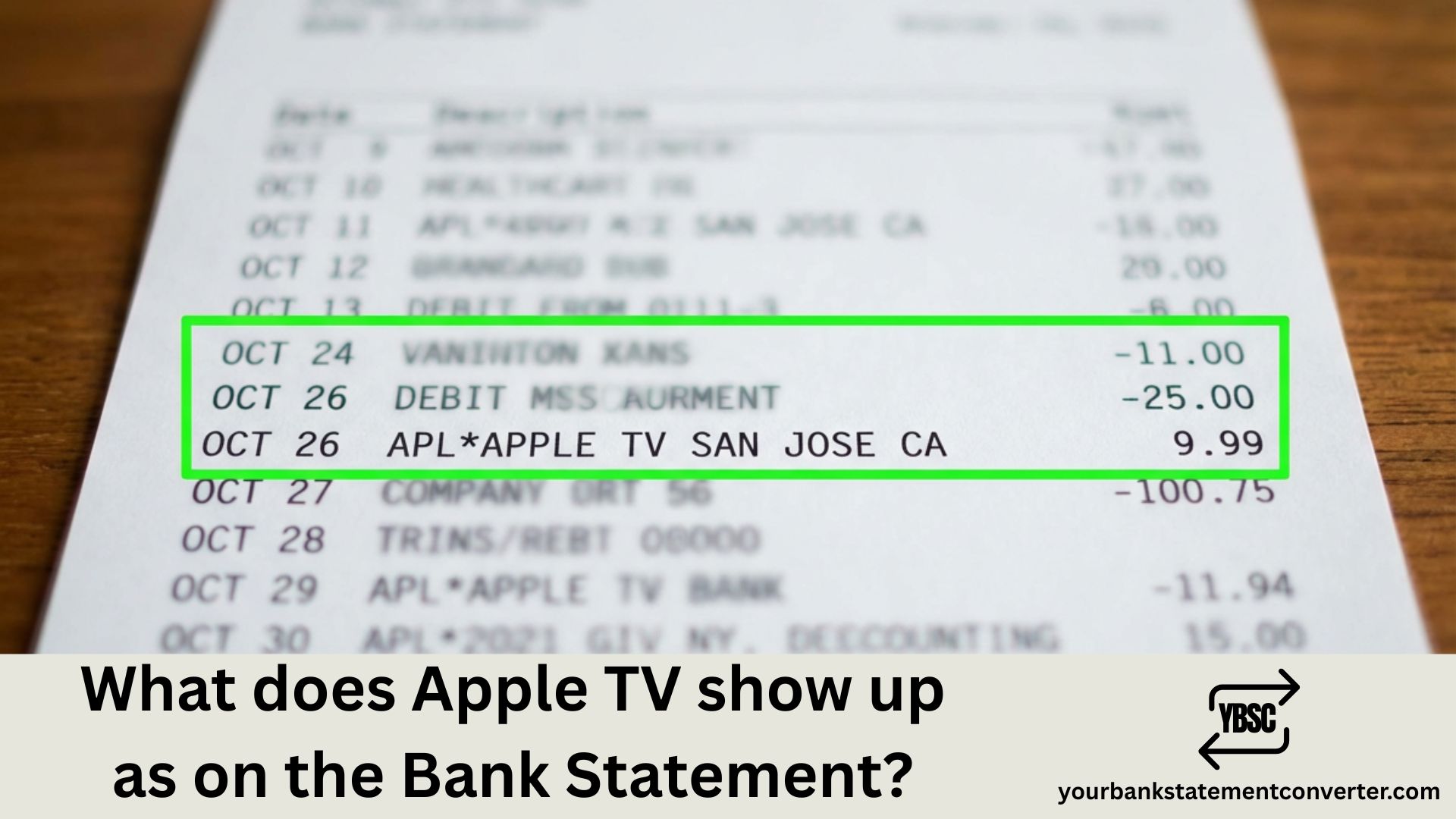
Noticed an unfamiliar Apple charge on your bank statement and wondering if it’s your Apple TV+ subscription? You’re not alone. Apple uses generic billing descriptors for all its services, which can make identifying specific charges tricky.
In this guide, we’ll show you exactly how Apple TV+ appears on your bank statement, other Apple billing formats you might see, and how to verify any charge quickly.
What Does Apple TV Show Up as on a Bank Statement
Apple TV+ subscriptions do not appear with “Apple TV” written on your bank statement. Instead, all Apple digital purchases and subscriptions use the same generic billing descriptors:
apple.com/bill or APPLE.COM/BILL
You may also see variations like:
| Bank Statement Entry | What It Could Be |
|---|---|
| APPLE.COM/BILL | Apple TV+, App Store, Apple Music, iCloud+, or any Apple service |
| ITUNES.COM/BILL | Same as above (legacy descriptor) |
| APPLE.COM/BILL DUBLIN IE | Apple services billed from Ireland (European HQ) |
| APPLE.COM/BILL CORK IE | Apple services billed from Ireland |
| APL*APPLE.COM/BILL | Apple services (shortened format) |
| APPLE COM ONE | Apple One bundle subscription |
| APPLE COM ONE APPLE PARK WAY | Apple One or other Apple services |
Important: Apple does not separate Apple TV+ charges with a unique descriptor. Your Apple TV+ subscription will appear simply as “apple.com/bill” along with any other Apple purchases.
Current Apple TV+ Pricing (2025)
To help identify if a charge is for Apple TV+, here are the current subscription prices:
| Plan | Price (US) | Price (UK) | Price (AU) |
|---|---|---|---|
| Monthly | $12.99/month | £9.99/month | AU$15.99/month |
| Annual | $99.99/year | £89.99/year | AU$129.99/year |
Note: Apple raised Apple TV+ prices in August 2025 from $9.99 to $12.99/month. The annual plan price remained at $99.99.
If you see Apple One bundle charges, here are those prices:
| Apple One Plan | Monthly Price (US) |
|---|---|
| Individual | $19.95 |
| Family | $25.95 |
| Premier | $37.95 |
Why Apple Uses Generic Billing Descriptors
Apple uses “apple.com/bill” for all digital purchases for two reasons:
1. Simplified Billing System Apple processes millions of transactions daily across App Store, iTunes, Apple Music, Apple TV+, iCloud+, Apple Arcade, and more. Using one descriptor streamlines their billing infrastructure.
2. Privacy Protection The generic descriptor prevents specific purchase details (like the exact app or movie you bought) from appearing on shared bank statements.
How to Identify What an Apple Charge Is For
Since Apple TV+ doesn’t have a unique bank statement descriptor, here’s how to identify exactly what you’re being charged for:
Method 1: Check reportaproblem.apple.com
This is the fastest way to see all your Apple purchases:
- Visit reportaproblem.apple.com
- Sign in with your Apple ID
- View your complete purchase history with dates and amounts
- Match the amount and date to your bank statement charge
Method 2: Check Subscriptions on Your Device
On iPhone/iPad: Settings → [Your Name] → Subscriptions
On Mac: System Settings → [Your Name] → Media & Purchases → Subscriptions → Manage
Online: Visit apps.apple.com/account/subscriptions
Method 3: Search Your Email
Apple sends email receipts for all purchases. Search your inbox for:
- “Your receipt from Apple”
- “apple.com”
- The specific charge amount
Method 4: Check Family Sharing
If you use Family Sharing with Purchase Sharing enabled, all family members’ purchases are billed to the organizer’s payment method. Check:
Settings → [Your Name] → Family Sharing → Purchase Sharing
Struggling to Track Multiple Apple Charges?
Bank statements can be confusing when you have multiple Apple services—Apple TV+, iCloud storage, App Store purchases, and subscriptions all showing as “apple.com/bill.”
Your Bank Statement Converter makes tracking these charges simple. Convert your PDF bank statements to Excel or CSV format, then easily search, sort, and filter all your Apple charges in one place.
✅ Convert PDF statements to Excel/CSV instantly
✅ Search for all “apple.com/bill” charges at once
✅ Sort by date and amount to match with Apple receipts
✅ Perfect for expense tracking and budgeting
👉 Convert Your Bank Statement Now
Common Reasons for Unexpected Apple TV+ Charges
If you don’t remember subscribing to Apple TV+, consider these possibilities:
Free Trial Converted to Paid
Apple TV+ offers various free trials:
- 7-day free trial for new subscribers
- 3-month free trial with new Apple device purchases
- Free access with Apple Music Student Plan
If you didn’t cancel before the trial ended, it automatically converted to a paid subscription.
Family Member Subscribed
With Family Sharing, any family member can subscribe to Apple TV+, and the charge goes to the organizer’s payment method.
Apple One Bundle
If you subscribed to Apple One (which bundles Apple TV+, Apple Music, iCloud+, and more), you won’t see a separate Apple TV+ charge—just the bundle price.
Multiple Apple IDs
You might have subscribed using a different Apple ID. Check your purchase history on all accounts.
How to Cancel Apple TV+ Subscription
To stop future Apple TV+ charges:
On iPhone/iPad:
- Go to Settings → [Your Name] → Subscriptions
- Tap Apple TV+
- Tap Cancel Subscription
On Mac:
- Open System Settings → [Your Name]
- Click Media & Purchases → Subscriptions
- Click Manage next to Subscriptions
- Find Apple TV+ and click Cancel
Online:
- Visit apps.apple.com/account/subscriptions
- Sign in with your Apple ID
- Find Apple TV+ and cancel
What If You Don’t Recognize an Apple Charge?
If you see “apple.com/bill” and can’t identify the purchase:
Step 1: Check All Apple IDs
Sign into reportaproblem.apple.com with each Apple ID you own.
Step 2: Review Family Sharing
Check if family members made purchases that were billed to your account.
Step 3: Look for Grouped Charges
Apple sometimes groups multiple purchases into a single charge. A $15 charge might include a $12.99 Apple TV+ subscription plus a $2.01 app purchase.
Step 4: Contact Apple Support
If you still can’t identify the charge:
- Visit support.apple.com/billing
- Or call Apple Support at 1-800-MY-APPLE (US)
Step 5: Request a Refund
If the charge is unauthorized, request a refund at reportaproblem.apple.com within 120 days of the transaction.
Apple Charges from Different Locations
You might notice Apple charges from various locations:
| Location on Statement | Meaning |
|---|---|
| DUBLIN IE or CORK IE | Apple’s European headquarters in Ireland |
| CUPERTINO CA | Apple’s US headquarters |
| APPLE PARK WAY | Apple Park campus address |
| SYDNEY AU | Apple’s Australian operations |
The location doesn’t affect your subscription—Apple bills from different global locations based on their corporate structure and local banking regulations.
Make Bank Statement Reconciliation Effortless
Tracking “apple.com/bill” charges alongside other expenses can be time-consuming, especially when preparing for tax season, managing a budget, or applying for loans.
Your Bank Statement Converter transforms your PDF bank statements into organized spreadsheets where you can:
- Filter all Apple charges instantly
- Calculate total Apple spending by month or year
- Export clean data for accounting software
- Share formatted reports with accountants
👉 Try Your Bank Statement Converter Free
Frequently Asked Questions
What does Apple TV+ look like on a bank statement?
Apple TV+ appears as “apple.com/bill” or “APPLE.COM/BILL” on your bank statement. Apple does not use a specific descriptor for Apple TV+ charges—all Apple digital purchases and subscriptions use the same generic billing format. You may also see “ITUNES.COM/BILL” or variations including location identifiers like “DUBLIN IE.”
Why doesn’t my bank statement say “Apple TV”?
Apple uses a unified billing descriptor (“apple.com/bill”) for all its services including Apple TV+, App Store, Apple Music, iCloud+, and more. This simplifies their billing system and protects your privacy by not showing specific purchase details on statements that others might see.
How do I know if an Apple charge is for Apple TV+?
To verify if a charge is for Apple TV+, check your subscription at Settings → [Your Name] → Subscriptions on your iPhone or iPad. You can also visit reportaproblem.apple.com to see all purchases. The current Apple TV+ price is $12.99/month or $99.99/year in the US.
What is APPLE COM ONE on my bank statement?
APPLE COM ONE is the billing descriptor for Apple One, Apple’s subscription bundle that includes Apple TV+, Apple Music, Apple Arcade, and iCloud+ storage. Individual plans cost $19.95/month, Family plans $25.95/month, and Premier plans $37.95/month.
Why am I being charged for Apple TV+ when I thought it was free?
You likely had a free trial that converted to a paid subscription. Apple TV+ offers a 7-day free trial for new subscribers, 3 months free with new Apple device purchases, and free access with the Apple Music Student Plan. If you don’t cancel before the trial ends, it automatically becomes a paid subscription.
How do I stop Apple TV+ charges?
To cancel Apple TV+ and stop future charges, go to Settings → [Your Name] → Subscriptions on your iPhone or iPad, tap Apple TV+, and select Cancel Subscription. You can also manage subscriptions online at apps.apple.com/account/subscriptions.
What does APPLE.COM/BILL DUBLIN IE mean?
APPLE.COM/BILL DUBLIN IE means the charge was processed through Apple’s European headquarters in Dublin, Ireland. This is normal for Apple transactions in Europe and some other regions. The location doesn’t affect your service—it’s simply where Apple’s billing infrastructure is located.
Can family members cause Apple TV+ charges on my account?
Yes. If you’re the organizer of a Family Sharing group with Purchase Sharing enabled, any family member’s subscriptions and purchases will be charged to your payment method. Check your Family Sharing settings to see who has access.
How much is Apple TV+ per month in 2025?
Apple TV+ costs $12.99 per month in the US as of August 2025 (increased from $9.99). The annual subscription remains $99.99/year, which saves you approximately 36% compared to monthly billing. UK pricing is £9.99/month or £89.99/year.
Why are multiple Apple charges grouped together?
Apple may combine multiple purchases made within a short period into a single charge on your bank statement. This can include app purchases, subscriptions, and in-app purchases. Check reportaproblem.apple.com to see the breakdown of grouped charges.
Final Thoughts
Apple TV+ charges won’t show up with a specific “Apple TV” descriptor on your bank statement—they appear as the generic “apple.com/bill” like all other Apple services. To identify what you’re being charged for, always check reportaproblem.apple.com or your device’s subscription settings.
If you’re managing multiple subscriptions and need to track all your Apple charges efficiently, Your Bank Statement Converter can help you convert PDF statements into searchable spreadsheets in seconds.







