Amazon Prime charges can be surprisingly confusing on bank statements because Amazon uses multiple descriptors for different services—Prime membership, Prime Video, digital purchases, and regular shopping all appear differently. Understanding these various transaction names helps you distinguish your Prime subscription from other Amazon charges, verify legitimate payments, and catch any unauthorized billing.
What Does Amazon Prime Show Up As on Bank Statement?
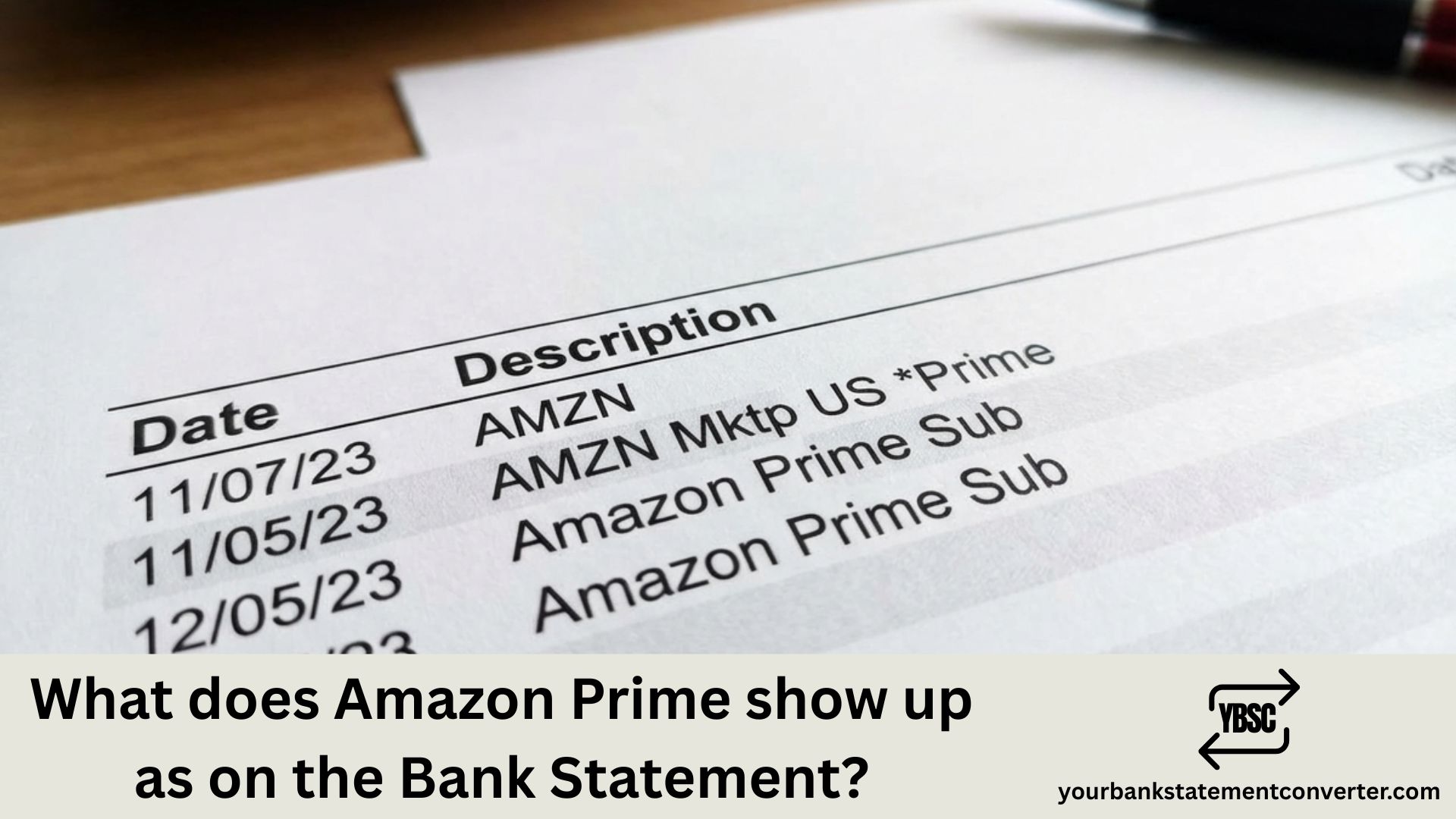
Amazon Prime typically appears on bank statements with these common descriptors:
Most frequent formats for Prime membership:
- AMAZON PRIME or AMAZONPRIME
- AMZN PRIME or AMZN*PRIME
- AMAZON PRIME*[random alphanumeric code]
- AMZN PRIME AMZN.COM/BILL
- AMAZON.COM*PRIME MEMBERSHIP
- AMZN Prime*[last digits of order ID]
- AMAZON PRIME 888-802-3080 (customer service number)
Prime Video-specific descriptors:
- PRIME VIDEO or PRIMEVIDEO
- AMZN PRIME VIDEO
- AMAZON PRIME VIDEO*[channel name]
- AMZN*PRIME VIDEO CHANNELS
- AMZN VIDEO ON DEMAND
The transaction descriptor varies based on your bank, card issuer, billing country, and whether you’re paying for the main Prime membership or Prime Video add-on channels.
Common billing amounts to recognize:
- ₹1,499/year or ₹299/month (India)
- $14.99/month or $139/year (US – full Prime)
- $8.99/month (US – Prime Video only)
- £8.99/month or £95/year (UK)
- Student/discounted rates vary by region
Other Amazon descriptors you might confuse with Prime:
- AMZN MKTP or AMAZON MKTPLACE – regular Amazon purchases
- AMZN DIGITAL – digital content (Kindle, apps, music)
- AMAZON WEB SERVICES – AWS cloud services
- AMZN*[Seller name] – third-party marketplace purchases
- AUDIBLE – Audible audiobook subscription
Prime Video Channels Charge on Bank Statement
Quick Answer: Prime Video Channels charges appear as AMZN*PRIME VIDEO CHANNELS, AMAZON PRIME VIDEO[channel name]**, or AMZN[Channel Name] on your bank statement. These are separate from your main Prime membership and represent add-on streaming subscriptions like Paramount+, Starz, Discovery+, AMC+, or MGM+ that you’ve subscribed to through Amazon.
These charges typically range from $4.99 to $14.99 per month depending on the channel. Unlike your core Prime membership, each channel bills individually on its own cycle—so you might see multiple Prime Video-related charges throughout the month.
To review or cancel these subscriptions, visit amazon.com/gp/video/subscriptions. Many users forget they signed up for these during free trial promotions, so check this page if you see unexpected Prime Video charges.
Overwhelmed by Multiple Amazon Charges on Your Statements?
Amazon’s numerous transaction descriptors—AMZN PRIME, AMZN MKTP, AMZN DIGITAL, Prime Video Channels—make it challenging to distinguish your Prime membership from regular purchases, digital downloads, and add-on subscriptions. Manually searching through PDF statements for each variation is exhausting.
YourBankStatementConverter.com transforms your bank statement PDFs into organized, searchable Excel spreadsheets in seconds. Once converted, simply search “AMZN” or “AMAZON” to instantly see every Amazon-related charge, filter by amount to isolate subscription fees, and finally understand exactly what you’re paying for.
Perfect for:
- Separating Prime membership from regular Amazon shopping
- Identifying forgotten Prime Video channel subscriptions
- Tracking total Amazon spending across categories
- Preparing expense reports or tax documentation
👉 Convert your statements free at YourBankStatementConverter.com
FAQs
Why do I see multiple different Amazon charges on my statement?
Amazon uses distinct descriptors for different services: AMZN PRIME for membership, AMZN MKTP for marketplace purchases, AMZN DIGITAL for digital content, and PRIME VIDEO for streaming add-ons. Each service bills separately, which is why you may see several Amazon charges in a single billing cycle.
What does “AMZN PRIME AMZN.COM/BILL” mean?
This is Amazon’s standard descriptor for Prime membership charges. The “AMZN.COM/BILL” portion directs you to Amazon’s billing page where you can review subscription details and payment history.
Why does my statement show a phone number (888-802-3080) with Amazon Prime?
Some banks include the merchant’s customer service number in transaction descriptors. 888-802-3080 is Amazon’s official customer support line, confirming the charge is legitimately from Amazon.
I cancelled Prime but still see charges. What’s happening?
Possible reasons include: you cancelled after the billing date, you have Prime Video channels that bill separately, a household member reactivated Prime, or auto-renewal wasn’t fully disabled. Log into Amazon > Account > Memberships & Subscriptions to verify your current status and view billing history.
What are Prime Video channel charges on my statement?
Prime Video Channels are add-on subscriptions (like Paramount+, Starz, AMC+) you can purchase through Amazon. These bill separately from your main Prime membership and appear as “AMZN*PRIME VIDEO CHANNELS” or similar. Review your subscriptions at amazon.com/gp/video/subscriptions.
How do I tell the difference between Prime membership and regular Amazon purchases?
Prime membership charges are consistent monthly (₹299/$14.99) or annual (₹1,499/$139) amounts with descriptors containing “PRIME.” Regular purchases show as “AMZN MKTP” or “AMAZON MKTPLACE” with varying amounts matching your order totals.
I see an Amazon Prime charge but never signed up. What should I do?
First, check if family members signed up or if you started a free trial that converted to paid. Verify if Prime is linked to another account you own. If the charge is truly unauthorized, contact Amazon customer service immediately, then dispute with your bank if necessary.
Can I get a refund for Amazon Prime if I haven’t used it?
Yes. Amazon offers full refunds on Prime membership if you haven’t used Prime benefits since your billing date. Go to Account > Prime Membership > End Membership and Benefits to request a refund. Partial refunds may be available even if you’ve used some benefits.
Why was I charged for Prime when I thought I had a free trial?
Amazon free trials automatically convert to paid subscriptions unless cancelled before the trial ends. The charge you’re seeing is likely the first billing after your trial expired. Set calendar reminders before trial end dates to avoid unwanted charges.
How can I track all my Amazon subscriptions and spending easily?
Convert your bank statements to Excel using YourBankStatementConverter.com, then search for “AMZN” or “AMAZON” to see every charge in one organized view. Filter by recurring amounts to isolate subscriptions from one-time purchases, giving you complete visibility into your Amazon spending.



![What Is FSUK Payment on Bank Statement (Sports Direct Frasers Group)[2026]](https://yourbankstatementconverter.com/blog/wp-content/uploads/2026/03/What-Is-FSUK-Payment-on-Bank-Statement-Sports-Direct-Frasers-Group2026-300x169.jpg)
![What Does CR Mean on a Bank Statement (Credit Explained)[2026]](https://yourbankstatementconverter.com/blog/wp-content/uploads/2026/03/What-Does-CR-Mean-on-a-Bank-Statement-Credit-Explained2026-300x169.jpg)
![What Does BP Mean on a Bank Statement (Both Meanings Explained)[2026]](https://yourbankstatementconverter.com/blog/wp-content/uploads/2026/03/What-Does-BP-Mean-on-a-Bank-Statement-Both-Meanings-Explained2026-1-300x169.jpg)