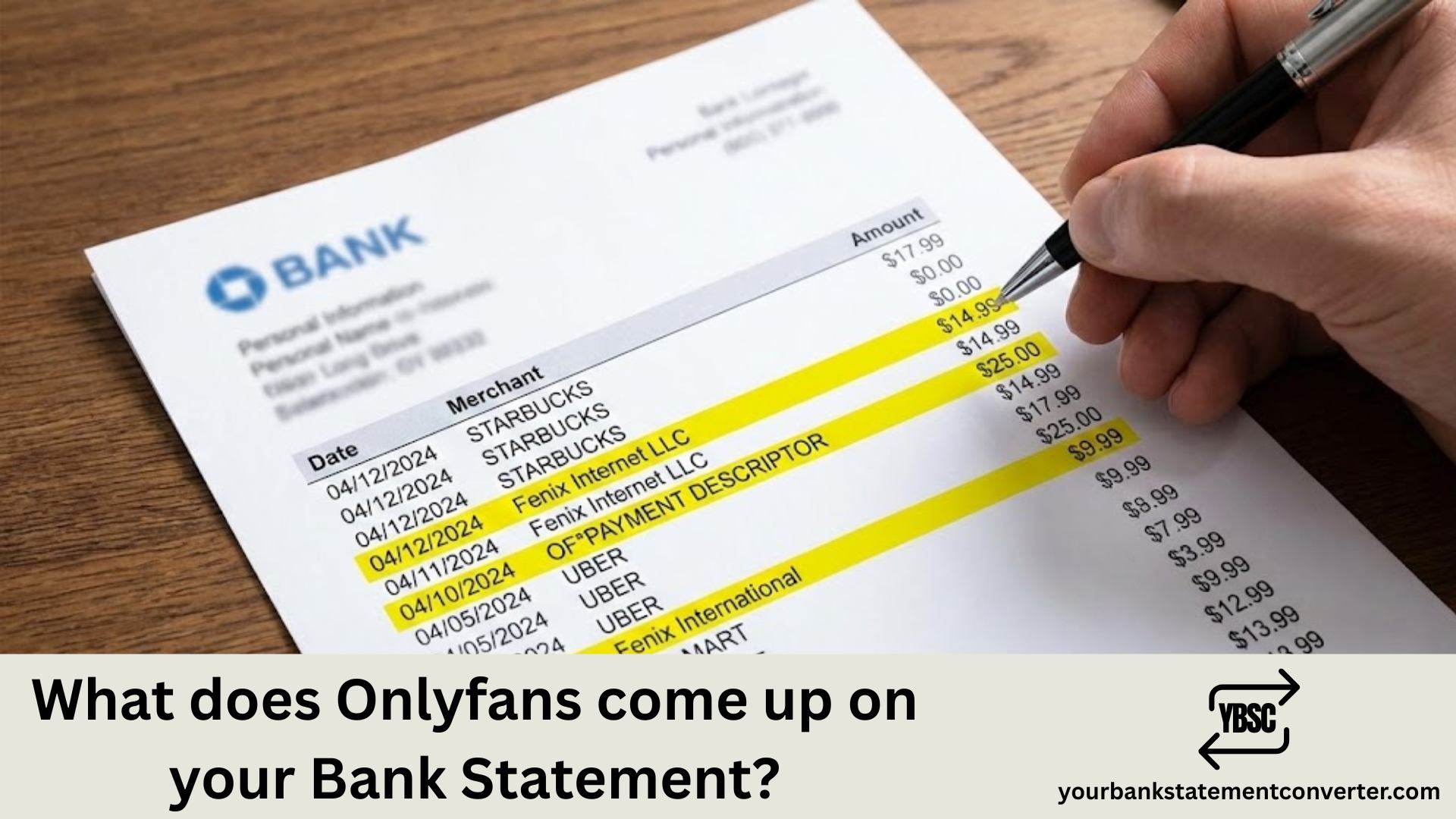
Wondering how OnlyFans charges appear on your bank or credit card statement? Whether you’re a subscriber or content creator, understanding transaction descriptors helps you manage your finances and maintain privacy. Here’s exactly what you need to know.
What Does OnlyFans Come Up As on Your Bank Statement?
Quick Answer: OnlyFans transactions appear on your bank statement as one of these descriptors:
- “OnlyFans” — Most common descriptor
- “Fenix International” — Parent company name
- “OF” — Abbreviated version
- “OnlyFans.com” — Full website reference
Additional labels you might see include:
- “OF Subscription” — For recurring subscription charges
- “OF Debit Hold” — Temporary authorization hold
- “Fenix Intl” — Shortened parent company name
The transaction will always include the merchant name, date, and charge amount. The creator’s name never appears on your statement — only the platform identifier.
How Different Transaction Types Appear
| Transaction Type | Bank Statement Descriptor |
|---|---|
| Monthly Subscription | OnlyFans / Fenix International |
| Tips | OnlyFans / OF |
| Pay-Per-View Content | Fenix International / OnlyFans |
| Creator Payouts | OnlyFans / Fenix International |
| Free Account Verification | OnlyFans ($0.10 temporary charge) |
Does OnlyFans Charge Discreetly?
No — OnlyFans does not use a generic or disguised billing name. Unlike some platforms that bill under vague descriptors, OnlyFans transactions are clearly labeled. Banks are legally required to display merchant names as registered in the financial system.
Important: Even free subscriptions require a $0.10 verification charge that appears temporarily on your statement.
How to Keep OnlyFans Transactions Private
If privacy matters to you, consider these options:
- Use a prepaid card — Purchase with cash, no link to personal accounts
- Create a separate bank account — Dedicated account for subscriptions
- Switch to paperless statements — Avoid physical mail
- Use a virtual credit card — Services like Privacy.com create masked card numbers
Managing Your Bank Statements Made Easy
Need to organize, convert, or analyze your bank statements for budgeting, loan applications, or bookkeeping purposes?
YourBankStatementConverter.com offers fast, accurate bank statement conversion services. Convert PDF bank statements to Excel, CSV, or other formats — making it simple to track transactions, including subscription services like OnlyFans, without manual data entry.
Whether you’re managing personal finances or preparing documents for professional use, this tool saves hours of tedious work.
Key Takeaways on OnlyFans Bank Statement Descriptors
OnlyFans charges are clearly identifiable on bank and credit card statements under “OnlyFans,” “Fenix International,” or abbreviated forms like “OF.” The platform prioritizes transaction transparency over billing discretion. For those seeking privacy, prepaid cards and separate accounts remain the most reliable solutions. Understanding how subscription services appear on financial records helps you maintain control over your personal finances and privacy preferences.
Frequently Asked Questions
Does OnlyFans show up on credit card statements?
Yes. OnlyFans appears as “OnlyFans,” “Fenix International,” or “OF” on credit card statements. The exact descriptor depends on your card issuer, but it always references OnlyFans or its parent company.
Can I hide OnlyFans charges from my bank statement?
You cannot change how OnlyFans labels transactions. However, using a prepaid card, virtual credit card, or separate bank account prevents charges from appearing on your primary statement.
What does a free OnlyFans subscription show on a bank statement?
Free subscriptions still trigger a $0.10 verification charge (refunded within days) that appears as “OnlyFans” or “Fenix International” on your statement.
Will my partner see OnlyFans on our joint bank account?
Yes. All OnlyFans transactions are visible on shared account statements with clear merchant descriptors. Consider using a personal account or prepaid card for privacy.
Does OnlyFans show the creator’s name on bank statements?
No. Bank statements only display the platform name (OnlyFans/Fenix International), transaction amount, and date — never the specific creator’s account name.
What is Fenix International on my bank statement?
Fenix International Limited is the parent company that operates OnlyFans. Transactions labeled “Fenix International” or “Fenix Intl” are OnlyFans charges.
Can banks flag OnlyFans transactions?
Banks typically do not flag OnlyFans transactions as suspicious. They process like any standard merchant payment and appear normally on statements.
Need help converting and organizing your bank statements? Visit YourBankStatementConverter.com for professional bank statement conversion services.