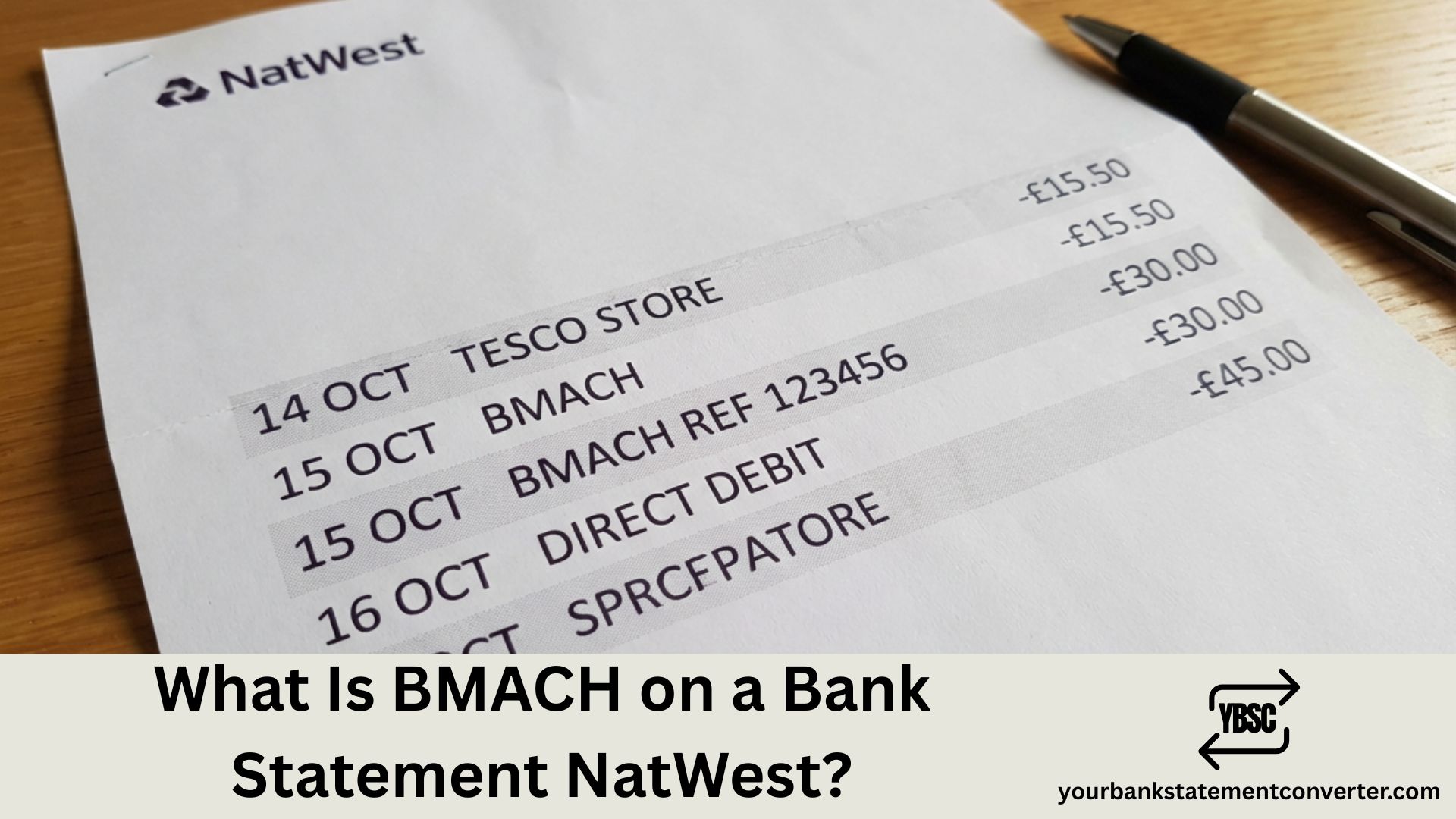
Spotted ‘BMACH’ on your NatWest bank statement and wondering what it means? You’re not alone—banking codes can be confusing when they don’t clearly show who sent or received your money. BMACH relates to the BACS automated payment system, and this guide explains exactly what it means and how to identify the actual transaction behind it.
What Is BMACH on a Bank Statement NatWest
BMACH on your NatWest bank statement refers to a BACS (Bankers’ Automated Clearing Services) payment—the UK’s system for processing Direct Debits, salary payments, benefits, and automated bank transfers, which typically take 3 working days to clear.
BMACH is simply how NatWest displays certain BACS-processed transactions on your statement. It’s a standard banking code indicating the payment route rather than a company or merchant name. The actual sender or recipient details should appear alongside or within the transaction details when you view the full entry.
What Does BMACH Stand For
| Term | Meaning |
|---|---|
| BMACH | BACS Machine / BACS Membership and Connectivity Hub |
| BACS | Bankers’ Automated Clearing Services |
| Function | Processes automated UK bank payments |
| Processing time | 3 working days |
| Managed by | Pay.UK (formerly Bacs Payment Schemes Limited) |
| Transaction types | Direct Debits, salaries, benefits, standing orders |
Key point: BMACH is the payment method, not the sender or recipient. The actual payee or payer details appear elsewhere in the transaction.
Types of Payments That Show as BMACH
| Payment Type | Direction | Common Examples |
|---|---|---|
| Direct Debit | Money OUT | Utility bills, subscriptions, insurance, loan repayments |
| Salary/wages | Money IN | Monthly or weekly pay from employer |
| Benefits | Money IN | DWP payments (Universal Credit, PIP, State Pension) |
| Standing orders | Money OUT | Regular transfers, rent payments, savings |
| Refunds | Money IN | Company refunds processed via BACS |
| Pension payments | Money IN | Private, workplace, or state pensions |
| HMRC payments | Money IN/OUT | Tax refunds, Child Benefit, Self Assessment |
Why NatWest Shows BMACH on Statements
BMACH is NatWest’s internal code for BACS-processed transactions. BACS payments are batch-processed, sometimes grouped under this code. It indicates the payment route rather than the sender or recipient, and different banking systems display BACS payments in various formats.
Where to find the actual transaction details:
- Look at the complete transaction line—the company or person name should appear
- Check the reference field for identifying information
- Tap or click the transaction in mobile or online banking for full details
- Match the amount and date to expected payments
How BMACH Appears on NatWest Statements
| Display Format | What It Typically Means |
|---|---|
| BMACH [COMPANY NAME] | Direct Debit payment to company |
| BMACH [EMPLOYER NAME] | Salary payment from your employer |
| BMACH DWP | Department for Work and Pensions benefit |
| BMACH HMRC | Tax refund or HMRC payment |
| BMACH CREDIT / BMACH DEBIT | Generic incoming/outgoing BACS payment |
| BMACH DD / BMACH SO | Direct Debit / Standing Order payment |
The text after BMACH usually identifies the sender or recipient.
BMACH vs Other NatWest Statement Codes
| Code | Full Meaning | Payment Type | Speed |
|---|---|---|---|
| BMACH | BACS payment | Direct Debit, salary, benefits | 3 working days |
| FPI | Faster Payment In | Incoming bank transfer | Instant/same day |
| FPO | Faster Payment Out | Outgoing bank transfer | Instant/same day |
| BGC | Bank Giro Credit | Cheque or paper credit | 2-4 days |
| ATM | Automated Teller Machine | Cash withdrawal | Instant |
| POS | Point of Sale | Card payment at retailer | 1-3 days |
| TFR | Transfer | Internal account transfer | Instant/same day |
Is BMACH a Legitimate Transaction
Yes, BMACH is a completely legitimate transaction code. It’s a standard code for BACS payments used by all UK banks for automated payments. The system is regulated by Pay.UK and the Bank of England, covering common uses like salaries, benefits, Direct Debits, and standing orders.
Signs the BMACH payment is legitimate:
- Amount matches expected payment (salary, bill amount, etc.)
- Sender or recipient name is recognisable
- It’s a recurring payment you set up
- Payment date aligns with expected schedule
Signs to investigate further:
- Amount doesn’t match any expected payment
- No recognisable sender or recipient name in details
- You didn’t authorise this Direct Debit
- It’s a new recurring payment you don’t remember setting up
What to Do If You Don’t Recognise a BMACH Payment
Step 1: Check full transaction details
Open the NatWest app or online banking, tap or click on the BMACH transaction, and look for the complete sender or recipient name and reference.
Step 2: Match against expected payments
Check if it’s your payday and the correct amount, matches your benefit payment schedule, corresponds to a bill you pay, or relates to any services that charge this amount.
Step 3: Review your Direct Debits
In the NatWest app, go to More → Manage Direct Debits. Online, go to Accounts → Manage Direct Debits. Check the list for anything unfamiliar.
Step 4: Contact NatWest if still unclear
Phone 03457 888 444, use secure messaging via the app or online banking, or visit a branch with ID. Request full transaction details and report as unauthorised if necessary.
How to Find Full Transaction Details on NatWest
Via NatWest mobile app (recommended):
- Open the NatWest mobile app and log in
- Select the relevant account
- Scroll to find the BMACH transaction
- Tap on the transaction to expand details
- View full payee or payer name, reference, and date initiated
Via NatWest online banking:
- Go to online.natwest.com and log in
- Navigate to your account
- Find the BMACH transaction in your statement
- Click on the transaction to expand
- View complete merchant or sender information and reference
How to Cancel a BMACH Direct Debit on NatWest
Via NatWest mobile app:
- Open app and log in
- Tap “More” or “Manage”
- Select “Manage Direct Debits”
- Find the Direct Debit to cancel
- Tap “Cancel” or “Remove”
- Confirm cancellation
Via phone: Call 03457 888 444 and ask to cancel the specific Direct Debit.
Important: Cancelling the Direct Debit doesn’t cancel your contract with the company. You may still owe money for services used. Contact the company directly to cancel the underlying service or subscription. You have the legal right to cancel any Direct Debit at any time.
Direct Debit Guarantee — Your Refund Rights
All Direct Debits, including those showing as BMACH, are protected by the Direct Debit Guarantee. If the wrong amount is taken, taken on the wrong date, taken without proper notice, or an unauthorised Direct Debit is set up, you’re entitled to a full immediate refund from NatWest.
How to claim a refund:
- Contact NatWest (phone, app, online, or branch)
- Explain the issue with the BMACH or Direct Debit payment
- Request a refund under the Direct Debit Guarantee
- NatWest must refund immediately—no investigation needed first
The bank cannot refuse a valid Guarantee claim. You don’t need to prove the error—the bank investigates afterwards.
Understanding BACS Payment Timing
BACS payments follow a 3-day cycle. On Day 1 (Input), the sender submits the payment instruction to their bank. On Day 2 (Processing), BACS processes all payments centrally. On Day 3 (Settlement), money arrives in or leaves your NatWest account.
Example: If your employer submits your salary payment on Monday, BACS processes it on Tuesday, and it appears in your account as BMACH on Wednesday.
Bank holidays: BACS doesn’t process on UK bank holidays. Payments may be delayed by one or more working days. Direct Debits due on a bank holiday usually collect the next working day, and salary payments may arrive early if payday falls on a holiday.
NatWest Contact Information
| Method | Details |
|---|---|
| Phone (UK) | 03457 888 444 |
| Phone (abroad) | +44 3457 888 444 |
| Lost/stolen card | 0370 600 0459 |
| Online banking | online.natwest.com |
| Mobile app | NatWest app (iOS/Android) |
| Secure messaging | Via app or online banking |
How to Track Your BACS Payments
Managing multiple BMACH transactions can become confusing, especially when trying to track which payments are which. If you’re finding it difficult to identify all your BACS payments, yourbankstatementconverter.com can help by converting your bank statements into organised Excel or CSV formats.
This allows you to:
- Organise all BACS payments by type
- Separate income from outgoings clearly
- Identify all recurring Direct Debits at a glance
- Match BMACH payments to bills and salary
- Monitor for unexpected transactions
- Export data for budgeting, accounting, or tax purposes
Conclusion
BMACH on your NatWest statement is simply the bank’s code for BACS payments—Direct Debits, salaries, benefits, and other automated transfers. The actual sender or recipient should appear in the full transaction details when you tap or click on the payment in your NatWest app or online banking.
If you can’t identify a BMACH payment after checking the details, contact NatWest on 03457 888 444 for assistance. For easier tracking of all your BACS payments, try converting your statements with yourbankstatementconverter.com.
Frequently Asked Questions
What does BMACH mean on my NatWest bank statement?
BMACH refers to a BACS (Bankers’ Automated Clearing Services) payment. This includes Direct Debits, salary payments, benefits, and automated transfers. The actual sender or recipient name should appear in the full transaction details when you tap or click on the payment.
Is BMACH on NatWest a Direct Debit?
BMACH can be a Direct Debit, but it also includes other BACS payments like salary, benefits, standing orders, and refunds. Check the full transaction details in the NatWest app or online banking to see if it’s marked as DD (Direct Debit) and who the payment is to or from.
How do I find out who a BMACH payment is from on NatWest?
In the NatWest app or online banking, tap or click on the BMACH transaction to expand it. The full details will show the sender or recipient name, reference number, and payment date. If still unclear, contact NatWest on 03457 888 444.
How do I cancel a BMACH Direct Debit on NatWest?
In the NatWest app, go to More → Manage Direct Debits, find the payment, and tap Cancel. Online, go to Accounts → Manage Direct Debits. Remember that cancelling the Direct Debit doesn’t cancel your contract with the company—contact them directly to cancel the service.
Can I get a refund for a BMACH payment on NatWest?
Yes, all Direct Debits are protected by the Direct Debit Guarantee. If an incorrect amount was taken, the payment was unauthorised, or it was taken on the wrong date, contact NatWest to request an immediate refund under the Guarantee. The bank must refund you without needing to investigate first.