
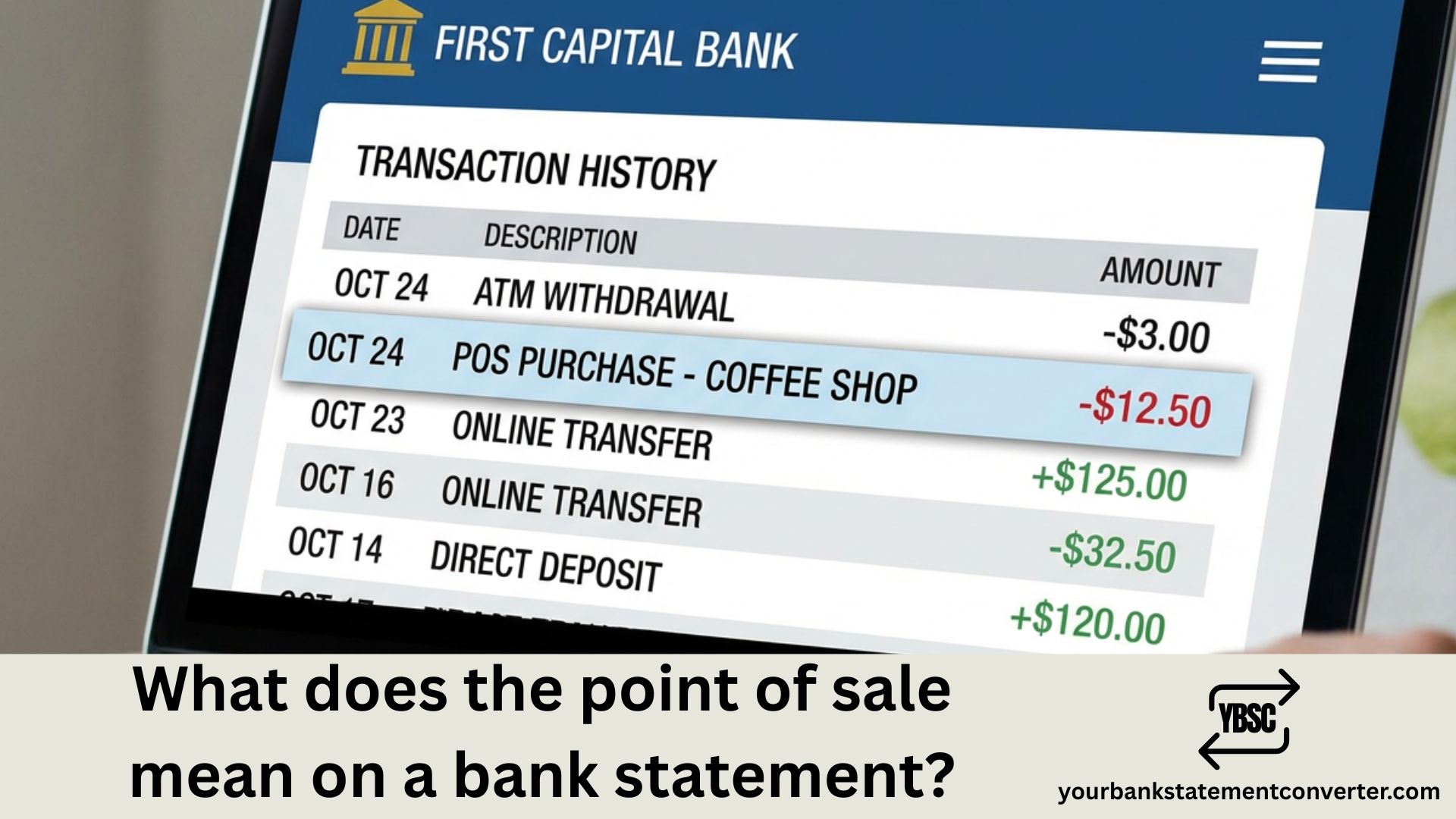
If you’ve spotted “POS” on your bank statement and wondered what it means, you’re not alone. This abbreviation appears frequently on debit card statements and can cause confusion when trying to reconcile your purchases. Here’s exactly what POS transactions are and how to identify them.
What Does Point of Sale Mean on a Bank Statement
A point of sale (POS) transaction on a bank statement is a debit card purchase made at a merchant’s card terminal. This entry appears whenever you swipe, tap, or insert your debit card to pay for goods or services at a physical location.
POS transactions occur at retail stores, restaurants, gas stations, grocery stores, and any other business with a card reader. When you complete a purchase, the merchant’s terminal communicates with your bank to authorize and process the payment directly from your checking account.
These transactions differ from other bank statement abbreviations you might see. ATM withdrawals pull cash from your account at a machine, while online purchases typically show as “DEBIT” or display the merchant’s website name. POS specifically indicates an in-person card payment at a physical terminal.
Examples of Point of Sale Transactions
POS entries on your bank statement typically combine the “POS” prefix with the merchant name, location, or store number. Here are common examples of how these transactions appear:
- POS WALMART STORE #1234 — A purchase at a specific Walmart location, identified by store number
- POS SHELL OIL 57442 — Gas station purchase at a Shell location
- POS STARBUCKS NYC — Coffee shop purchase with city abbreviation
- POS TARGET DEBIT — Target store purchase processed as a debit transaction
- POS AMAZON WHOLEFOODS — In-store purchase at a Whole Foods Market location
The exact format varies by bank and merchant. Some statements include additional details like the transaction date, authorization code, or partial address.
POS vs. Other Bank Statement Codes
POS is just one of several codes that appear on bank statements, and understanding the differences helps you track your spending accurately. Here’s how POS compares to other common transaction types:
| Code | Meaning | Example |
|---|---|---|
| POS | Point of Sale (in-person debit) | POS TARGET STORE |
| ACH | Automated Clearing House (electronic transfer) | ACH PAYROLL DEPOSIT |
| EFT | Electronic Funds Transfer | EFT UTILITY PAYMENT |
| ATM | ATM Withdrawal | ATM WITHDRAWAL 5TH AVE |
| DBT | Debit transaction | DBT PURCHASE |
For a complete list of transaction codes, see our guide to ATF transactions and other common abbreviations.
Why POS Transactions Sometimes Look Unfamiliar
Legitimate POS charges can appear confusing because merchant names on bank statements often differ from the store names you recognize. A restaurant might process payments under its parent company name, or a franchise location might display a corporate identifier instead of the local business name.
Several factors contribute to unfamiliar-looking POS entries. Pending transactions may show temporary authorization amounts that differ from your final purchase total, especially at gas stations or restaurants. The merchant descriptor, which is the name that appears on your statement, is set by the business and doesn’t always match their storefront signage.
To verify a questionable POS charge, cross-reference the transaction date and amount with your receipts. Check if the location details match where you shopped. If a transaction doesn’t match any purchase you remember, contact your bank immediately to report potential fraud and request a dispute.
How to Organize and Track Your POS Transactions
Tracking POS transactions becomes essential when you’re managing a budget, preparing taxes, or reconciling business expenses. Most bank statements download as PDFs, which makes sorting and categorizing individual transactions difficult.
Converting your bank statements to a spreadsheet format simplifies this process significantly. With tools like Your Bank Statement Converter, you can transform PDF bank statements into Excel or CSV files. This allows you to filter POS transactions, create spending categories, and track merchant patterns over time.
Once your transactions are in spreadsheet format, you can sort by merchant name to see how much you spend at specific stores, identify recurring charges, and spot unusual activity faster than scrolling through PDF pages.
Conclusion
POS on your bank statement simply means you made an in-person debit card purchase at a merchant’s card terminal. These transactions are among the most common entries on checking account statements. When unfamiliar POS charges appear, verify them against your receipts and contact your bank if anything looks suspicious.
Frequently Asked Questions
Is a POS transaction the same as a debit card purchase?
Yes, a POS transaction is a type of debit card purchase made at a physical location. The “POS” designation specifically indicates the payment was processed through a merchant’s card terminal, distinguishing it from online debit purchases or ATM withdrawals.
Why does my POS transaction show a different merchant name?
Merchant names on bank statements often differ from store names because businesses set their own payment descriptors. A local restaurant might process cards under its parent company, or a franchise might use corporate identifiers. The descriptor is chosen by the merchant, not your bank.
Can POS transactions be reversed or disputed?
Yes, you can dispute POS transactions by contacting your bank. Legitimate reasons include unauthorized charges, billing errors, or merchandise issues. Banks typically investigate disputes within 10 business days and may issue temporary credits while reviewing your claim.
What’s the difference between POS and pending transactions?
A pending transaction is a temporary hold placed on your account before the merchant finalizes the charge. A POS transaction that shows as “posted” has been fully processed. Pending amounts may change, especially at gas stations or restaurants where the final total differs from the initial authorization.
Do POS transactions include tips?
POS transactions at restaurants initially authorize your bill amount, then update to include the tip once the merchant processes the final charge. This is why restaurant charges may appear twice, first as a pending authorization for the original amount, then as a posted transaction with the tip included.


