If you’ve spotted an unfamiliar charge on your credit card or bank statement and are wondering whether it’s from MasterClass, you’re not alone. Thousands of subscribers search for this exact information every month, trying to identify mysterious transaction entries related to their online learning subscriptions.
Key Takeaways
- MasterClass typically appears as “MASTERCLASS”, “MASTERCLASS.COM”, “MASTERCLASS INC”, or “YANKA INDUSTRIES” on credit card statements.
- Yanka Industries, Inc. is the legal corporate name of MasterClass.
- Check if the charge amount matches MasterClass subscription prices ($120, $180, or $240 annually).
- Log into your MasterClass account, go to Account Settings, navigate to your Subscription section, and disable auto-renewal.
- MasterClass offers a 30-day money-back guarantee for initial purchases.
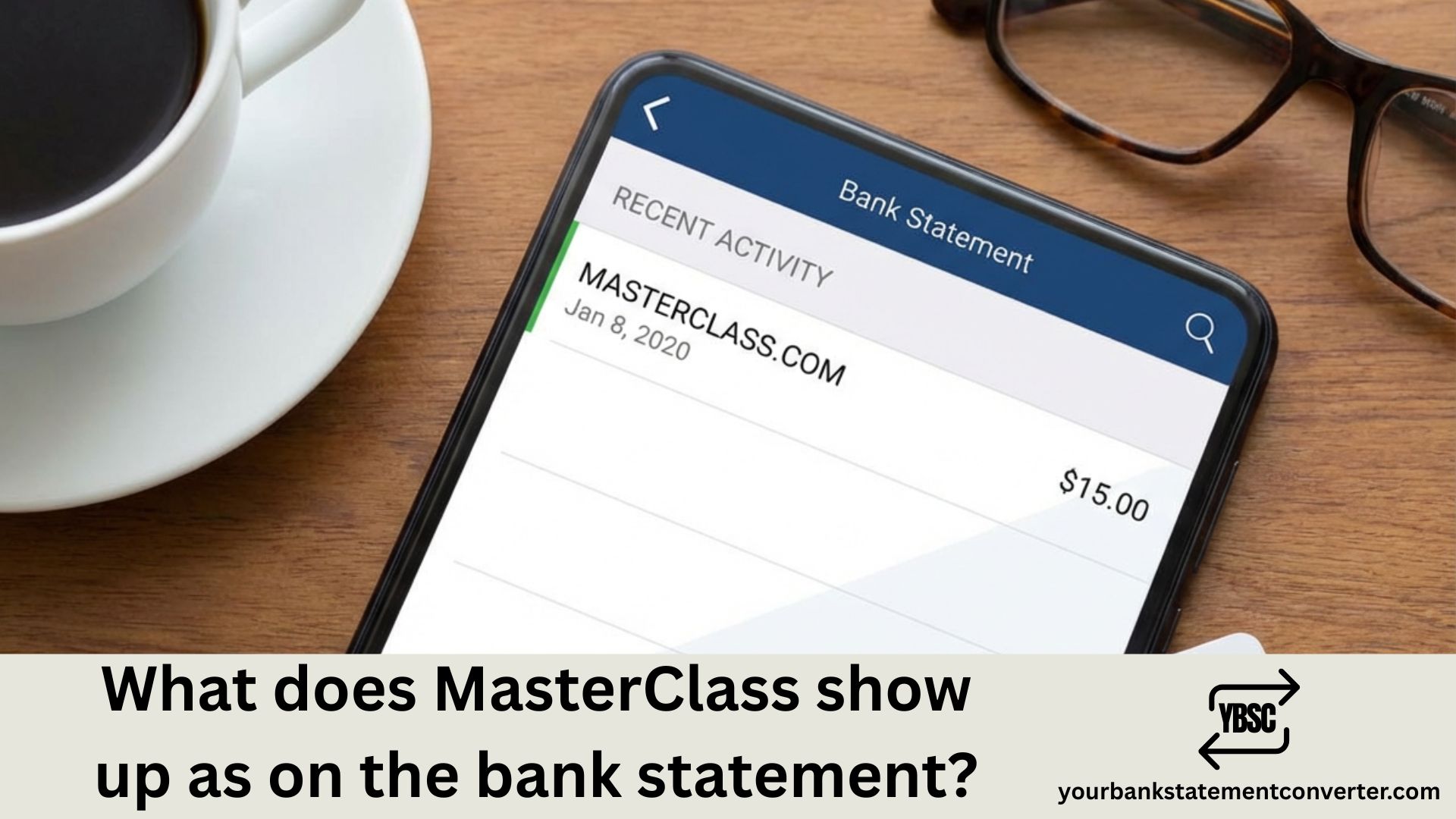
Quick Answer: MasterClass typically appears on bank statements as “MASTERCLASS”, “MASTERCLASS.COM”, “MASTERCLASS INC”, or “YANKA INDUSTRIES” (the company’s legal name). The exact descriptor varies depending on your bank, payment processor, and card type.
What Does MasterClass Show Up as on Bank Statement?
When you subscribe to MasterClass—the popular online education platform featuring celebrity instructors—the transaction descriptor on your bank statement can appear in several different formats:
Common MasterClass Bank Statement Descriptors
| Descriptor Format | Description |
|---|---|
| MASTERCLASS | Most common format on credit and debit card statements |
| MASTERCLASS.COM | Website URL-based descriptor |
| MASTERCLASS INC | Corporate name variation |
| YANKA INDUSTRIES | Legal entity name (MasterClass operates under Yanka Industries, Inc.) |
| MC*MASTERCLASS | With payment processor prefix |
| MASTERCLASS SAN FRANCISCO CA | With location information |
The billing descriptor can also include additional characters like transaction IDs, merchant category codes (MCC), or abbreviated location details that your bank automatically appends.
Why Different Names Appear on Your Statement
MasterClass (officially Yanka Industries, Inc.) may show up differently due to:
- Payment processor variations: Stripe, PayPal, or other processors may add prefixes
- Bank formatting rules: Each financial institution displays merchant names differently
- Card type differences: Credit cards vs. debit cards may show varying descriptors
- Pending vs. settled transactions: Soft descriptors during authorization differ from final hard descriptors
How to Identify a Legitimate MasterClass Charge
Before disputing a charge, verify if it’s actually from MasterClass:
Step 1: Check the Transaction Amount
MasterClass offers annual subscription plans:
- Standard Plan: $120/year ($10/month equivalent)
- Plus Plan: $180/year ($15/month equivalent)
- Premium Plan: $240/year ($20/month equivalent)
If you see charges matching these amounts (or slight variations due to taxes), it’s likely a legitimate MasterClass subscription or renewal.
Step 2: Review Your Email
MasterClass sends billing confirmation emails to your registered email address. Search your inbox for emails from:
- support@masterclass.com
- noreply@masterclass.com
- billing@masterclass.com
Step 3: Log Into Your MasterClass Account
Visit masterclass.com and check your account settings to view your subscription status, billing history, and payment methods on file.
Step 4: Check for Gift Subscriptions or Trials
Many users forget about:
- Gift memberships that auto-renewed after the gift period ended
- Free trial conversions to paid subscriptions
- Guest Pass trials that converted to annual plans
What to Do If You Don’t Recognize the MasterClass Charge
If you’ve confirmed the charge isn’t legitimate or you didn’t authorize it:
Contact MasterClass Support
- Phone: 1 (855) 981-8208 (Monday–Friday, 7 AM – 4 PM PST)
- Help Center: masterclass.com/help-center
MasterClass offers a 30-day money-back guarantee for initial purchases, so you may be eligible for a refund.
Request a Chargeback (Last Resort)
If MasterClass doesn’t resolve your issue, contact your bank to dispute the transaction. Provide:
- The exact transaction date and amount
- Screenshots of your MasterClass account showing no active subscription
- Any cancellation confirmation emails you have
Managing Your MasterClass Subscription to Avoid Surprise Charges
MasterClass is an auto-renewing subscription, meaning your payment method is automatically charged when your annual membership renews.
How to Cancel MasterClass Auto-Renewal
- Log into your MasterClass account
- Go to Account Settings
- Navigate to Subscription or Billing
- Turn off Auto-Renewal
MasterClass sends a renewal reminder email 30 days before your renewal date. Mark your calendar and decide whether to continue before the charge occurs.
Need Help Converting Bank Statements for Financial Analysis?
If you’re tracking subscription charges like MasterClass across multiple bank accounts or need to organize your financial records, managing bank statement data can be overwhelming.
Our free online bank statement converter offers a fast, secure solution to convert your bank statements from PDF to Excel, CSV, or other formats. Whether you’re an accountant reconciling client accounts, a bookkeeper organizing transaction data, or an individual tracking subscription spending, this tool helps you:. For anything beyond the free pages, the pricing tiers start small and are charged by page.
- Extract transaction data from any bank statement PDF
- Identify recurring charges like MasterClass subscriptions instantly
- Export to Excel or CSV for easy analysis and budgeting
- Save hours of manual data entry
👉 Try our PDF to Excel bank statement converter today and simplify your bank statement management.
Understanding Bank Statement Descriptors: A Quick Primer
A billing descriptor (also called a statement descriptor or merchant descriptor) is the text that appears on your bank or credit card statement to identify a transaction. Companies like MasterClass set these descriptors when establishing their merchant accounts.
Types of Descriptors
- Static Descriptors: A fixed name (e.g., “MASTERCLASS”) used for all transactions
- Dynamic Descriptors: Includes additional transaction-specific details
- Soft Descriptors: Temporary text shown during pending transactions
- Hard Descriptors: Final text after the transaction settles
Most subscription services like MasterClass, Netflix, and Spotify use static descriptors with their brand name to ensure easy recognition.
MasterClass Billing Best Practices
To avoid confusion with future MasterClass charges:
- Save confirmation emails: Keep all purchase and renewal confirmations
- Set calendar reminders: Note your renewal date 35 days in advance
- Use a dedicated payment method: Consider using a specific card for subscriptions
- Review statements monthly: Catch unauthorized charges early
- Keep login credentials handy: Access your account quickly if questions arise
Common MasterClass Subscription Charges Explained
| Charge Type | Typical Amount | Timing |
|---|---|---|
| Initial subscription | $120–$240 | At signup |
| Annual renewal | $120–$240 | Every 12 months |
| Trial conversion | $120–$240 | After 7-day trial ends |
| Gift subscription renewal | $120–$240 | After gift period expires |
Conclusion: Identifying MasterClass on Your Bank Statement
MasterClass shows up on bank statements most commonly as “MASTERCLASS”, “MASTERCLASS.COM”, or occasionally as “YANKA INDUSTRIES” (the company’s legal corporate name). The exact format depends on your bank, payment processor, and whether the transaction is pending or finalized.
If you spot an unfamiliar MasterClass charge, first verify it through your account and email records. For legitimate disputes, contact MasterClass support directly—they offer a 30-day refund policy for initial purchases.
For anyone managing multiple bank statements and tracking subscription charges, tools like our bank statement converter can help you organize, convert, and analyze your financial data efficiently.
Frequently Asked Questions (FAQs)
What does MasterClass show up as on a credit card statement?
MasterClass typically appears as “MASTERCLASS”, “MASTERCLASS.COM”, “MASTERCLASS INC”, or “YANKA INDUSTRIES” on credit card statements. The exact format varies by bank and payment processor.
Why does my bank statement say Yanka Industries?
Yanka Industries, Inc. is the legal corporate name of MasterClass. Some banks display the legal entity name rather than the trading name, which is why you might see “YANKA INDUSTRIES” instead of “MASTERCLASS” on your statement.
How do I know if a MasterClass charge is legitimate?
Check if the charge amount matches MasterClass subscription prices ($120, $180, or $240 annually). Also verify by logging into your MasterClass account, reviewing your email for billing confirmations, and checking if you accepted any gift passes or free trials.
How do I stop MasterClass from charging my card?
Log into your MasterClass account, go to Account Settings, navigate to your Subscription section, and disable auto-renewal. Do this at least 30 days before your renewal date to avoid the next annual charge.
Can I get a refund from MasterClass?
MasterClass offers a 30-day money-back guarantee for initial purchases. Contact their support team at 1 (855) 981-8208 or through the Help Center to request a refund within this window.
What is the MasterClass customer service number?
The MasterClass billing support phone number is 1 (855) 981-8208, available Monday through Friday, 7 AM to 4 PM Pacific Time.
Does MasterClass charge monthly or annually?
MasterClass only offers annual subscriptions—there is no monthly payment option. You pay the full annual fee upfront when you subscribe, and the subscription auto-renews yearly unless canceled.
How do I dispute a MasterClass charge with my bank?
If MasterClass won’t resolve your issue directly, contact your bank’s fraud department. Provide the transaction date, amount, and any evidence showing you didn’t authorize the charge (such as cancellation confirmations or account screenshots).
Why was I charged for MasterClass after I canceled?
This can happen if you canceled after your renewal date, if you have multiple MasterClass accounts, or if a trial period converted to a paid subscription. Check your account settings and email history to investigate.
What payment methods does MasterClass accept?
MasterClass accepts major credit cards (Visa, MasterCard, American Express, Discover) and PayPal for subscription purchases.