What Does Chipotle Show Up as on Bank Statement?
Spotted an unfamiliar charge on your bank statement and wondering if it’s from your recent Chipotle run? You’re not alone. Thousands of customers search for “Chipotle bank statement” every month trying to identify mysterious transactions. This guide breaks down exactly how Chipotle charges appear on your bank and credit card statements, plus how to verify if that charge is legitimate.
Key Takeaways
- Chipotle charges typically appear as “CHIPOTLE MEXICAN GRILL” followed by the city and state, “CHIPOTLE ONLINE” for app/web orders, or “CHIPOTLE” with a store number (like CHIPOTLE 1401).
- Unrecognized Chipotle charges could be from a family member using your card, a forgotten online order, a pending authorization from a previous visit, or potentially fraudulent activity.
- Contact your bank’s fraud department immediately to dispute the charge.
- Chipotle transactions often appear as pending authorizations first, then post as final charges within 1-5 business days.
- “PC* CHIPOTLE ONLINE” indicates a purchase made through Chipotle’s website or mobile app rather than an in-store transaction.
What Does Chipotle Show Up as on Bank Statement?
Chipotle transactions can appear in several different formats on your bank statement, depending on how you ordered (in-store, online, or via the app) and which bank you use. Here are the most common Chipotle bank statement names you’ll encounter:
In-Store Purchases
When you pay at a Chipotle restaurant, the charge typically appears as:
- CHIPOTLE MEXICAN GRILL + City + State
- CHIPOTLE MEXICAN G + Location
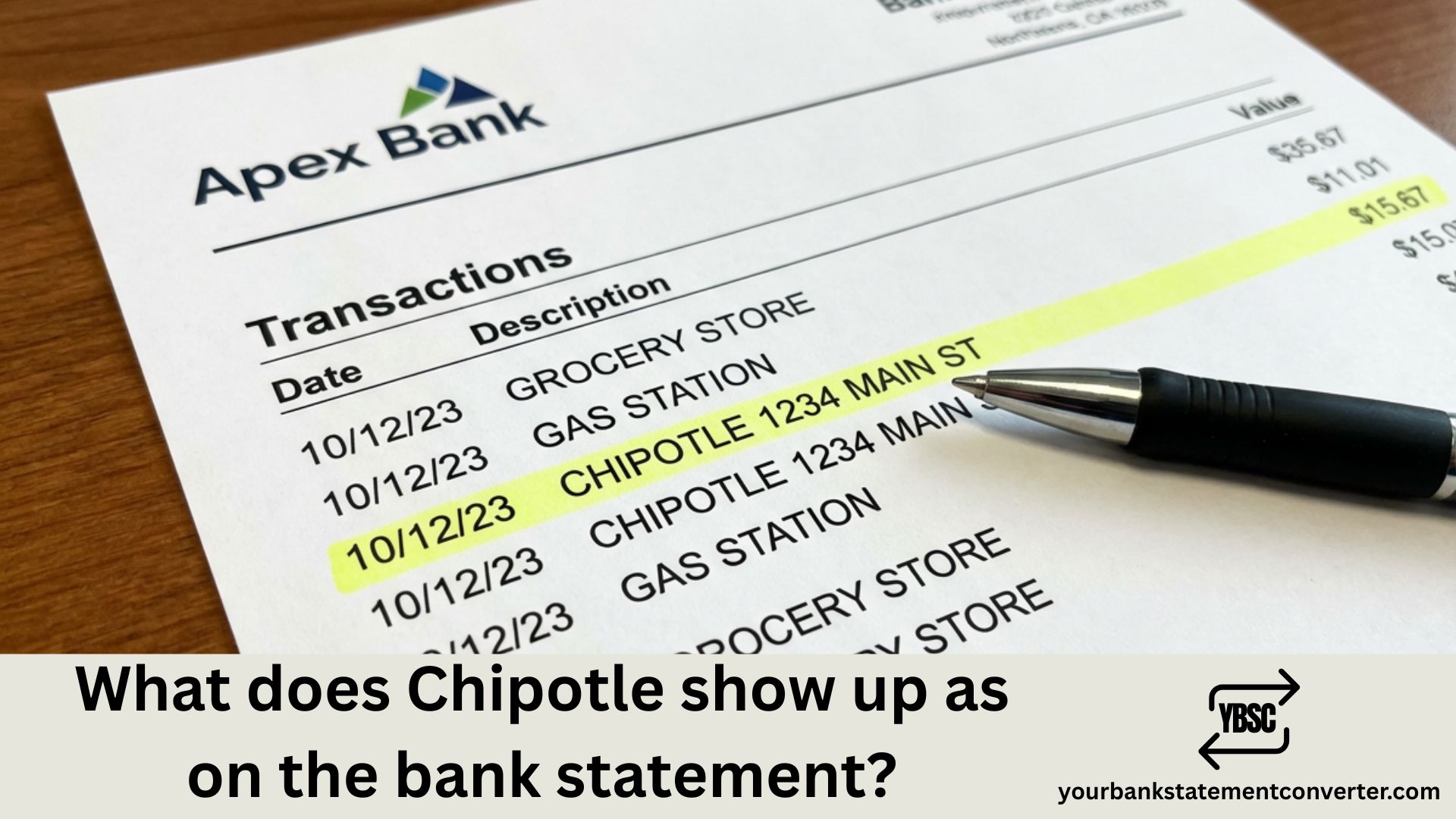
- CHIPOTLE + Store Number (e.g., CHIPOTLE 0363 LAS VEGAS NV)
- CHIPOTLE + 4-digit code (e.g., CHIPOTLE 1401)
Online & App Orders
If you ordered through the Chipotle app or website, look for:
- CHIPOTLE ONLINE
- PC CHIPOTLE ONLINE*
- CHIPOTLE ORDER
- CHIPOTLEONLINE
Catering Orders
Chipotle catering charges may show as:
- CHIPOTLE CATERING
- CHIPOTLE MEXICAN GRILL CATERING
Why Does Chipotle Appear Differently on Bank Statements?
The variation in how Chipotle shows up on your statement comes down to the merchant descriptor—a short text field that businesses use to identify themselves during card transactions. Several factors influence this:
Transaction type matters. In-store payments process through the physical location’s payment terminal, which typically includes the store number and city. Online orders route through Chipotle’s corporate payment processor, showing generic descriptors like “CHIPOTLE ONLINE.”
Your bank formats transactions differently. Some banks truncate long merchant names, turning “CHIPOTLE MEXICAN GRILL” into “CHIPOTLE MEXICAN G” or simply “CHIPOTLE.”
International variations exist. UK customers might see “CHIPOTLE MEXICAN GRILL LONDON GBR” with specific postal codes like W1F or WC2N included.
How to Verify a Chipotle Charge on Your Bank Statement
Not sure if that Chipotle charge is legitimate? Follow these verification steps:
1. Check the date and amount. Compare the transaction date with when you actually visited Chipotle or placed an online order. Does the amount match what you spent?
2. Review your Chipotle account order history. Log into your Chipotle Rewards account at chipotle.com or the app to see your complete order history with dates, amounts, and locations.
3. Search your email for receipts. Chipotle sends digital receipts for online and app orders. Search your inbox for “Chipotle” to find matching receipts.
4. Check the location. If the statement shows a city you haven’t visited, this could indicate fraud. Legitimate charges should match locations you’ve actually been to.
5. Look for pending vs. posted differences. Sometimes pending authorizations show different amounts than final posted charges, especially if you modified your order or received a refund.
Common Chipotle Bank Statement Variations by Location
Here’s a quick reference of how Chipotle appears on statements across different regions:
| Region | Common Bank Statement Name |
|---|---|
| United States | CHIPOTLE 1234 CITY ST |
| United Kingdom | CHIPOTLE MEXICAN GRILL LONDON GBR |
| Canada | CHIPOTLE MEXICAN GRILL + City |
| Online Orders | CHIPOTLE ONLINE or PC* CHIPOTLE |
| App Purchases | CHIPOTLE ONLINE |
What If You See an Unauthorized Chipotle Charge?
Fraudulent Chipotle charges have affected many customers, often through compromised Chipotle Rewards accounts. If you spot a suspicious transaction:
Take immediate action:
- Contact your bank to dispute the charge
- Change your Chipotle account password immediately
- Enable two-factor authentication if available
- Review your complete order history for other unauthorized purchases
Red flags to watch for:
- Multiple small orders placed in quick succession
- Orders from cities or states you haven’t visited
- Charges appearing shortly after signing up for Chipotle Rewards
- Email notifications about account changes you didn’t make
Need Help Managing Your Bank Statements?
Tracking Chipotle charges—and hundreds of other transactions—across multiple bank accounts can get overwhelming. If you regularly download and convert bank statements for bookkeeping, expense tracking, or financial analysis, Your Bank Statement Converter makes the process seamless. For regular or higher-volume work, the pricing tiers set out what each one covers.
Why use YourBankStatementConverter.com?
- Convert PDF bank statements to Excel, CSV, or other formats instantly
- Easily search and categorize restaurant expenses like Chipotle
- Perfect for freelancers, small business owners, and accountants
- No software installation required—works entirely online
Whether you’re reconciling personal expenses or managing business accounts, converting your bank statements to editable formats helps you quickly identify and verify transactions like Chipotle charges.
👉 Try Your Bank Statement Converter Today
Understanding Chipotle Pending Charges and Authorization Holds
Sometimes you’ll see a Chipotle charge appear as “pending” before it posts to your account. Here’s what’s happening:
Authorization holds occur when Chipotle verifies your card has sufficient funds before completing the transaction. This temporary hold:
- May appear immediately after ordering
- Could show a slightly different amount than your final total
- Typically clears within 1-5 business days
- Gets replaced by the actual posted charge
Why pending amounts sometimes differ:
- Tips added after initial authorization
- Modifications to your order
- Promotional discounts applied later
- Rewards points redemption
If you see both a pending charge and a posted charge for the same order, don’t panic—the pending authorization will drop off automatically.
Chipotle Transaction Codes Explained
Those numbers following “CHIPOTLE” on your statement aren’t random. Here’s what they mean:
Store numbers (4 digits): Each Chipotle location has a unique store number. For example, “CHIPOTLE 1401 CHICAGO IL” refers to store #1401 in Chicago.
How to use store numbers:
- Visit chipotle.com and use the store locator
- Match the store number to verify you actually visited that location
- Helpful when disputing unauthorized charges
Keeping Track of Your Chipotle Spending
Chipotle charges add up quickly—especially if you’re a frequent customer. Here are some tips for managing restaurant expenses:
Use your bank’s categorization features. Most banks automatically tag Chipotle as “Restaurants” or “Dining.” Review your monthly spending by category.
Download statements regularly. Monthly bank statement downloads help you catch unauthorized charges early. Tools like our bank statement converter let you convert PDF statements into searchable spreadsheets where you can filter specifically for Chipotle transactions.
Set spending alerts. Configure your bank to notify you whenever a charge exceeds a certain amount—useful for spotting fraudulent large orders.
Conclusion: Identifying Chipotle Charges on Your Bank Statement Made Easy
Chipotle charges typically appear on bank statements as “CHIPOTLE MEXICAN GRILL,” “CHIPOTLE ONLINE,” or “CHIPOTLE” followed by a store number and location. The exact format varies based on whether you ordered in-store, online, or through the app—and how your specific bank displays merchant names.
To verify any Chipotle transaction, cross-reference the date and amount with your order history, check your email for digital receipts, and confirm the location matches somewhere you’ve actually been. If you spot unauthorized charges, contact your bank immediately and secure your Chipotle account.
For easier expense tracking and bank statement management, our free bank statement converter helps you convert and organize your financial documents—making it simple to search, filter, and verify transactions like Chipotle charges across all your accounts.
Frequently Asked Questions (FAQs)
If other lines on the page are just as puzzling, our guide to statement abbreviations covers the common UK codes, while what is on a bank statement walks through the document section by section.
What does a Chipotle charge look like on a credit card statement?
Chipotle charges typically appear as “CHIPOTLE MEXICAN GRILL” followed by the city and state, “CHIPOTLE ONLINE” for app/web orders, or “CHIPOTLE” with a store number (like CHIPOTLE 1401). The exact format depends on your bank and how you placed your order.
Why is there a Chipotle charge I don’t recognize?
Unrecognized Chipotle charges could be from a family member using your card, a forgotten online order, a pending authorization from a previous visit, or potentially fraudulent activity. Check your order history at chipotle.com and your email for receipts before contacting your bank.
How do I dispute a Chipotle charge on my bank statement?
Contact your bank’s fraud department immediately to dispute the charge. You’ll need to provide the transaction date, amount, and explain why you believe it’s fraudulent. Most banks have 60-90 days from the statement date to file disputes.
Does Chipotle show up as a pending charge before posting?
Yes, Chipotle transactions often appear as pending authorizations first, then post as final charges within 1-5 business days. The pending amount may differ slightly from the final posted amount due to tip adjustments or order modifications.
What does “PC CHIPOTLE ONLINE” mean on my statement?
“PC* CHIPOTLE ONLINE” indicates a purchase made through Chipotle’s website or mobile app rather than an in-store transaction. The “PC” prefix is used by some payment processors to identify online purchases.
Can I get a refund if Chipotle charged me twice?
Yes, contact Chipotle customer support with your receipt and order details. If the restaurant doesn’t resolve it, file a chargeback dispute with your credit card company. Double charges from authorization holds usually resolve automatically within a few days.
How do I check my Chipotle order history?
Log into your Chipotle Rewards account at chipotle.com or through the Chipotle app. Navigate to “Order History” to see all past orders with dates, amounts, items ordered, and store locations.
Why does Chipotle appear with different names on my statement?
Chipotle uses different merchant descriptors for in-store purchases (includes store number and city), online orders (shows “CHIPOTLE ONLINE”), and catering orders. Additionally, banks may truncate or format merchant names differently.
Is “CHIPOTLE MEXICAN G” a legitimate charge?
Yes, “CHIPOTLE MEXICAN G” is a truncated version of “CHIPOTLE MEXICAN GRILL” that appears when your bank shortens long merchant names. This is a legitimate Chipotle charge, not fraud.
How do I prevent unauthorized Chipotle charges?
Use a unique, strong password for your Chipotle Rewards account. Avoid saving payment methods in the app if concerned about security. Monitor your bank statements regularly and set up transaction alerts for immediate notification of new charges.