Ever spotted a mysterious charge on your bank statement and wondered if it’s from Adobe? You’re not alone. Millions of Adobe users—from Creative Cloud subscribers to Acrobat users—often find themselves puzzled by unfamiliar transaction names appearing on their statements. Understanding how Adobe charges appear can help you quickly identify legitimate transactions, catch unauthorized payments, and manage your subscription expenses more effectively.
What Does Adobe Show Up As on Bank Statement
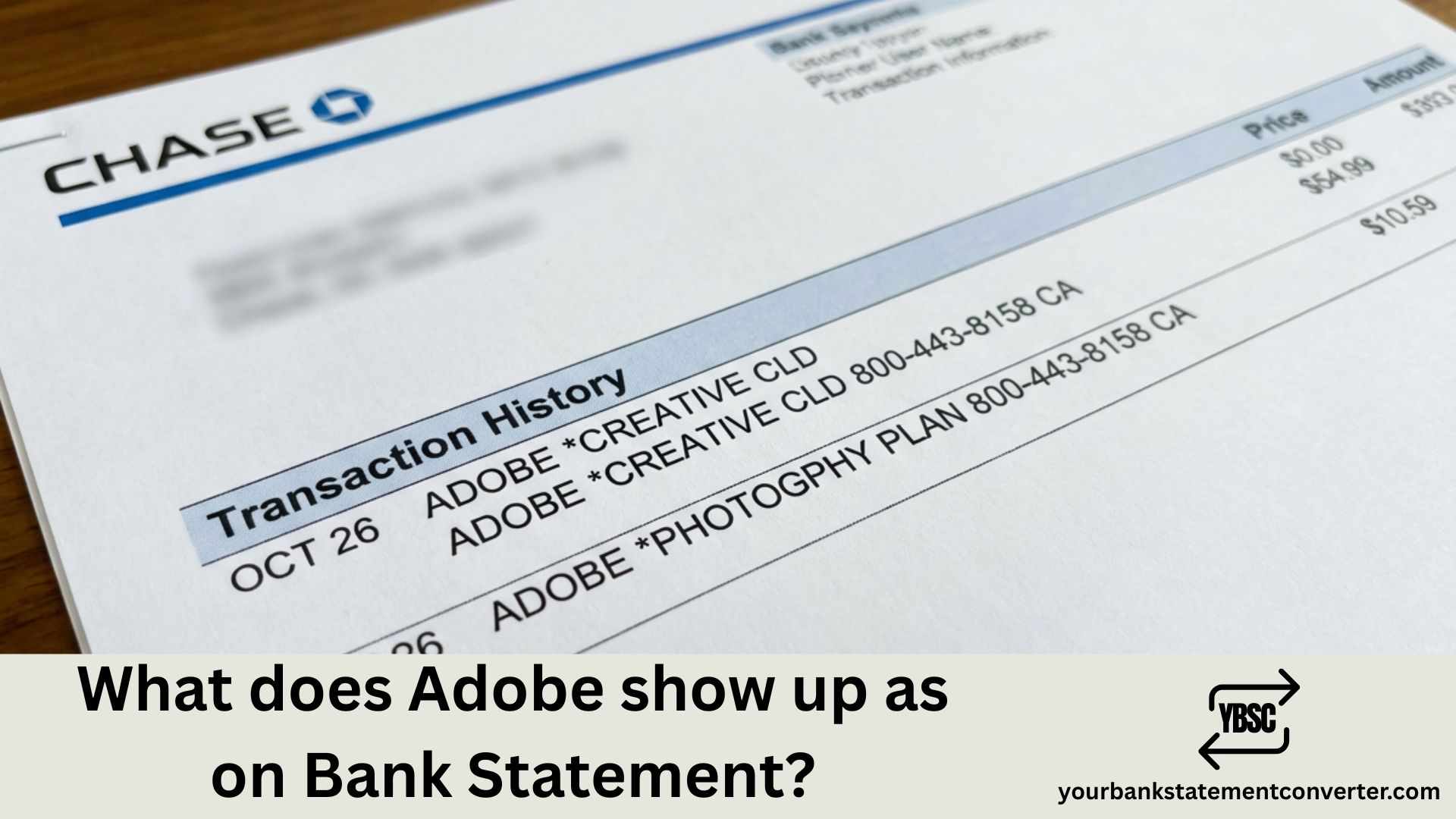
Adobe transactions typically appear on your bank statement under several recognizable names and formats. The most common descriptors include:
Primary Adobe Bank Statement Descriptors:
- ADOBE SYSTEMS – The most common descriptor for Creative Cloud subscriptions
- *ADOBE CREATIVE – Appears for Creative Cloud monthly/annual plans
- *ADOBE PHOTOSHP – Specific to Photoshop single-app subscriptions
- *ADOBE ACROBAT – For Acrobat Pro and PDF-related subscriptions
- *ADOBE STOCK – Adobe Stock image purchases and subscriptions
- ADOBE CREATIVE CLOUD – Full name descriptor used by some banks
- ADOBE INC – Corporate name format
- ADOBE.COM – Website-based purchase indicator
The exact wording depends on your bank’s processing system, the specific Adobe product you purchased, and whether you subscribed directly or through a third-party reseller.
Common Adobe Charge Amounts to Recognize
Knowing typical Adobe pricing helps you verify legitimate charges:
| Adobe Product | Monthly Cost (USD) | Annual Cost (USD) |
|---|---|---|
| Creative Cloud All Apps | $59.99 | $599.88 |
| Photoshop | $22.99 | $263.88 |
| Acrobat Pro | $22.99 | $239.88 |
| Lightroom | $9.99 | $119.88 |
| Adobe Stock | $29.99+ | $359.88+ |
| Photography Plan | $9.99 | $119.88 |
Why Adobe Charges Look Different on Your Statement
Bank statement descriptors vary due to several factors. Character limits imposed by banks often truncate full company names, resulting in abbreviated versions like “ADOBE *CREAT” instead of “Adobe Creative Cloud.” Additionally, different payment processors may format the merchant name uniquely, and international transactions might include country codes or currency indicators.
How to Verify an Adobe Charge Is Legitimate
If you’re uncertain about an Adobe charge on your statement, take these steps. First, log into your Adobe account at account.adobe.com and navigate to “Plans & Payment” to view your billing history. Compare the charge date and amount with your bank statement. Second, check your email for Adobe receipts, which are sent after every successful payment. Third, review your active subscriptions to ensure the charge matches your current plan.
Managing Adobe Subscriptions and Bank Statement Tracking
Keeping track of Adobe charges becomes significantly easier when you maintain organized financial records. For professionals, accountants, and bookkeepers managing multiple software subscriptions, converting bank statements into searchable, organized formats can save hours of reconciliation work. For anything beyond the free pages, the pricing tiers start small and are charged by page.
Your Bank Statement Converter helps you transform messy PDF bank statements into clean, organized Excel or CSV files—making it simple to search for specific charges like Adobe, categorize software expenses, and prepare for tax season. Whether you’re tracking Creative Cloud expenses for business deductions or managing multiple client accounts, having your bank statements in an editable format streamlines the entire process.
What to Do If You Don’t Recognize an Adobe Charge
Unrecognized charges require immediate attention. First, check if family members or employees have access to your payment method and may have made the purchase. Review your Adobe account for any shared access or team memberships. If the charge is genuinely unauthorized, contact Adobe Support immediately at 1-800-833-6687 and dispute the charge with your bank. Consider updating your payment information and enabling two-factor authentication on your Adobe account.
Adobe Free Trial Charges Explained
Many users are surprised by charges after signing up for Adobe’s free trials. Adobe requires payment information upfront for free trials, and you’ll be automatically charged when the trial period ends unless you cancel beforehand. Set a calendar reminder a few days before your trial expires to decide whether to continue or cancel.
International Adobe Charges and Currency Conversion
If you see an Adobe charge with an unfamiliar amount, currency conversion might be the cause. Adobe bills from the United States, so international users may see additional foreign transaction fees from their banks, typically ranging from 1% to 3% of the purchase amount.
Adobe Bank Statement Charges: Key Takeaways for Easy Identification
Understanding how Adobe appears on your bank statement protects you from fraud while helping you manage subscription costs effectively. The key identifiers to remember are “ADOBE SYSTEMS,” “ADOBE *CREATIVE,” and variations including specific product names. Always cross-reference charges with your Adobe account billing history for complete accuracy. For streamlined financial tracking and expense management, consider using Your Bank Statement Converter to keep all your software subscription charges organized and easily searchable.
Frequently Asked Questions
Most confusing entries come down to a code or a company name you have not met before. Our guide to what the abbreviations mean covers the codes, and what is on a bank statement explains the rest of the layout.
Why does my bank statement say “Adobe Systems” instead of the product name?
Banks use standardized merchant codes and often display the parent company name rather than individual product names. “Adobe Systems” is Adobe’s official corporate billing name used across all their products and services.
How do I stop Adobe from charging my card?
To stop Adobe charges, log into your Adobe account, go to “Plans & Payment,” and select “Cancel Plan” for each active subscription. Remember that annual plans paid monthly may include early termination fees.
What does “ADOBE *CREATIVE” mean on my bank statement?
“ADOBE *CREATIVE” indicates a charge related to Adobe Creative Cloud services. The asterisk is a standard separator used in bank descriptors, and “CREATIVE” is an abbreviation for Creative Cloud.
Can Adobe charge me without permission?
Adobe will only charge payment methods you’ve provided. However, automatic renewals, post-trial billing, and shared account access can result in unexpected charges. Review your subscription settings regularly.
How long do Adobe refunds take to appear on bank statements?
Adobe refunds typically take 5-7 business days to process and appear on your bank statement, though some banks may take up to 10 business days to reflect the credit.
Why am I being charged twice by Adobe?
Double charges may occur if you have multiple subscriptions, separate personal and business accounts, or if a payment failed initially and was retried successfully. Check your Adobe account for all active plans.
Does Adobe charge sales tax?
Yes, Adobe charges sales tax in regions where digital services are taxable. The tax amount appears as part of the total charge or sometimes as a separate line item.
How can I get an Adobe receipt for my records?
Adobe automatically emails receipts after each payment. You can also access all invoices by logging into account.adobe.com and navigating to “Plans & Payment” then “Billing History.”
What is “ADOBE INC” on my credit card statement?
“ADOBE INC” is an alternate billing descriptor that represents Adobe Inc., the company’s official corporate name. This typically appears for purchases made directly through Adobe’s website.
How do I track Adobe expenses for business tax deductions?
Keep organized records by downloading invoices from your Adobe account and converting your bank statements to searchable formats using tools like Your Bank Statement Converter. This makes categorizing software expenses simple during tax preparation.