Spotted an unfamiliar charge on your bank statement after purchasing a game or subscribing to Nintendo Switch Online? Nintendo transactions can appear under several different names depending on where and how you made the purchase. This guide breaks down exactly what Nintendo shows up as on your bank statement so you can quickly identify and verify every charge.
Key Takeaways
- Nintendo of America is Nintendo’s US subsidiary that processes transactions for North American customers.
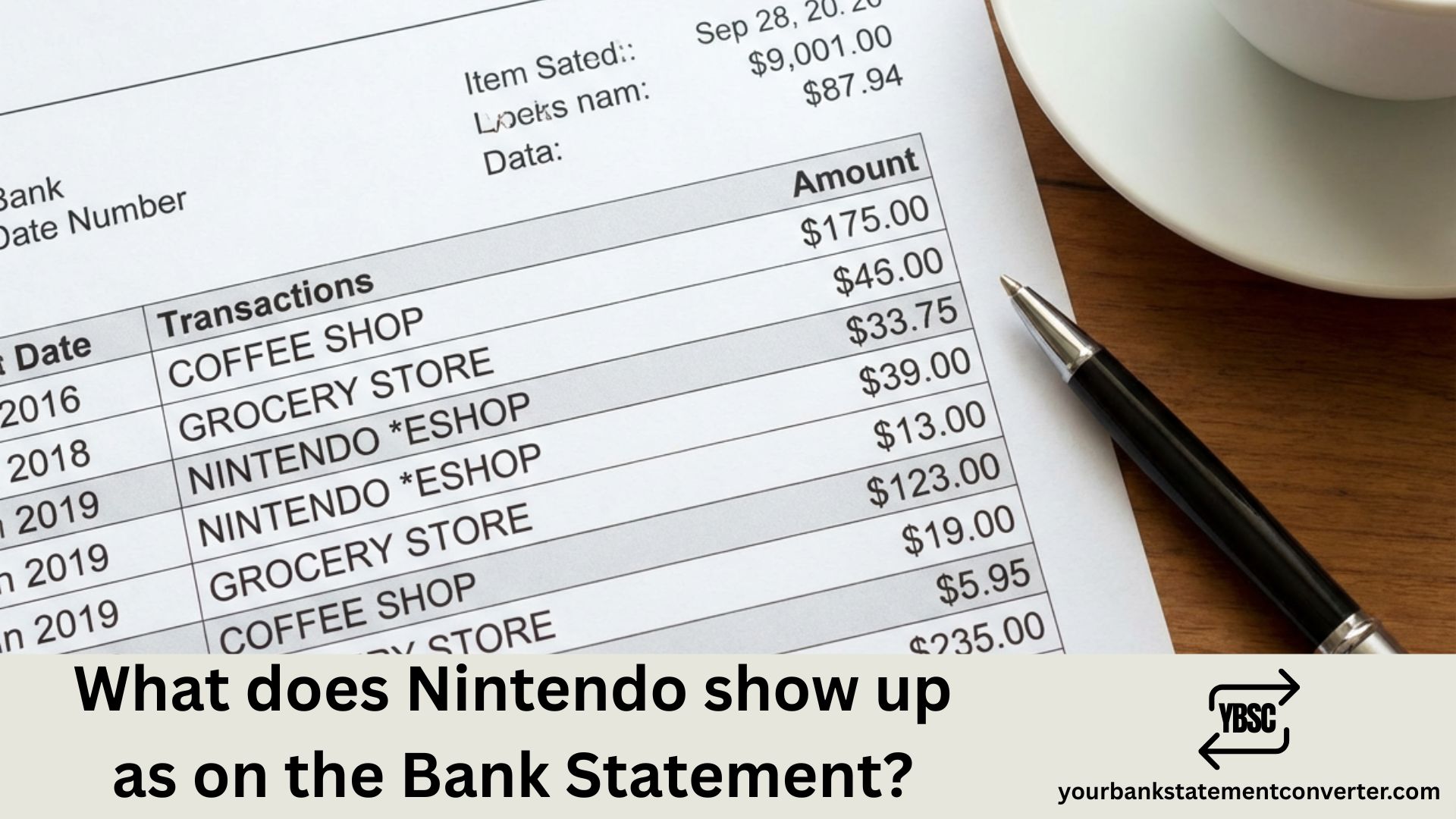
- Nintendo eShop charges typically appear as “NINTENDO ESHOP,” “NINTENDO*ESHOP,” or “NINTENDO CO LTD” on credit card statements.
- Log into your Nintendo Account at accounts.nintendo.com, go to Shop Menu, then select Your Orders to view complete purchase history with dates, amounts, and item descriptions.
- Monthly Nintendo charges are usually for Nintendo Switch Online subscriptions.
- If your payment method is saved to a Nintendo Account that others can access, or if you have a family membership with linked accounts, other users can make purchases charged to your card.
What Does Nintendo Show Up as on Bank Statement
Nintendo charges typically appear on your bank or credit card statement under these common descriptors:
- NINTENDO OF AMERICA – Most common for US-based purchases
- NINTENDO CO LTD – Standard descriptor for direct Nintendo purchases
- NINTENDO ESHOP – Digital game and content purchases
- NINTENDO*ESHOP – Variation seen on some credit card statements
- NINTENDOoA or NINTENDO OA – Abbreviated format due to character limits
- NINTENDO CD – Sometimes appears for digital content downloads
- NINTENDO SWITCH ONLINE – Subscription service charges
- BILL NINTENDO – Generic billing descriptor
For purchases made through third-party platforms, you might see different descriptors entirely.
Nintendo Transaction Descriptors by Purchase Type
| Purchase Type | Common Statement Descriptor |
|---|---|
| eShop Digital Games | NINTENDO ESHOP, NINTENDO*ESHOP |
| Nintendo Switch Online | NINTENDO SWITCH ONLINE, NINTENDO OF AMERICA |
| In-Game Purchases | NINTENDO CO LTD, NINTENDO CD |
| Hardware (Direct) | NINTENDO OF AMERICA, NINTENDO STORE |
| Mobile Games (iOS) | APPLE.COM/BILL |
| Mobile Games (Android) | GOOGLENINTENDO, GOOGLEPLAY |
Common Nintendo Charge Amounts to Recognize
Familiarizing yourself with standard Nintendo pricing helps you quickly identify legitimate charges:
Nintendo Switch Online Subscriptions:
- Individual Monthly: $3.99
- Individual 12-Month: $19.99
- Family 12-Month: $34.99
- Individual + Expansion Pack: $49.99
- Family + Expansion Pack: $79.99
Common eShop Price Points:
- Indie Games: $9.99 – $29.99
- First-Party Titles: $59.99
- DLC Packs: $14.99 – $24.99
- In-Game Currency: $0.99 – $99.99
Prices are USD and subject to change.
Why Your Nintendo Charge Might Look Unfamiliar
Several factors can make Nintendo transactions harder to recognize on your statement:
Regional Variations: Nintendo operates different regional entities. European users might see “NINTENDO OF EUROPE” while Japanese purchases could show “NINTENDO CO LTD JAPAN.”
Currency Conversion: International purchases may include additional conversion fees or appear with foreign transaction descriptors.
Family Account Purchases: If you have a Nintendo Switch family membership, purchases made by family members will appear on the primary account holder’s payment method.
Child Account Spending: Kids with linked accounts can make purchases that show up under the parent’s card without clear indication of who made the purchase.
Pending vs. Posted Charges: Pending transactions sometimes display differently than final posted charges, with abbreviated or generic descriptors.
How to Verify Nintendo Charges on Your Statement
If you’re unsure about a Nintendo-related charge, here’s how to confirm it:
- Check Nintendo Account Purchase History: Log into your Nintendo Account at accounts.nintendo.com and navigate to Shop Menu > Your Orders
- Review Email Receipts: Nintendo sends confirmation emails to your registered address for every transaction
- Check Family Member Accounts: Review purchase history on all linked accounts, especially children’s profiles
- Verify eShop Transactions: On your Switch, go to Nintendo eShop > Your Page > Redownload to see purchased content
- Match Transaction Dates: Compare statement dates with your gaming activity
Managing Nintendo Purchases and Preventing Surprise Charges
To avoid unexpected Nintendo charges on your bank statement:
Enable Purchase Restrictions: Set up parental controls to require PIN entry for all purchases
Remove Saved Payment Methods: Delete stored credit cards from your Nintendo Account to prevent accidental purchases
Disable Auto-Renewal: Turn off automatic subscription renewal for Nintendo Switch Online in your account settings
Set Spending Limits: Use Nintendo’s parental controls to set monthly spending caps for family accounts
Use eShop Cards: Purchase prepaid Nintendo eShop cards instead of linking credit cards directly
Streamline Your Bank Statement Review Process
Tracking gaming charges like Nintendo purchases alongside other subscriptions and expenses can become overwhelming, especially when statement descriptors don’t clearly identify the merchant. For bookkeepers, accountants, parents managing family budgets, or anyone reconciling monthly expenses, manually searching through PDF bank statements wastes valuable time.
Our bank statement converter transforms your bank statements from confusing PDFs into clean, organized Excel or CSV files. This makes it easy to:
- Search and filter transactions to instantly find all Nintendo charges
- Categorize gaming expenses separately from other entertainment costs
- Track family spending patterns across multiple accounts
- Export data for budgeting apps or accounting software
- Identify recurring subscription charges you may have forgotten about
Whether you’re tracking your own Nintendo purchases or managing finances for clients with kids who love gaming, converting bank statements to spreadsheet format gives you complete control over transaction analysis.
👉 Convert Your Bank Statements Now at our online bank statement converter
Nintendo Bank Statement Charges: What You Need to Remember
Understanding what Nintendo shows up as on your bank statement prevents confusion and helps you catch unauthorized charges quickly. Whether the transaction appears as “NINTENDO OF AMERICA,” “NINTENDO ESHOP,” or a regional variation, the key is matching the charge amount and date with your purchase history or subscription billing cycle. For households with multiple gamers or professionals managing client finances, tools like our free online bank statement converter make it simple to organize, search, and categorize every transaction—including those gaming purchases that might otherwise slip through the cracks.
Frequently Asked Questions
Unfamiliar entries are rarely a sign of anything wrong. Our guide to what the abbreviations on a bank statement mean decodes the type codes, and what is on a bank statement explains how each section of the page fits together.
Why does my bank statement show Nintendo of America?
Nintendo of America is Nintendo’s US subsidiary that processes transactions for North American customers. This is the standard legitimate descriptor for purchases made through the Nintendo eShop or Nintendo Store in the United States.
What does Nintendo eShop charge look like on credit card?
Nintendo eShop charges typically appear as “NINTENDO ESHOP,” “NINTENDO*ESHOP,” or “NINTENDO CO LTD” on credit card statements. The exact format varies by card issuer and character limits.
How do I find out what I purchased from Nintendo?
Log into your Nintendo Account at accounts.nintendo.com, go to Shop Menu, then select Your Orders to view complete purchase history with dates, amounts, and item descriptions.
Why is Nintendo charging me monthly?
Monthly Nintendo charges are usually for Nintendo Switch Online subscriptions. Check your subscription status at accounts.nintendo.com under Subscriptions to see your plan and renewal date.
Can someone else use my card on Nintendo?
Yes, if your payment method is saved to a Nintendo Account that others can access, or if you have a family membership with linked accounts, other users can make purchases charged to your card.
How do I stop Nintendo from charging my card?
Remove your saved payment method from your Nintendo Account settings and disable auto-renewal for any active subscriptions. You can also use prepaid eShop cards instead of linked credit cards.
What is NINTENDO CD on my bank statement?
“NINTENDO CD” typically refers to digital content downloads from the Nintendo eShop. The “CD” likely stands for “Content Download” or is an abbreviated descriptor used by some payment processors.
How do I get a refund from Nintendo?
Nintendo’s refund policy is strict for digital purchases. Contact Nintendo Customer Support at support.nintendo.com within a few days of purchase to request a refund review. Physical products bought from Nintendo Store have a standard return window.
Why do I see multiple Nintendo charges on the same day?
Multiple charges can occur when purchasing several items separately, buying a game plus DLC, adding funds to your eShop balance and then making a purchase, or if family members made purchases around the same time.
Does Nintendo charge tax on digital purchases?
Yes, Nintendo collects sales tax on digital purchases in regions where digital goods are taxable. The tax amount depends on your registered account address and local tax laws.