Quick Answer: help.max.com on your bank statement is a charge from Max (formerly HBO Max), the popular streaming service owned by Warner Bros. Discovery. This charge appears when you have an active Max subscription for streaming movies, TV shows, and original content including HBO programming, Discovery content, and Max Originals.
Seeing “help.max.com” on your bank or credit card statement and wondering what it is? You’re not alone. Many subscribers notice this unfamiliar descriptor and question the charge. This guide explains exactly what help.max.com means, why it appears on your statement, and how to manage your Max subscription.
What is help.max.com on my bank statement?
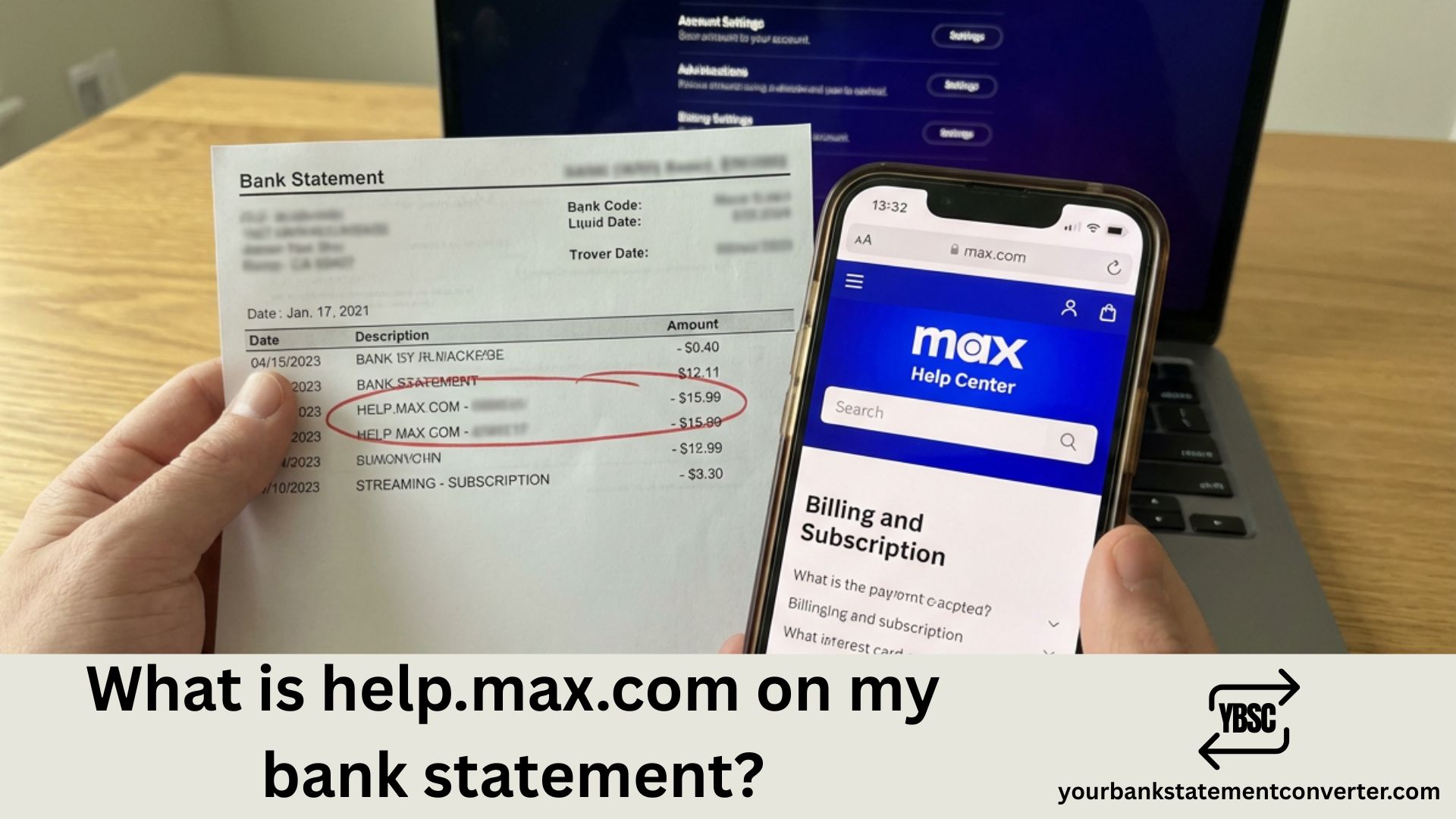
help.max.com is the billing descriptor used by Max, the streaming platform that combines content from HBO, Warner Bros., Discovery, and more. When you subscribe to Max directly through their website or app, charges appear on your bank statement as “help.max.com” or variations like “MAX STREAMING,” “HBO MAX,” or “WBD MAX.”
Max (rebranded from HBO Max in May 2023) is a legitimate streaming service offering thousands of hours of content including HBO original series, blockbuster movies, reality TV from Discovery networks, and exclusive Max Originals. The “help.max.com” descriptor references their customer support website, which is standard practice for subscription services.
Common Reasons for help.max.com Charges
You might see help.max.com charges on your statement for several reasons:
- Monthly subscription fee: Regular recurring charge for your Max plan (With Ads, Ad-Free, or Ultimate Ad-Free)
- Annual subscription renewal: Yearly billing if you chose the annual payment option
- Plan upgrade: Switching from a lower tier to a higher tier plan
- Free trial conversion: Your trial period ended and the paid subscription began
- Price increase: Max occasionally adjusts subscription pricing
- Reactivated subscription: A previously paused or cancelled subscription was restarted
Max Subscription Plans and Pricing
Max offers three subscription tiers (prices may vary):
- With Ads: The basic plan with limited commercials
- Ad-Free: Commercial-free streaming with additional features
- Ultimate Ad-Free: Premium tier with 4K streaming, Dolby Atmos, and more simultaneous streams
Each plan has monthly and annual billing options, with annual plans typically offering a discount.
How help.max.com Charges Appear on Bank Statements
The Max billing descriptor may appear in different formats depending on your bank:
- help.max.com
- MAX STREAMING
- MAX help.max.com
- HBO MAX (older charges before rebrand)
- WBD MAX
- WARNERMEDIA or WM MAX
The charge amount should match your subscription plan’s price plus any applicable taxes.
What To Do If You Don’t Recognize the Charge
Step 1: Check Your Email
Search your inbox for emails from Max or HBO Max. Look for subscription confirmations, billing receipts, or welcome emails that confirm when you signed up.
Step 2: Verify Household Access
Ask family members if they signed up for Max using your payment method. Shared accounts are common, especially with streaming services that allow multiple profiles.
Step 3: Check for Bundled Subscriptions
Max is often bundled with other services. Check if you have Max included through:
- AT&T wireless or internet plans
- Verizon wireless plans
- Cable or satellite TV packages
- Other streaming bundles
Step 4: Log Into Your Max Account
Visit max.com and try logging in with email addresses you commonly use. If you have an account, you can view your subscription details and billing history under Account Settings.
Step 5: Contact Max Support
If you still can’t identify the charge, contact Max customer support at help.max.com or call their support line for assistance with billing inquiries.
How to Cancel Your Max Subscription
To stop future help.max.com charges:
- Go to max.com and sign in to your account
- Click your profile icon and select “Account”
- Navigate to “Subscription” or “Billing Information”
- Select “Cancel Subscription” and follow the prompts
- You’ll retain access until the current billing period ends
Note: If you subscribed through a third party (Apple, Google, Amazon, Roku, or a cable provider), you must cancel through that platform instead.
Is help.max.com Legitimate?
Yes, help.max.com is completely legitimate. It’s the official billing descriptor for Max, owned by Warner Bros. Discovery—one of the largest media companies in the world. The charge is secure and represents your streaming subscription payment.
However, if you’re certain no one in your household subscribed to Max, the charge could indicate:
- An old forgotten subscription
- Someone using your payment info without permission
- A billing error (rare but possible)
In these cases, contact Max support immediately and consider monitoring your account for other unauthorized charges.
Easily Track and Manage Your Streaming Subscriptions
With multiple streaming services like Max, Netflix, Disney+, and others, keeping track of all your subscriptions can be overwhelming. Unknown charges like “help.max.com” often slip through when you’re manually reviewing bank statements.
Your Bank Statement Converter simplifies subscription tracking. Convert your PDF bank statements into organized Excel or CSV formats to:
- Identify all streaming charges: Quickly spot recurring payments from Max, Netflix, Spotify, and other services
- Track subscription costs: See exactly how much you’re spending on streaming each month
- Catch forgotten subscriptions: Find services you signed up for and forgot about
- Monitor for unauthorized charges: Easily review all transactions in a searchable format
- Secure processing: Your financial data remains private and protected
👉 Start organizing your finances today at our free bank statement converter — convert your bank statements in seconds!
Understanding help.max.com Bank Statement Charges: Key Takeaways
The help.max.com charge on your bank statement is from Max, the streaming service formerly known as HBO Max. It’s a legitimate charge for your subscription to watch HBO shows, movies, Discovery content, and Max Originals. If you recognize having a Max subscription, the charge is normal. If not, check with household members, review bundled services, or contact Max support. For easier tracking of all your subscription services and bank transactions, consider using Your Bank Statement Converter to transform your statements into searchable spreadsheets.
Frequently Asked Questions
Why is there a help.max.com charge on my bank statement?
The help.max.com charge indicates you have an active Max (formerly HBO Max) streaming subscription. This is the standard billing descriptor Max uses when processing subscription payments directly through their platform.
Is help.max.com the same as HBO Max?
Yes, help.max.com charges are from Max, which was rebranded from HBO Max in May 2023. If you had an HBO Max subscription, it automatically converted to Max, and billing now appears as help.max.com.
How do I get a refund from Max?
Contact Max customer support through help.max.com to request a refund. Refunds are typically granted for accidental charges or billing errors. You may also dispute through your bank if Max doesn’t resolve the issue.
Why was I charged for Max when I cancelled?
You may have been charged if you cancelled after the billing date, have multiple accounts, or subscribed through a third party that processes billing separately. Check your cancellation confirmation email for the effective date.
How do I find my Max subscription?
Log into max.com with your email address. Go to your profile and select “Account” to view subscription details, billing history, and payment method on file.
Can I pause my Max subscription instead of cancelling?
Max doesn’t currently offer a pause feature. You must cancel and resubscribe later if you want to take a break. Your watchlist and preferences are saved when you return.
Why does my Max charge amount vary?
Charge variations may occur due to tax changes, plan upgrades or downgrades, promotional pricing ending, or annual vs. monthly billing differences.
How do I update my payment method on Max?
Sign in at max.com, go to Account > Subscription > Payment Method, and enter your new card details. If you subscribed through Apple, Google, or another provider, update payment through that platform.