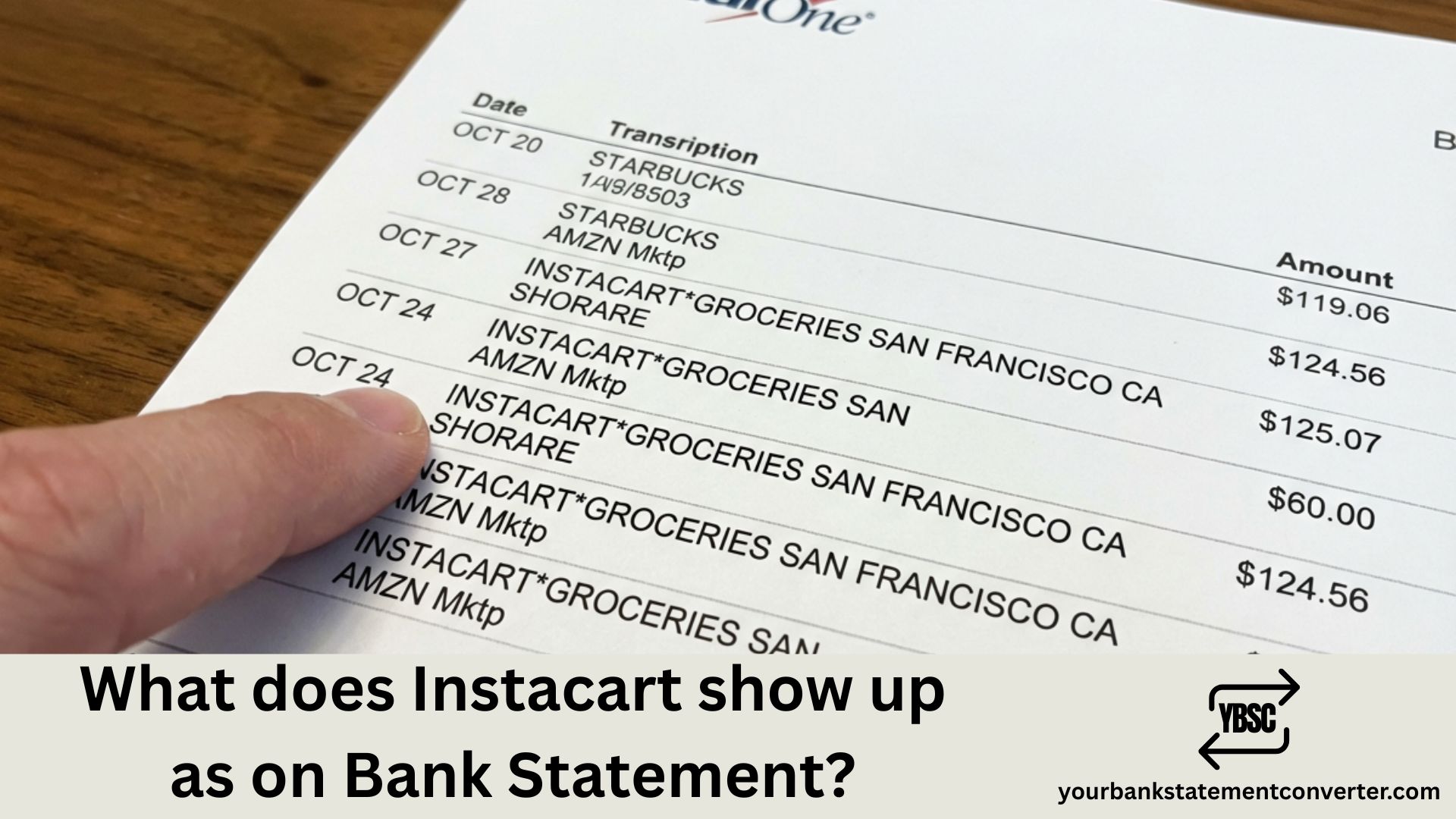
If you’ve spotted an unfamiliar charge and wondering what Instacart looks like on your bank statement, you’re not alone. Instacart transactions can appear under several different names depending on the merchant, payment method, and type of purchase.
Key Takeaways
- Instacart charges name Instacart, not the shop the order came from.
- The final amount often differs from checkout because of substitutions and weighed items.
- A temporary hold slightly above the order total is normal and clears in days.
- Instacart+ is a membership that bills whether or not you shop.
- Tips are charged after delivery, sometimes as a separate entry.
What Does Instacart Show Up As on a Bank Statement
Instacart charges typically appear on your bank or credit card statement as:
- INSTACART or INSTACART.COM
- INSTACART[Store Name]* (e.g., INSTACARTCOSTCO, INSTACARTSAFEWAY)
- INSTACART PAYMENTS
- IC[Store Name]* (abbreviated format)
- MAPLEBEAR INC (Instacart’s parent company name)
The exact descriptor depends on which retailer you ordered from and whether you’re being charged for groceries, delivery fees, tips, or your Instacart+ membership.
Why Do Instacart Charges Look Different?
Instacart partners with hundreds of grocery stores, pharmacies, and retailers. When you place an order, the charge may reflect:
- The store name combined with Instacart
- Separate line items for groceries, service fees, and tips
- Pending vs. final charges that differ in amount due to item substitutions or weight-based pricing
Common Instacart Bank Statement Entries
| Statement Descriptor | What It Means |
|---|---|
| INSTACART*KROGER | Grocery order from Kroger via Instacart |
| IC*COSTCO | Costco delivery through Instacart |
| INSTACART PAYMENTS | Tip adjustment or service fee |
| MAPLEBEAR INC | Corporate name for Instacart charges |
| INSTACART EXPRESS | Instacart+ membership fee |
How to Verify an Instacart Charge
If you don’t recognize a charge:
- Check your Instacart app — Go to “Your Orders” to view receipts
- Review your email for order confirmations
- Look for pending authorizations that may differ from final amounts
- Check if family members have access to your Instacart account
Need Help Tracking Your Instacart Spending?
Managing multiple transactions from Instacart and other merchants can get confusing, especially when statement descriptors vary. If you need to convert your bank statements into organized, searchable formats for expense tracking, bookkeeping, or financial analysis, our free online bank statement converter makes it simple.
Convert PDF bank statements to Excel or CSV instantly — making it easy to categorize Instacart charges, track grocery spending, and keep your finances organized.
Frequently Asked Questions
For the other entries on your statement, our guide to bank statement abbreviations explains the type codes, and what is on a bank statement covers the header, balances and transaction table.
Why the Amount Changes After You Order
Groceries behave differently from other online shopping, and this explains most Instacart queries.
Items sold by weight cannot be priced exactly at checkout. A joint or a bag of loose produce is estimated, then charged at its actual weight.
Substitutions replace an unavailable item with something at a different price.
Out-of-stock items are removed, reducing the total.
Instacart therefore places an authorisation hold slightly above your estimated total, then charges the true amount once the shopper finishes. The hold releases within a few working days.
Seeing both the hold and the final charge looks like a double charge. It is one order part-way through settling.
Tips Bill Separately
A tip added or adjusted after delivery is charged on its own rather than folded into the order.
That produces a second, smaller entry a day or two later. Instacart allows tips to be changed for a period after delivery, so an adjusted tip can generate an entry later still.
The Membership Charge With No Order
A regular amount with no matching shop is usually Instacart+, the paid membership reducing delivery fees.
It renews monthly or annually regardless of whether you order, which is exactly why it goes unnoticed in a quiet month. The annual version is the one that surprises people, arriving as a single larger charge twelve months on.
How to Match a Charge to an Order
Open your Instacart order history and match the amount and date.
Check for an adjusted total, since the receipt shows the final figure rather than the estimate.
Look a day or two either side, because charges settle after delivery rather than at checkout.
Check for a separate tip entry before assuming an error.
Our guides to Uber Eats and DoorDash cover the same holds and tip behaviour on other platforms.
Totalling Delivery Spending
Grocery delivery accumulates through service fees, delivery fees, tips and a membership, none of which appear on the shelf price.
Our bank statement converter turns PDF statements into clean, searchable spreadsheets. Filter for Instacart and every order, tip and membership charge lines up by date, ready to total.
Why does my bank statement list ‘Maplebear’ instead of ‘Instacart’?
Maplebear Inc. is Instacart’s legal corporate name. Some banks display the parent company name rather than the consumer-facing brand name on statements.
Why do I have multiple Instacart charges for one order?
Instacart often processes separate charges for groceries, delivery fees, service fees, and tips. You may also see a temporary authorization hold followed by the final charge.
How long do Instacart pending charges take to clear?
Pending authorizations typically clear within 1-3 business days after your order is delivered. The final amount may differ if items were substituted, unavailable, or priced by weight.
Does Instacart charge immediately or after delivery?
Instacart places a temporary hold when you place your order, then processes the final charge after delivery based on the actual items received.
How do I dispute an incorrect Instacart charge?
Contact Instacart support through the app or website first. If unresolved, you can dispute the charge directly with your bank or credit card company.
Why is my Instacart charge higher than my order total?
The difference usually accounts for tips added after delivery, heavier-than-estimated weighted items, or price adjustments for substituted products.
Pro Tip: Keep your financial records organized by converting your bank statements to spreadsheet format. Visit our bank statement to Excel converter to easily track and categorize all your Instacart and other merchant transactions.