When you subscribe to Disney+, the charge appears on your bank or credit card statement in ways that might not immediately scream “streaming service.” Understanding these transaction descriptors helps you track subscriptions, spot unauthorized charges, and manage your household budget effectively.
Key Takeaways
- Disney+ bills through Apple, Google, Amazon or a TV provider as often as directly.
- A charge reading
DISNEY PLUSis the direct case; the rest hide the name. - Annual plans renew as one large charge twelve months later, which catches people out.
- Bundles mean the charge may sit under a different service entirely.
- Cancel wherever you subscribed, not in the Disney+ app.
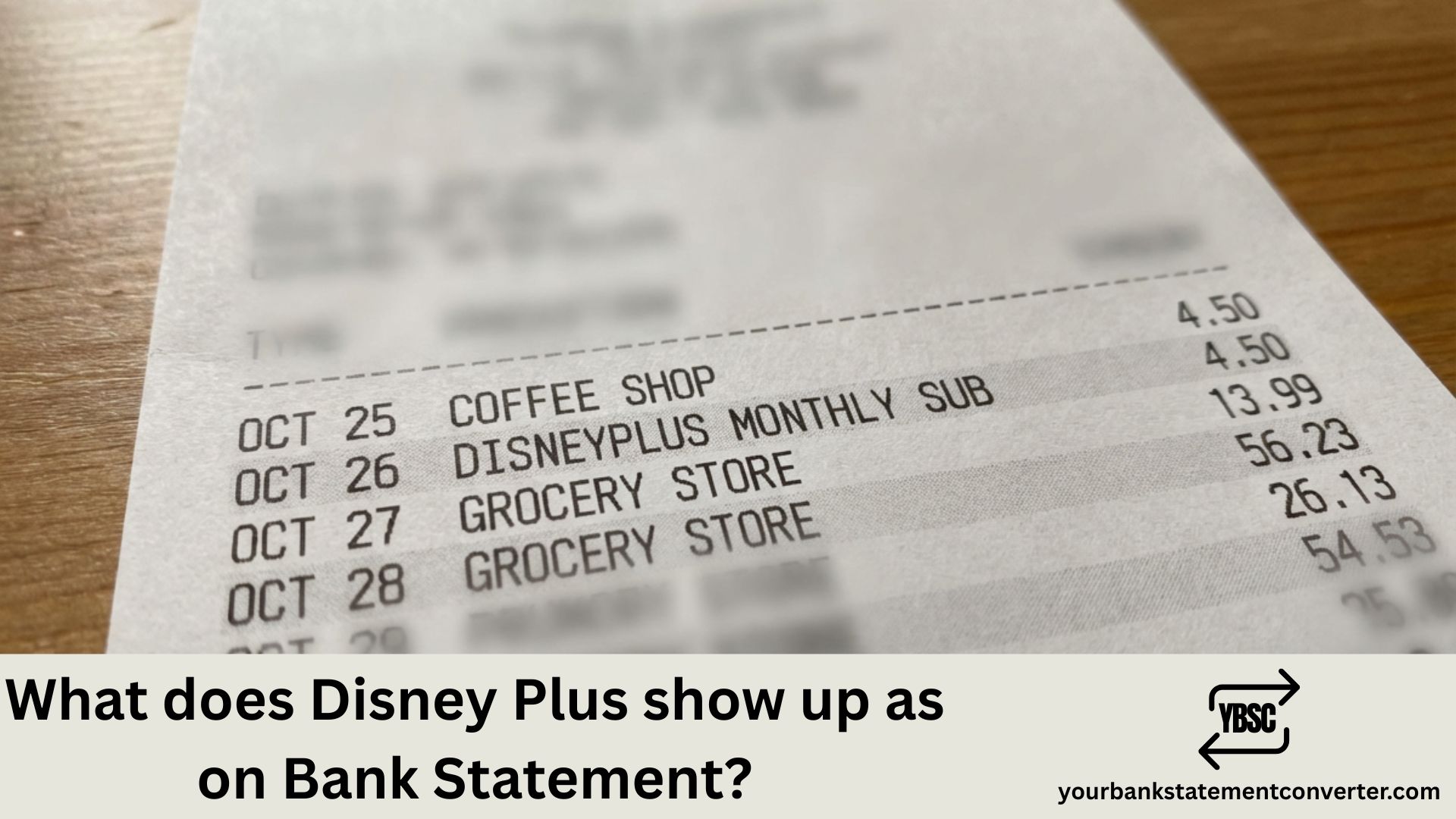
What Does Disney Plus Show Up As on Bank Statement?
Disney Plus typically appears on bank statements with these common descriptors:
Most frequent formats:
- DISNEYPLUS or DISNEY PLUS
- DISNEY+
- DSNP or DSNP*DISNEYPLUS
- DISNEYPLUS.COM
- DISNEY PLUS HELP.DISNEYPLUS.COM
The exact wording varies depending on your bank, card issuer, and billing country. Some statements also include a location reference such as “BURBANK CA” or “NL” (Netherlands, where Disney’s European billing is processed).
Billing amounts to look for:
- ₹299/month or ₹2,999/year (India – Disney+ Hotstar)
- $7.99–$13.99/month (US, depending on plan)
- £7.99–£10.99/month (UK)
If you’ve bundled Disney+ with Hulu and ESPN+ in the US, look for “DISNEY BUNDLE” or “THE DISNEY BUNDLE” instead.
Struggling to Find That Disney+ Charge in Your Statements?
If you’re searching through months of PDF bank statements trying to track down streaming subscriptions, there’s a faster way.
Our PDF bank statement converter instantly converts your bank statement PDFs into organized Excel spreadsheets. Simply upload your statement, and within seconds you’ll have searchable, sortable data that makes finding recurring charges like Disney+, Netflix, or any subscription effortless.
Perfect for:
- Tracking all your streaming subscriptions in one view
- Identifying forgotten recurring charges
- Preparing financial records for tax season or bookkeeping
👉 Try it free at our PDF to Excel bank statement converter
FAQs
Why the Charge May Not Say Disney
Disney+ can be bought through several routes, and each produces a different descriptor.
Direct from Disney gives the clearest entry, usually naming Disney Plus or Disney Streaming.
Through Apple shows APPLE.COM/BILL with no service named.
Through Google Play typically shows GOOGLE *DISNEY.
Through Amazon appears as an Amazon charge, which our guide to how Amazon appears on a statement covers.
Through a broadband or TV provider, it may be bundled into that bill and never appear separately at all.
The Annual Renewal Problem
Monthly subscribers see a small predictable charge. Annual subscribers see nothing for twelve months, then one large charge that rarely gets recognised.
If a sizeable Disney charge appears with no obvious cause, check whether you took an annual plan a year earlier. Annual billing is the single most common reason people search this descriptor.
Price Changes and Plan Tiers
Streaming prices move, and a subscription that started on one tier can end up on another.
Check the amount against the plan you believe you are on. Where it is higher, the likely explanations are a price rise applied at renewal, an upgrade to a higher tier, or the removal of an introductory discount.
How to Cancel It Properly
Cancel in the place you subscribed, because that is where the billing lives.
- Direct: your Disney+ account settings
- Apple: Settings, your name, Subscriptions
- Google: Play Store, profile, Payments and subscriptions
- Amazon: Your Memberships and Subscriptions
- A TV or broadband provider: through that provider
Cancelling inside the Disney+ app does nothing when a third party handles the billing, which is why so many cancellations appear not to work.
Seeing Every Streaming Charge Together
Streaming costs are individually small and collectively substantial, and the varied descriptors make them hard to total.
Our bank statement converter turns PDF statements into clean, searchable spreadsheets. Sort by amount and the recurring charges group themselves, usually revealing at least one service nobody is watching any more.
Why doesn’t my statement say “Disney Plus” clearly?
Banks use merchant category codes and abbreviated descriptors due to character limits. Disney’s payment processor may also display differently based on your region.
What if I see a Disney+ charge I didn’t authorize?
First, check if a family member subscribed. If the charge is truly unauthorized, contact your bank immediately to dispute it, then reach out to Disney+ support at help.disneyplus.com.
How do I cancel Disney+ to stop future charges?
Log into your Disney+ account, go to Account > Subscription > Cancel Subscription. If you subscribed through Apple, Google, or your TV provider, cancel through that platform instead.
Does Disney+ charge immediately or at the end of a trial?
Disney+ charges at the start of your billing cycle. If you signed up for a free trial (when available), you’re charged once the trial ends unless you cancel beforehand.
How can I easily track all my streaming subscriptions?
Convert your bank statements to Excel using YourBankStatementConverter.com, then filter or search for recurring monthly charges to see every subscription in one organized view.